



v AV Access KVM Switch Dual Monitor 4K@60Hz, 2K@144Hz, 1080P@240Hz, USB 3.0 KVM Switch 2 Monitors 2 Computers, Ultrawide Screen PC Keyboard Mouse Switcher, Hotkey Switch
  •  
  • $99.99 
  • $108.98
  • Free 30-day Returns
  • Ships from China.
    Price alert
    Shop it at NeweggBusiness.

    IHDAPP 8K@60Hz HDMI Dual Monitor KVM Switch, 2 Port HDMI KVM Switch for 2 Monitors 2 Computers with 3 USB 3.0 Ports, Extended Display Switcher with Audio Microphone, PC Monitor Keyboard Mouse Switch

    Limited time offer, ends 01/17 By Smarter & Better Life Marketplace

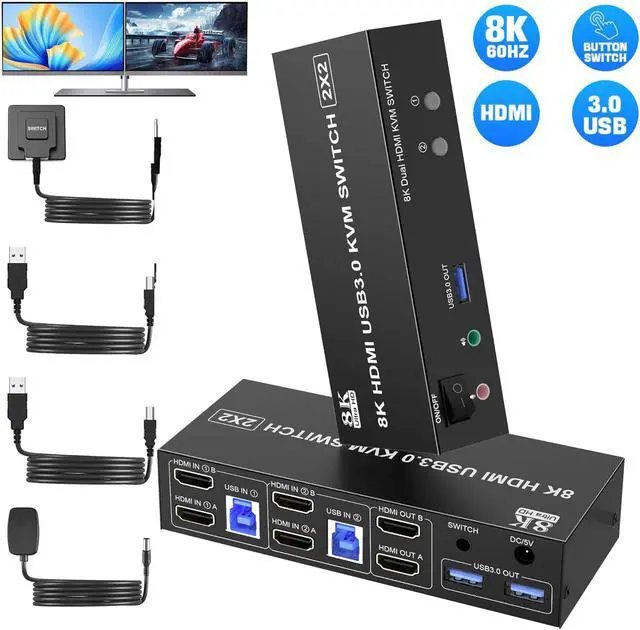
    • KVM Switch 2 Monitors 2 Computers: The KVM Switch allows 2 computers share 2 monitors and 3 USB devices like mouse keyboard Printer.
    • Crystal Clear 8K@60Hz Resolution: Support up to 8K@60Hz KVM Switch. And if you need different resolutions, fear not, it a
    +
    +
    Overview
    Specs
    Reviews
    avatar

    Any questions? Our AI beta will help you find out quickly.

    IHDAPP 8K@60Hz HDMI Dual Monitor KVM Switch, 2 Port HDMI KVM Switch for 2 Monitors 2 Computers with


    Introducing the 8K@60Hz KVM Switch - the perfect solution for those seeking a crystal clear dual monitor experience.


    • With its cutting-edge technology, this KVM Switch delivers unparalleled visual clarity and detail, ensuring an immersive viewing experience like no other.


    Reliability is at the core of our KVM Switch.

    • Designed for smooth and efficient operation, this dual monitor KVM switch ensures uninterrupted performance, allowing you to focus on your work or gaming without any distractions.


    Note:

    • 1. Most of the reasons why only onevideo output works is because of incorrect connection. Please make sure eachcomputer have 2 HDMI cables connect to the KVM.
    • 2. If the KVM switch does not work, you can turn off the switch on the panel and turn it on again after 2-3 seconds, and it will return to normal.
    How to connect
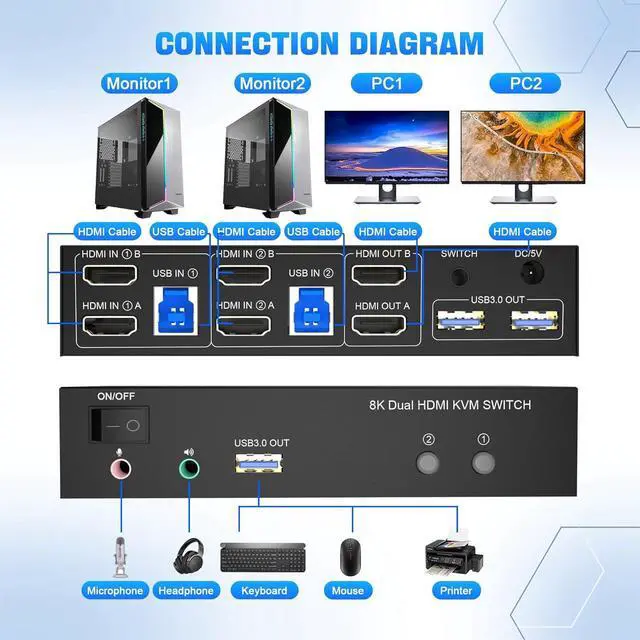
    How to connect with the KVM Switch?


    installation steps:


    • 1. Insert the adapter into the KVM ;
    • 2. Plug the HDMI cable into the KVM and monitor;(Output)
    • 3. Plug the HDMI cable and USB 3.0 cable into the KVM and your computer/laptop (HDMI cables are not included)(Input)
    • HD IN1 A + HD IN1 B + USB IN1=PC1
    • HD IN2 A + HD IN2 B + USB IN2=PC2
    • 4. Insert the mouse and keyboard into the KVM switch
    • 5. If needed, you can connect a microphone and audio port
    Upgrade your setup with the 8K@60Hz KVM Switch and experience the ultimate dual monitor experience.


    • Upgrade your setup with the 8K@60Hz KVM Switch and experience the ultimate dual monitor experience.
    • Say goodbye to cable clutter, enjoy enhanced connectivity, and take control of your workflow with ease.
    Dual monitor HDMI USB switch with 3 USB 3.0 ports  For sharing keyboard,mouse,printer,scaner and oth


    Dual monitor HDMI USB switch with 3 USB 3.0 ports


    • For sharing keyboard,mouse,printer,scaner and other USB devices.
    • Supports ultra-fast USB 3.0 data transfer up to 5Gbps,backward compatible with USB 2.0/1.1 devices.
    • The upgraded design hides the messy cables at the back, leaving a USB 3.0 port on the front for inserting a USB flash drive.
    • Unique design makes the desktop more tidy, Say goodbye to cluttered cables.
    Extended and Copy Mode
    Extended and Copy Mode


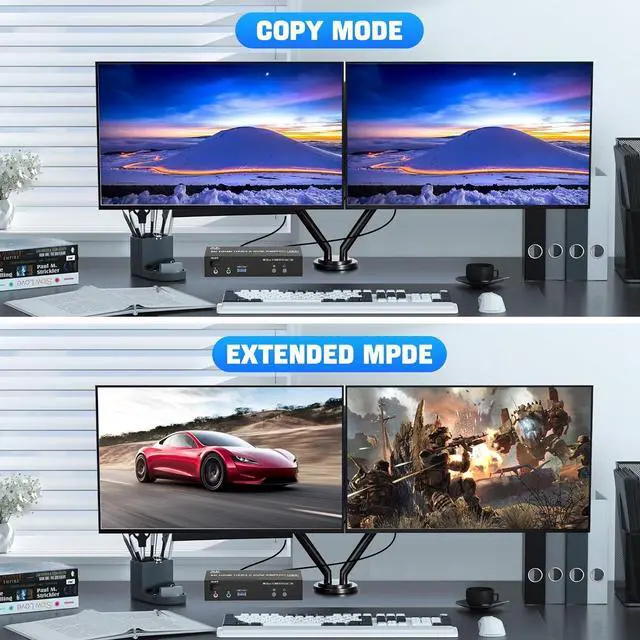
    Dual monitor KVM switch support extended and copy display modes. 

    • Copy mode: The main screen can be copied to the second output screen to display two identical screens. 
    • Extended mode: windows on the main screen can be dragged to the second output screen to display two different screens. 

    NOTE: Please make sure your computer supports multi-screen display.

    Seamlessly Compatible
    Seamlessly Compatible


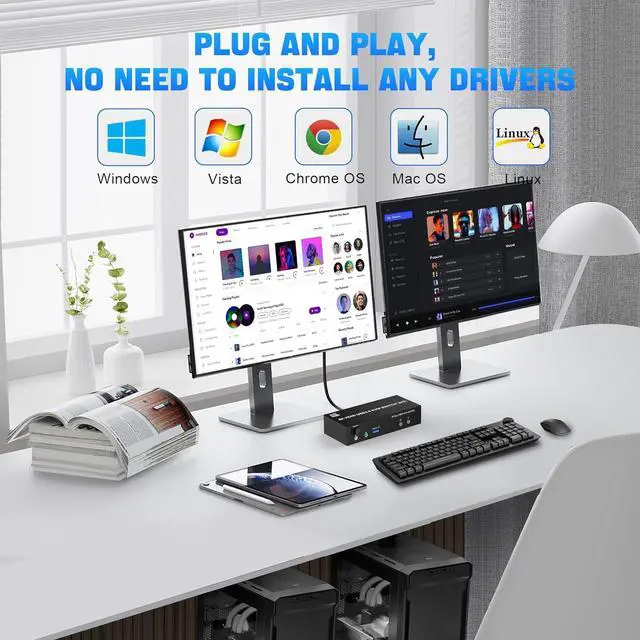
    HDMI KVM Switch driver-free for Windows, Mac OS, Linux, and Chrome OS. Plug and play.

    YY
    8K Dual Monitor HDMI kvm switch 2 monitors 2 computers

    KVM Switch 2 monitors 2 computers allows two computers share dual monitor and 3 USB devices and separate audio and microphone output
    The hdmi kvm switch support extended and mirror display
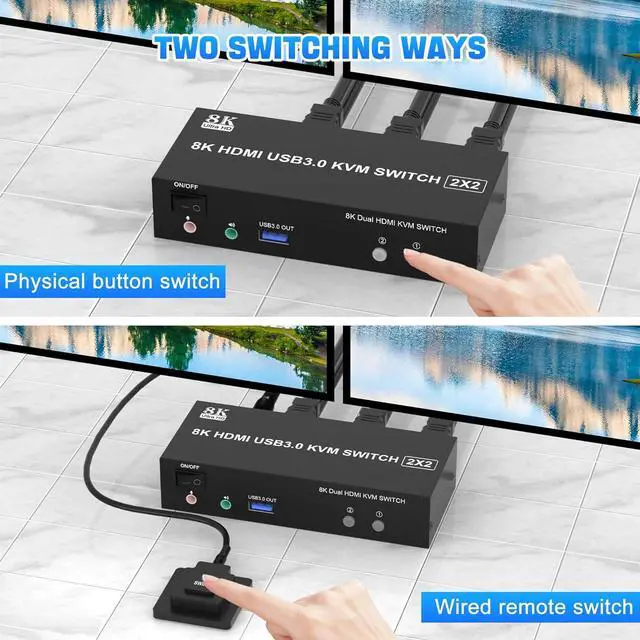
    2 Switching modes: Button switch and wired remote.
    Wide Compatibility, support most major OS including Windows, Linux, Mac
    Supports resolutions up to 8K@60Hz


    installation steps:

    1. Insert the adapter into the KVM;
    2. Plug the HDMI cable into the KVM and monitor; (Output)
    3. Plug the HDMI cable and USB 3.0 cable into the KVM and your computer/laptop (HDMI cables are not included) (Input)
    HD IN1 A + HD IN1 B + USB IN1=PC1
    HD IN2 A + HD IN2 B + USB IN2=PC2
    4. Insert the mouse and keyboard into the KVM switch
    5. If needed, you can connect a microphone and audio port

    Warranty & Returns

    Warranty, Returns, And Additional Information

    Warranty

    • Please contact the Seller directly for warranty information. Warranty information may also be found on the Manufacturer's website.
    • CONTACT

    Return Policies

    Manufacturer Contact Info

    LOADING...