




 here!
here!
I’m your shopping assistant for PC builds, upgrades, and everything tech.
Got questions? Ask away!
Start a conversation
here!
I’m your shopping assistant for PC builds, upgrades, and everything tech.
Got questions? Ask away!
Start a conversation



Any questions? Ask CelesteSM will help you find out quickly.

Features:

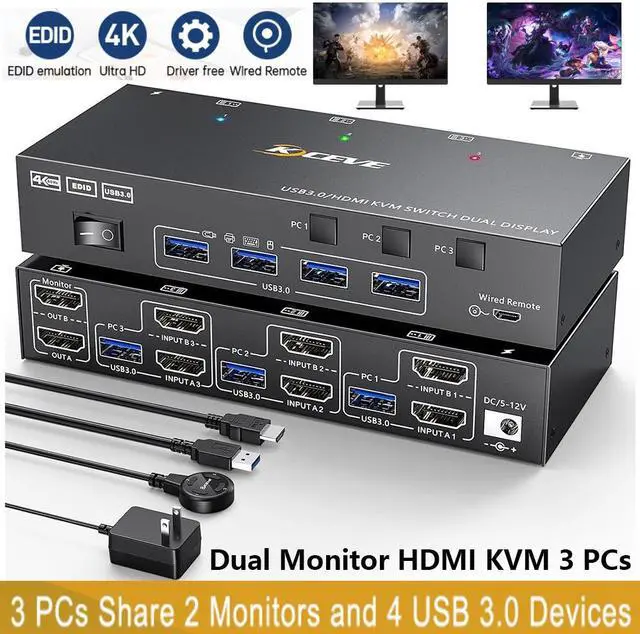
Support extended and mirror display, whether in office work, gaming or learning, this dual monitor KVM switch allows you to view extra screen.
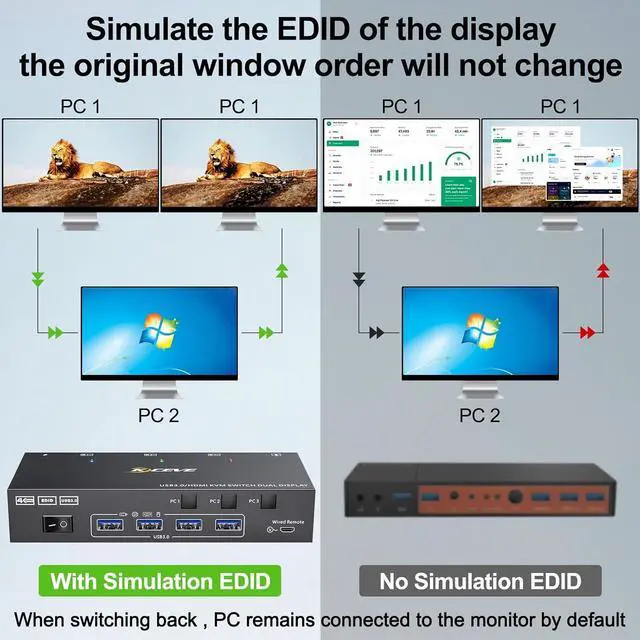
2 monitors KVM switch can automatically simulate the EDID and HDCP information of two connected monitors,the computer will read the EDID stored in the DDC memory of the monitor through the DDC channel, when the monitor is switched between three computers, the original window order will not be changed and maximize your productivity.

4K HD Resolution
Support 4K@60Hz, 1920x1080P@60Hz @120Hz,@144Hz and backward compatible with lower resolutions.

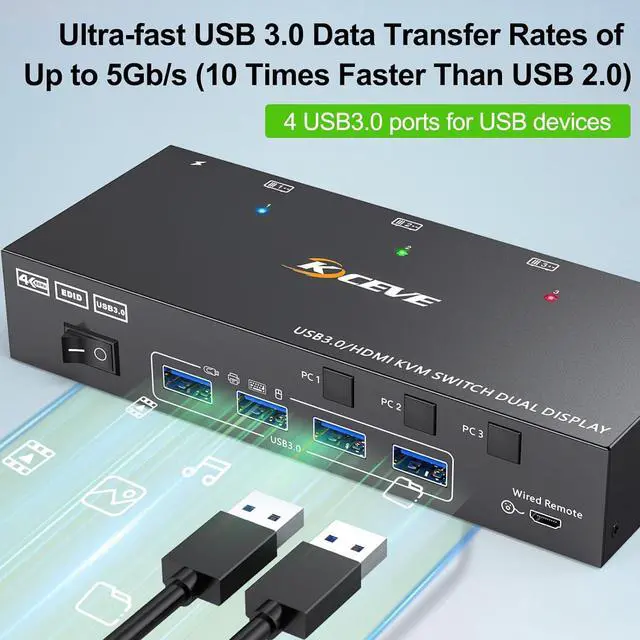
4-Port USB 3.0 with 5Gbps
Supports 5Gbps data transfer speed , can transfer files in Seconds,Much faster than USB 2.0.

Simulated EDID
Simulate the EDID of the display, when the monitor is switched between two computers, the original window order will not change.

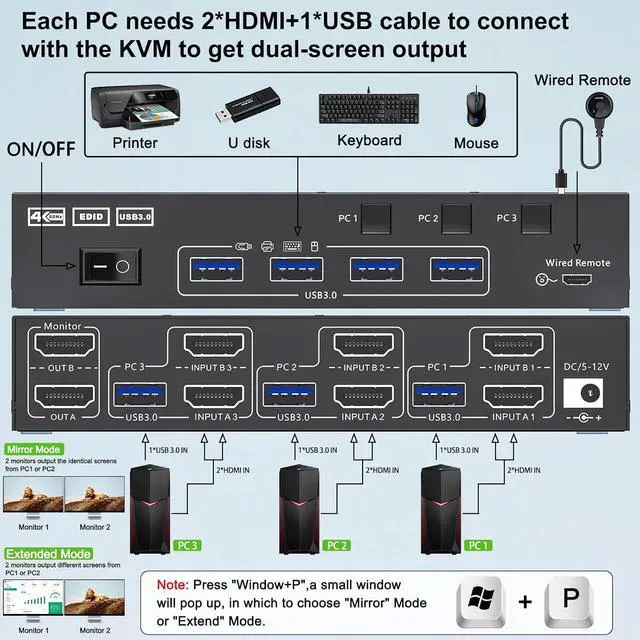
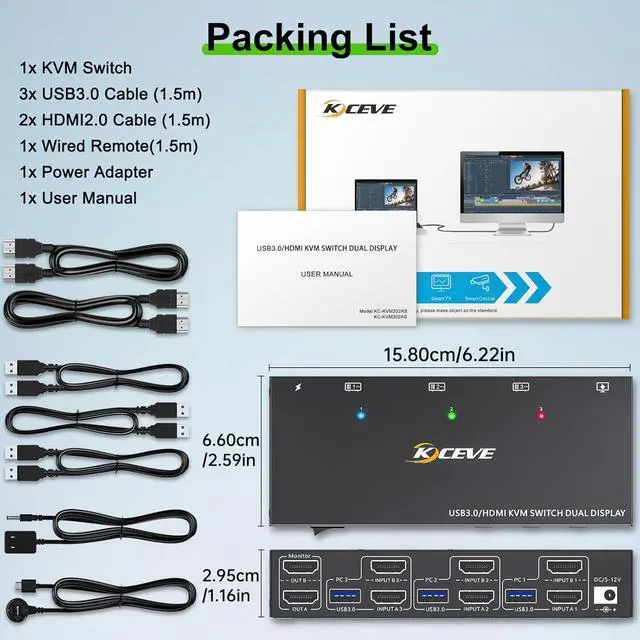
Each PC needs 2 HDMI cables + 1 USB 3.0 cable to connect with the KVM to ensure the keyboard, mouse and 2 monitors work properly.
Connection steps:
Step 1. Connect 2*HD-MI cables+1*USB cable between PC 1 and KVM (USB 3.0, INPUT A1, INPUT B1).
Step 2. Connect 2*HD-MI cables+1*USB cable between PC 2 and KVM (USB 3.0, INPUT A2, INPUT B2).
Step 3. Connect 2*HD-MI cables+1*USB cable between PC 3 and KVM (USB 3.0, INPUT A3, INPUT B3).
Step 4. Connect 2*HD-MI cables between the KVM (OUT A, OUT B) and the monitors.
Step 5. Connect the keyboard,mouse and other USB devices to the USB3.0 ports on the KVM.
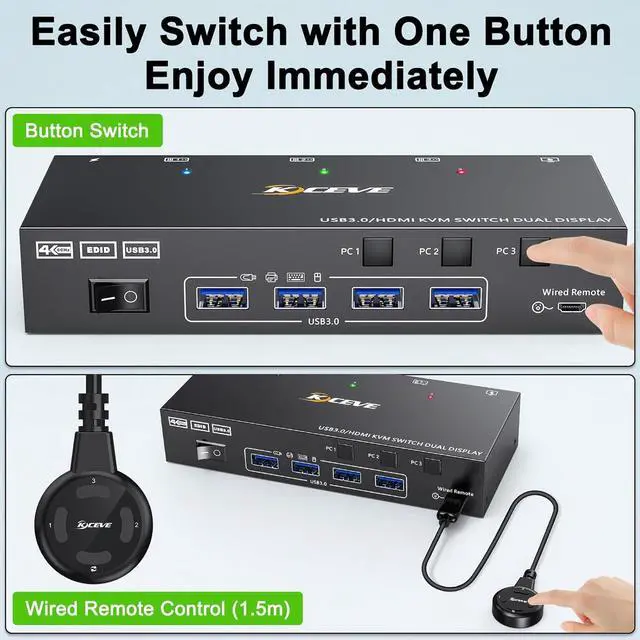
Step 6. Insert the wired remote to remotely switch between PC 1,PC 2 and PC 3.

DC/12V power port (optional)
When using a high-power USB device, please plug it in to provide sufficient power.(power adapter included)

Wired remote(1.5m)
Wired remote that supports remote switching for easy management of desktop cables.

One-click to turn on/off
Simply use the on/off button on the KVM when not in use, no need to unplug the cables.
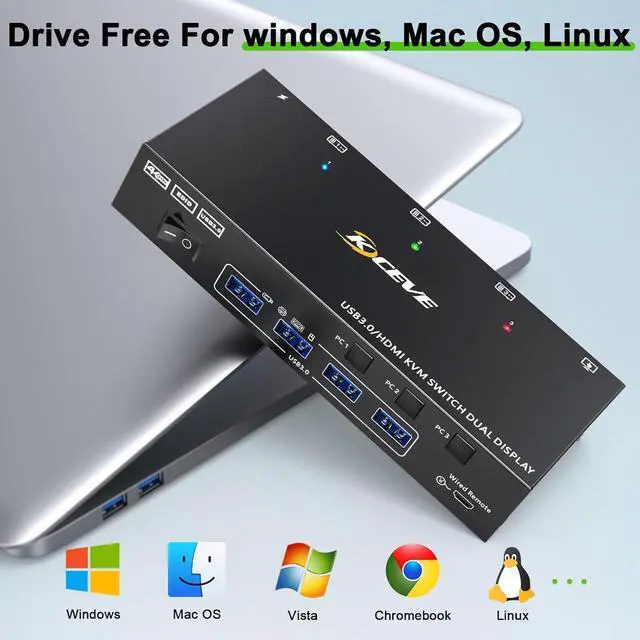
The windows OS can expand 2 different screens, while the Mac OS can only expand 2 identical screens.

Note
| Video Signal | HDMI: HDMI with 4K@60Hz 4:4:4, HDCP 2.2 |
|---|---|
| USB Data | USB 3.0, up to 5Gbps data transfer rate. |
| Bandwidth | 18 Gbps |
| Input/Output Resolution | Test results from the laboratory with (graphics card: RTX 3080, monitor: 3440x1440) |
| @60Hz | 720×480, 720×576, 1176×664, 1280x720P, 1280×768, 1280×800, 1280×960, 1280×1024, 1360×768, 1366×768, 1440×900, 1600×900, 1600×1024, 1600×1200, 1680×1050, 1920×1200, 1920×1440, 2048×1536, 2560×1600, 3440×1440, 3840×2160, 4096×2160 |
| @75Hz | 800×600, 1024×768, 1152×864 |
| @60Hz, @120Hz, @144Hz | 1920x1080P, 2560x1080P, 2560×1440, 3840×1080 |
| Device Dimensions (W x H x D) | 160mm x 30mm x65mm/ 3.94" x 1.18" x 2.56" |
| Product Weight | 0.32kg/0.70lbs |


