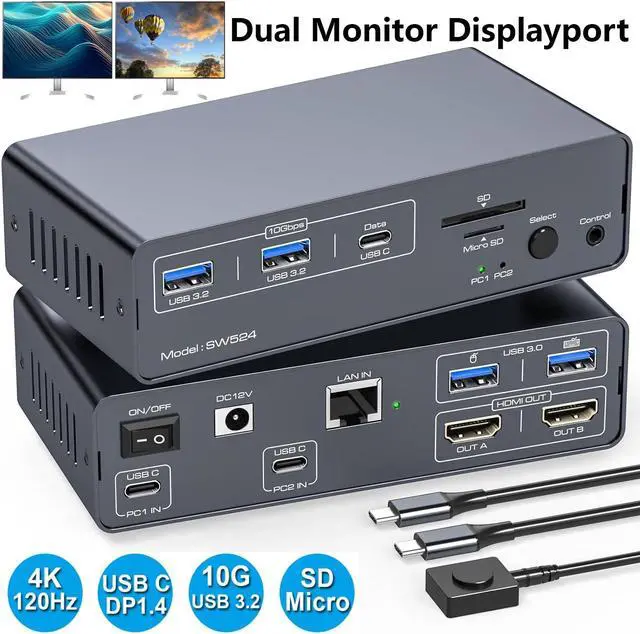
4K120Hz Displayport USB C Docking Station Dual Monitor for Laptop & Desktop (13-in-1) 2 Monitors 2 Computers with USB-3.2*2+USB-C*10Gbps, USB 3.0 * 5Gbps USB Hub & SD/MicroSD Card Slot
Descriptions:
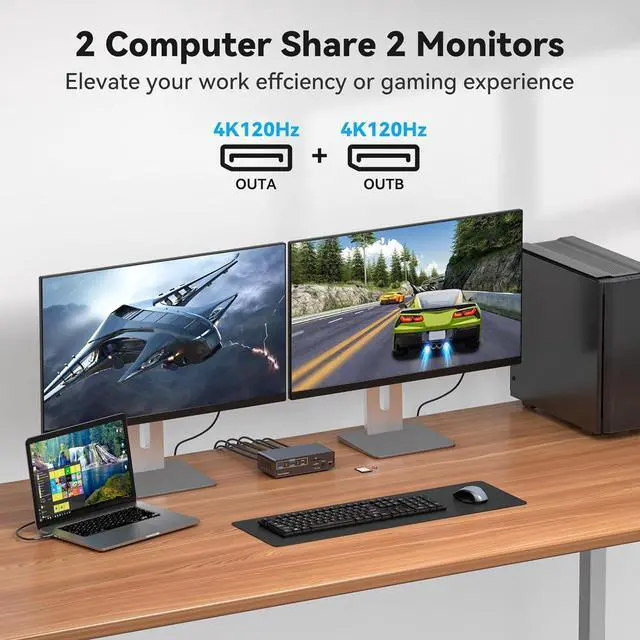
4K 60Hz USB C + DP KVM Switch allows you to share one USB keyboard, USB mouse,3x USB 3.2 device,1 x SD Card,1 x micro SD card, and 2 Displayport 1.4 Monitor to control 2 Macbook,computers, laptops, game consoles.
It is designed for multitask with two computers at your necessary, increasing productivity in the office or at home ; You can switch between 2 computers using a manual switch located on the top of the KVM unit.
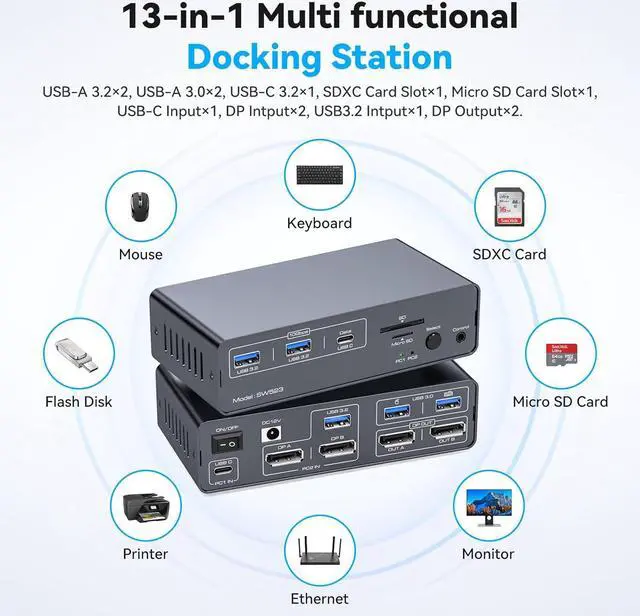
13-in-1 Docking Station 2 Monitors 2 Computers Switching between Laptop & Desktop
- Supports controlling 2 computer devices and 2 monitors using only 1 set of keyboard and mouse.
- Supports mouse and keyboard connection to KVM via two USB 3.0 ports.
- Supports connecting barcode scanners,USB storage,or other high-speed USB devices through two USB 3.2 Gen2 and one USB-C port.
- Supports up to 3840*2160(4K)120Hz resolution.
- Supports host USB 3.2 Gen2 transfer rate.
- Support front panel buttons and external switch buttons to control KVM switch inputs.
- The USB-C port supports dual screen mode for Windows and Mac OS.
- Supports USB 3.0 SD card and Micro SD card.
How to Use?
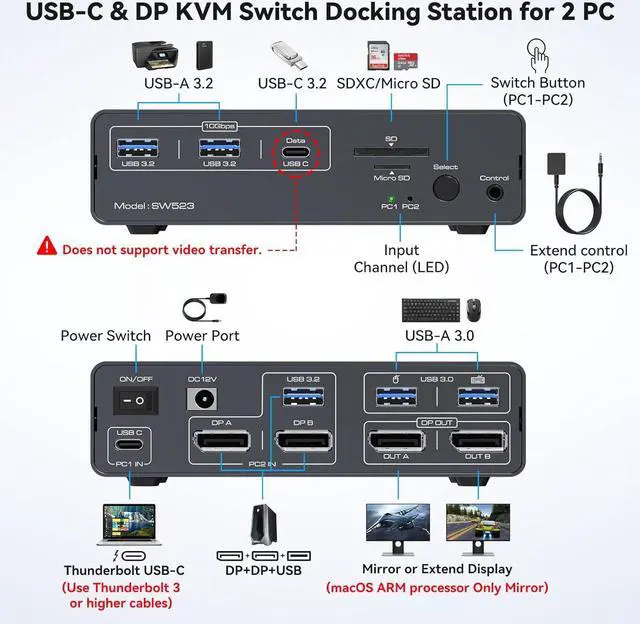
- Laptops connect to the PC1 IN port of the docking station via the USB-C port (supports video transmission, Thunderbolt 3 or higher); desktops connect to the PC2 IN port of the docking station via the 2DP+1USB-A port.
- Connect the 2x DP output port on the back of the KVM switch to the monitor through an 2x DP cable.
- Connect the mouse and keyboard to the USB 3.0 port on the back.
- Connect USB storage devices,printers,and other USB devices to the USB port on the front panel(the USB-C port on the front panel only supports data transfer and does not support PD charging and video transfer)
- Switch between Computer 1 and Computer 2 through the buttons on the panel or external control kit.
Attention:
- Before power on,please check the connection line carefully.And make sure that all interfaces are normally connected.
- Before inserting the connecting cable,please disconnect the power supply first.
Pre-purchase Notice:
- Please check your laptop: Please confirm what functions the USB-C port on your laptop supports. The docking station only works with devices whose USB Type C port supports video output or DP Alt mode. It may not be suitable for all USB C laptops.
- Please confirm the DP version of the computer graphics card. Only DP version 1.2 and above supports the extended screen (MST), otherwise the device cannot extend two different screens on two monitors.
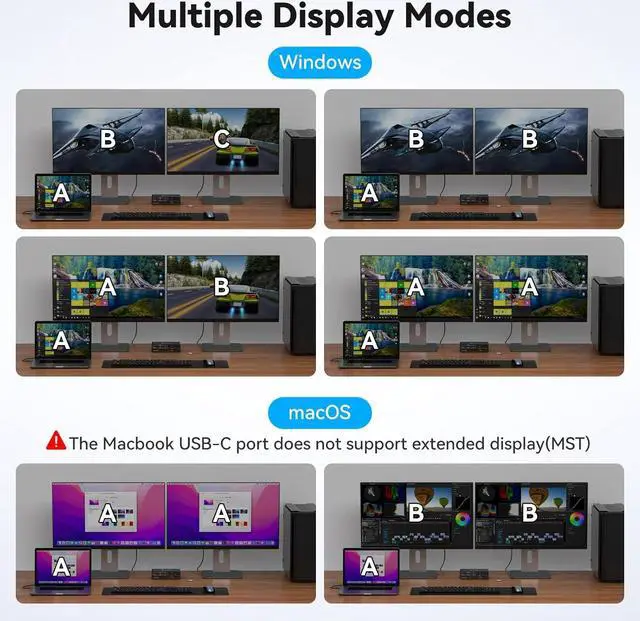
Multiple Display Modes
- macOS: Only supports mirror mode, i.e. AAA and ABB display modes, and the two monitors display the same picture.
- Windows: Supports mirror mode and extended mode, i.e. AAA, ABB, AAB and ABC display modes, and the two monitors can display the same picture or different pictures.
It is not recommended to connect any other intermediate devices between the computer and the adapter, as there may be compatibility issues that prevent the extended mode from being implemented.
2 Switching Options
- The external control switch button allows you to place the dock station outside the work area, making your desk cleaner and tidier.
- Or press the button on the control panel next to the indicator light to switch with one click. Simple, fast and easy to use, so you have more time for other things!
NOTE:Hotkey switching is not supported.
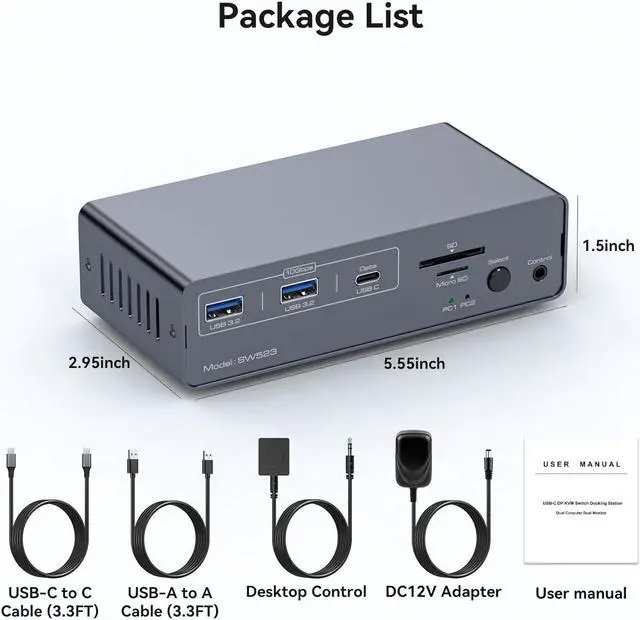
Equipped with 4 rubber feet
The docking station package includes 4 rubber feet that can be attached to the bottom of the docking station to prevent the docking station from sliding and damaging the desktop during use.
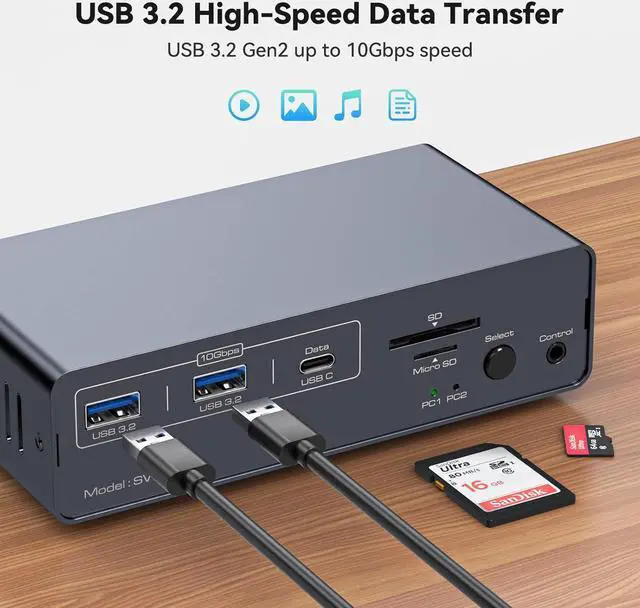
Equipped with three 10Gbps USB 3.2 ports (2 USB-A + 1 USB-C)
The docking station is equipped with three USB 3.2 ports for connecting printers, hard drives, USB flash drives and more, with transfer speeds of up to 10Gbps for transferring large files in seconds.
Note: The 10Gbps USB-C port transfers data only, and does not support PD charging or video transfer.
Equipped with 1 SD card slot & 1 micro SD card slot
The Dock Station connects to SD cards and Micro SD cards, providing you with multiple methods of data transfer, reducing device unplugging, and creating a powerful home workstation.





 here!
here!