




 here!
here!
I’m your shopping assistant for PC builds, upgrades, and everything tech.
Got questions? Ask away!
Start a conversation
here!
I’m your shopping assistant for PC builds, upgrades, and everything tech.
Got questions? Ask away!
Start a conversation



Any questions? Ask CelesteSM will help you find out quickly.
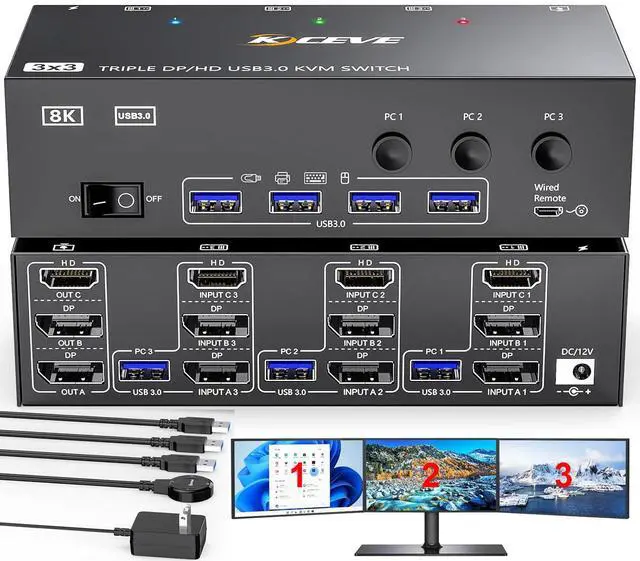
8K Triple Monitor KVM Switch 3 Computers Share 3 Monitors & 4 USB 3.0 Device

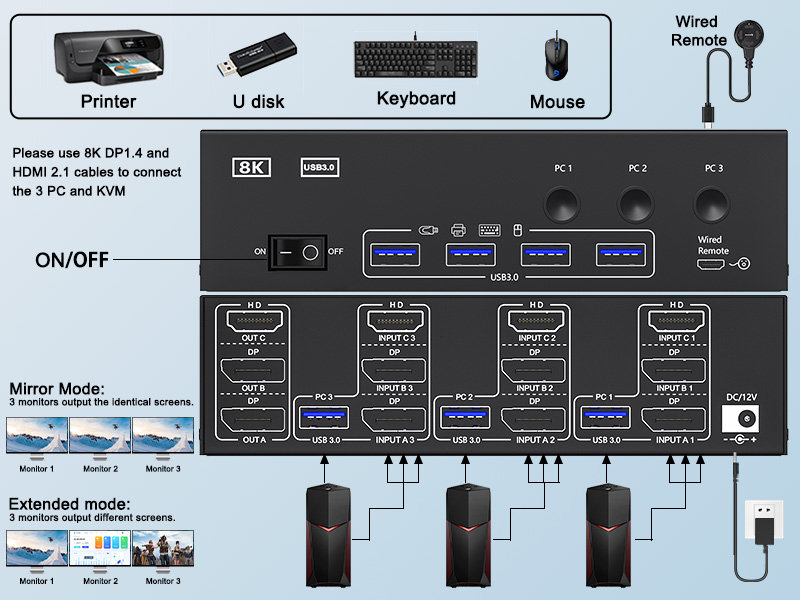
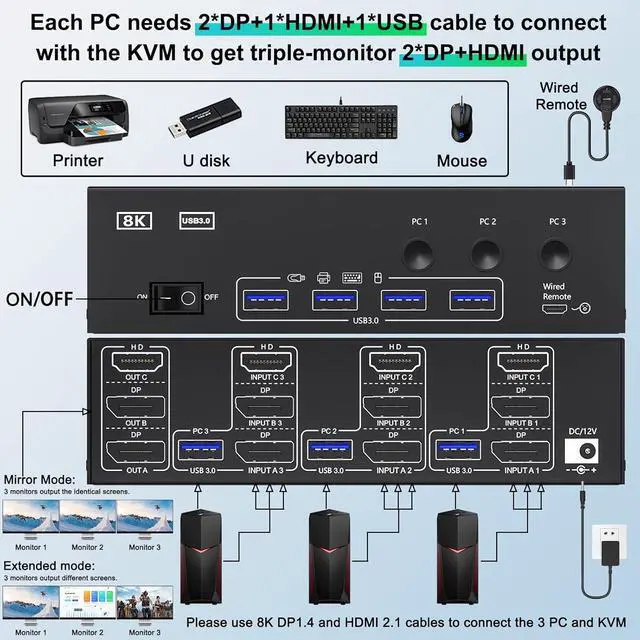
1. Connect 2 DP+1 HDMI +1 USB cable from PC1 to INPUT A1, INPUT B1, INPUT C1, USB 3.0; From PC2 to INPUT A2, INPUT B2, INPUT C2, USB 3.0; From PC3 to INPUT A3, INPUT B3, INPUT C3, USB 3.0
2. Connect 3 monitors to OUT A , OUT B, OUT C separately, then plug keyboard, mouse and other USB devices into USB ports on the front of the 3 monitor displayport HDMI KVM switch
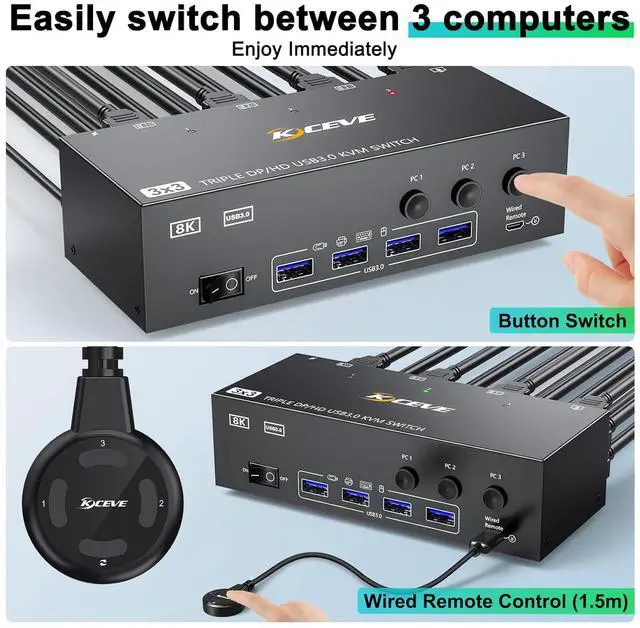
3. Plug the included 1.5M wired remote and Power cable into " SELECT" port and "DC 12V" port separately


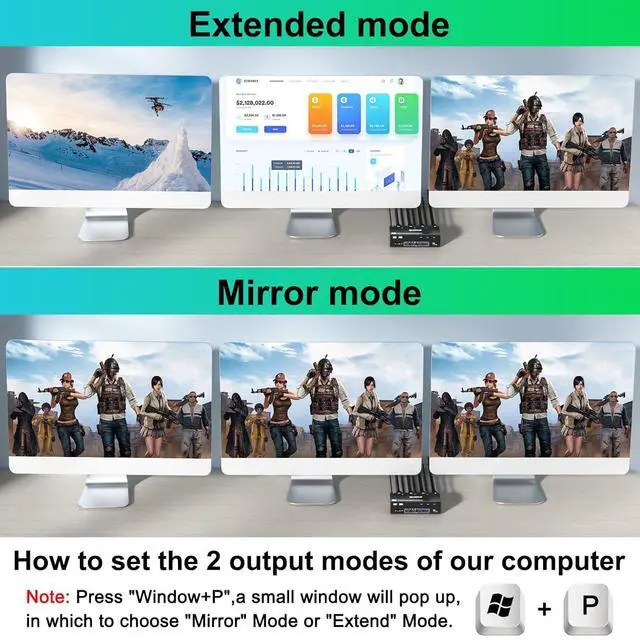
Windows OS: Press the shortcut key "WIN+P" and then select "Extension" or "mirror"
Mac OS: Set [Mirror Mode]: Select [A-p-p-l-e Icon] [System Preferences], click [Display] [Arrange], and then check [Mirror Display];
Set [Extended Mode]: When [Mirror Display] is unchecked, "Extended Mode" can be achieved.

Q & A:
Q: Is the KVM Switch compatible with computers or laptops only with USB-C ports?
A: Yes, but you need purchase an additional USB-C to DP/HDMI adapter or USB-C docking station to connect the KVM to your USB-C computer/laptop.
Q: Why do some monitors work fine and others not when the cables are connected the same way?
A: This depends on factors such as the version of cable used, the length of the individual cables, and whether adapters are used.
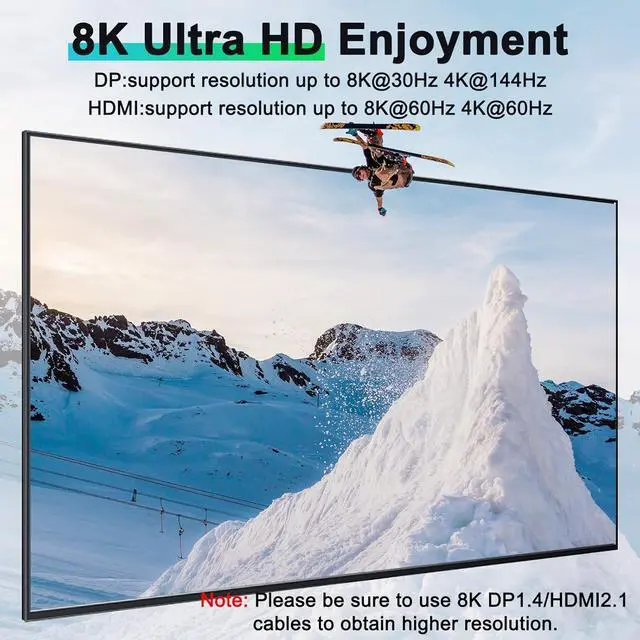
It is recommended to use HDMI2.1, DP1.4 cable, and the length should not exceed 1.5m.
Q: Can the KVM switch's USB port be used for high-power USB devices such as hard drives?
A: Yes, but please plug in the 12V power adapter (included) for stable performance.
Q: Does the DP1.4 KVM switch support Hotkey switching?
A: No, it DOES NOT support Hotkey switching,but supports button switch and wired remote (1.5m)
Q: Does this KVM switch support EDID emulation?
A: NO, It does not support EDID emulation.


