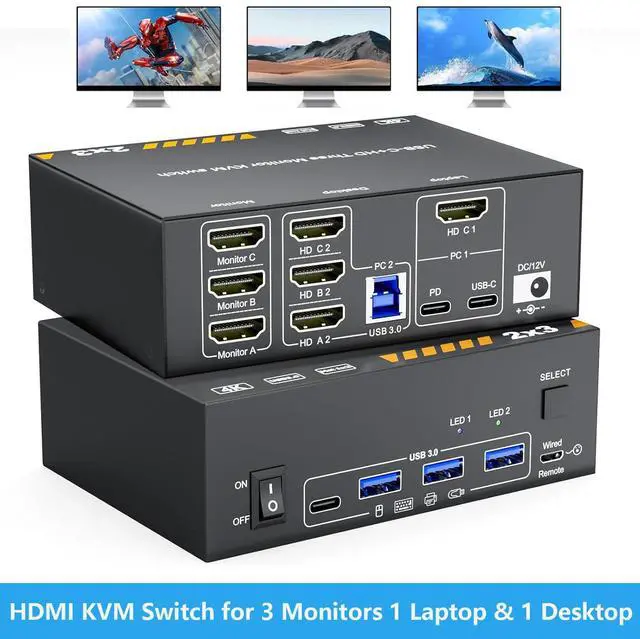
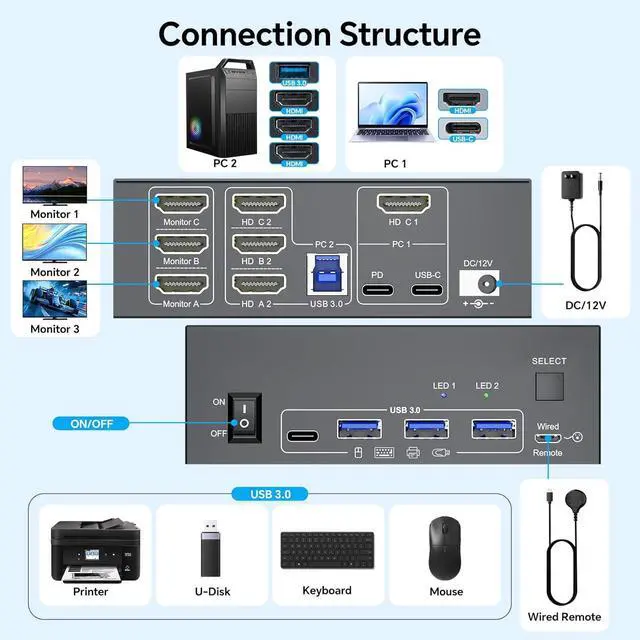
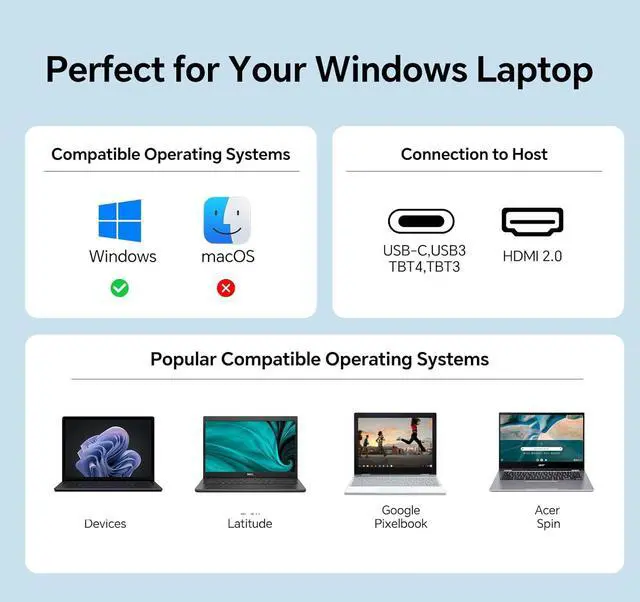
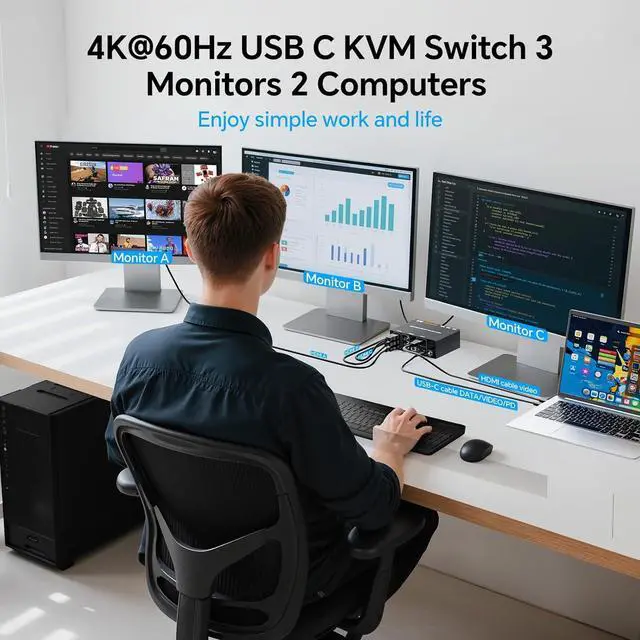
KVM Switch 3 Monitors for 1 Desktop &1 Laptop: This KVM switch enables control of 2 computers with 3 monitors through a HDMI/USB C matrix. It also allows shared use of 3 USB 3.0 devices (such as keyboards, mouse, printers) and 1 USB C port via a single hub -- cutting down on desktop clutter while increasing multitasking efficiency by 20%.
Support for High Resolution & High Refresh Rate: Supports resolutions and refresh rates up to 4K@60Hz/30Hz. Tip: For an optimal experience, use HDMI 2.1 and USB C cables. When distance permits, shorter cables are preferred for better performance.
Easy Cable Management with the 3-Monitor KVM Switch: The KVM switch features thoughtfully arranged cable ports, designed to facilitate neat, straight connections. This eliminates cable tangles and ensures a clean, streamlined look for your setup.
Effortless Multitasking & a Clutter-Free Setup: No more wasting time swapping cables! This KVM switch lets you manage multiple devices from a single central hub-no repeated unplugging and reinserting required. Its the perfect choice for busy workstations, technical setups etc..
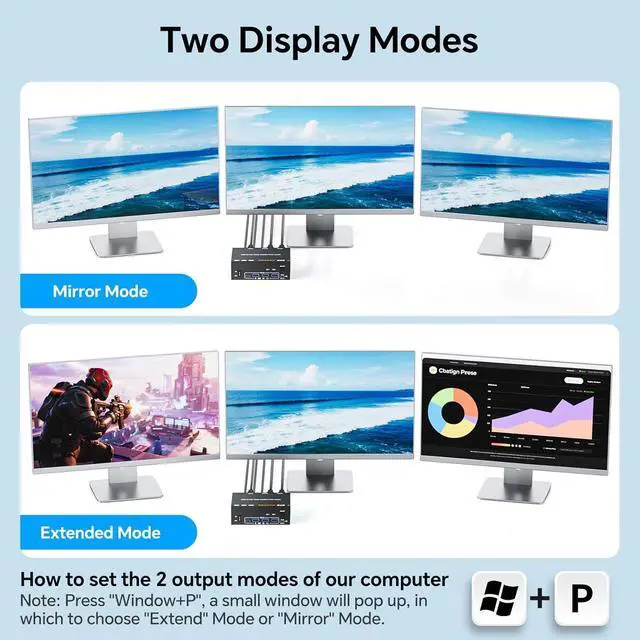
2 Display Modes for All Needs: Extended Mode: Transform 3 screens into your ultimate multitasking workspace --ideal for editing documents, coding, and monitoring data all at the same time. Duplicate Mode: Use the HDMI switching function to seamlessly sync content across all displays--great for presentations, classroom settings, or sharing movies with everyone in the room.
+
+
Overview
Specs
Reviews
Any questions? Our AI mode will help you find out quickly.
Try me now
Features:
KVM Switch: 3 Monitors for 1 Desktop &1 LaptopThis KVM switch enables control of 2 computers with 3 monitors through a HDMI/USB C matrix. It also allows shared use of 3 USB 3.0 devices (such as keyboards, mouse, printers, and cameras) and 1 USB C port via a single hubcutting down on desktop clutter while increasing multitasking efficiency by 20%.
Support for High Resolution & High Refresh RateThis KVM switch supports resolutions and refresh rates up to 4K@60Hz/30Hz. Tip: For an optimal experience, use HDMI 2.1 and USB C cables. When distance permits, shorter cables are preferred for better performance.
Easy Cable Management with the 3-Monitor KVM SwitchThe KVM switch features thoughtfully arranged cable ports, designed to facilitate neat, straight connections. This eliminates cable tangles and ensures a clean, streamlined look for your setup.
Effortless Multitasking & a Clutter-Free SetupNo more wasting time swapping cables! This 2-PC KVM switch lets you manage multiple devices from a single central hubno repeated unplugging and reinserting required. Its the perfect choice for busy workstations, technical setups, or home entertainment centers.
2 Display Modes for All NeedsExtended Mode: Transform 3 screens into your ultimate multitasking workspaceideal for editing documents, coding, and monitoring data all at the same time. Duplicate Mode: Use the HDMI switching function to seamlessly sync content across all displaysgreat for presentations, classroom settings, or sharing movies with everyone in the room.
Learn more about the IHDAPP 203C
Model
Model
203C
Details
Type
USB C HDMI in, HDMI Out
PC Connectors
USB C, HDMI
Computer Connections
2 Ports
Monitor Connections
3 Ports
Video Resolution
This KVM switch supports resolutions and refresh rates up to 4K@60Hz/30Hz. Tip: For an optimal experience, use HDMI 2.1 and USB C cables. When distance permits, shorter cables are preferred for better performance.
PC Selection
Push Buttons and Wired Remote
Monitors Supported
HDMI, HDMI, HDMI
LED Indicators
Yes
Features
Power Features
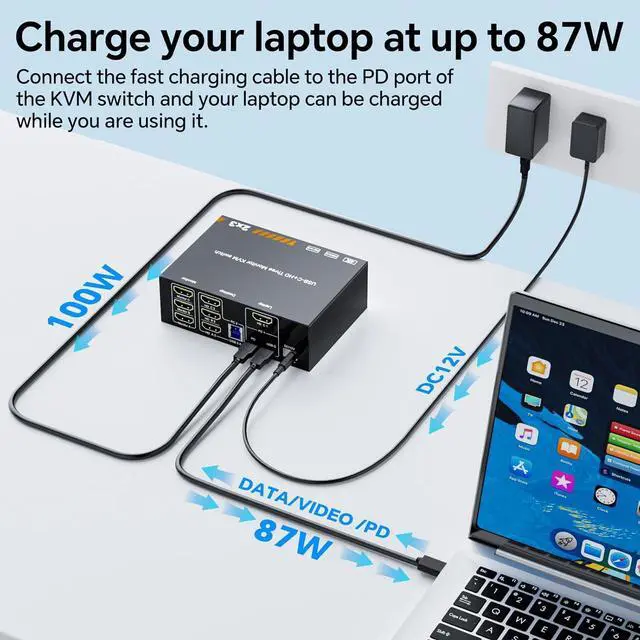
Come with DC12V Adapter
USB Features
with USB support
Application
This KVM switch enables control of 2 computers with 3 monitors through a HDMI/USB C matrix. It also allows shared use of 3 USB 3.0 devices (such as keyboards, mouse, printers, and cameras) and 1 USB C port via a single hub
Features
Plug & Play
Dimensions & Weight
Dimensions
3.94 x 1.97 x 1.97 inches
Weight
320g
Package Contents
Package Contents
1 x KVM Switch, 1 x USB Cable, 1 x USB C Cable, 1 x Power Adapter, 1 x Wired Controller, 1 x User Manual
Additional Information
First Listed on Newegg
December 05, 2025
Customer Reviews of the IHDAPP 203C
There are no reviews yet.
Do you own this product?
Warranty & Returns
Warranty, Returns, And Additional Information
Warranty
Please contact the Seller directly for warranty information. Warranty information may also be found on the Manufacturer's website.