Weather Alert: Severe winter storms may impact delivery times in some regions. We appreciate your patience as carriers work to deliver orders as quickly as possible. UPS Service Alerts.
IHDAPP HDMI KVM Switch 3 Computers 2 Monitors, 4K@60Hz EDID Simulation HDMI 2.0 KVM Switch 3 in 2 Out for 3 Computers Share Dual Monitors and 4 USB 3.0 Devices with USB Cable and Remote Control
Limited time offer, ends 02/14 By Smarter & Better Life Marketplace
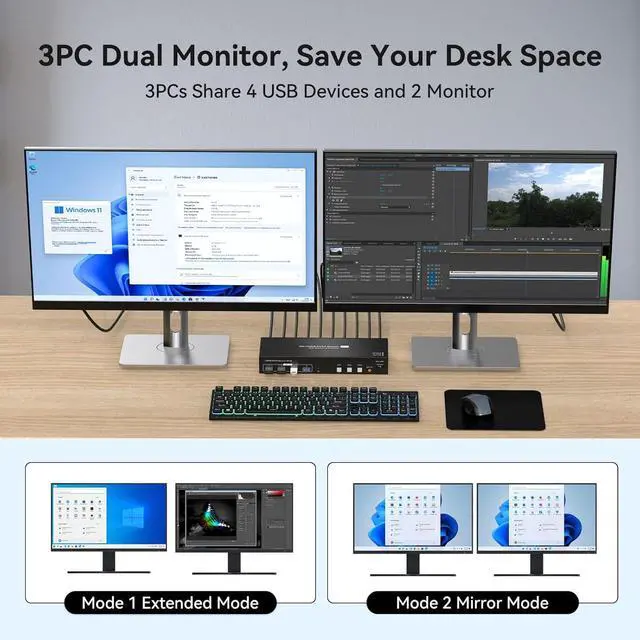
KVM Switch 2 Monitors 3 Computers: The KVM switch allow you to control 3 computers by only one set of keyboard mouse, share 4 USB 3.0 devices and 2 monitors. Support extended & copy mode, click "Windows+P" to select "Duplicate" Mode or "Extend" Mode. Note: For dual-screen functionality, please make sure your computer has 2 graphics cards.
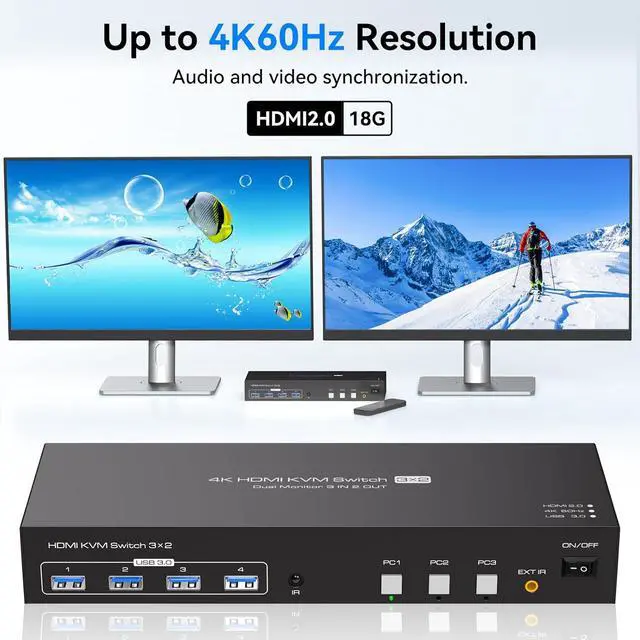
[Support Ultra HD 4K] KVM switch support up to resolution support up to 4K@60Hz, and is backward compatible with 4K@30Hz, 1440P@60Hz, and 1080P@60Hz.
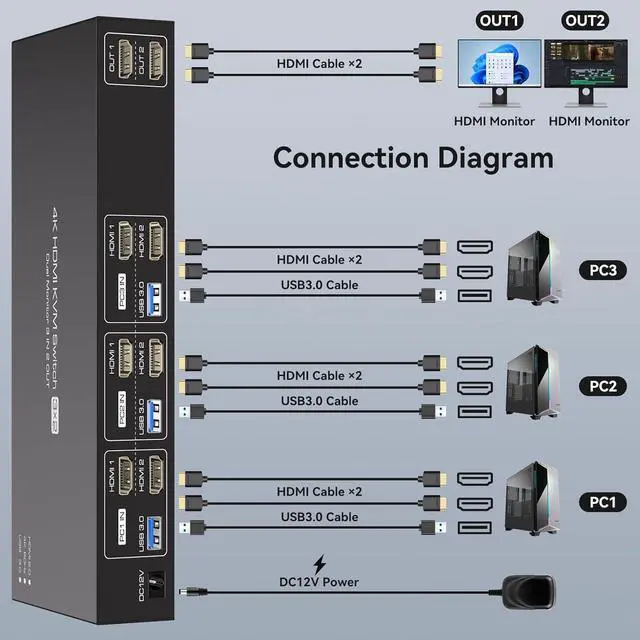
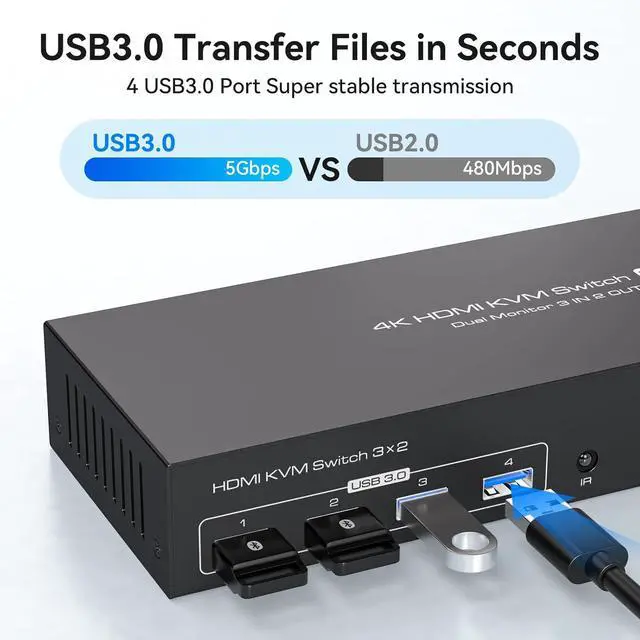
[with 4 USB 3.0 Ports]: HDMI KVM switch with 4 USB 3.0 ports for 3 computers to share USB devices such as mouse keyboard printer. Supports ultra-fast USB 3.0 data transfer up to 5Gbps. Make sure that each computer is connected to the KVM using a USB cable, otherwise the USB device will not be recognised
[EDID Simulation: KVM Switch support EDID Simulation is also supported so that when switching from PC1 to PC2 and then from PC2 back to PC1, the windows of PC1 will remain in the same order as they were before the switch and will not be disrupted.
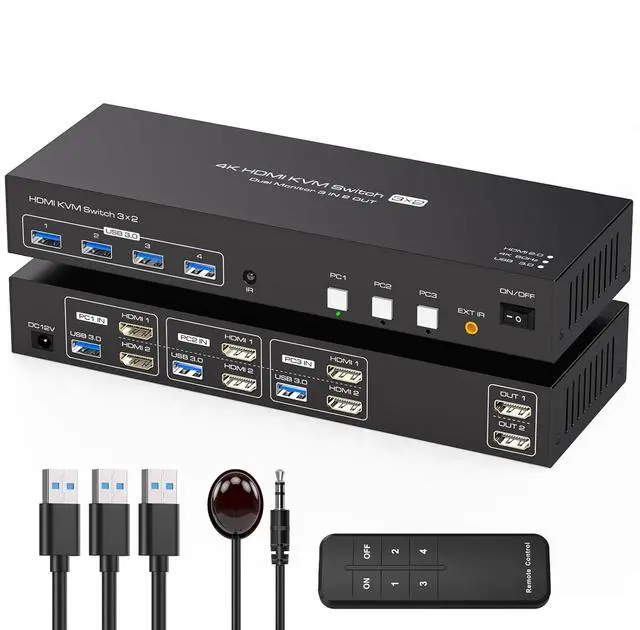
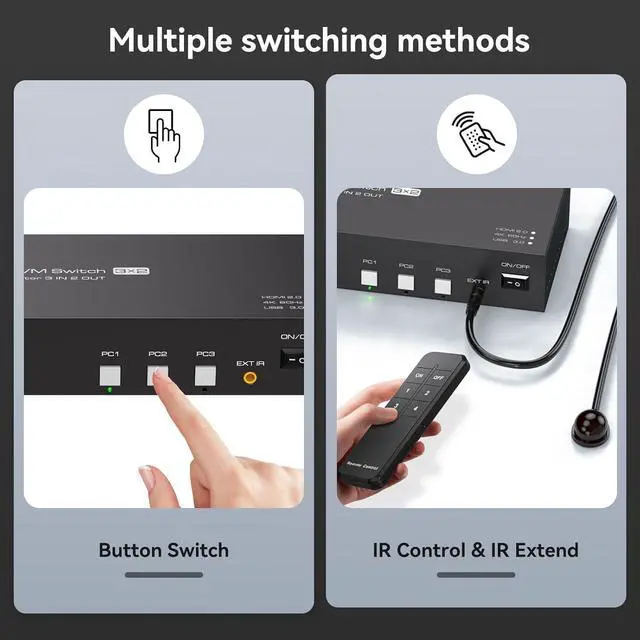
[2 Switching Mode] KVM Switch HDMI support switch between 3 computers through wireless controller (included) or panel button.Switch mode 1:use the wire Desktop controller,the layout of machines and cables can be hidden to make the office desktop more tidy.Switch mode 2:the device's main panel features a built-in switch button, simply press it gently to switch between the three computers. NOTE: Keyboard shortcuts (hotkeys) toggles are not supported.
+
+
Overview
Specs
Reviews
Any questions? Our AI beta will help you find out quickly.
Try me now
Features
KVM Switch 2 Monitors 3 ComputersThe KVM switch 3 Computers allow you to control 3 computers by only one set of keyboard mouse, share 4 USB 3.0 devices and 2 monitors. The kvm switch support extended & copy mode, click "Windows+P" to select "Duplicate" Mode or "Extend" Mode. Note: For dual-screen functionality, please make sure your computer has 2 graphics cards. Pre-Purchase Notes: 1. Please make sure both of your computer or dock station has 2 HDMI Ports + USB-A Port. 2. Please make sure both of your monitors have an HDMI Port. 3.HDMI to DP or HDMI to DVI/VGA cable are not recommended
KVM Switch 2 Monitors 3 Computers Support Ultra HD 4KKVM switch 2 Monitors 3 Computers up to resolution support up to 4K@60Hz, and is backward compatible with 4K@30Hz, 1440P@60Hz, and 1080P@60Hz. Brings you realistic visual enjoyment. Note: If you need to output 4K@60Hz resolution, please make sure your HDMI cable, computer and monitor support 4K@60Hz. It is recommended to use a good quality HDMI2.0 cable that supports high refresh rate
Dual Monitor KVM Switch with 4 USB 3.0 PortsHDMI KVM switch 3 computers with 4 USB 3.0 ports for 3 computers to share USB devices such as mouse keyboard printer. Supports ultra-fast USB 3.0 data transfer up to 5Gbps. Make sure that each computer is connected to the KVM using a USB cable, otherwise the USB device will not be recognised
EDID SimulationKVM dual monitor HDMI support EDID Simulation is also supported so that when switching from PC1 to PC2 and then from PC2 back to PC1, the windows of PC1 will remain in the same order as they were before the switch and will not be disrupted
2 Switching ModeKVM dual monitor HDMI support switch between 3 computers through wireless controller (included) or panel button.Switch mode 1:use the wire Desktop controller,the layout of machines and cables can be hidden to make the office desktop more tidy.Switch mode 2:the device's main panel features a built-in switch button, simply press it gently to switch between the three computers. Let you can save more time to do other things!NOTE: Keyboard shortcuts (hotkeys) toggles are not supported
Stable workThe KVM switch 2 monitors 3 computers is equipped with 12V 1A external power supply, please use KVM after connecting the power supply to ensure the stable work of USB devices. If you have any questions, please contact us. We have a professional technical team to help you solve your problem. Within 24 months, we will replace the switch
Learn more about the IHDAPP SW520
Model
Model
SW520
Details
Type
HDMI KVM Switch 3 Computers 2 Monitors
Computer Connections
3 Ports
Monitor Connections
2 Ports
Video Resolution
KVM switch 2 Monitors 3 Computers up to resolution support up to 4K@60Hz, and is backward compatible with 4K@30Hz, 1440P@60Hz, and 1080P@60Hz. Brings you realistic visual enjoyment. Note: If you need to output 4K@60Hz resolution, please make sure your HDMI cable, computer and monitor support 4K@60Hz. It is recommended to use a good quality HDMI2.0 cable that supports high refresh rate
PC Selection
Push Buttons and IR Remote
Monitors Supported
HDMI, HDMI
LED Indicators
Yes
Features
Power Features
Come with DC 12V Power Adapter
USB Features
HDMI KVM switch 3 computers with 4 USB 3.0 ports for 3 computers to share USB devices such as mouse keyboard printer. Supports ultra-fast USB 3.0 data transfer up to 5Gbps. Make sure that each computer is connected to the KVM using a USB cable, otherwise the USB device will not be recognised
Application
The KVM switch 3 Computers allow you to control 3 computers by only one set of keyboard mouse, share 4 USB 3.0 devices and 2 monitors. The kvm switch support extended & copy mode, click "Windows+P" to select "Duplicate" Mode or "Extend" Mode.
Features
KVM Switch 2 Monitors 3 Computers Support Ultra HD 4K; Dual Monitor KVM Switch with 4 USB 3.0 Ports; EDID Simulation; 2 Switching Mode
Dimensions & Weight
Dimensions
11.26 x 5 x 3.98 inches
Weight
1.96 pounds
Package Contents
Package Contents
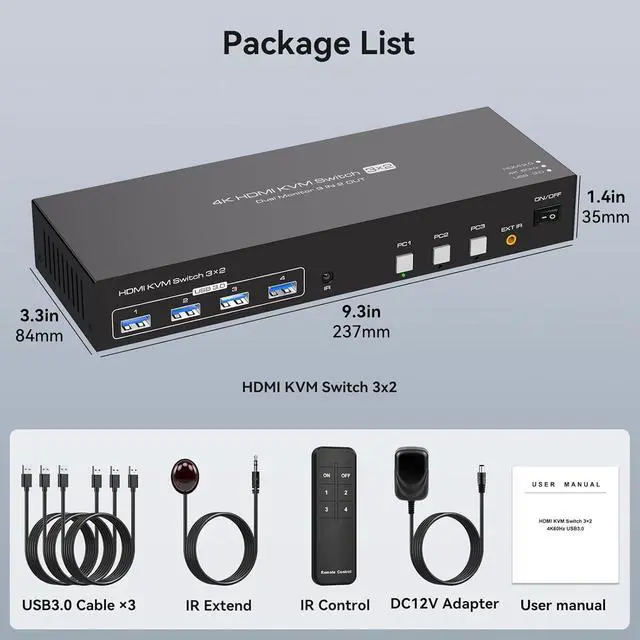
1 x HDMI KVM Switch, 3 x USB 3.0 Cables, 1 x IR Extened, 1 x IR Remote, 1 x User Manual, 1 x Power Adapter
Additional Information
First Listed on Newegg
January 30, 2026
Customer Reviews of the IHDAPP SW520
There are no reviews yet.
Do you own this product?
Warranty & Returns
Warranty, Returns, And Additional Information
Warranty
Please contact the Seller directly for warranty information. Warranty information may also be found on the Manufacturer's website.