IHDAPP 14-in-1 KVM Docking Station 4K@120Hz USB C Displayport KVM Switch 2 Monitors 2 Computers with 100W PD Supply Displayport Dual Monitor KVM-Switches for Laptop and Desktop Share 14-in-1 Dock
Limited time offer, ends 10/03 By Shenzhen Qiuyiyue Store
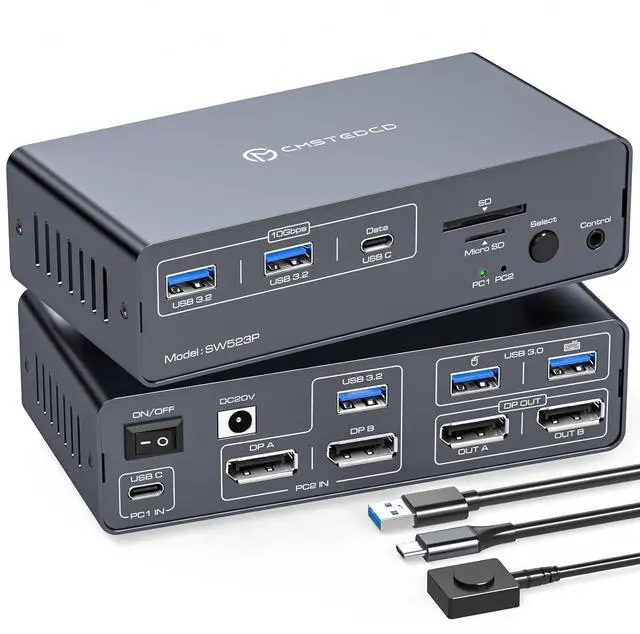
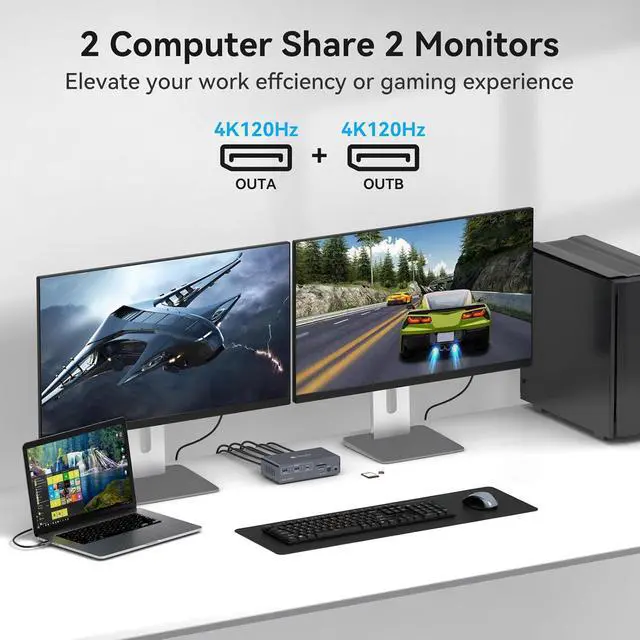
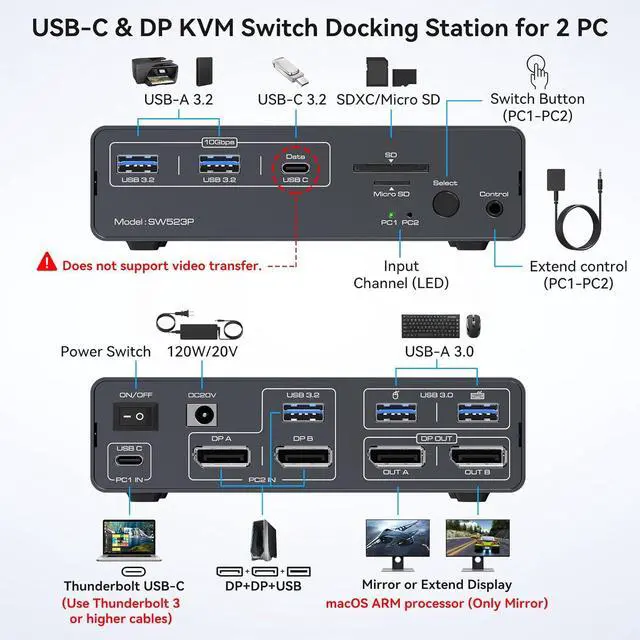
USB C Dual Monitor Docking Station: The docking station allows USB C laptops and desktop computers to share a 14-in-1 multi-port docking station; you can share two monitors, a mouse, and a keyboard and switch seamlessly between your work laptops and personal computers.Note: USB-C input port on the Rear panel, connected to the computer's Thunderbolt port. (Supports simultaneous PD charging of laptops, MAX 100W)
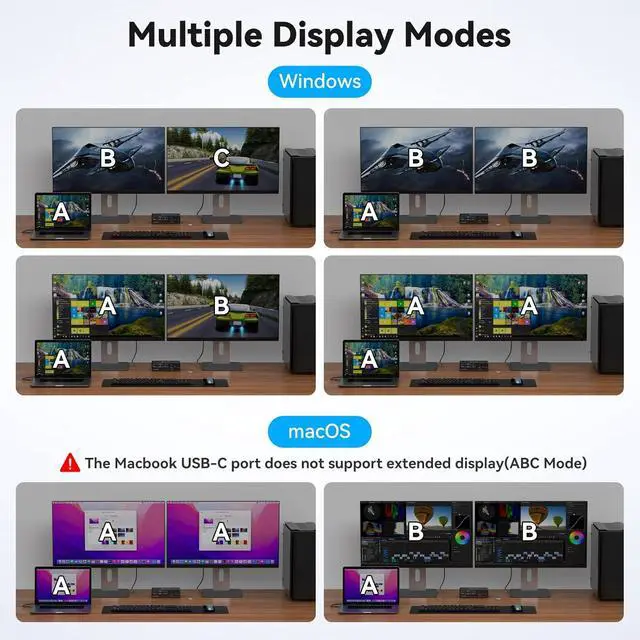
Dual Mode Docking Station: This docking station supports dual monitor resolutions up to 4K120Hz for a stunning visual experience with sharp, clear and vibrant colors. Supports dual-screen docking mode and dual-screen mirroring mode. Note: MacOS only supports mirroring mode
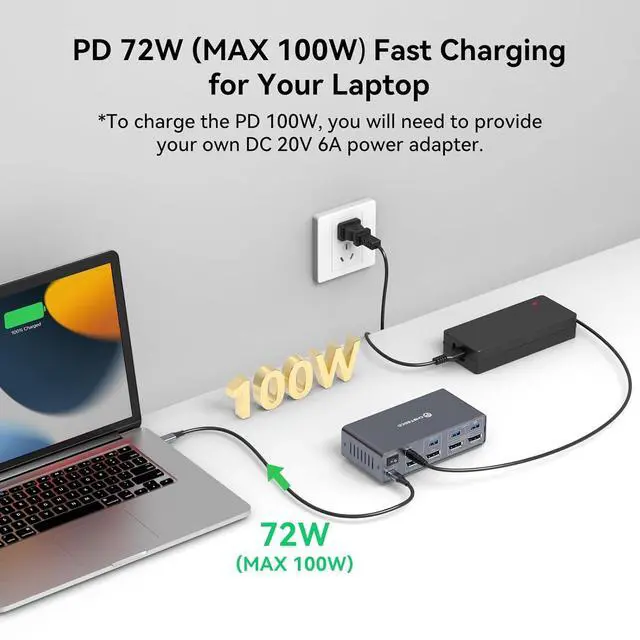
100W KVM Switches: Keep devices juiced up with 100W PD pass-through charging (laptop).The included 120W adapter ensures stable power for all connected gear-no more cable clutter!
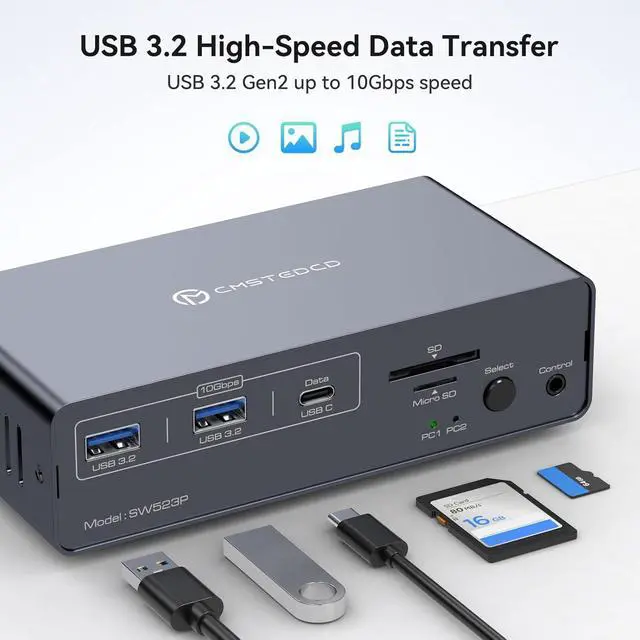
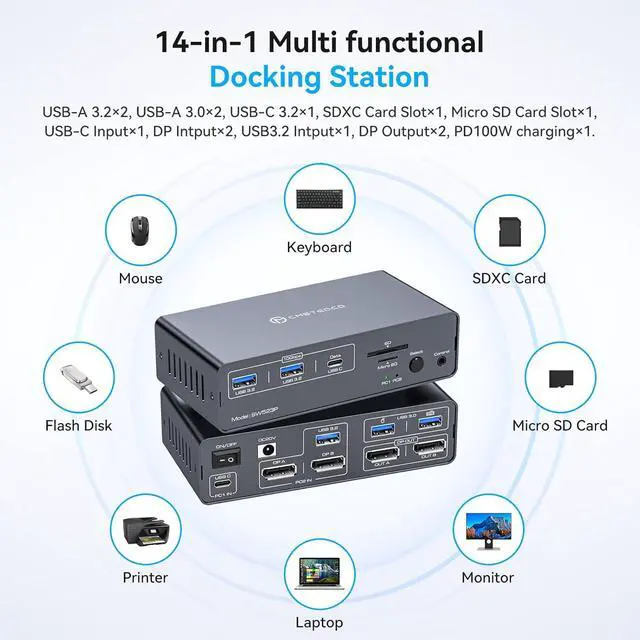
14-in-1 Multi-Function Docking Station: USB 3.0 ports for mouse and keyboard;10Gbps USB 3.2 and USB-C data transfer ports on the front panel for more high-speed usb devices;The SD card slot and Micro SD card slot provide faster data transfer methods. Note: The USB-C port on the front panel only supports data transfer
Two Switching Modes: Switch by pressing the select button on the docking station; switch by using the desktop expansion button, which allows you to place the docking station under the desktop or outside of the work area for a cleaner desktop. Supports smooth and easy switching between entertainment and work modes
+
+
Overview
Specs
Reviews
Any questions? Our AI mode will help you find out quickly.
Try me now
Features
USB C Dual Monitor Docking Station: The docking station allows USB C laptops and desktop computers to share a 14-in-1 multi-port docking station; you can share two monitors, a mouse, and a keyboard and switch seamlessly between your work laptops and personal computers, saving space and keeping your desktop neat and tidy, eliminating the need for repeated plugging and unplugging and improving work efficiency. Note: USB-C input port on the Rear panel, connected to the computer'sThunderbolt port. (Supports simultaneous PD charging of laptops, MAX 100W)
Dual Mode Docking Station: This docking station supports dual monitor resolutions up to 4K120Hz for a stunning visual experience with sharp, clear and vibrant colors that make every task a pleasure. Supports dual-screen docking mode and dual-screen mirroring mode; a feature that dramatically improves productivity for professionals who rely on multiple screens for multitasking, graphic design, video editing or data analysis. Note: MacOS only supports mirroring mode
100W KVM Switches: Keep devices juiced up with 100W PD pass-through charging (laptop).The included 120W adapter ensures stable power for all connected gearno more cable clutter!
14-in-1 Multi-Function Docking Station: The combination of multifunctional ports of the KVM docking station simplifies complex tasks to a great extent.USB 3.0 ports for mouse and keyboard;10Gbps USB 3.2 and USB-C data transfer ports on the front panel for more high-speed usb devices;The SD card slot and Micro SD card slot provide faster data transfer methods.Note: The USB-C port on the front panel only supports data transfer
Two Switching Modes: Switch by pressing the select button on the docking station; switch by using the desktop expansion button, which allows you to place the docking station under the desktop or outside of the work area for a cleaner desktop. Supports smooth and easy switching between entertainment and work modes, allowing you to maximize your work efficiency without compromising your gaming experience. Note: Keyboard shortcuts (hotkeys) switching is not supported
What will You Get: Package Included: DC12V Power Adapter X1; USB-C-C Cable X1; UAB3.0 A-A Cable X1; Desktop Controller X1; User's Manual X1, We will deliver the product to you in a short time, and within 12 months after purchase if there is any problem, please contact us, we provide technical support and product replacement or refund service
USB C Displayport KVM Switch 2 Computers 2 Monitors
Computer Connections
2 Ports
Monitor Connections
2 Ports
Video Resolution
This docking station supports dual monitor resolutions up to 4K120Hz for a stunning visual experience with sharp, clear and vibrant colors that make every task a pleasure.
PC Selection
Push Buttons
Monitors Supported
Displayport, Displayport
LED Indicators
Yes
Features
Power Features
Come with DC 12V power Adapter
USB Features
USB 3.0 ports for mouse and keyboard;10Gbps USB 3.2 and USB-C data transfer ports on the front panel for more high-speed usb devices;The SD card slot and Micro SD card slot provide faster data transfer methods.Note: The USB-C port on the front panel only supports data transfer
Application
The docking station allows USB C laptops and desktop computers to share a 14-in-1 multi-port docking station; you can share two monitors, a mouse, and a keyboard and switch seamlessly between your work laptops and personal computers, saving space and keeping your desktop neat and tidy, eliminating the need for repeated plugging and unplugging and improving work efficiency.
Features
The combination of multifunctional ports of the KVM docking station simplifies complex tasks to a great extent.USB 3.0 ports for mouse and keyboard;10Gbps USB 3.2 and USB-C data transfer ports on the front panel for more high-speed usb devices;The SD card slot and Micro SD card slot provide faster data transfer methods.



 Smarter & Better Life Marketplace