• $239.99
  • Free 30-day Returns
  • Ships from China.
    Price alert
    Shop it at NeweggBusiness.

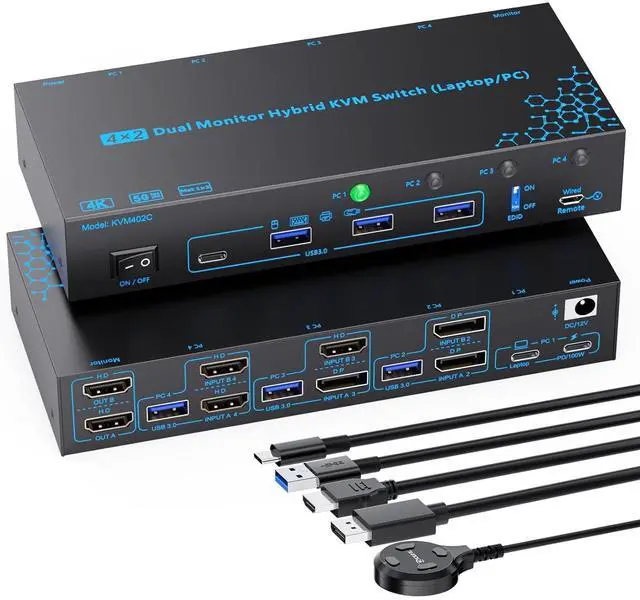
    IHDAPP 2 Monitors 4 Computers KVM Switch Laptop and Desktop 4 Port Hybrid USB-C Docking & Dual Displayport & DP HDMI & Dual HDMI 4K@60Hz KVM Switch with EDID Emulator, Support PD 100W Charging

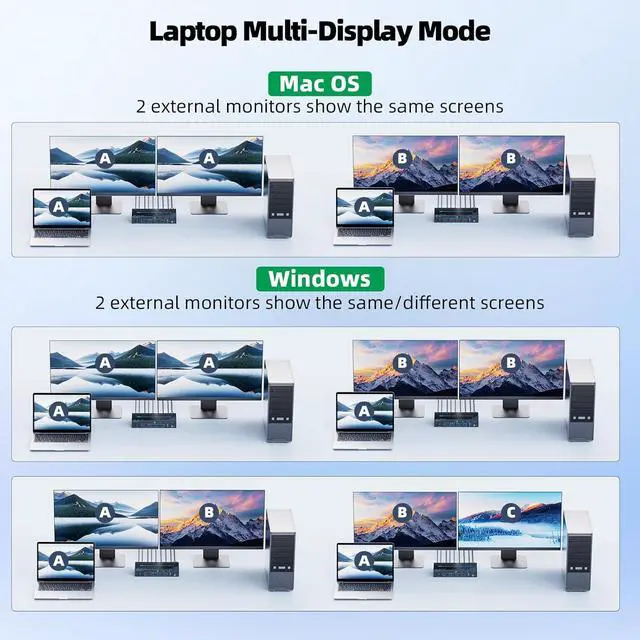
    • 4 Port Hybrid Dual Monitor KVM Switch 4 Computers: The KVM switch accepts 4 different interfaces combination at once (Laptop1: USB-C; PC 2: DP + DP; PC 3: DP + HDMI; PC 4: HDMI + HDMI); Easily one-click switching between 1 laptop and 3 desktops to share 2 monitors and 4 USB 3.0 peripherals.
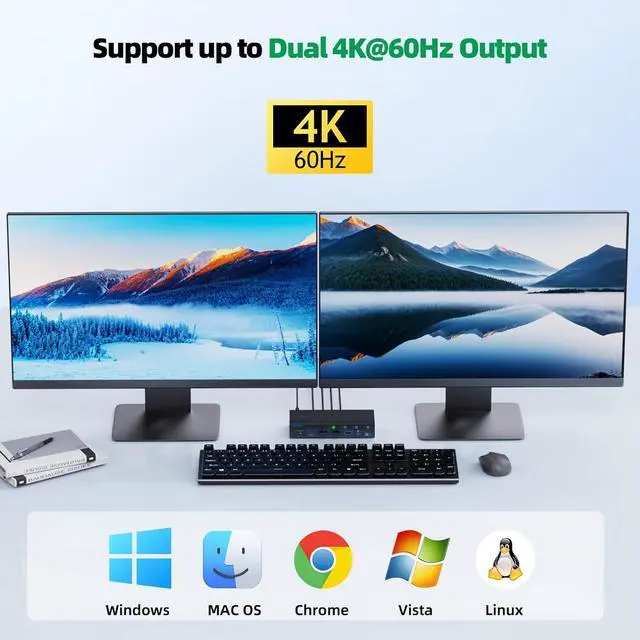
    • 4K@60Hz Enjoyment: The KVM switch supports up to dual 4K(3840*2160)@60Hz, 2560*1440@60Hz/120Hz, 1920*1080@60Hz/120Hz/144Hz, whether youre working from home, hosting a video conference, editing media, or teaching online images stay sharp and fluid.
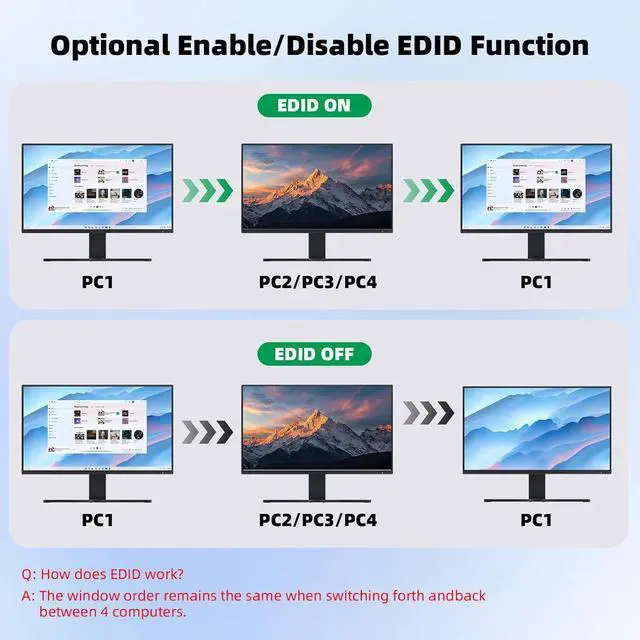
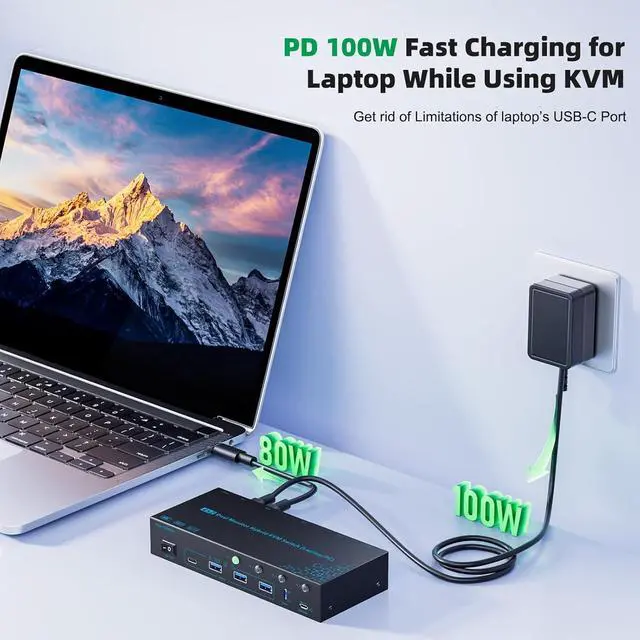
    • Optional EDID ON/OFF & PD 100W Fast Charging Laptop: Built-in high performance EDID chip and dedicated EDID ON/OFF dial, allowing you to Enable/Disable EDID as needed. Enabling EDID prevents the original window from being altered when switching computers. The desktop and laptop KVM switch also features a 100W PD port, allowing you to charge your laptop while using the KVM switch.
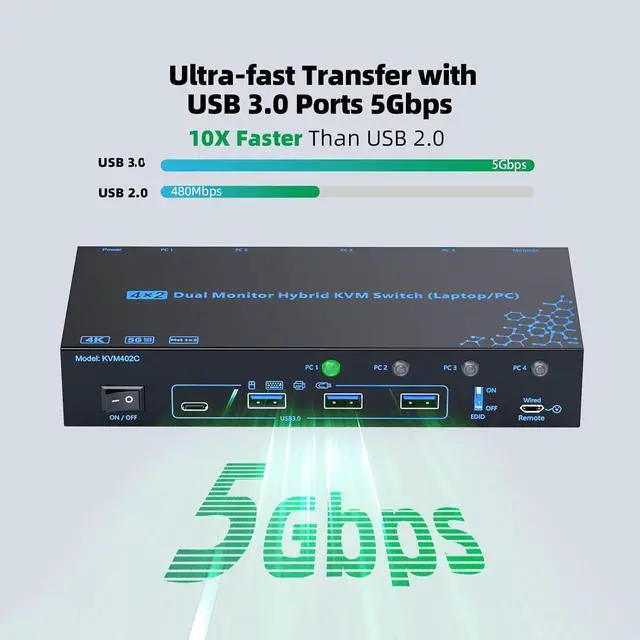
    • 5Gbps Data Transfer & 12V/1A External Power Supply: Euipped with 4 USB 3.0 ports (1*USB-C & 3* USB-A) for connecting keyboard, mouse, printer, webcams, ect, Supporting a max data transfer speed of 5Gbps, which is 10x faster and more stable than USB 2.0, greatly improving data transfer and peripheral response speeds.
    • Broad Compatibility & Flexible Switching Ways: Widely compatible with a wide range of operating systems, including Windows, Mac OS, Linux, and Chrome OS. Just One-click switching between 4 computers via Panel LED button & Wired Remote control.
    +
    +
    Overview
    Specs
    Reviews
    avatar

    Any questions? Our AI beta will help you find out quickly.

    2 Monitors 4 Computers 4 Port Hybrid USB-C Docking Laptop & Desktop KVM Switch

    2 Monitors 4 Computers 4 Port Hybrid USB-C Docking Laptop & Desktop KVM Switch
    2 Monitors 4 Computers 4 Port Hybrid USB-C Docking Laptop & Desktop KVM Switch


    Easy to Install, No Driver Required

    Easy to Install, No Driver Required
    Connect Steps:


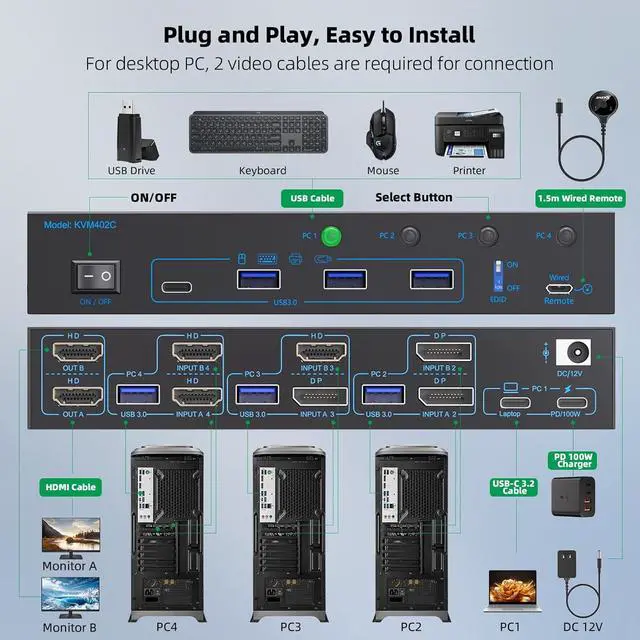
    Step 1. Connect one USB-C 3.1 Gen 2 cable from the USB-C laptop to the "Laptop" port on the laptop USB type-c docking station.

    Step 2. Plug original PD100W laptop power cable from socket into the "PC1-- PD/100W" port on the 2 monitors laptop PC KVM switch.

    Step 3. Connect 2*Displayport 1.4 & 1* USB 3.0 cables from PC2 to "INPUT A2, INPUT B2, and USB 3.0 (PC2)" separately

    Step 4. Connect 1*Displayport 1.4 & 1* HDMI 2.0 & 1* USB 3.0 cables from PC3 to "INPUT A3, INPUT B3, and USB 3.0 (PC3)" separately

    Step 5. Connect 2* HDMI 2.0 & 1* USB 3.0 cables from PC4 to "INPUT A4, INPUT B4, and USB 3.0 (PC4)" separately


    Step 6. Connect 2 monitors to "OUT A" & "OUT B" seperately

    Step 7. Plug USB peripherals like keyboard mouse into the USB port on the front of the 2 monitors 4 computers KVM switch ; Plug the 12V power cable into "DC/12V" to supply external power for more stable performance

    Step 8. Insert the 1.5M wired remote controller; then turn on the 2 monitors laptop and desktop USB-C docking KVM switch

    Step 3. Connect 2*Displayport 1.4 & 1* USB 3.0 cables from PC2 to "INPUT A2, INPUT B2, and USB 3.0 (
    Step 3. Connect 2*Displayport 1.4 & 1* USB 3.0 cables from PC2 to "INPUT A2, INPUT B2, and USB 3.0 (
    Step 3. Connect 2*Displayport 1.4 & 1* USB 3.0 cables from PC2 to "INPUT A2, INPUT B2, and USB 3.0 (
    Step 3. Connect 2*Displayport 1.4 & 1* USB 3.0 cables from PC2 to "INPUT A2, INPUT B2, and USB 3.0 (
    Step 3. Connect 2*Displayport 1.4 & 1* USB 3.0 cables from PC2 to "INPUT A2, INPUT B2, and USB 3.0 (


    Dedicated Enable / Disable EDID Dial

    Dedicated Enable / Disable EDID Dial


    Effortlessly Extending Workspace Without Frequent Connect and Disconnect

    Effortlessly Extending Workspace Without Frequent Connect and Disconnect
    Effortlessly Extending Workspace Without Frequent Connect and Disconnect
    Features
    1. 4 Port Hybrid Dual Monitor KVM Switch 4 Computers The hybrid 4 computers dual monitor KVM switch accepts 4 different interfaces combination at once( : USB-C; : DP + DP; : DP + HDMI; : HDMI + HDMI); Easily one-click switching between one laptop and three desktops to share 2 monitors and 4 USB 3.0 peripherals. No matter how computers video ports are combinated, this laptop and desktop KVM switch connects all of them with ease. : For desktops, each PC requires 2 video cables connected to the relevant ports on the dual monitor KVM switch to get 2 screens output
    2. Crystal Clear Dual 4K@60Hz EnjoymentThe 2 monitors 4 port laptop and desktop KVM switch supports up to dual 4K(3840*2160)@60Hz, 2560*1440@60Hz/120Hz, 1920*1080@60Hz/120Hz/144Hz, whether youre working from home, hosting a video conference, editing media, or teaching online images stay sharp and fluid. The perfect dual monitor 4 PC KVM switch for multitaskers
    3. Optional EDID ON/OFF & PD 100W Fast Charging Laptop The 4 in 2 out 4 computers laptop desktop KVM switch built-in high performance EDID chip and dedicated EDID ON/OFF dial, allowing you to Enable/Disable EDID as needed. Enabling EDID prevents the original window from being altered when switching computers. The desktop and laptop KVM switch also features a 100W PD port, allowing you to charge your laptop while using the 4 computer 2 monitors KVM switch, eliminating the worry of limited USB-C ports on laptops. : 100W actually powers the laptop at 73~85W, because both device and lines will consume power
    4. 5Gbps Data Transfer & 12V/1A External Power SupplyDual monitor 4 port KVM switch is euipped with 4 USB 3.0 ports (1*USB-C & 3* USB-A) for connecting keyboard, mouse, printer, webcams, ect, Supporting a max data transfer speed of 5Gbps, which is 10 times faster and more stable than USB 2.0, greatly improving data transfer and peripheral response speeds. The 12V/1A external power adapter can supply sufficient power for the 4 port hybrid 2 monitors KVM switch, ensuring stable identification even when connecting to high-power USB devices
    5. Broad Compatibility & Flexible Switching WaysThe 2 monitors 4 computers KVM switch is widely compatible with a wide range of operating systems, including Windows, Mac OS, Linux, and Chrome OS. Just One-click switching between 4 computers via Panel LED button & Wired Remote control . The integrated design of LED indicator light and switch button makes it easier for you to switch and know the active computer
    6. Warm Tips During Use(1) To output the signal from laptop, please ensure the USB-C port of the laptop and the USB-C cable both support DP-Alt function(Video & Data & PD Transfer); (2) For desktops (PC2&PC3&PC4), 2 video cables should be connected to the relevant port on the 2 monitors KVM switch; Furthermore, to make the USB peripherals work properly, a USB 3.0 cable is also required to connect from each PC to the 4 computers KVM; (3) To charge the laptop properly, please plug original laptop power cable with adapter from socket to the PD port on the KVM switch


    Warranty & Returns

    Warranty, Returns, And Additional Information

    Warranty

    • Please contact the Seller directly for warranty information. Warranty information may also be found on the Manufacturer's website.
    • CONTACT

    Return Policies

    Manufacturer Contact Info

    LOADING...