• $129.99
  • Free 30-day Returns
  • Ships from China.
    Price alert
    Shop it at NeweggBusiness.

    IHDAPP USB C KVM Switch 2 Monitors 2 Computers, USB C Dual Monitor HDMI KVM Switch for Laptop & Desktop, USB 3.0 MST Dual HDMI 4K@60Hz, PD 87W for Laptop, with Wired Remote

    Limited time offer, ends 06/06 By Smarter & Better Life Marketplace

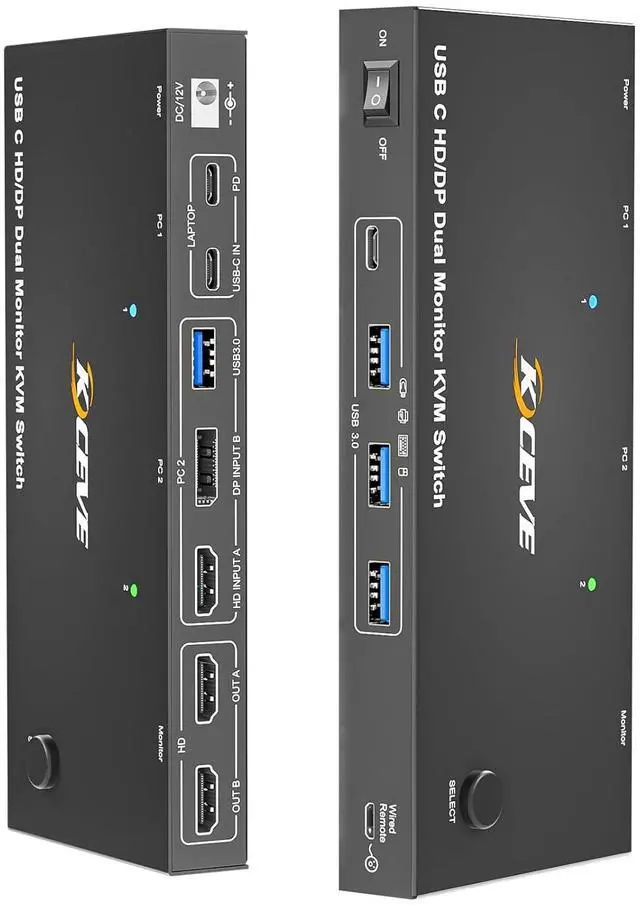
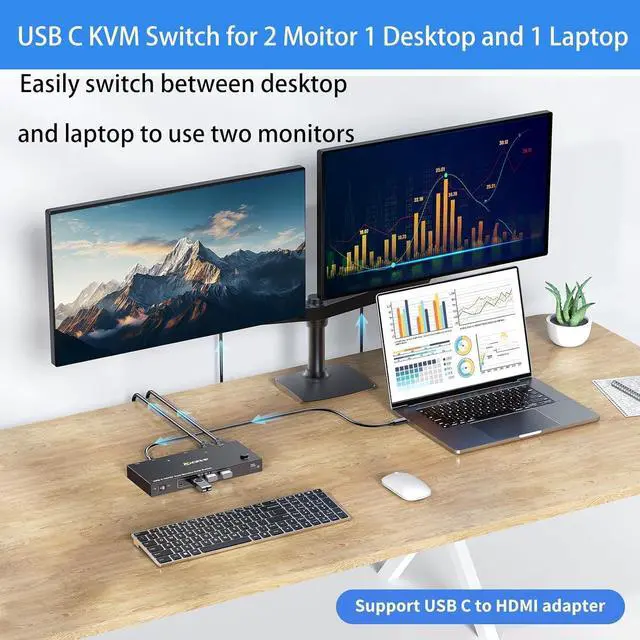
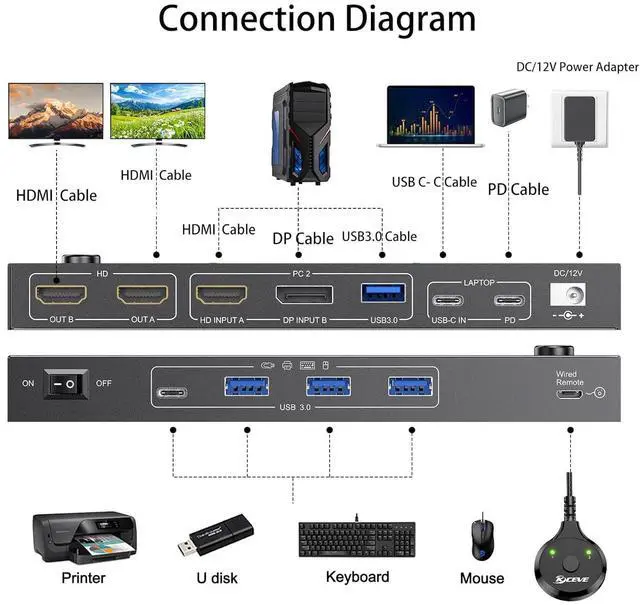
    • KVM Switch 2 Monitors Desktop+ Laptops USB-C : This USB C KVM switch allows 2 computers share 2 monitors and 4 USB devices, such as keyboard, mouse, printer and so on. laptop only needs a single USB C input cable, eliminating clutter on your desk. Note: To get display from laptop, pls use USB Type-C 3.1 Gen 2 or higher cables that support Alt (Video&Data&PD) function.
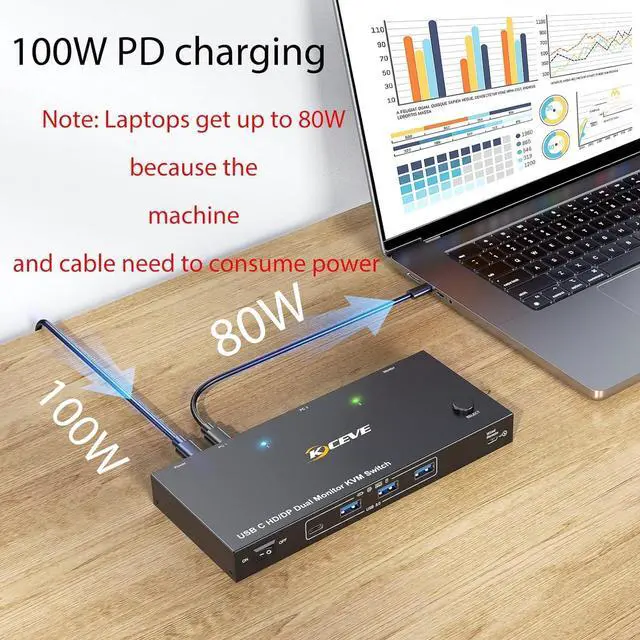
    • 87W PD Fast Charging: This KVM switch is equipped with a PD charging port, which can provide sufficient power for your laptop during use. Due to the PD100 standard protocol, there will be losses. the actual charging power obtained by the laptop is between 73W and 87W.
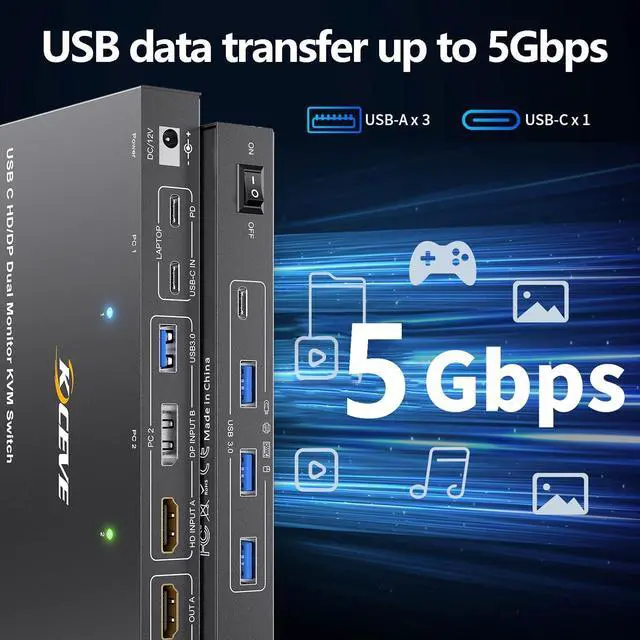
    • 5Gbps Ultra-fast Transfer: USB C KVM Docking Station transfer files in Seconds. KVM switch equipped with 4 USB 3.0 ports for 2 computer to share USB devices such as keyboard, mouse, printer, etc., speed up to 5Gbps for data transfer
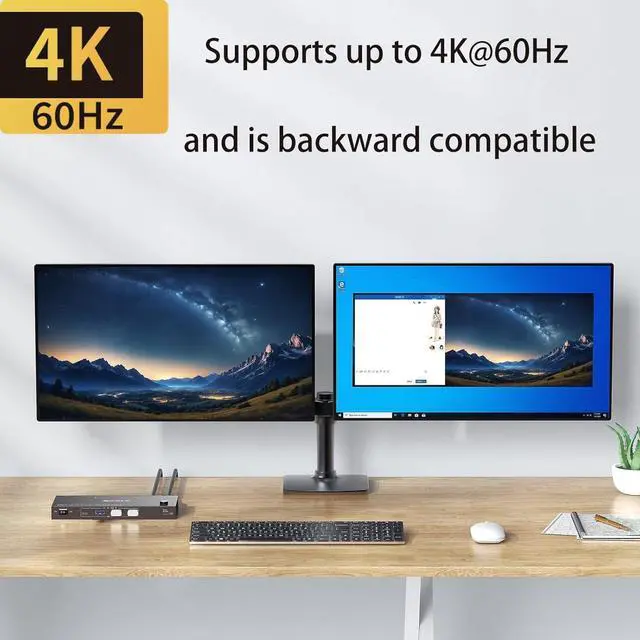
    • Ultra HD 4K Visual Effect: KVM switch supports up to 4K@60Hz, 1080P@144Hz resolutions and is backward compatible. Provides a visual treat. Note: 2 laptops switch resolution supported by this output depends on your laptops, monitors and USB C cables. There may be delays or flickering during switching. This is usually due to incompatibility issues with the Type-C cable, HDMI cable, or monitor. In this case, unplugging and replugging the cable will resolve the problem.
    • Easy Switching: Plug and play, easy installation, no driver required,
    +
    +
    Overview
    Specs
    Reviews
    avatar

    Any questions? Our AI beta will help you find out quickly.

    USB C KVM SWITCH for 1 Laptop+1 PC and 2 Monitor

    USB C KVM SWITCH for 1 Laptop+1 PC and 2 Monitor


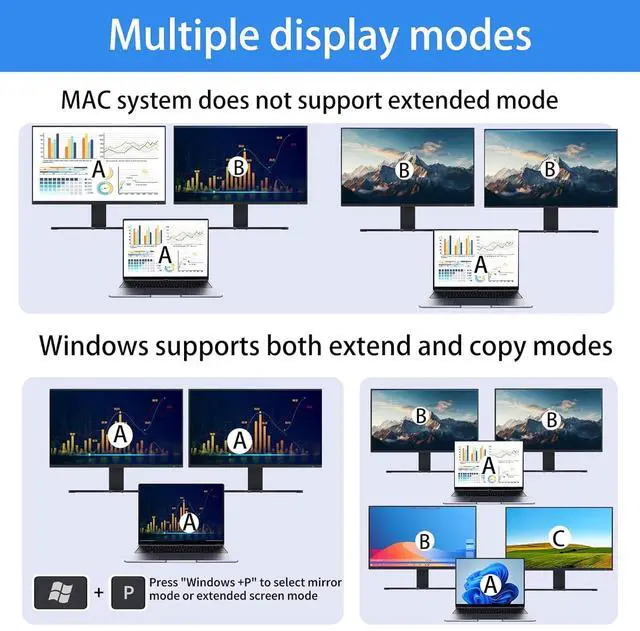
    Multiple display modes

    Multiple display modes


    Please note: If your laptop is running macOS, this product does not support the Extended mode, but only the Copy mode.


    Two switching methods

    Please note: If your laptop is running macOS, this product does not support the Extended mode, but
    Please note: If your laptop is running macOS, this product does not support the Extended mode, but
    2
    Features
    1. KVM Switch 2 Monitors Destop+ Laptops USB-C This USB C KVM switch allows 2 comput share 2 monitors and 4 USB devices, such as keyboard, mouse, printer and so on. laptop only needs a single USB C input cable, eliminating clutter on your desk. : To get display from laptop, please use USB Type-C 3.1 Gen 2 or higher cables that support Alt (Video&Data&PD) function.Seamlessly switch between your work desk and personal laptop to boost your productivity with this USB-C HDMI KVM switch.
    2. 87W PD Fast ChargingThis USB C HDMI KVM switch is equipped with a PD charging port, which can provide sufficient power for your laptop during use. Due to the PD100 standard protocol, there will be losses. the actual charging power obtained by the laptop is between 73W and 87W.
    3. 5Gbps Ultra-fast TransferUSB C KVM Docking Station transfer files in Seconds. 2 monitors 2 computer switch equipped with 4 USB 3.0 ports for 2 computer to share USB devices such as keyboard, mouse, printer, etc., speed up to 5Gbps for data transfer
    4. Ultra HD 4K Visual EffectUSB 3.0 KVM switch 2 computers supports up to 4K@60Hz, 1080P@144Hz resolutions and is backward compatible. Provides a visual treat. : 2 laptops switch resolution supported by this output depends on your laptops, monitors and USB C cables.There may be delays or flickering during switching. This is usually due to incompatibility issues with the Type-C cable, HDMI cable, or monitor. In this case, unplugging and replugging the cable will resolve the problem.


    Warranty & Returns

    Warranty, Returns, And Additional Information

    Warranty

    • Please contact the Seller directly for warranty information. Warranty information may also be found on the Manufacturer's website.
    • CONTACT

    Return Policies

    Manufacturer Contact Info

    LOADING...