• $108.99
  • Free 30-day Returns
  • Ships from China.
    Price alert
    Shop it at NeweggBusiness.

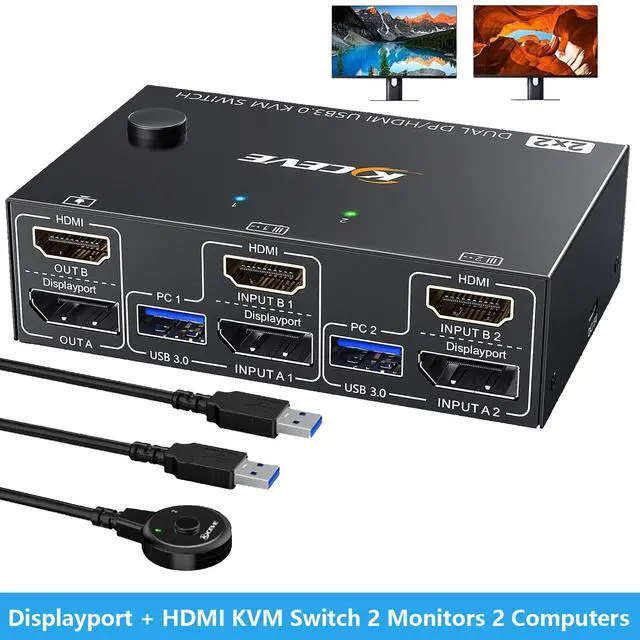
    IHDAPP Displayport + HDMI KVM Switch 2 Monitors 2 Computers 4K@60Hz, Dual Monitor KVM Switch for 2 PCs Share 2 Monitors and 4 USB3.0 Ports for Keyboard Mouse Printer. with Wired Remote and USB Cables

    Limited time offer, ends 06/27 By Smarter & Better Life Marketplace

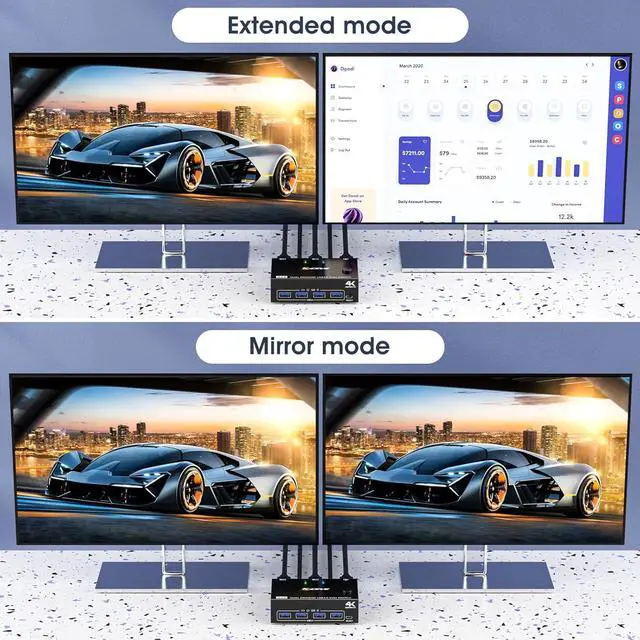
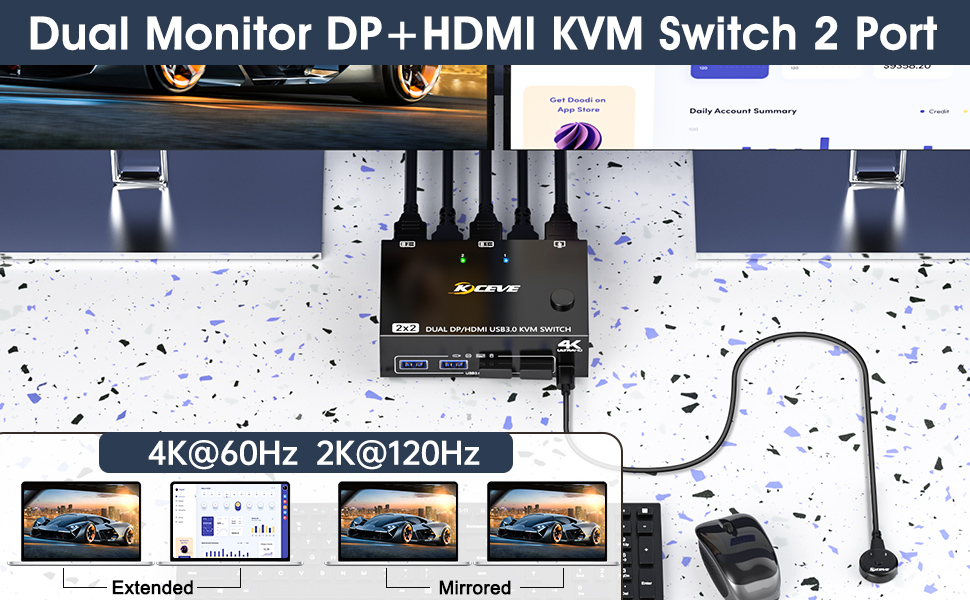
    • HDMI+DP KVM Switch Dual Monitor: The KVM switch allow you to control 2 computers by only one set of wired or wireless keyboard mouse,share 4 USB 3.0 devices and 2 monitors(extended mode or copy display mode). Pls note that the extended mode can output 2 different screens, and the mirror mode can output 2 identical screens.
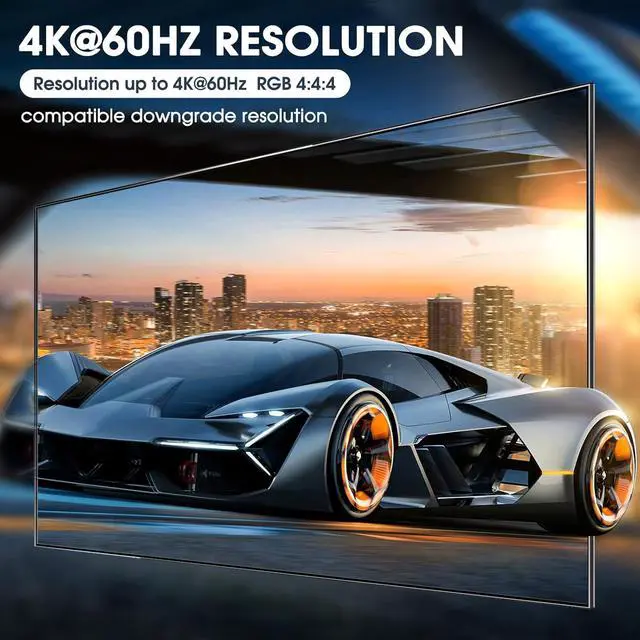
    • Ultra HD 4K@60Hz: Support resolution [email protected] support 2K@120Hz,4K@30Hz,1440P@60Hz or lower resolution. Note: if you need a 4K resolution, Please use HDMI2.0/DP1.4 cables and make sure your computers and monitors support 4K !
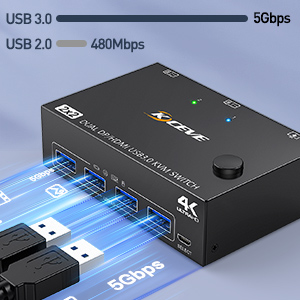
    • with 4 USB 3.0 Ports: KVM switch with 4 integrated USB 3.0 ports for keyboard,mouse,printer and other USB devices. supports ultra-fast USB 3.0 data transfer speeds up to 5Gbps,compatible with USB 2.0/1.1 devices.
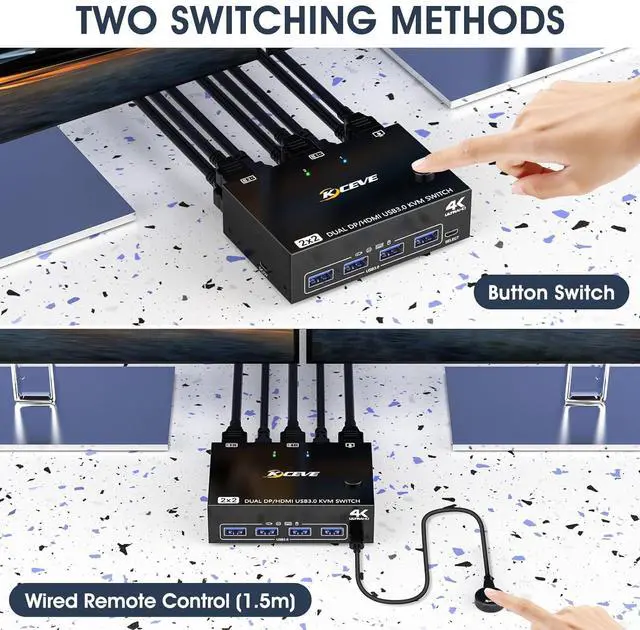
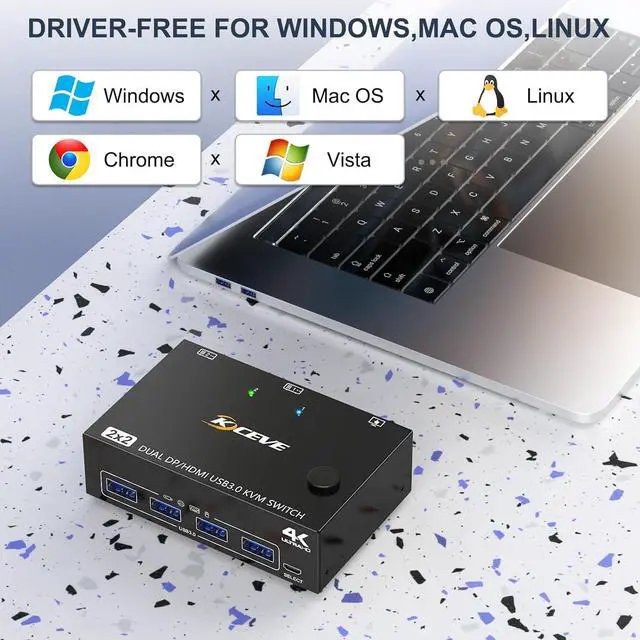
    • Great Compatibility & 2 Switching Mode: KVM switch driver-free for Windows,Mac OS and Linux.Powered by USB cables,but when using a high-power USB device with this KVM switch(such as HDD, SSD etc),external 5V adapter is required. You can press the button or use the wired remote (included) to switch the computers.
    • Wide applicability: Support many kinds of input devices,such as PC,Laptop,A-pp-le TV,Xbox.This KVM switch is widely applied for Office,Multimedia Teaching, Meeting Room,etc.
    • Important: Each PC need 1*HDMI+ 1*DP+1*USB cable to connect to this KVM switch, support USB C/DP to HDMI cable or converter, if your laptop only has a USB C port, you can use a USB C docking station that supports multi-screen output.
    +
    +
    Overview
    Specs
    Reviews
    avatar

    Any questions? Our AI beta will help you find out quickly.

    Displayport + HDMI KVM Switch 2 Monitors 2 Computers 4K@60Hz, Dual Monitor KVM Switch for 2 PCs Shar
    2 Port Dual Monitor KVM Switch HDMI and displayport


    • Freely switch between two computers, share one set of keyboard, mouse and 2 monitors.
    • HDMI+DP dual display output, two display modes are optional (extended mode, mirror mode).
    • Switching modes: Button switch and wired remote.
    • Cross support most major OS including Windows, Linux, Mac
    • With 4 USB 3.0 ports for USB devices.Support wired or wireless keyboard and mouse.
    • HDMI supports maximum resolution 4K@60Hz, 2K@120Hz, DP supports maximum resolution 4K@60Hz, 2K@144Hz, backward compatible.
    • Suitable for docking station and USB-C/DP to HDMI converter.
    2 Port Dual Monitor KVM Switch HDMI and displayport
    With this HDMI + displayport KVM Switch,the screens of the two monitors come from the same computer, and you can watch movies while working.


    • The two monitors can only output the video source from one computer, and cannot output the signal source of PC1 and PC2 at the same time.
    • For laptops, this KVM switch HDMI displayport supports USB C docking station,Convert USB C to DP and HDMI.
    • The cables (1*HDMI cable+1*DP cable+1*USB cable) connecting PC 1 and PC 2 to the KVM cannot be cross-connected, because the USB cables not only supply power to the KVM, but also transmits data between the computer and the USB devices.
    With this HDMI + displayport KVM Switch,the screens of the two monitors come from the same computer,
    4K UHD Resolution

    HDMI support 4K@60Hz, 2k@120Hz;DP support 4K@60Hz, 2K@144Hz and backward compatible with lower resolutions.
    4K UHD Resolution
    4-Port USB 3.0 with 5Gbps

    Supports 5Gbps data transfer speed , can transfer files in Seconds,10 times faster than USB 2.0.

    4-Port USB 3.0 with 5Gbps
    Suitable for multiple systems

    Plug and play, driver-free for Windows, Mac OS and Linux.

    Suitable for multiple systems
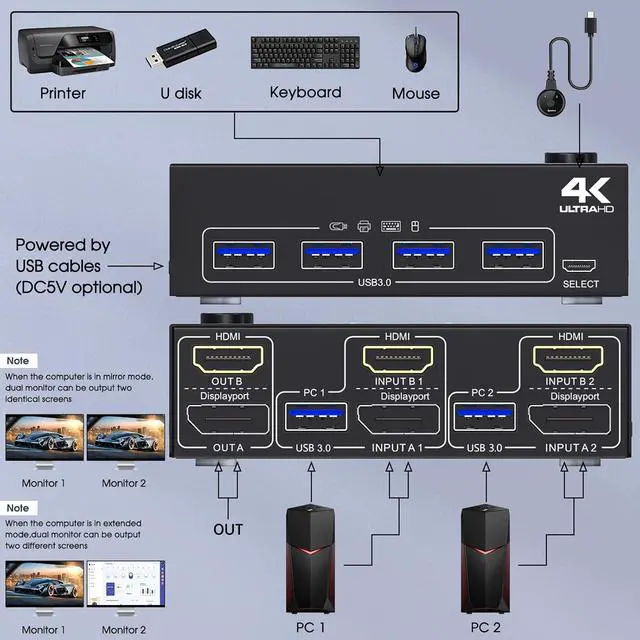
    Installation Guide: Each PC need 1*HDMI+1*DP +1*USB cable to connect with KVM.
    Connection steps:


    Step 1. Connect 1*HDMI+1*DP cables+1*USB cable between PC 1 and KVM (USB 3.0, INPUT A1,INPUT B1).

    Step 2. Connect 1*HDMI+1*DP cables+1*USB cable between PC 2 and KVM (USB 3.0, INPUT A2,INPUT B2).

    Step 3. Connect HDMI and DP cables between KVM and monitors. (Mark "OUT A,OUT B")

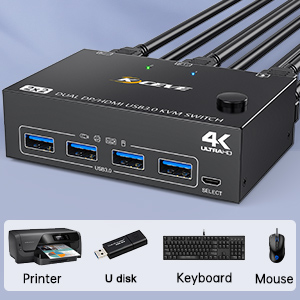
    .Step 4. Plug your USB device (keyboard, mouse, printer, USB stick, etc.) into the USB-A port on the KVM.

    Step 5. Insert the wired remote into the "SELECT" port to remotely switch between PC1 and PC2.
    Connection steps:
    Works as a USB 3.0 switch

    With 4 USB 3.0 ports, transfer rate of up to 5Gbps. Sharing keyboard mouse scanner, printer, flash drives etc.
    Works as a USB 3.0 switch
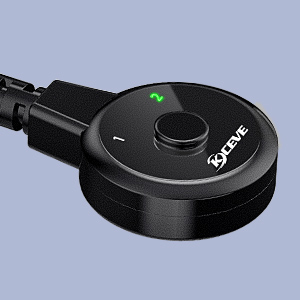
    Wired Remote (Length: 1.50m)

    Support remote switching, which is convenient for cable management. With 1/2 digital indicator light (green light).
    Wired Remote
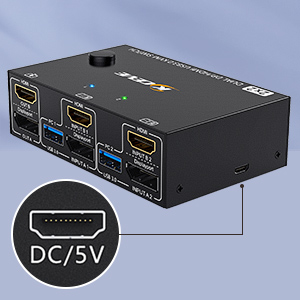
    Optional DC 5V power supply

    It is convenient for you to use high-power USB devices (such as HDD, digital video camera, SSD, etc.).USB power cable included.

    Optional DC 5V power supply
    Features
    1. HDMI+DP KVM Switch Dual MonitorKVM switch 2 monitors 2 computers allow you to control 2 computers by only one set of wired or wireless keyboard mouse,share 4 USB 3.0 devices and 2 monitors(extended mode or copy display mode). Please note that the extended mode can output two different screens, and the mirror mode can output two identical screens.
    2. Ultra HD 4K@60Hz2 Monitor KVM switch displayport HDMI support resolution 4K@60Hz. 2 computers 2 monitors KVM switch aslo support 2K@120Hz,4K@30Hz,1440P@60Hz or lower resolution.Note: if you need a 4K resolution , Please use HDMI2.0/DP1.4 cables and make sure your computers and monitors support 4K !
    3. KVM Switches with 4 USB 3.0 PortsDual monitor KVM USB switch with 4 integrated USB 3.0 ports for keyboard,mouse,printer and other USB devices. supports ultra-fast USB 3.0 data transfer speeds up to 5Gbps,compatible with USB 2.0/1.1 devices.
    4. Great Compatibility & 2 Switching ModeThe dual monitor KVM switch driver-free for Windows,Mac OS and Linux.Powered by USB cables,but when using a high-power USB device with this HDMI displayport KVM switch(such as HDD, SSD etc),external 5V adapter is required.You can press the button or use the wired remote (included) to switch the computers.LED indicate the active computer.
    5. 2 monitor KVM With Wide applicability2 Monitors KVM support many kinds of input devices,such as PC,Laptop,Ap-p-le TV,Xbox.This displayport HDMI KVM switch is widely applied for Office,Multimedia Teaching,Meeting Room,etc.
    6. Important Each PC need 1*HDMI+ 1*DP+1*USB cable to connect to this dual monitor switch, support USB C/DP to HDMI cable or converter, if your laptop only has a USB C port, you can use a USB C docking station that supports multi-screen output.


    Warranty & Returns

    Warranty, Returns, And Additional Information

    Warranty

    • Please contact the Seller directly for warranty information. Warranty information may also be found on the Manufacturer's website.
    • CONTACT

    Return Policies

    Manufacturer Contact Info

    LOADING...