

Out of stock
This item is currently out of stock and it may or may not be restocked.
Ships from China.
Most customers receive within 7-17 days.
Shop it at NeweggBusiness.

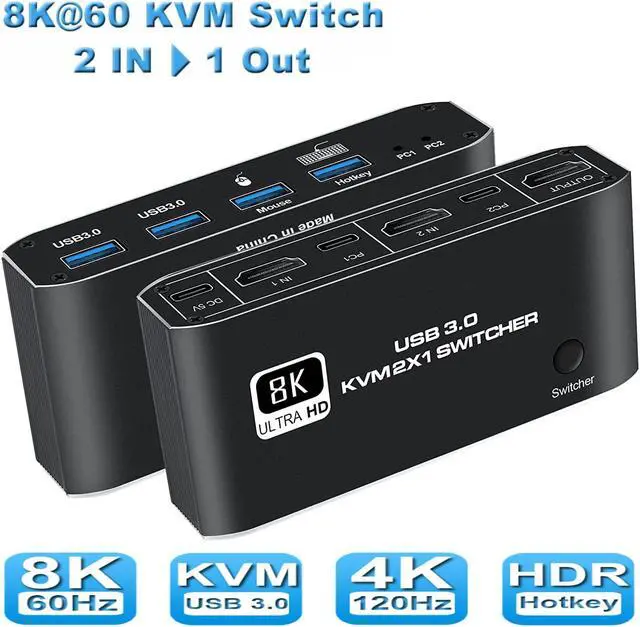
2 in 1 Out HDMI KVM Switch, 8K USB Switch 2x1 HDMI2.1 Ports + 4x USB3.0 KVM Ports, Share 2 Computers one Monitor Switch,Supports 8K @60Hz,4K @120Hz,YUV 4:4:4, HDCP 2.3, H-D-R 10, Hotkey, Darkish

  • [8K HDMI KVM Switch 2 in 1 out] 8K HDMIKVM Switch Box allows you to control 2 computers with one set of controls and display (mouse and keyboard). There are two switching modes: button switching and hotkey switching, which eliminates the need for unplugging and plugging, which is convenient and fast.
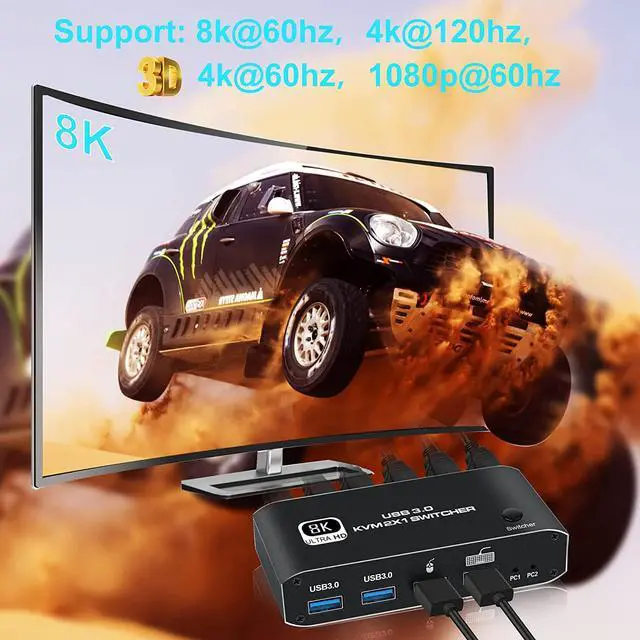
  • [8K ULTRA HD RESOLUTION] Supports Full 48Gpbs HDCP 2.3 HDMI 2.1. The USB switch supports resolutions up to 8K@60Hz, YUV:4:4:4, which is a real feast for the eyes. (Supports high resolution up to 8k 60hz, backward compatible with 4k@120Hz, 4K@60Hz, 4K@30Hz, 1080P, etc.)
  • [Easy to connect, plug and play] No drivers, plug and play, save space. Designed with a button, which can freely switch between 2 computers with one key. KVM switch has an additional power supply port, the output is more stable.
  • [Stable Connection and Wide Compatibility] Adopts high-tech decoding, and no delay for mouse and keyboard. Compatible with PC, Laptop, Xbox, Nintendo Switch, Fire TV.. and most HDMI-enabled devices.
Overview
Specs
Reviews
avatar

Any questions? Our AI beta will help you find out quickly.

image for this item
8K HDMI KVM Switch 2 in 1 out


Our 8K HDMI KVM Switch Box allows you to control 2 computers with one set of controls and display (mouse and keyboard). There are two switching modes: button switching and hotkey switching, which eliminates the need for unplugging and plugging, which is convenient and fast.

(NOTE: USB3.0 interface supports Bluetooth wireless and a mechanical keyboard, etc.)

image for this item
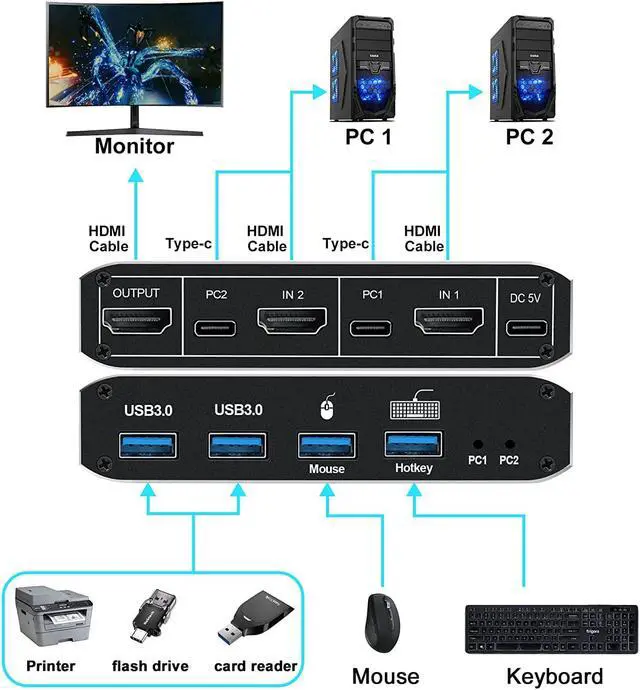
The HDMI-KVM switch connects two computers to keyboard, mouse and monitor


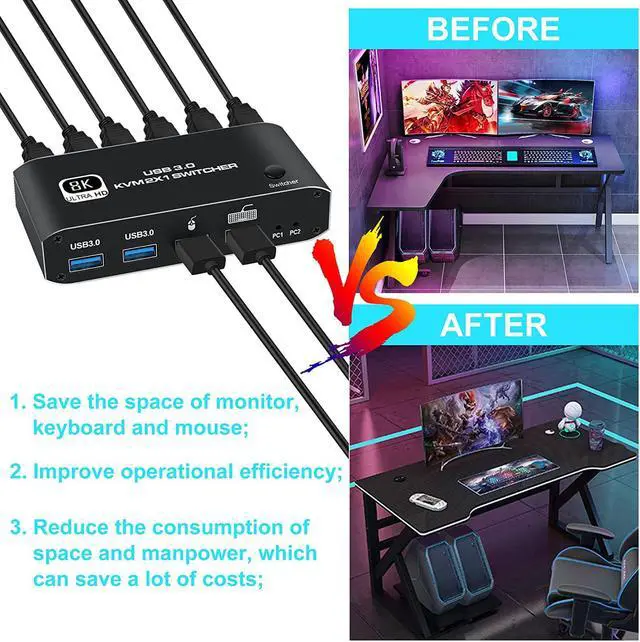
An ideal device for connecting two HDMI signal source output devices (such as computers, laptops, video recorders, etc.) and outputting HDMI signal sources to one HDMI display device (such as TV, projector, LCD monitor, etc.). Switch between games and office directly and freely.

image for this item
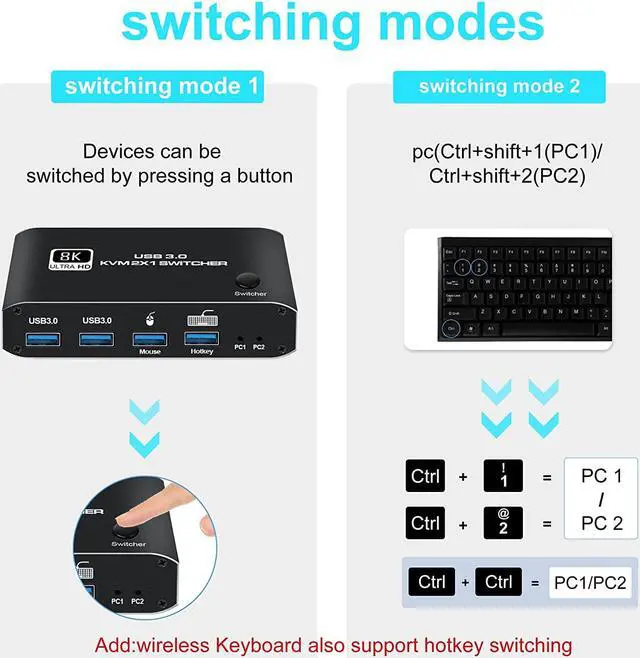
Hotkey Switching
  • Supports Keyboard hotkey switch to another pc
  • Ctrl+shift+1 switch to PC 1
  • Ctrl+shift+2 switch to PC 2
  • NOTE: Using the hotkey function requires a keyboard to be connected to the keyboard port
image for this item
Button Switching
  • The HDMI KVM switch operates with manual switching buttons
  • Switch between two HDMI sources at the touch of a button for easy play and work time
image for this item
4 x USB3.0 ports
  • The maximum transmission bandwidth of USB3.0 is as high as 5.0Gbps (500MB/s), which is 10 times that of USB 2.0
  • NOTE:USB3.0-related functions can only be used after installing USB3.0-related hardware devices on the computer
image for this item
with Type-C Power Port

An extra power supply(DC 5V) is needed whenpower-hungry devices are connected, to ensure stable video transmission and better performance. ( included power Adapter)

image for this item
with LED indicator

The LED indicates the active computer, and the red light is on to indicate which computer is currently in use.

image for this item
Metal Case Material

KVM Switch in a durable metal housing to ensure superior signal transfer, and better heat dissipation to enhance the life of the device.

image for this item
Specification

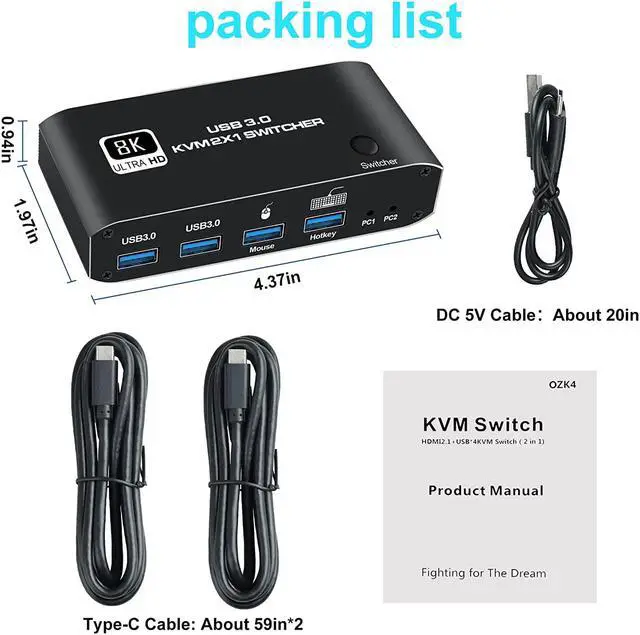
- Product Type: HDMI USB 3.0 KVM Switch (2 in 1 out)
- Input Port: HDMI 2.1 x 2,USB-C x2, USB 3.0 x 4
- Output Port: 1 x HDMI 2.1
- Dimensions: 111.8x63.2x24.5mm
- Material: Aluminum Alloy shellanti-rust, anti-corrosion, anti-interference, fast transmission, surtace oxidation
- Support HDMI 2.1 HDCP 2.3
- Resolution: Support 1080P/1080@120/240Hz, 3840x2160p, 3440x1440@144Hz 4K/60Hz/120Hz,8K@60Hz resolution, adaptive screen resolution
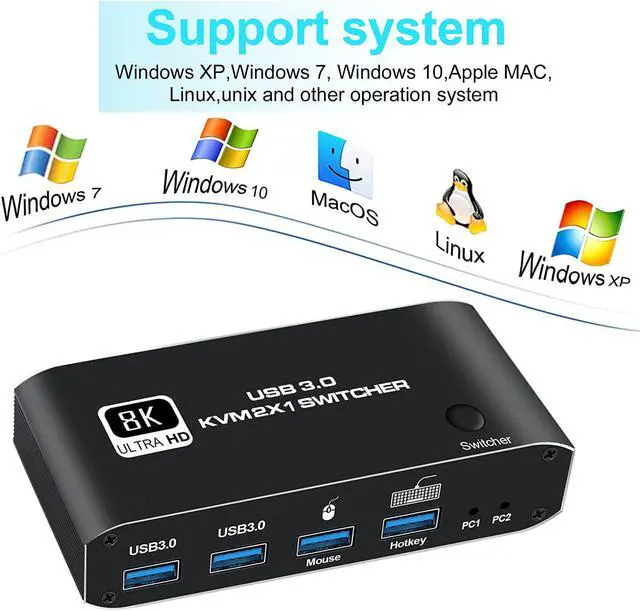
- Support system: Windows XP, Windows7, Windows10, MacOS, Linux, Unix and other operating systems
- Supports high current hard disk devices
- Two Switching method: 1.Press the "Select" button on the KVM switch panel to switch between the two source devices;2.use hotkey switch(Ctrl+Shift+ 1 / 2 to PC1 / PC2);
- Highly integrated digital chip combination, plug and play


Package contents
1 x HDMI2.1 KVM USB Switch
2 x USB data cable
1 x User Manual

The HDMI KVM switch connects two computers to keyboard, mouse and monitor
An ideal device for connecting two HDMI signal source output devices (such as computers, laptops, video recorders, etc. ) and outputting HDMI signal sources to one HDMI display device (such as TV, projector, LCD monitor, etc. ). Switch between games and office directly and freely.

Features:

Hotkey Switching
Supports Keyboard hotkey switch to another pc
Ctrl+shift+1 switch to PC 1
Ctrl+shift+2 switch to PC 2
NOTE: Using the hotkey function requires a keyboard to be connected to the keyboard port

Button Switching
The HDMI KVM switch operates with manual switching buttons
Switch between two HDMI sources at the touch of a button for easy play and work time

4 X USB 3.0 ports
The maximum transmission bandwidth of USB 3.0 is as high as 5.0G bps (500MB/s), which is 10 times that of USB 2.0
NOTE: USB 3.0 -related functions can only be used after installing USB 3.0 -related hardware devices on the computer

Stable Connection and Wide Compatibility
The 8K 2-port HDMI KVM switch adopts high-tech decoding, USB 3.0 full-speed transmission technology, and no delay for mouse and keyboard. The transmission technology is compatible with PC, Laptop, Xbox, Nintendo Switch, Roku, Fire TV, PS5/PS4/PS3, projectors, audio/video receivers, and most HDMI-enabled devices. High-speed transmission without delay, without loss of picture and sound quality.

Package included:
2 in 1 out HDMI USB KVM switch x1,
USB data cable x2,
User manual x1.

Warranty & Returns

Warranty, Returns, And Additional Information

Warranty

  • Please contact the Seller directly for warranty information. Warranty information may also be found on the Manufacturer's website.
  • CONTACT

Return Policies

Manufacturer Contact Info

LOADING...