Get a $25 Newegg Promo Gift Card when you spend $250+ between 1/17/26 and 1/19/26. Learn More>
AV Access Docking Station KVM Switch 1 Laptop & 2 Desktop PCs, Dual 4K@60Hz Monitors, EDID Emulation, 100W USB-C Charging, Gigabit Ethernet,High Refresh Rates,Ideal for Gaming, Office & Creative Work
  •  
  • $219.99 
  • $199.99
  • Free 30-day Returns
  • Ships from China.
    Price alert
    Shop it at NeweggBusiness.

    4 Port HDMI + Displayport KVM Switch Dual Monitor 4 Computers 4K @60Hz Support HDMI2.0 DP1.2 KVM Switch with 4 USB 2.0 Hub, Keyboard Mouse Monitor Switcher for 4 PCs Dual Monitors 4 in 2 Out (HDMI+DP)

    Limited time offer, ends 01/17 By Smart Life Marketplace

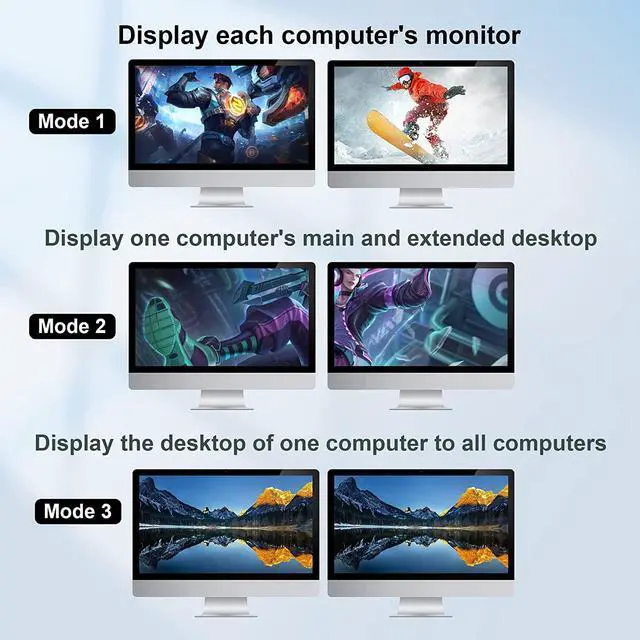
    • [4 Port KVM Switch Dual Monitor HDMI+DP] Controls up to 4 PCs or laptops with Dual HDMI and DP graphic outputs to share 1 set of keyboard, mouse and 2 monitors for extended or mirrored display. (For dual monitor setups, it requires every computer support 2 screen or above display functions and must support extended display).
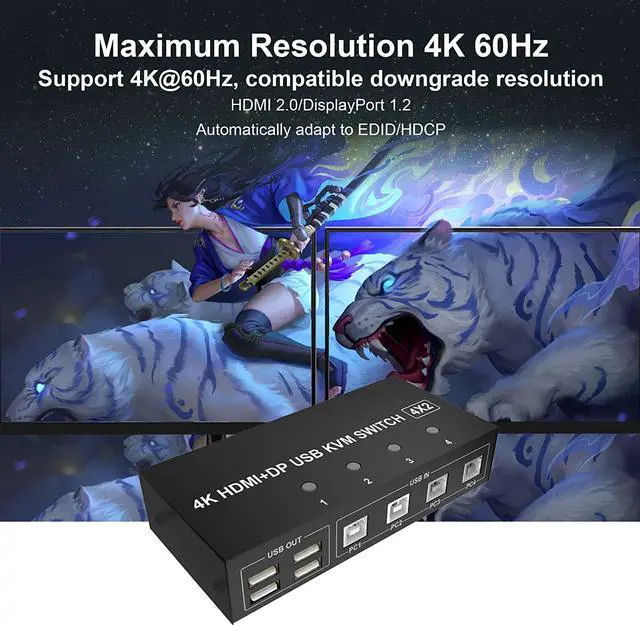
    • [Dual Monitor KVM Support HDMI2.0 and DP1.2 Protocol] Confirms to HDMI2.0 & DP1.2 protocol, supports 4K@60Hz and is compatible downwards. The dual monitor requires HDMI + DisplayPort connections from each computer to the KVM switch.
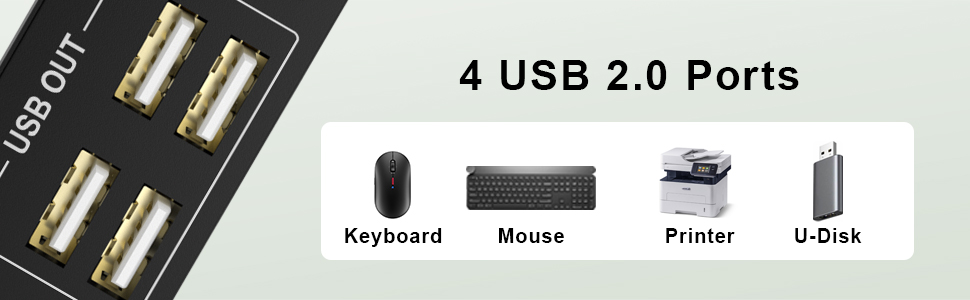
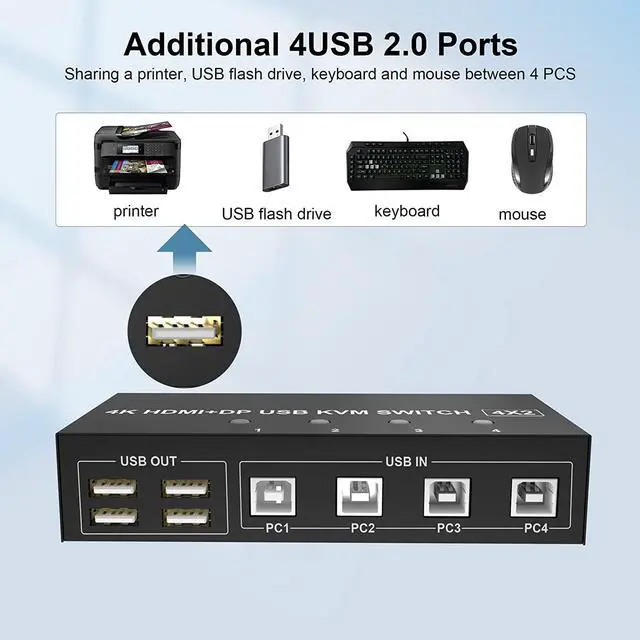
    • [4 USB 2.0 Hub for 4 COMPUTERS] with 4 USB 2.0 ports, allows you to share 4 more USB peripherals like keyboard, mouse, printer between 4 PCs. It identify and match various display devices automatically. Compatible with Windows 10/7/2000/XP/Vista,Linux,Unix,Mac,Ubuntu,Fedora,etc.
    • [EASY SWAPPING BETWEEN 4 PCs] You can freely switch between personal and work using push button or wired remoter. LED indicates the active computer.
    +
    +
    Overview
    Specs
    Reviews
    avatar

    Any questions? Our AI beta will help you find out quickly.

    image for this item
    4 Port Dual Monitor (HDMI + DisplayPort) KVM Switch 4K@60Hz


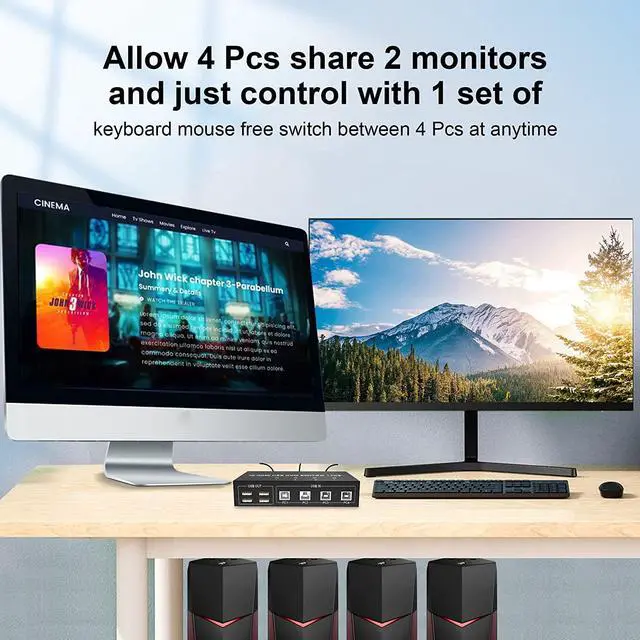
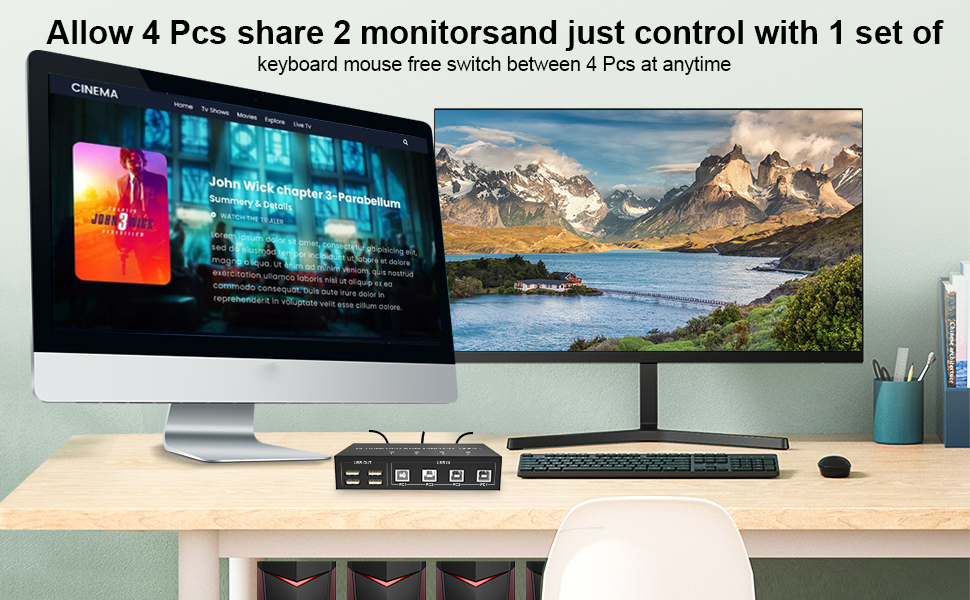
    • This Dual Monitor HDMI + DisplayPort KVM Switch 4 Port help you control 4 PCs share 2 monitors (Extend display mode or copy display mode) by only one set of USB keyboard & mouse.


    Features

    • Support extended or duplicated display depending on computer setting.
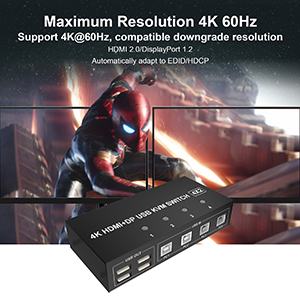
    • Support max up resolution 4K@60Hz, downward compatible
    • Support controller or buttons switch
    • USB devices that can be connected, such as: USB mouse, keyboard, U disk, printer, camera, etc.
    • Built-in automatic equalization system, picture position, clear and stable
    • Built-in ESD electrostatic protection circuit, all-round protection system safety
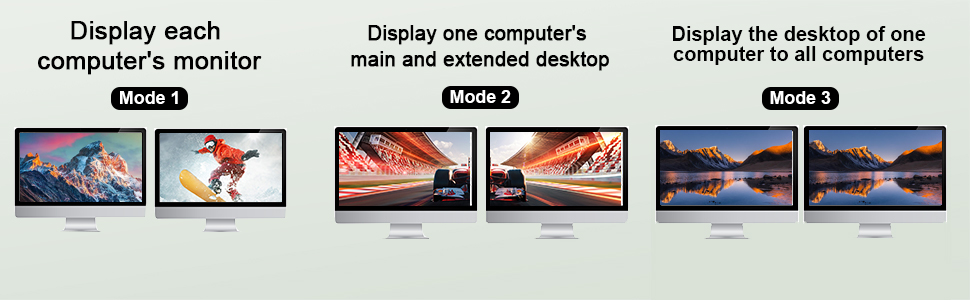


    image for this item
    image for this item
    image for this item
    Installation Step


    • 1. Turn off all devices and unplug all the cables;
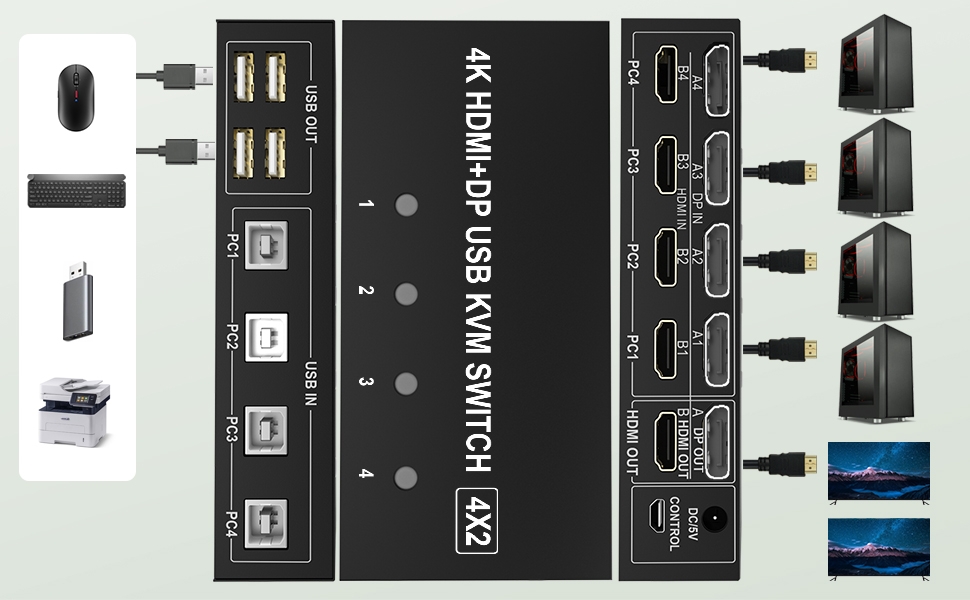
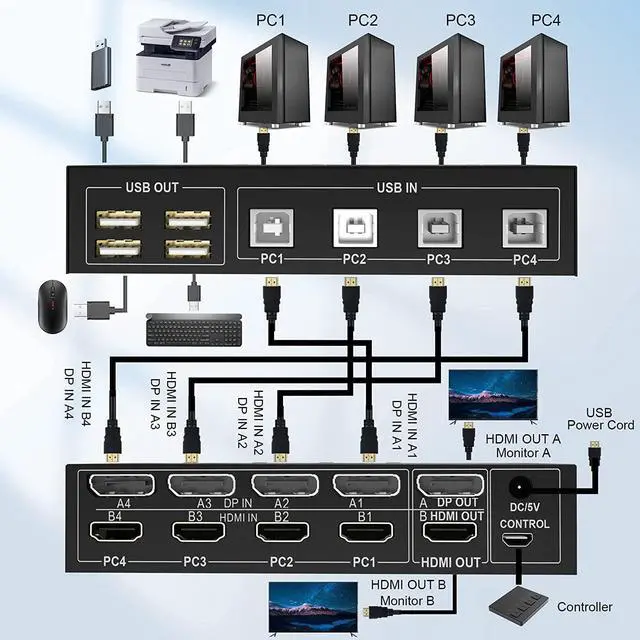
    • 2. Plug HDMI /DisplayPort cables and USB cables into KVM switch and your computers/laptops ( HD-MI / DisplayPort cables not included)


    Note:

    Please check the DP IN A1 & A2 & A3 & A4, HDMI IN B1 & B2 & B3 & B4 and USB IN1 & IN2 & IN3 & IN4 is corresponding, DP OUT A, HDMI OUT B is corresponding, NOT support mixed insertion.

    DP IN A1 + HDMI IN B1 + USB IN1=PC1

    DP IN A2 + HDMI IN B2 + USB IN2=PC2

    DP IN A3 + HDMI IN B3 + USB IN3=PC3

    DP IN A4 + HDMI IN B4 + USB IN4=PC4


    • 3. Plug mouse and keyboard into KVM switch;
    • 4. Plug HDMI / DisplayPort cables and USB cables into KVM switch and monitors;
    • 5. Plug power supply into KVM switch;
    • 6. Boot PCs/laptops.
    image for this item
    image for this item
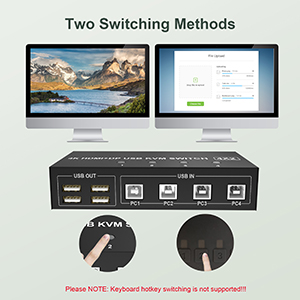
    Two Switching Methods
    • Push Button of KVM switch itself
    • Wired Remote
    image for this item
    Dual Monitor KVM Support HDMI2.0 and DP1.2 Protocol
    • Supports high resolution up to 3840*2160@60Hz and downwards
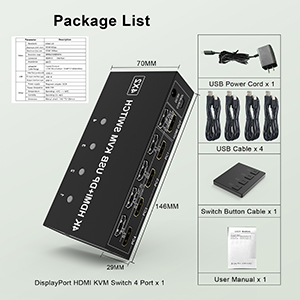
    image for this item
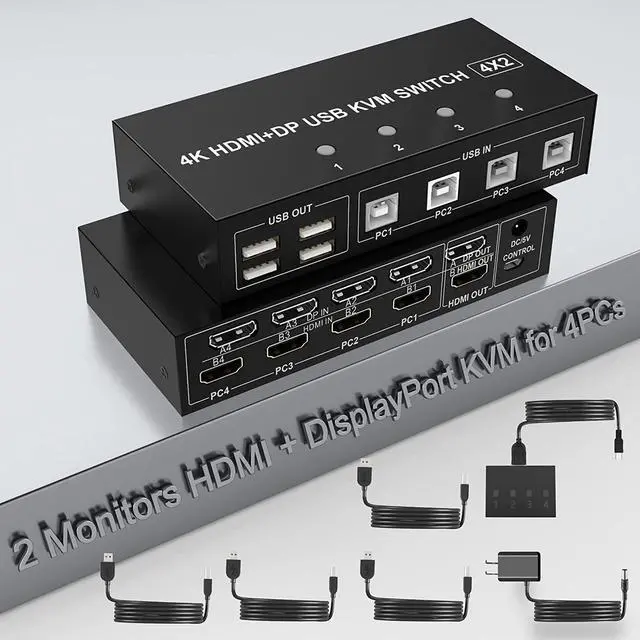
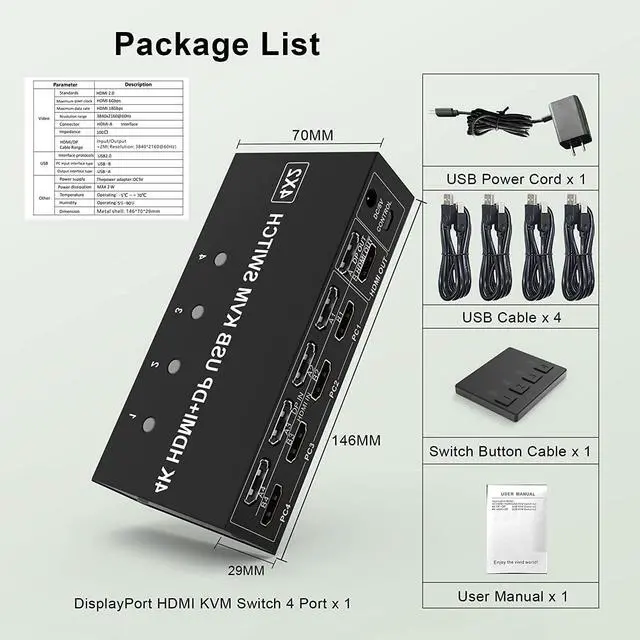
    Package List
    • 4 Port Dual Monitor HD-MI + DisplayPort KVM Switch x1
    • USB Cables x4
    • USB Power Cord x1
    • Wired Switching Button x1
    • User Manual x1
    4 Port 4K@60Hz Dual Monitor HDMI & DisplayPort USB KVM Switch

    4 computers/laptops share one set of keyboard, mouse and dual monitors, and more USB 2.0 peripherals.
    This dual monitor HDMI & DisplayPort KVM switch supports up to 4K @60Hz (HDMI 2.0, DisplayPort 1.2 ); S
    upport wired or wireless keyboard and mouse. C
    ompatibility with all computers and other devices with HDMI & DisplayPort ports. C
    ompatible with Windows 10/7/2000/XP/Vista, Linux, UNIX, Ubuntu, Fedora, and other systems. A
    dvanced switching modes: push button and wired remote.

    Connection steps:

    Connect the power adapter into the "DC/5V" to the Dual Monitor KVM Switch, and the KVM to ensure power supply.
    Computer 1: Connect DisplayPort outputs from computer 1 to DP-A1 port; Connect HDMI outputs from computer 1 to HDMI-B1 port; Connect USB A-male to USB 3.0 port on computer 1, and USB B-male to USB IN-PC1 port on the KVM switch;
    Computer 2: Connect DisplayPort outputs from computer 2 to DP-A2 port; Connect HDMI outputs from computer 2 to HDMI-B2 port; Connect USB A-male to USB 3.0 port on computer 2, and USB B-male to USB IN-PC2 port on the KVM switch;
    Repeat the above for connecting Computer 3 and 4;
    Connect DisplayPort monitor to A DP OUT port on the KVM switch;
    Connect HDMI monitor to B HDMI OUT port on the KVM switch;
    Keyboard and Mouse: Connect keyboard and mouse into USB 2.0 port;
    Connect USB peripherals to USB 2.0 ports if needed.
    Insert the wired remote into the "CONTROL" port to remotely switch between PC1, PC2, PC3, and PC4. Or press the switch button (1, 2, 3, 4)on the KVM to switch.
    After cables being connected, power on the kvm switch first, then monitors, then computers.

    Package included:
    (1) 4 port USB DP+HDMI Dual Monitor KVM Switch
    (2) 4x USB A-USB B Cables
    (3) 1x Wire remote switch button
    (4) 1x Power Adapter
    (5) 1x Manual

    Warranty & Returns

    Warranty, Returns, And Additional Information

    Warranty

    • Please contact the Seller directly for warranty information. Warranty information may also be found on the Manufacturer's website.
    • CONTACT

    Return Policies

    Manufacturer Contact Info

    LOADING...