


shipping Holiday Shipping Details & Extended Holiday Returns
WD_BLACK 2TB SN850X NVMe Internal Gaming SSD Solid State Drive - Gen4 PCIe, M.2 2280, Up to 7,300 MB/s - WDS200T2X0E
  •  
  • $199.99 
  • $119.99
  • Free 30-day Returns
  • Ships from China.
    Price alert
    Shop it at NeweggBusiness.

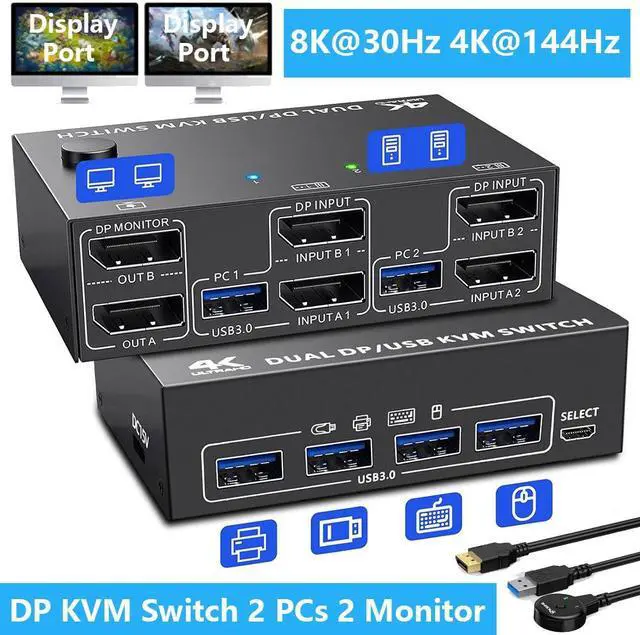
    Hitoor USB 3.0 Displayport KVM Switch 2 PC 2 Monitors, KVM Switch 8K@30Hz 4K@144Hz,Dual Monitor KVM Switch Displayport 1.4 for 2 PC Share Wireless Keyboard,Mouse, Printer, with 2 USB 3.0 and DP Cables

    Limited time offer, ends 12/06 By Smart Life Marketplace

    • [Save Desk Space] The KVM Switch Dual Monitor allows you to control 2 computers with only one set of controls (wired/wireless mouse, keyboard, printer) and 2 monitors, unique design for a tidy desk,more efficiency at work.(Each PC needs 2 DP cables+1 USB cable to connect to the KVM switch.)
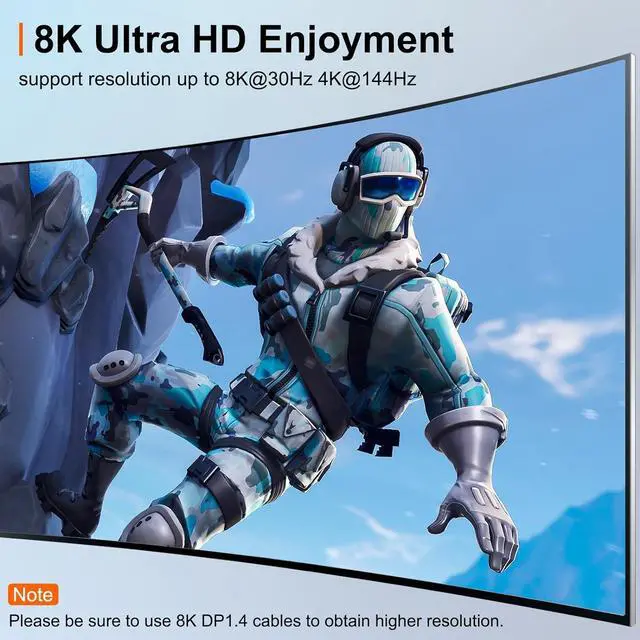
    • [Ultra HD 8K@60Hz/4K@144Hz] Supports a maximum of 8K@30Hz(7680*4320), 4K@60Hz (3840×2160) Ultra HD image quality, and also supports other lower ones. Note: For an 8K HD visual experience, please use standard DP1.4 cables; the shorter the cable, the better the visual effect.
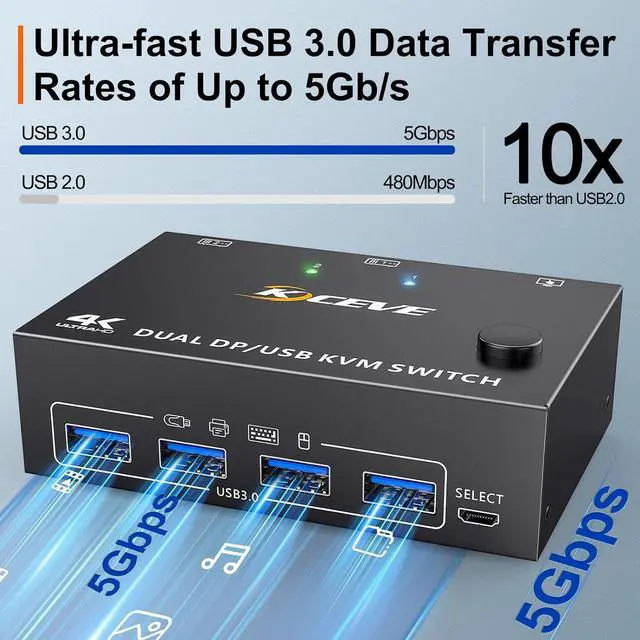
    • [Fast & Stable Transfer] with 4 built-in USB 3.0 ports for keyboard, mouse, printer and other USB devices.Supports ultra-fast USB 3.0 data transfer, data transfer speeds up to 5Gbps, 10x faster than USB2.0 480Mbps, compatible with USB 2.0/1.1 devices.
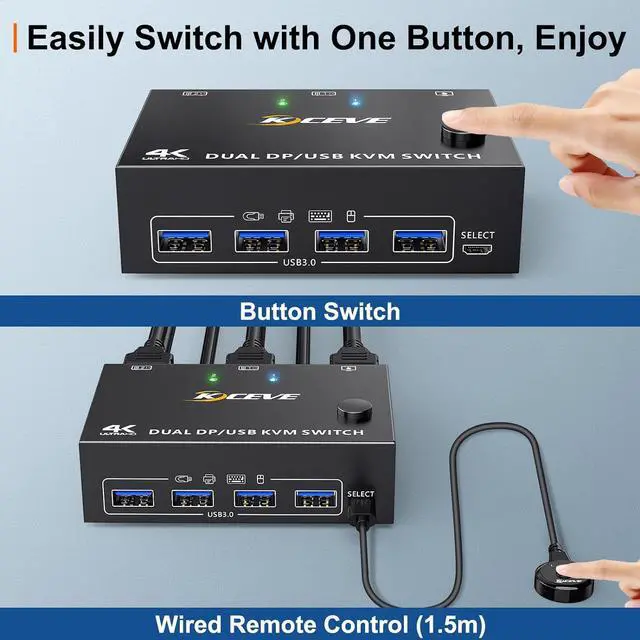
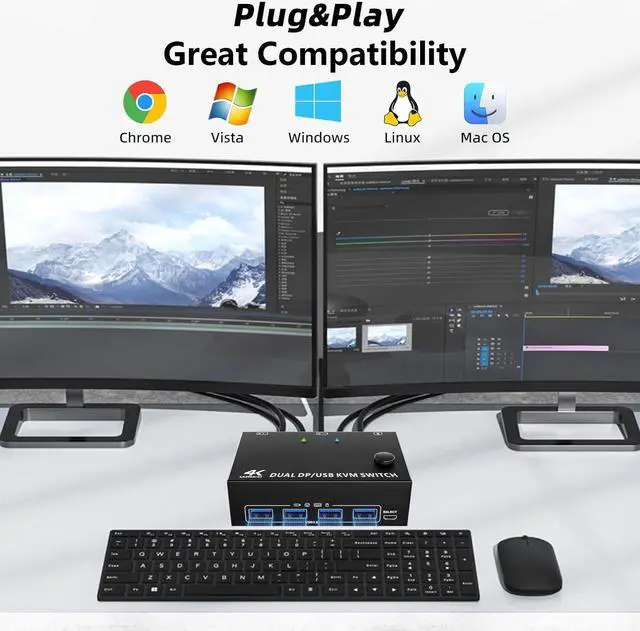
    • [Great Compatibility&2 Switching Mode] Driver-free for Windows 7/8/10/11/XP, MacOS, Linux etc. You can press the button on the panel or use the wired remote to switch the computers.
    +
    +
    Overview
    Specs
    Reviews
    avatar

    Any questions? Our AI beta will help you find out quickly.

    KVM Switch 2 PC 2 Monitors can control 2 computers or laptops with a set of keyboard and mouse, shar

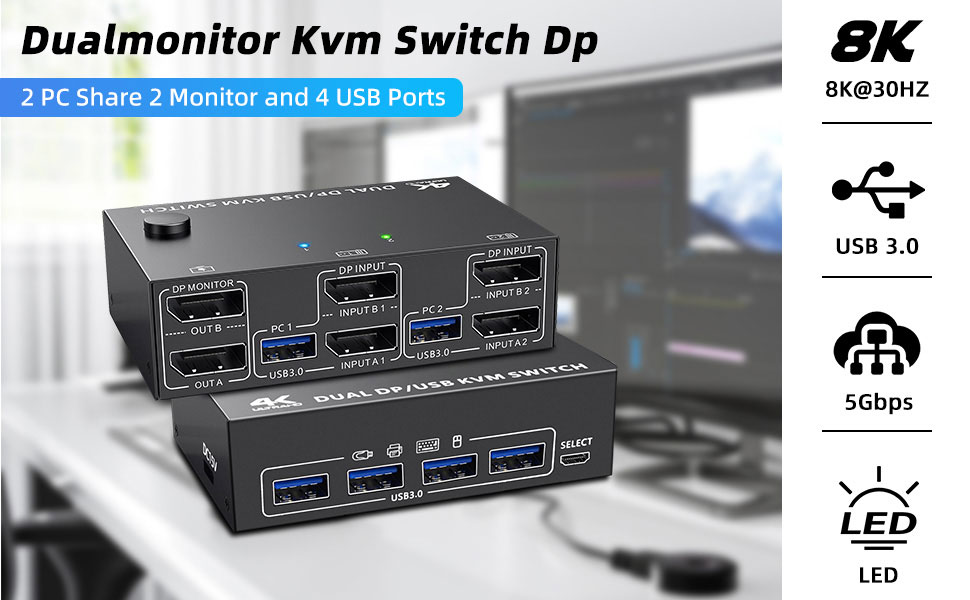
    KVM Switch 2 PC 2 Monitors can control 2 computers or laptops with a set of keyboard and mouse, share 2 monitors and 4 USB 3.0 hubs. 

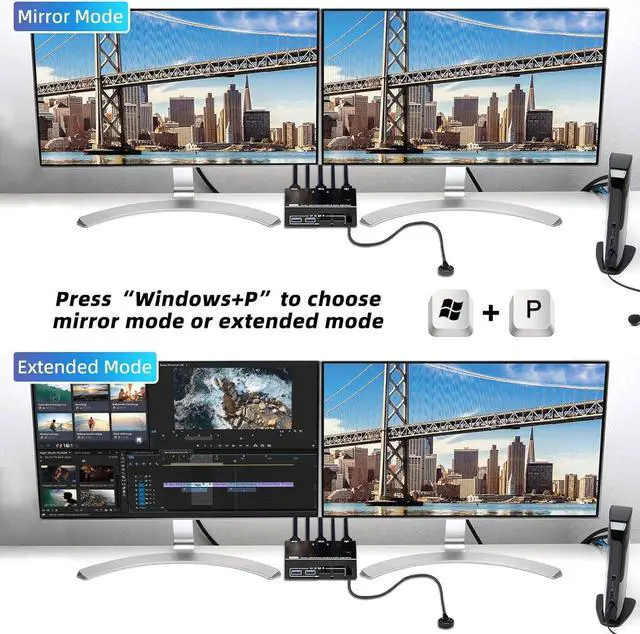
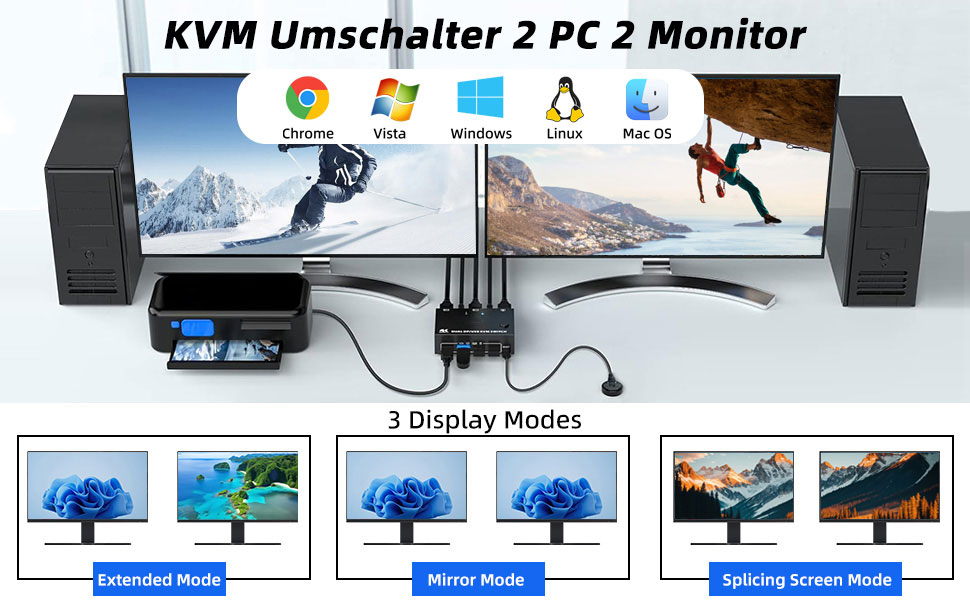
    Supports multiple display modes (advanced mirrored and splice wall). 

    It is the best KVM switch to improve your productivity and make your workspace tidier, also a first-class choice for work and home.
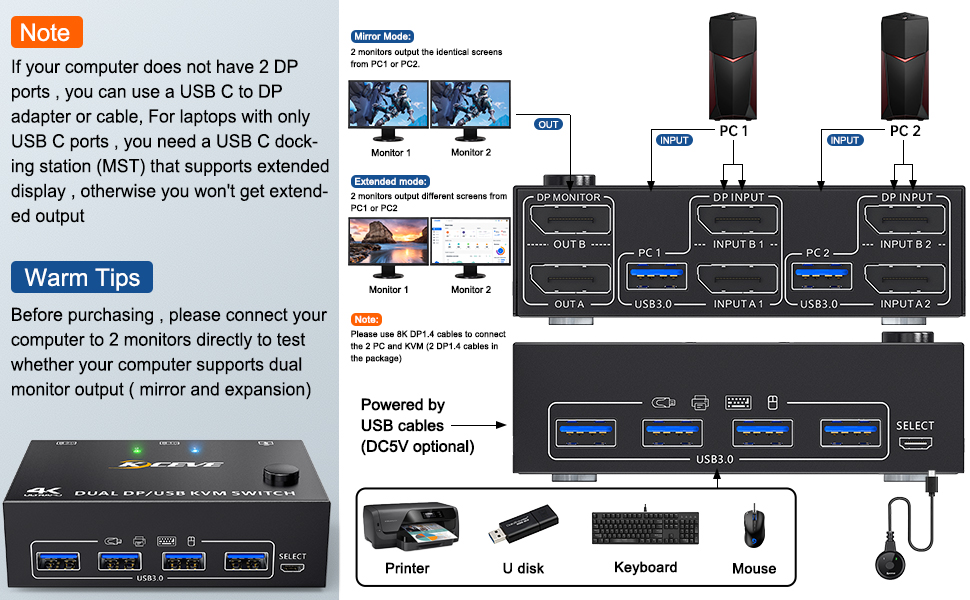
    connect
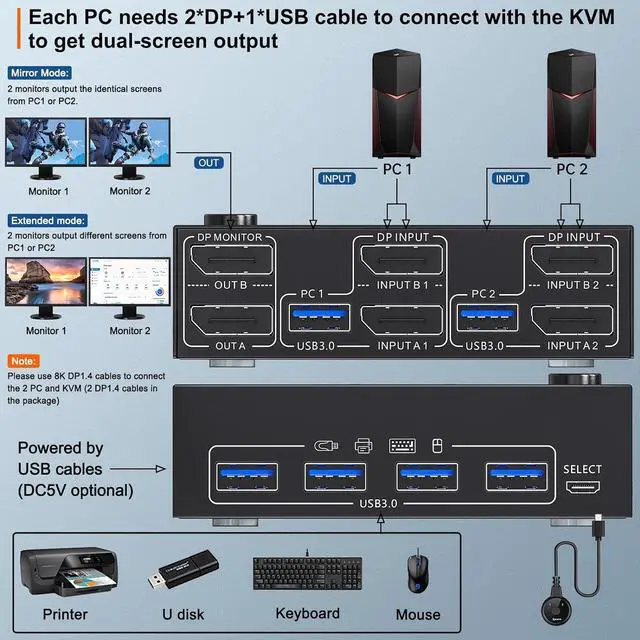
    Each PC must connection 2 DP cables and 1 USB cable to ensure keyboard, mouse and monitors to work correctly.
    Connection steps:


    Step 1. Connect 2*DP cables+1*USB3.0 cable between PC 1 and KVM (USB 3.0, INPUT A1, INPUT B1).

    Step 2. Connect 2*DP cables+1*USB3.0 cable between PC 2 and KVM (USB 3.0, INPUT A2, INPUT B2).

    Step 3. Connect 2*DP cables between the KVM (OUT A, OUT B) and your 2 monitors.

    Step 4. Insert your USB devices(keyboard mouse and U disk) into the USB port on the KVM.

    Step 5. Insert the Wired Remote into the "SELECT" port to remotely switch between PC1 and PC2.
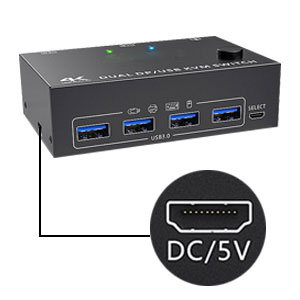
    Optional DC 5V power supply
    Optional DC 5V power supply

    It is convenient for you to use high-power USB devices (such as HDD, digital video camera, SSD, etc.). USB power cable included.
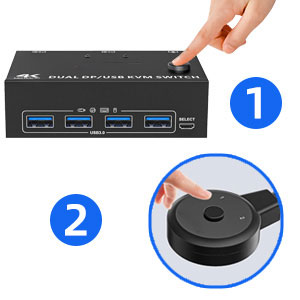
    2 Switching Methods
    2 Switching Methods

    You can use the buttons on the control panel or the included wired remote control to switch between computers. LED lights indicate which computer is running.

     

    Ultra HD 8K@30Hz Visual Enjoyment
    Ultra HD 8K@30Hz Visual Enjoyment

    2 PC 2 Monitor Switch Supports a maximum of 8K@60Hz(7680*4320), 4K@60Hz (3840 × 2160) Ultra HD image quality, and also supports other lower ones.
    Warm tips
    Warm tips


    lf with the MsT multi-screen docking station, the computer CPU requirements is 11th generation or abescreen docolugon of the docking station is 4k@60Hz or 1080p@60Hz if dual screen display.


    A-p-p-l-e M1/M2 only supports an external display, not Multi-Screen Extend output.
    If the computer has only one input, it can only support one screen display.


    If the computer is connected to inputs A1/A2, it can only be output to output A, and if it is connected to inputs B1/B2, it can only be output to output B.


    If the monitor has different resolutions, settings the "Expand" mode for the best results.


    Press the "Window" and "p" buttons at the same time to enter the duplicate or extend mode for 2 screens.
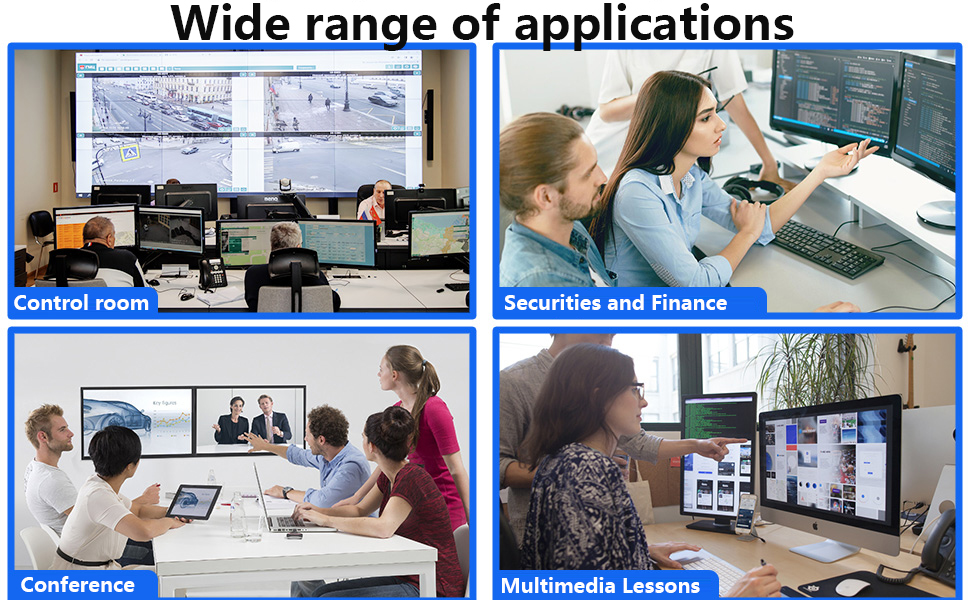
    widely
    package
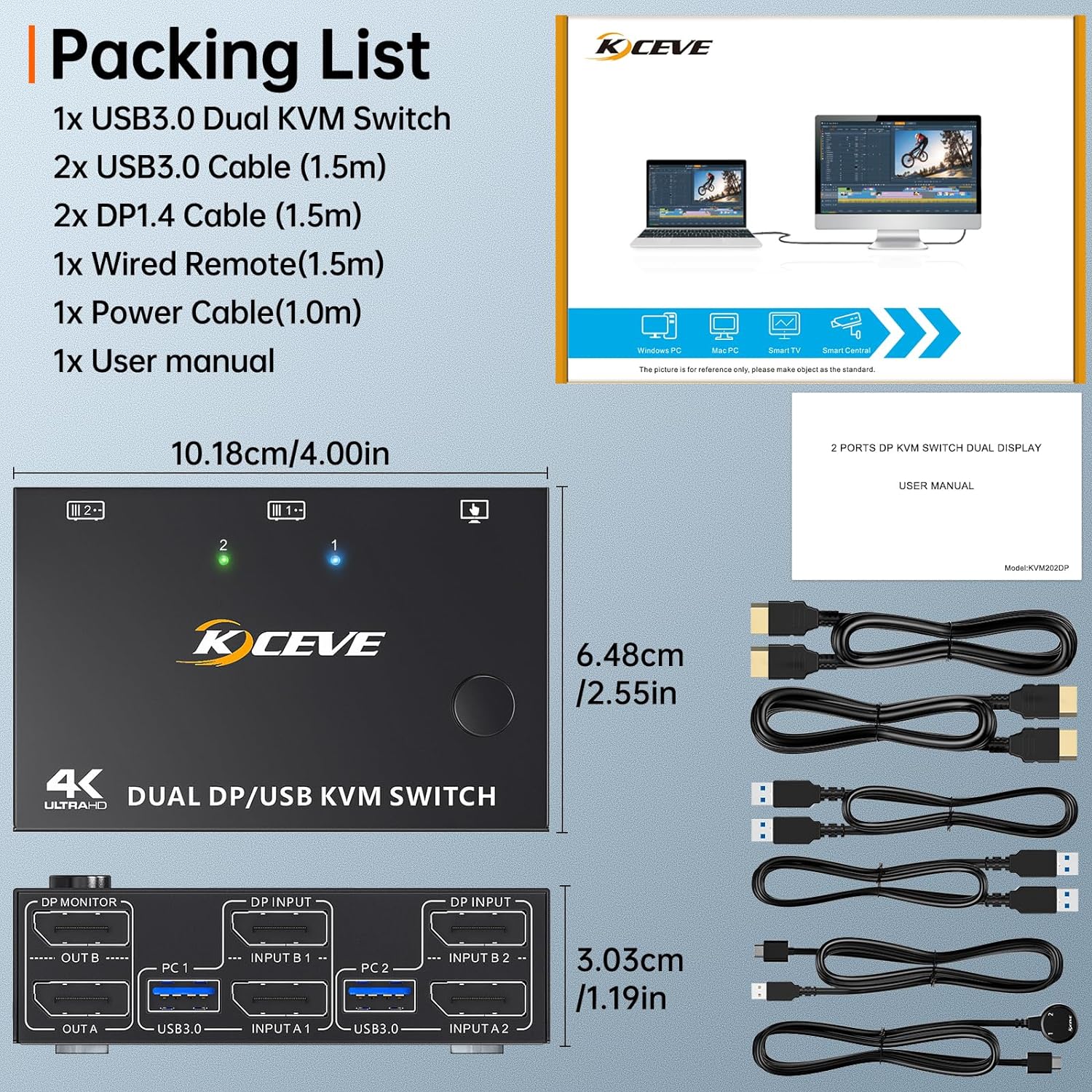
    Packing list:
    • 1 * Displayport KVM switch; 
    • 2 * 8K DP1.4 cable; 
    • 2 * USB3.0 cable; 
    • 1 * Wired remote; 
    • 1 * USB power cable;
    • 1 * User manual.

    Technical Questions and Answers


    Q1: What kind of PC hosts are needed?

    A1. Two PC hosts are required that support two DisplayPort outputs (Dual DP).


    Q2: What if one of the computer hosts only has a DP interface or a MINl DP interface?

    A2: The DP interface is directly connected to the KVM switch with a DP cable. For the MINl DP interface, please use a "MINl DP to Dp cable" to connect the KVM switch and the computer.


    Q3: The laptop has two USB-C outputs, can I use them?

    A3: Yes, but you will need a separate USB-C to Dp cable or a separate USB-C to DP cable or a USB-C docking station with DisplayPort.


    Q4: Can I use my laptop that only has a USB-C output (no DP)?

    A4: Not recommended; if you need to use it, you need to buy an "MST docking station" that supports dual DP output.

    Product Advantages:

    2 computers share one set of wired/wireless keyboard, mouse and 2 monitors.
    Dual monitors output support extended and mirror display.
    Support max up resolution 8K@30Hz, 4K@144Hz, 2560×1440@144Hz, 1920x1080P@144Hz, downward compatible. support ultra-wide monitors.
    Switching modes: Button switch and wired remote ( 1.5 m), switch between 2 computers just need 2-4 seconds, fast and convenient.
    Support wired or wireless keyboard and mouse. When use a mechanical gaming keyboard, You need to plug in the DC 5V USB power cable to the KVM to provide sufficient power.
    Cross support most major OS including Windows, Linux, Mac OS.
    Dual displayport KVM switch with 4 USB 3.0 ports for USB devices.

    Each PC must connection 2 DP cables and 1 USB cable to ensure keyboard, mouse and monitors to work correctly.
    Connection steps:

    Step 1. Connect 2*DP cables+1*USB 3.0 cable between PC 1 and KVM (USB 3.0, INPUT A1, INPUT B1).

    Step 2. Connect 2*DP cables+1*USB 3.0 cable between PC 2 and KVM (USB 3.0, INPUT A2, INPUT B2).

    Step 3. Connect 2*DP cables between the KVM (OUT A, OUT B) and your 2 monitors.

    Step 4. Insert your USB devices (keyboard mouse and U disk) into the USB port on the KVM.

    Step 5. Insert the Wired Remote into the "SELECT" port to remotely switch between PC1 and PC2.

    Packing list:

    1 * Displayport KVM switch; 2 * 8K DP 1.4 cable; 2 * USB 3.0 cable; 1 * Wired remote; 1 * USB power cable; 1 * User manual.

    Warranty & Returns

    Warranty, Returns, And Additional Information

    Warranty

    • Please contact the Seller directly for warranty information. Warranty information may also be found on the Manufacturer's website.
    • CONTACT

    Return Policies

    Manufacturer Contact Info

    LOADING...