


shipping Holiday Shipping Details & Extended Holiday Returns
v AV Access KVM Switch Dual Monitor 4K@60Hz, 2K@144Hz, 1080P@240Hz, USB 3.0 KVM Switch 2 Monitors 2 Computers, Ultrawide Screen PC Keyboard Mouse Switcher, Hotkey Switch
  •  
  • $89.99 
  • Save: 13%
  • $68.99
  • Free 30-day Returns
  • Ships from China.
    Price alert
    Shop it at NeweggBusiness.

    Hitoor Dual Monitor HDMI KVM Switch 4K@60Hz, USB 3.0 HDMI KVM Switch 2x2 with 3.5mm Jack Audio Output for 2 Computers Share 2 Monitors and 4 USB 3.0 Ports, with 3 Display Method, Hot Key Switching

    Limited time offer, ends 12/13 By Smart Life Marketplace

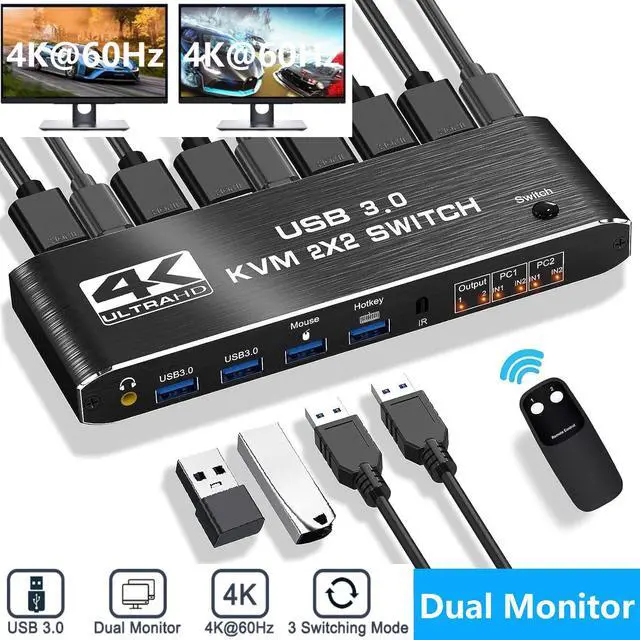
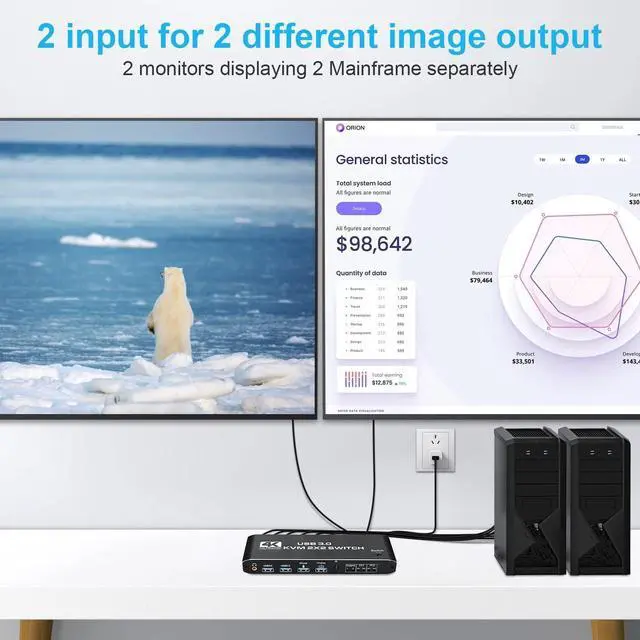
    • [HDMI KVM Dual monitor] This KVM Switch allows control 2 computer with one set of controls (keyboard and mouse) and 2 display screen. Realizes 2 in and 2 out free selection synchronous switching. You can centrally control and manage hosts laptop or game console without having to move from one workstation to another.
    • [UHD 4K Visual Enjoyment] Supports HDMI 2.0 and standard HDCP 2.2. Support max resolution up to 4K@60Hz,1080@144Hz, also support 1080P@120Hz or lower resolution, makes image display more exquisite and realistic.
    • [with 4 USB 3.0 Port] Supports Connecting your USB 3.0 port device such as Scanner/USB Mouse/Printer/Monitor
    • [Good Compatibility] Compatible with all laptops with HDMI port and other devices. It has adaptive EDID, adapt to Windows, macOS, Linux, UNIX and other operating systems.
    • [2.0CH Audio Extractor]:KVM Switch comes with a 3.5mm Audio Jack port with a DAC chip inside, which can be inserted into a 3-segment 3.5mm earpiece device.
    +
    +
    Overview
    Specs
    Reviews
    avatar

    Any questions? Our AI beta will help you find out quickly.

    Dual Monitor HDMI KVM


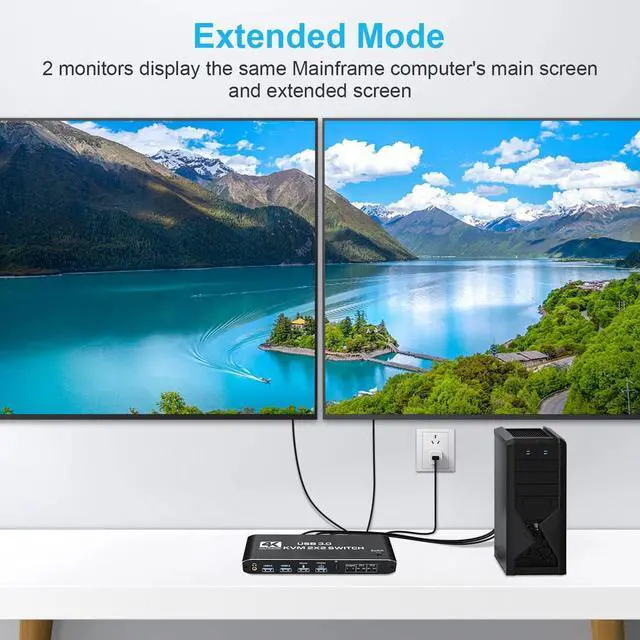
    2 Port KVM Switch HDMI Dual Monitor -- Consoles control up to 2 computers or laptops with 1 set of USB keyboard, mouse, and share dual monitors for extended or copy display.


    UHD 4K@60Hz HDMI KVM Dual Monitor -- Support 3840*2160@60Hz/3D/1080P resolution, compliance with HDMI 2.0 standard, built-in Auto EDID make the image display more exquisite and realistic.


    The KVM provides 2 USB2.0 ports and 2 USB3.0 port (USB3.0*2+Mouse(USB2.0)+keyboard(USB2.0)), supporting various USB devices. The USB device can be used on any computer without repeated plug and unplug.

    Tip:


    1. Please connect the keyboard to the designated USB port, not to other USB ports, otherwise the keyboard hotkey switching function will be lost
    2. please make sure each computer/laptop have 2 HD-MI cables and 1 USB TO TYPE-C cable connected to the KVM switch.
    3. It requires every computer support 2 screen or above display functions. If your computer supports this function, and just one HDMI interface, you can use a converter or conversion cable, such as VGA/DVI/DP to HDMI converter or conversion cable.
    4. The remote control does not include batteries and should be purchased separately. If the remote control is not going to be used for a long time, it is recommended to remove the batteries.

    5. Please use a high quality 19+1 26AWG HD-MI cable and no more than 5 meters.

    6. Computer needs to support 2 screens or more

    7. If your computer lacks the required connectors, you can use an adapter or conversion cable;

    8. Need to be connected to a power source, which ensures that the devices can work together;

    9. Make sure both computers support HDMI 2.0! You can't connect two computers and set one to 4K@60Hz and the other to 4K@30Hz because it won't work and your screen will stay blank, they both have to be able to display 4K@60Hz or both are 4K @30Hz.

    [Note] 

    1.Please use 5V2A power plug to use this product, otherwise the voltage may not be enough to cause the product can not be used. 

    2.Please turn on the expansion mode of the computer when using, otherwise the product can not be used. 

    3.Must use HDMI 2.0 cable to use this product, our product packaging comes with HDMI 2.0 cable, the length of the cable, please do not exceed 9.84ft.

    with 3 Switch Modes --
    -- with 3 Switch Modes --


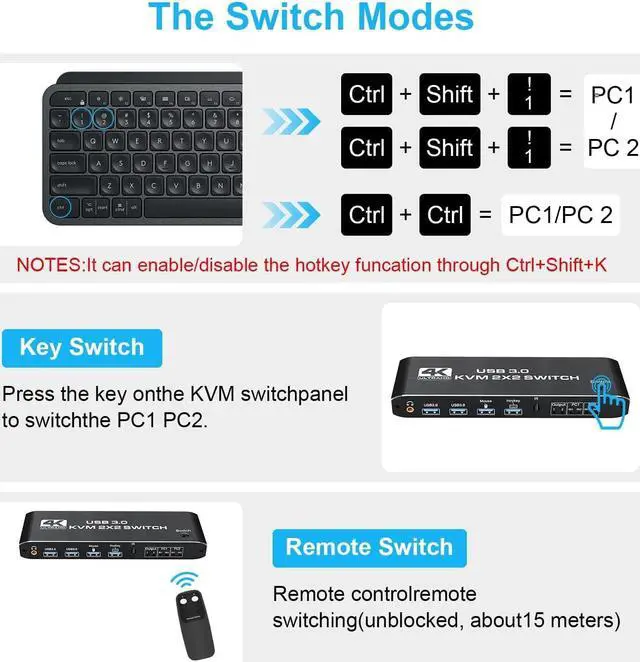
    NO 1. You can choose hotkey switch (For the hotkey switching method, please refer to the hotkey operation instructions on the following page.).

    NO 2. You also can switch the two signal sources by the panel buttons, the status light tells you which port is active.

    NO 3. Remote switching via remote control(unblocked, about 15 meter), no need to get up frequently (remote control does not come with batteries)


    Features:

    Share a set of keyboard, mouse and two HDMI monitors between 2 computers or laptops;

    Dual monitor output supports up to 4K@60Hz;

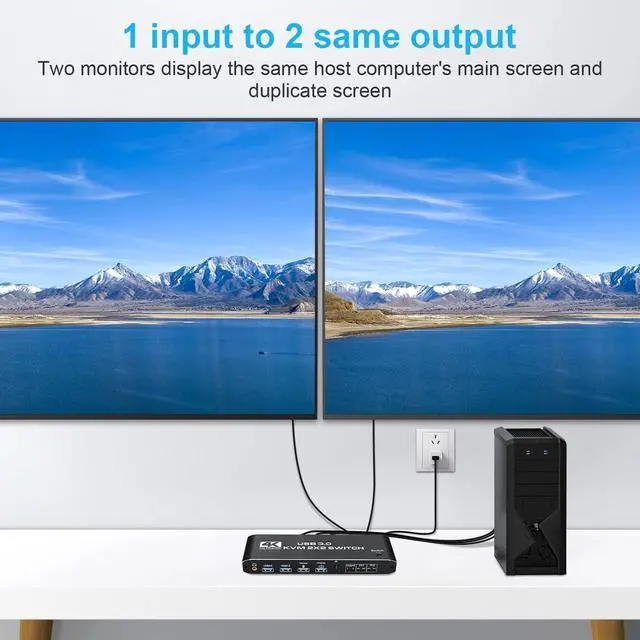
    Dual monitor output supports extended and mirrored display; 

    Compatible with Windows 10/7/2000/XP/Vista, Linux, UNIX, Ubuntu, Fedora and other systems; 

    Switching modes: push buttons, remote controls and hotkeys; 

    Ports to which HDMI/USB cables need to be connected are all hidden behind the KVM so as not to clutter the desktop; With 2 additional USB 3.0 and 3.5mm audio output

    Package contents:
    1 x HDMI KVM USB Switch
    2 x USB data cable
    1 x USB power cable
    1 x IR Remote Control(Without AAA battery)
    1 x User Manual


    [Note]


    • Please use 5V2A power plug to use this product, otherwise the voltage may not be enough to cause the product can not be used.
    • Please turn on the expansion mode of the computer when using, otherwise the product can not be used.
    • Must use HDMI 2.0 cable to use this product, our product packaging comes with HDMI 2.0 cable, the length of the cable, please do not exceed 9.84ft.
    mirroe mode
    Connection description
    Connection description

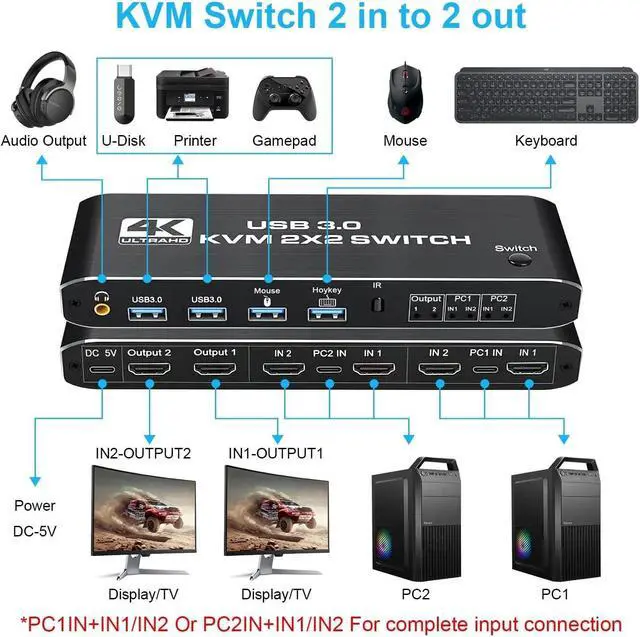
    1. Connect the USB TO TYPE-C cable to power it.

    2. Connect PC1 and KVM with 1 USB A TYPE-C cable and 2 HDMI cables.

    3. Connect PC2 and KVM with 1 USB TO TYPE-C cable and 2 HDMI cables. 4. Connect the keyboard and mouse to the HDMI KVM SWITCH.

    4. Connect the keyboard and the mouse to the KVM SWITCH. Connect 2 monitors and the KVM SWITCH.

    5. Connect two monitors and the KVM SWITCH with two HD-MI cables.

    Please note

    [Note] That this product has two Tybe-C cables for connecting to the main unit of the computer and the power supply of the product, please be sure not to plug them in the opposite way, or it will cause the keyboard and the mouse not to work properly.

    Product Features
    • Support 4K60Hz HDCP2.3 HD picture quality,adaptive screen resolution
    • Support keyboard hot key switching,more convenient to use.
    • Highly integrated digital chip combination,plug and play.
    • Product input:HDMI*2+USB3.0*2+Keyboard+Mouse.
    • Product output:2 HDMI
    • Support 3.5mm JACK (PCM/LPCM) audio output.
    package
    HDMI KVM Switch 2 Port Dual Monitor Extended Display, UHD 4K@60Hz
    RGB 4:4: 4, USB Hub, Audio, Hotkey, Button Switching, PC Monitor Keyboard Mouse Switcher for 2 Computers 2 Monitors

    Features:
    - Support HDMI 2.0 b HDCP 2.2
    - Resolution: Support 1080P/1080@144Hz, 3840x2160p, 4K/60Hz resolution, adaptive screen resolution
    - Support system: Windows XP, Windows7, Windows10, MAC, Linux, Unix
    - Supports high current hard disk devices
    - Three Switching Method:
    1. Press the "Select" button on the KVM switch panel to switch between the two source devices;
    2. use hotkey switch(Ctrl+Shift+ 1 / 2 to PC1 / PC2 or Ctrl + Ctrl), Ctrl+Shift+ K to turn off hotkey;
    3. use IR remote contrl to switch PC 1/ PC 2.


    Specifications

    :
    2 In 2 Out 4K USB 3.0 HDMI KVM Switch Box dual monitor for 2 PC Sharing Keyboard Mouse Printer Plug Play Video 2 Display USB Swltch Splitter
    - Product Type: HDMI USB 3.0 KVM Switch (2 in 2 out)
    - Input Port: HDMI 2.0 x 4, USB-C x2, USB 3.0 x 4
    - Output Port: 2 x HDMI 2.0, 1 x L/R audio
    - Dimensions: 111.8 x 63.2 x 24.5 mm
    - Material: Aluminum Alloy shellanti-rust, anti-corrosion, anti-interference, fast transmission, surtace oxidation


    Package contents:
    1 x HDMI KVM USB Switch
    2 x USB data cable
    1 x USB power cable
    1 x IR Remote Control (Without AAA battery)
    1 x User Manual


    Remarks!!!
    1)To support dual display, your pc's video card must be capable of supporting 2 HDMI out simutaneously.

    2)to use the extended and spliced display function, your video card must be capable of doing so. As the dual monitor HDMI KVM Switch display only what was connected to the input. It is a bypass swicth and it can not processing those function by itself.

    3)This is a HDMI KVM dual monitor switch, it is not a 4X2 HDMI KVM Matrix.

    If you have any questions about the product, please feel free to contact us.

    Warranty & Returns

    Warranty, Returns, And Additional Information

    Warranty

    • Please contact the Seller directly for warranty information. Warranty information may also be found on the Manufacturer's website.
    • CONTACT

    Return Policies

    Manufacturer Contact Info

    LOADING...