shipping Holiday Shipping Details & Extended Holiday Returns
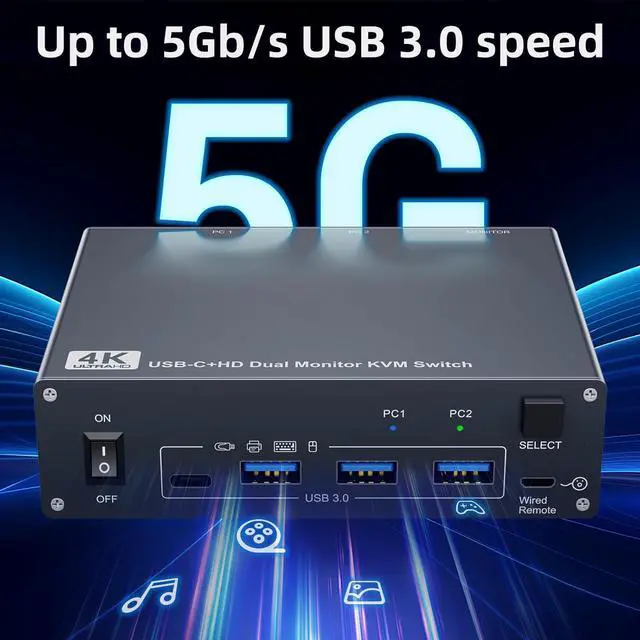
AV Access Docking Station KVM Switch 1 Laptop & 2 Desktop PCs, Dual 4K@60Hz Monitors, EDID Emulation, 100W USB-C Charging, Gigabit Ethernet,High Refresh Rates,Ideal for Gaming, Office & Creative Work
  •  
  • $219.99 
  • $199.99
  • Free 30-day Returns
  • Ships from China.
    Price alert
    Shop it at NeweggBusiness.

    Hitoor Dual Monitor KVM Switch for Laptop & Desktop 4K@60Hz, USB C and HDMI KVM Switch 2 Monitors 2 Computers with 4 USB 3.0 Port for Keyboard Mouse, 80W PD Charging, with Wired Remote and USB C Cable

    Limited time offer, ends 12/20 By Smart Life Marketplace

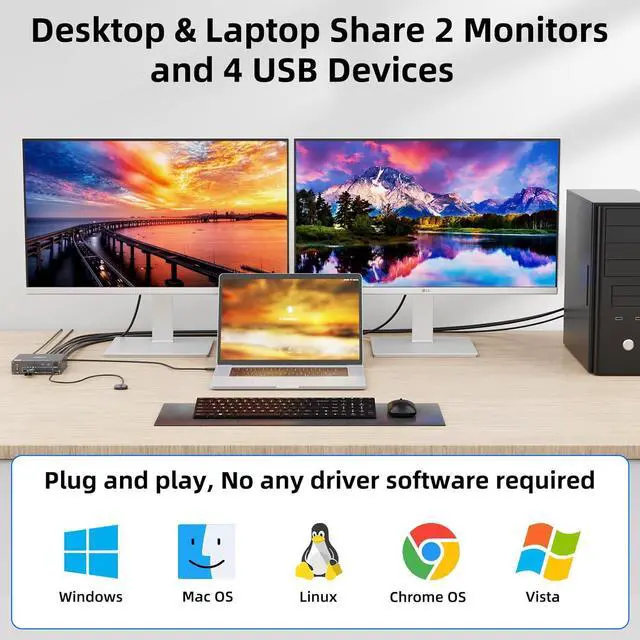
    • [HDMI and USB C KVM Dual monitor] This KVM switch allows you to effortlessly manage Laptop and Desktop to share 2 monitors and 4 USB devices together. You can choose expanded mode and mirror mode between 2 monitors as required.
    • [Ultra HD 4K Visual Effect]
    +
    +
    Overview
    Specs
    Reviews
    avatar

    Any questions? Our AI beta will help you find out quickly.

    Hitoor Dual Monitor KVM Switch for Laptop & Desktop 4K@60Hz, USB C and HDMI KVM Switch 2 Monitors 2


    Dedicated to users with 1 desktop and 1 laptop, one set of keyboard and mouse control 2 computers, sharing 2 monitors.

    Dual monitor KVM switch driver-free for Windows, Mac OS, Linux and Chrome OS, Compatible with Deskto


    Dual monitor KVM switch driver-free for Windows, Mac OS, Linux and Chrome OS, Compatible with Desktop, Laptop and Mini Box, with 4 USB ports for peripheral USB devices.

    How to connect the KVM switch For laptops: simply connect the laptop to the KVM using a USB-C to USB
    How to connect the KVM switch


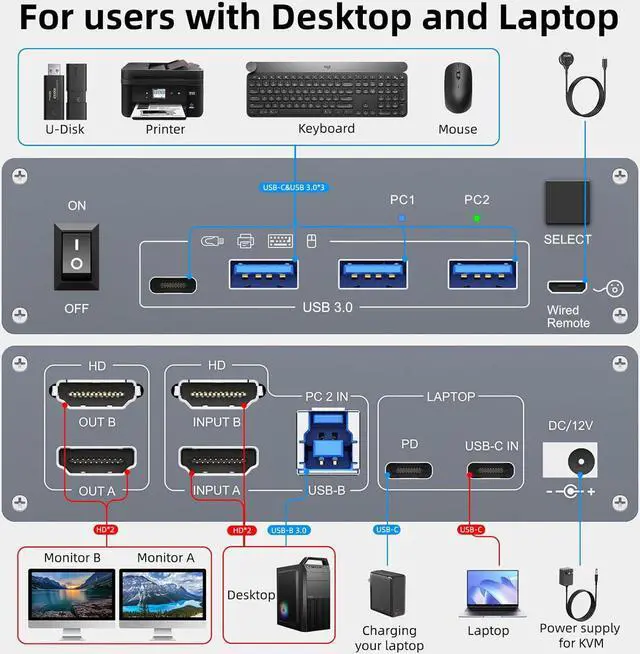
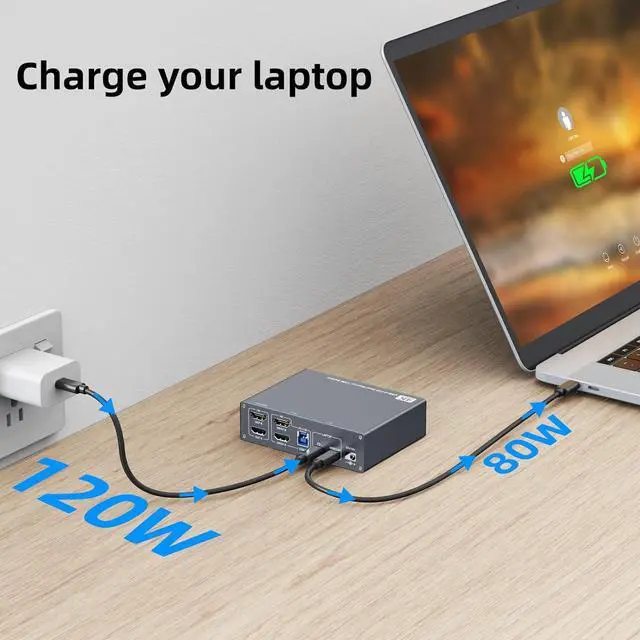
    For laptops: simply connect the laptop to the KVM using a USB-C to USB-C cable. If you need to charge your laptop, connect the laptop's power adapter to the KVM's PD port.

    For desktop: 2 * HDMI+1 * USB cable are required to connect the desktop to KVM. If your desktop does not have 2 HDMI ports, you can use a Displayport to HDMI cable.

    It is also suitable for 2 laptops, but requires a USB C docking station with 2 HDMI outputs.

    OUT A, OUT B are used to connect 2 external monitors.

    How to connect the KVM switch
    How to connect the KVM switch
    33
    easy switch
    connection
    package
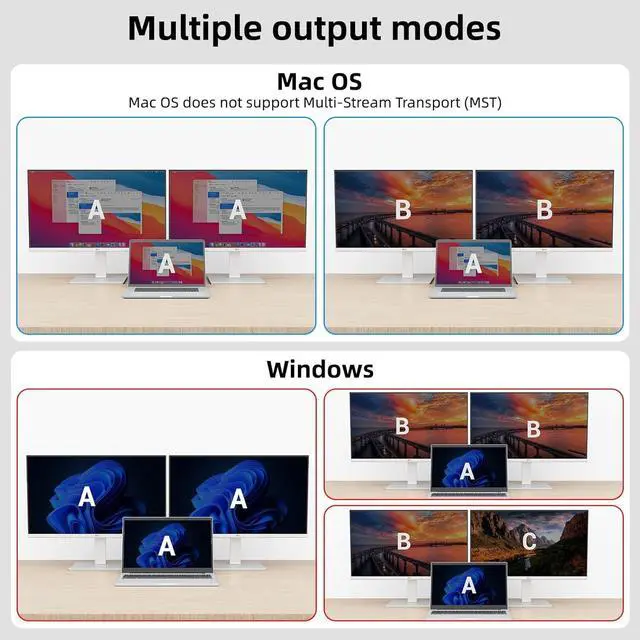
    Mirror mode: 2 monitors output the same screen. Extended mode: 2 monitors output different screens.


    • Mirror mode: 2 monitors output the same screen.
    • Extended mode: 2 monitors output different screens.
    • NOTE: Mac OS doesn't support MST (multi-stream transport), so two duplicate contents will be displayed.
    For the extended display mode on two screens, please use a USB-C laptop supporting DP alt mode. 1-ye


    For the extended display mode on two screens, please use a USB-C laptop supporting DP alt mode. 1-year repair or replacement , lifetime service.

    This 2 monitors KVM switch allows you to effortlessly manage Laptop and Desktop to share 2 monitors and 4 USB devices together. You can choose expanded mode and mirror mode between two monitors as required, the extended mode can output two different screens and the mirror mode can output two identical screens.


    Package included:
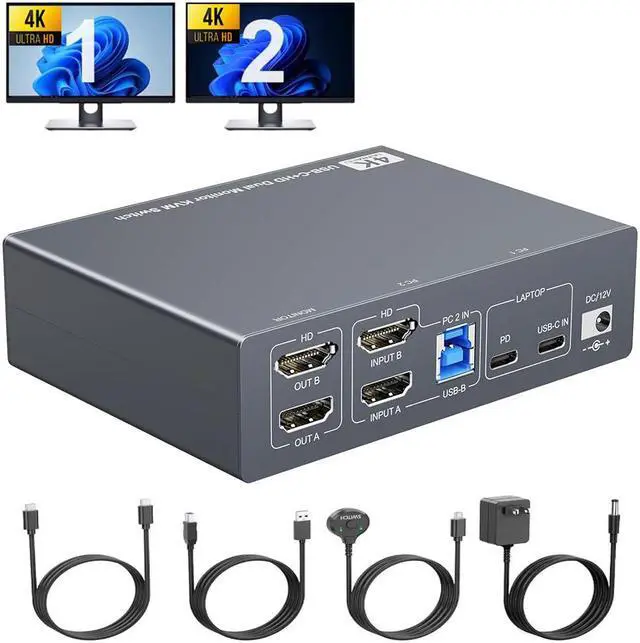
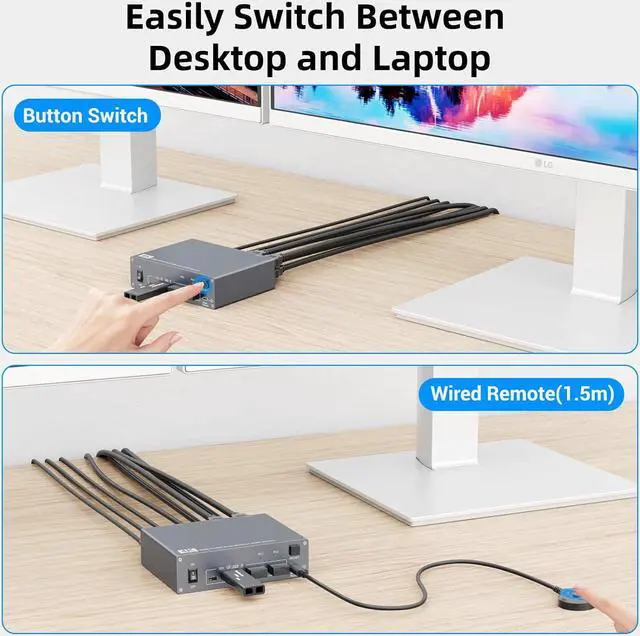
    1* HDMI&USB-C KVM switch; 1*USB C Cable( 0.8M ); 1*USB A-B Cable( 1.5M ); 1*Wired Remote( 1.5M ); 1*12V/2A Power adapter and 1*User Manual.

    Warranty & Returns

    Warranty, Returns, And Additional Information

    Warranty

    • Please contact the Seller directly for warranty information. Warranty information may also be found on the Manufacturer's website.
    • CONTACT

    Return Policies

    Manufacturer Contact Info

    LOADING...