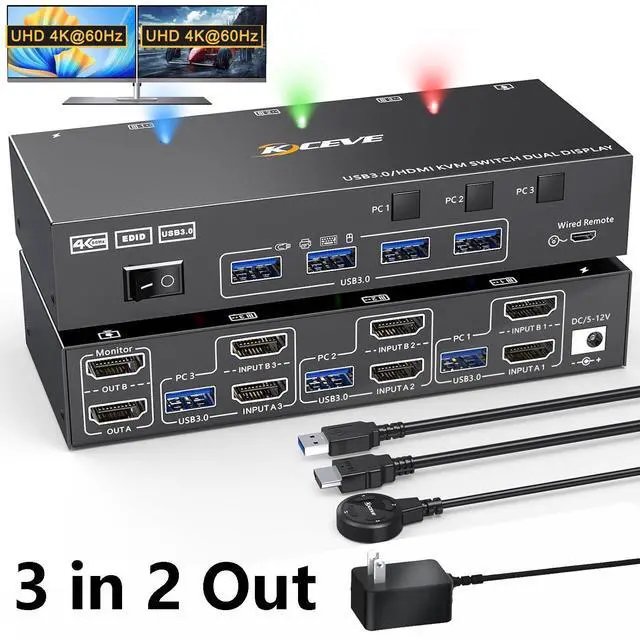
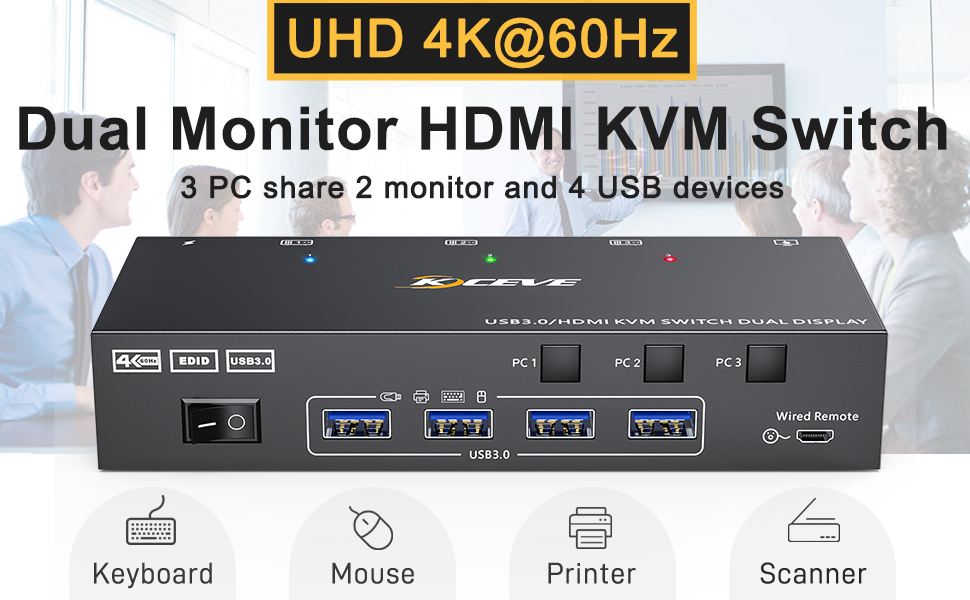
Dual Monitor KVM Switch for 3 Computer Share 2 Monitors
Specification:
- Product name: KVM HDMI USB 3.0 Switch for 3 computer 2 monitors
- Material: Metal shell
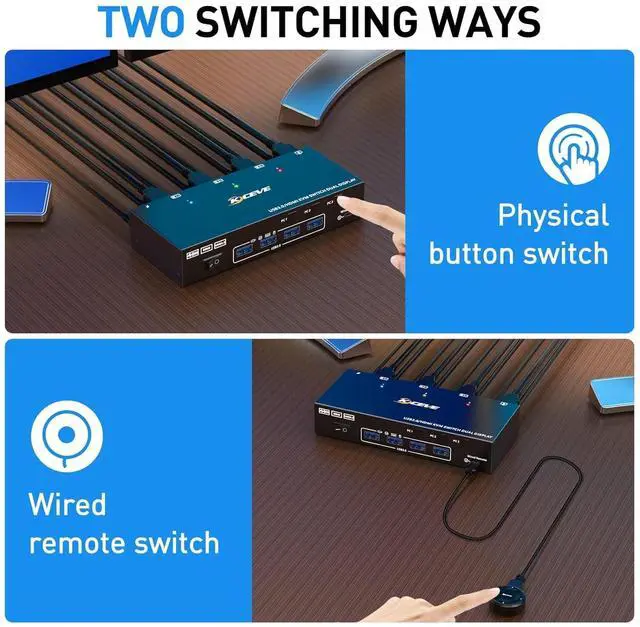
- Control way: physical button and wired control
- Keyboard hotkey switch way: Not supported
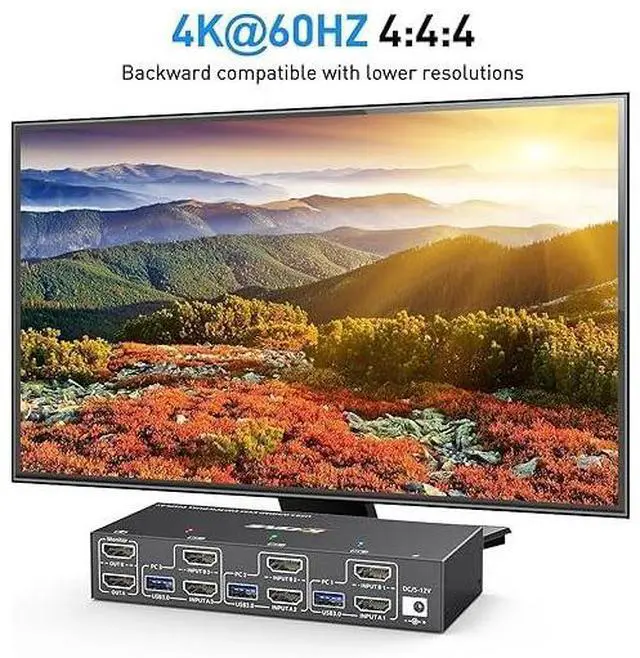
- Resolution range: Up to 4K@60Hz
- Support wired or wireless keyboard and mouse
- Supports EDID emulator
- Supports HDMI 2.0 HDCP 2.2, HDR10
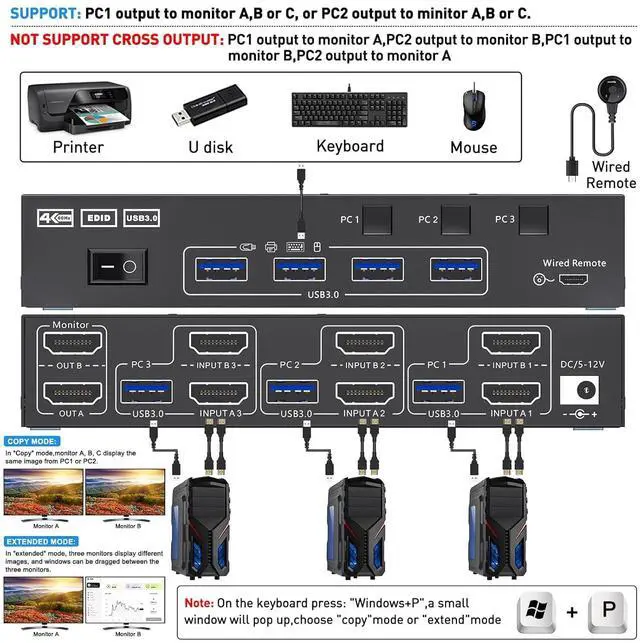
Easy set up for HDMI devices, 2 HDMI ports are requird for your each computer
- Each computer needs 2 HDMI ports, please make sure your computer with 2 HDMI ports before purchasing.
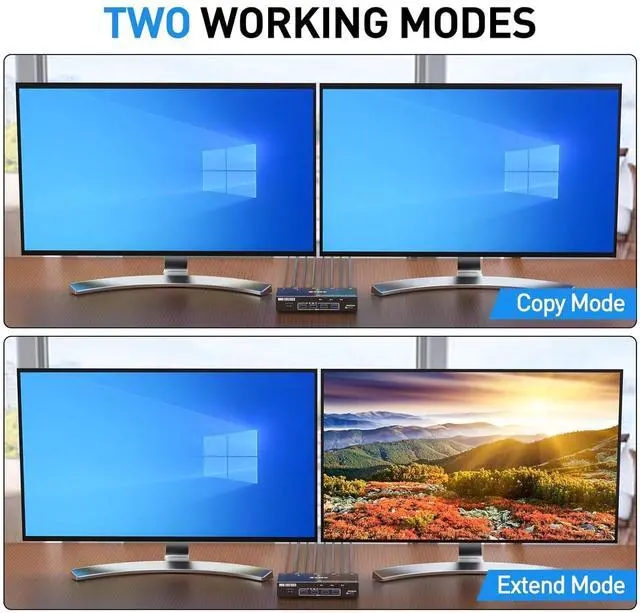
- This USB 3.0 version dual monitor KVM switch is for 3 computers share 2 monitors, keyboard, mouse and USB devices. Please connect all cables to make 2 display work properly.
- Two HDMI inputs used for HDMI devices, such as computer, laptop, TV box, DVD, PS5/4, etc. Please note if PS console connected, the mouse and keyboard con't control the game via KVM switch.
- Upgraded USB 3.0 version ensure data transfer more faster and stable, it's a great solution to solve many USB device disconnected issue during use.
- Power suppy is not required for normal USB device, but if USB recognition is unstable, we recommend connect a external power adapter to provide enough power.
- Bluetooth mouse and keyboard will be exist delay for few seconds, we not recommend use Bluetooth mouse and keyboard.
Support 2 switching ways
- Physical button control, fast and convenient switching way.
- Wired control, you can hide the kvm switch under the table and keep the desk tidy.
Plug and play
No additional driver software required
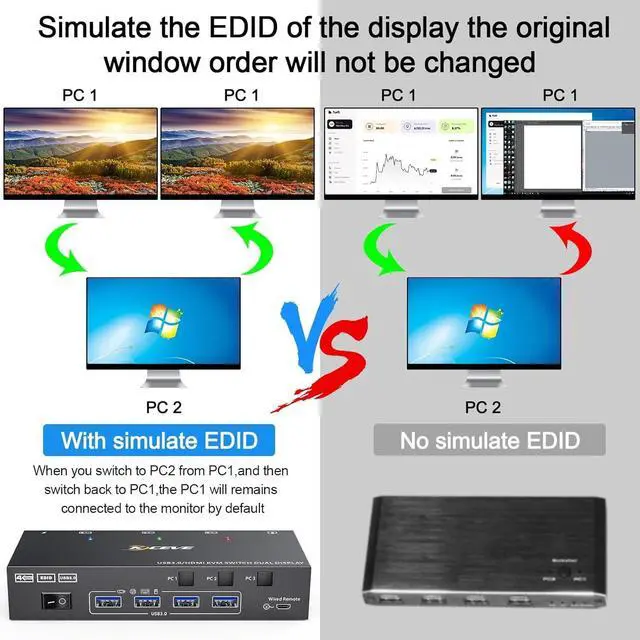
USB 3.0 KVM Switch with EDID emulators in each input port
- USB 3.0 KVM Switch with EDID emulators in each input port, keep computers always having correct display information when switch back.
- For most KVM switch on the market are not support EDID locking sreen function, it's not very convenient sometimes.
USB 3.0 transmission up to 5Gbps
- Supports 4 USB 3.0 ports, backwards compatible with USB 2.0 and USB 1.1.
- USB 3.0 technology supports a transfer speed of up to 5 Gbit/s, USB 2.0 can only provide a transfer speed of 480 Mbit/s
Enjoy HD quality display, support follow resolution
SUPPORT: 4K x 2K (3840x 2160@ 60Hz); 4K x 2K (2560x 1600@ 60Hz); 4K x 2K (2048x 1536@ 60Hz); 2560x1440 @ 60hz; 1920x1440 @ 60hz; 1920x1200 @ 60hz
Compatible with most systems
This KVM Switch 3 HDMI ports is suitable for Windows, Mac OS, Chrome, Vista, Linux etc.
4 USB 3.0 ports
Supports connecting 4 USB devices, such as wired or wireless mouse, keyboard, U disk, printer
DC5V port for power supply
- External power supply is not required for normal USB device.
- DC5V power cable and power adapter not included. Please use your own Android USB cable to provide power if USB devices status shows unstable.
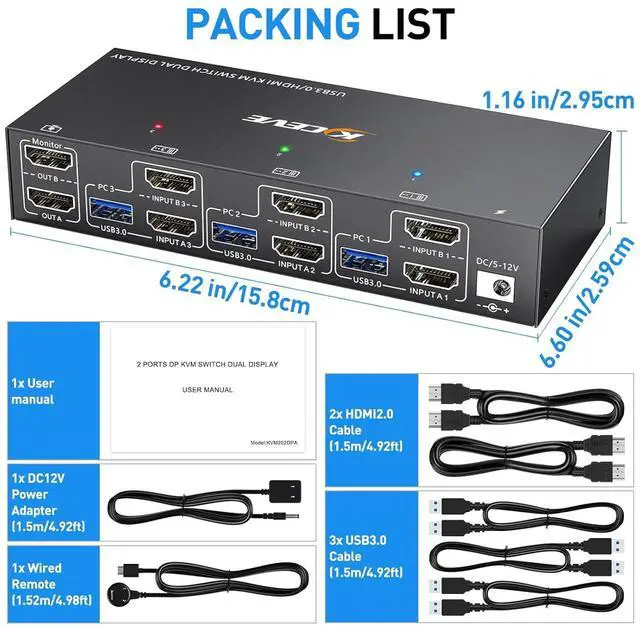
KVM Switch PACKING LIST
- 1 x Dual Monitor KVM Switch
- 2 x HD-MI cable 1.5m
- 3 x USB 3.0 cables 1.5m
- 1 x DC 12V power supply
- 1 x remote control 1.5 m
- 1 x User Manual
Specification:
Product name: KVM HDMI USB 3.0 Switch for 3 computer 2 monitors
Material: Metal shell
Control way: physical button and wired control
Keyboard hotkey switch way: Not supported
Resolution range: Up to 4K@60Hz
Support wired or wireless keyboard and mouse
Supports EDID emulator
Supports HDMI 2.0 HDCP 2.2, HDR10
asy set up for HDMI devices, 2 HDMI ports are requird for your each computer
Each computer needs 2 HDMI ports, please make sure your computer with 2 HDMI ports before purchasing.
This USB 3.0 version dual monitor KVM switch is for 3 computers share 2 monitors, keyboard, mouse and USB devices. Please connect all cables to make 2 display work properly.
Two HDMI inputs used for HDMI devices, such as computer, laptop, TV box, DVD, PS5/4, etc. Please note if PS console connected, the mouse and keyboard con't control the game via KVM switch.
Upgraded USB 3.0 version ensure data transfer more faster and stable, it's a great solution to solve many USB device disconnected issue during use.
Power suppy is not required for normal USB device, but if USB recognition is unstable, we recommend connect a external power adapter to provide enough power.
Bluetooth mouse and keyboard will be exist delay for few seconds, we not recommend use Bluetooth mouse and keyboard.





 here!
here!