shipping Holiday Shipping Details & Extended Holiday Returns
  • $199.99
  • Free 30-day Returns
  • Ships from China.
    Price alert
    Shop it at NeweggBusiness.

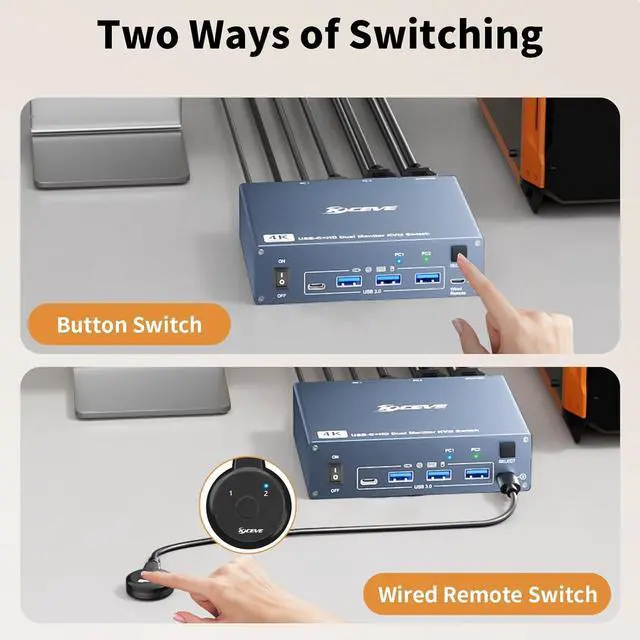
    Hitoor USB C HDMI KVM Switch 2 PC 2 Monitors, Dual Monitors KVM Switch for Laptop & PC, USB 3.0 MST Dual 4K@60Hz, Type-C 60W Charging for Laptop, HDMI KVM Switch USB C with Cable Remote Control

    Limited time offer, ends 12/06 By Smart Life Marketplace

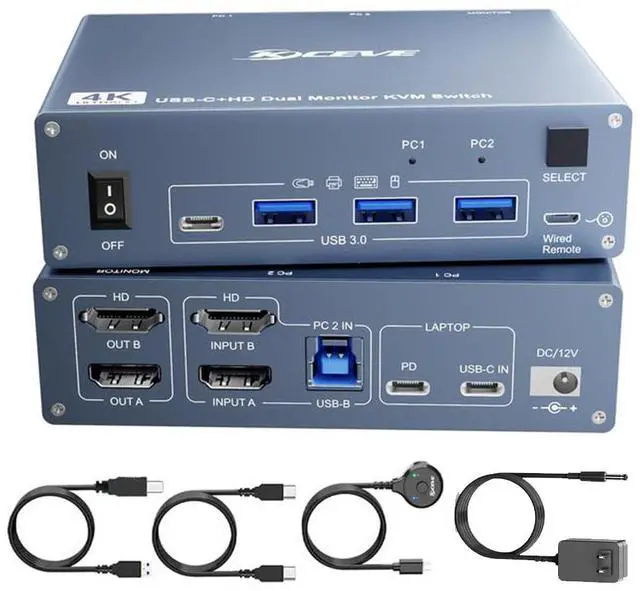
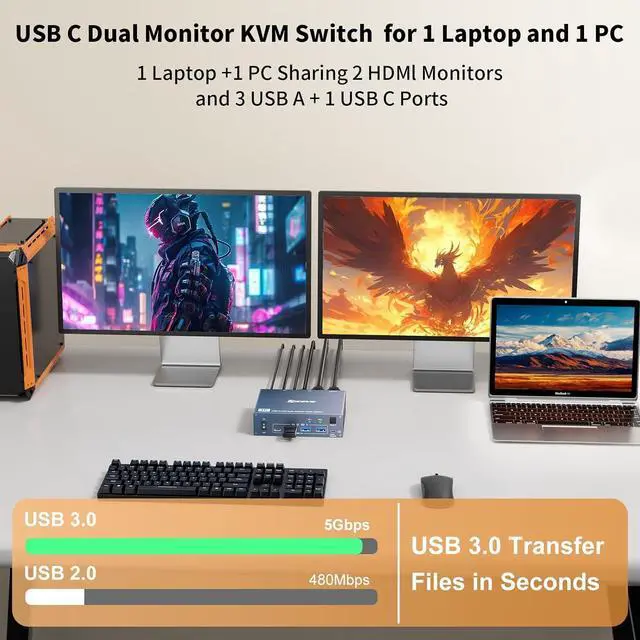
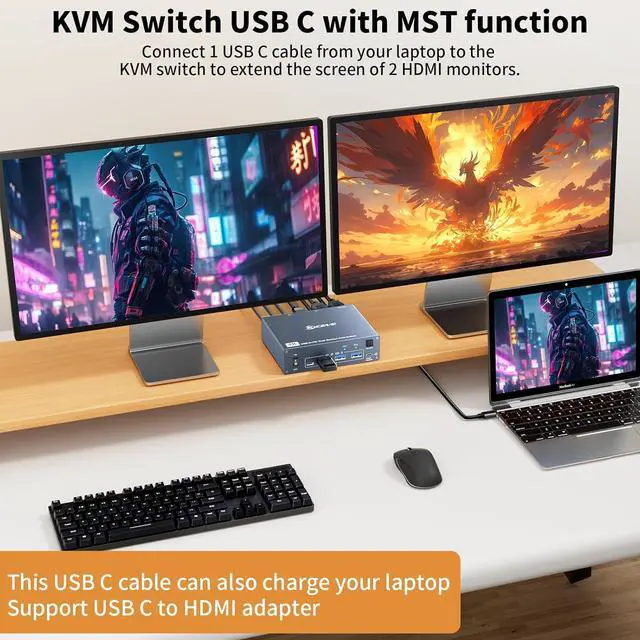
    • [HDMI + USB C Dual Monitors KVM Switch]: This dual monitors KVM switch allows you to use 1 set of mouse and keyboard to control 1 laptop and 1 HDMI computer, compatible with printers, webcams and other USB devices.
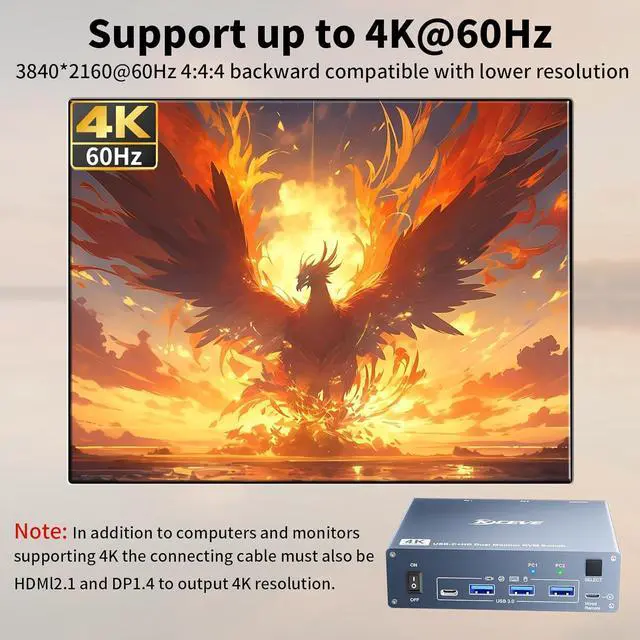
    • [USB 3.0 MST]: You can display 2 differ
    +
    +
    Overview
    Specs
    Reviews
    avatar

    Any questions? Our AI beta will help you find out quickly.

    USB C HDMI Dual Monitor 1 HDMI computer + 1 USB-C Laptop to 2 HDMI monitors

    USB C HDMI Dual Monitor 1 HDMI computer + 1 USB-C Laptop to 2 HDMI monitors
    USB C HDMI Dual Monitor 1 HDMI computer + 1 USB-C Laptop to 2 HDMI monitors
    USB C HDMI Dual Monitor 1 HDMI computer + 1 USB-C Laptop to 2 HDMI monitors
    USB C HDMI Dual Monitor 1 HDMI computer + 1 USB-C Laptop to 2 HDMI monitors
    USB C HDMI Dual Monitor 1 HDMI computer + 1 USB-C Laptop to 2 HDMI monitors
    USB C HDMI Dual Monitor 1 HDMI computer + 1 USB-C Laptop to 2 HDMI monitors
    USB C HDMI Dual Monitor 1 HDMI computer + 1 USB-C Laptop to 2 HDMI monitors
    USB C HDMI Dual Monitor 1 HDMI computer + 1 USB-C Laptop to 2 HDMI monitors
    Packing

    Q & A:

    Q: What kind of computer is needed?

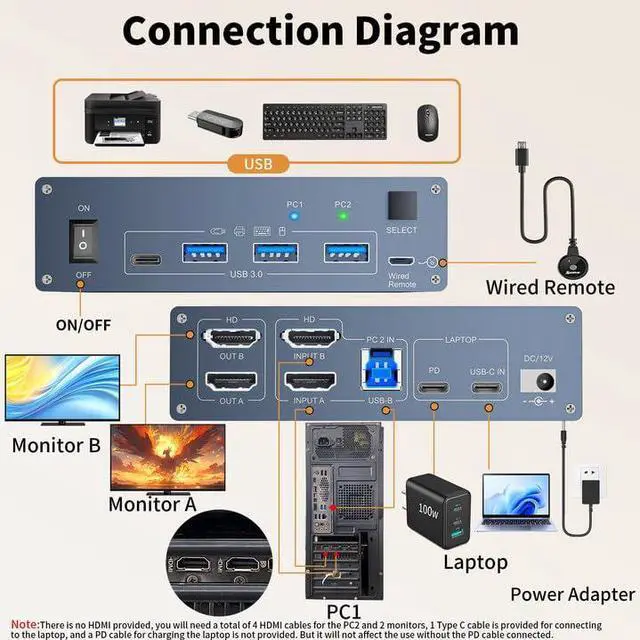
    A: A laptop with Type-C and a desktop PC with 2 HDMI ports.


    Q: Is a host computer with a DP port and an HDMI port suitable for this KVM?

    A: For HDMI ports, connect the KVM switcher directly; in the case of DP connectors, we will have to use a DP to HDMI cable to connect the KVM switcher to the computer.


    Q: How do I get Type-C laptops to get explicit?

    A: To make Type-C laptops explicit, make sure the USB-C ports support the Alt DP feature.


    Q: How should the PC2 be connected?

    A: The two HDMI cables and a USB-B cable in the PC2 must be connected to both displays from a desktop computer.

    USB C HDMI Dual Monitor 1 HDMI computer + 1 USB-C Laptop to 2 HDMI monitors


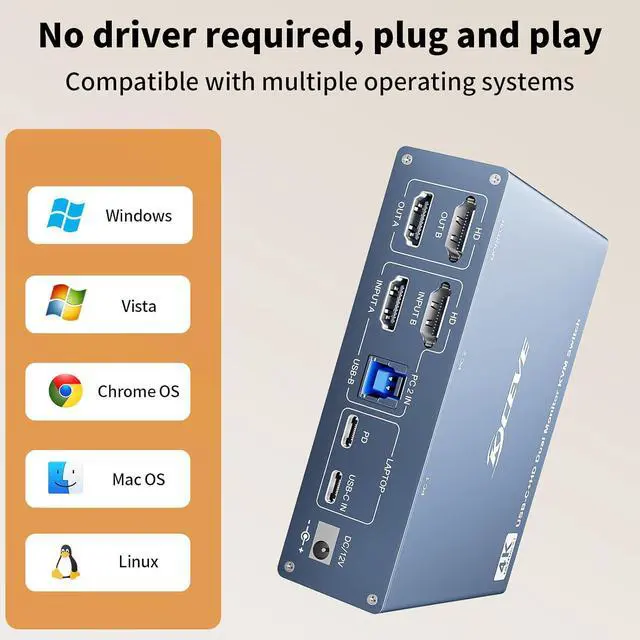
    Plug and play KVM switch for USB C computer and HDMI computer
    1, Please make sure that your laptop has USB TYPE C port for audio and video transfer.

    USB C in=PC1
    PD cable is not required if you don't ned to charge the Laptop.
    If you want to charge the Laptop when using this kvm switch, you need an external laptop power adapter to connect the USB C KVM switch to your outlet. Laptop adapter is not included, please don't use mobile phone power adapter instead.
    PD port provide 87W charging.
    2, Please make sure that your your other Desktop has 2 HDMI ports.

    INPUT A + INPUT B + USB B=PC2
    2 HDMI connections is required for Desktop output signal to 2 monitors.
    We recommend use the HDMI cables not exceed 2m.

    Warranty & Returns

    Warranty, Returns, And Additional Information

    Warranty

    • Please contact the Seller directly for warranty information. Warranty information may also be found on the Manufacturer's website.
    • CONTACT

    Return Policies

    Manufacturer Contact Info

    LOADING...