




 here!
here!
I’m your shopping assistant for PC builds, upgrades, and everything tech.
Got questions? Ask away!
Start a conversation
here!
I’m your shopping assistant for PC builds, upgrades, and everything tech.
Got questions? Ask away!
Start a conversation



Any questions? Ask CelesteSM will help you find out quickly.

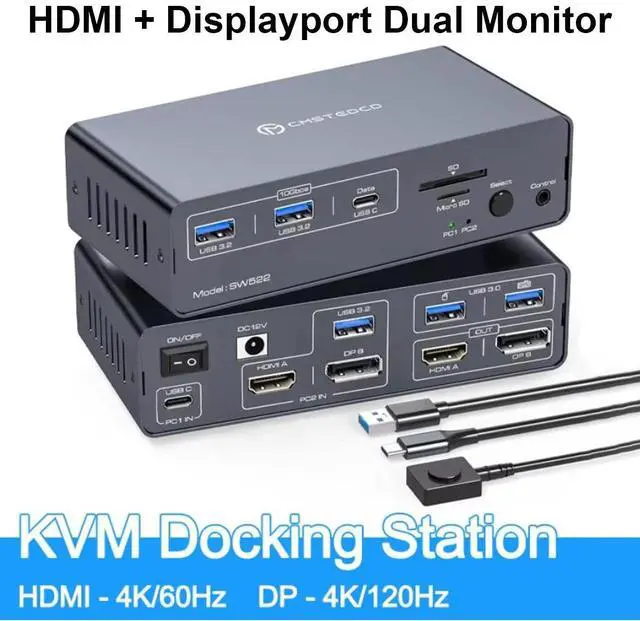
KVM Switch Docking Station for Laptops and Desktops
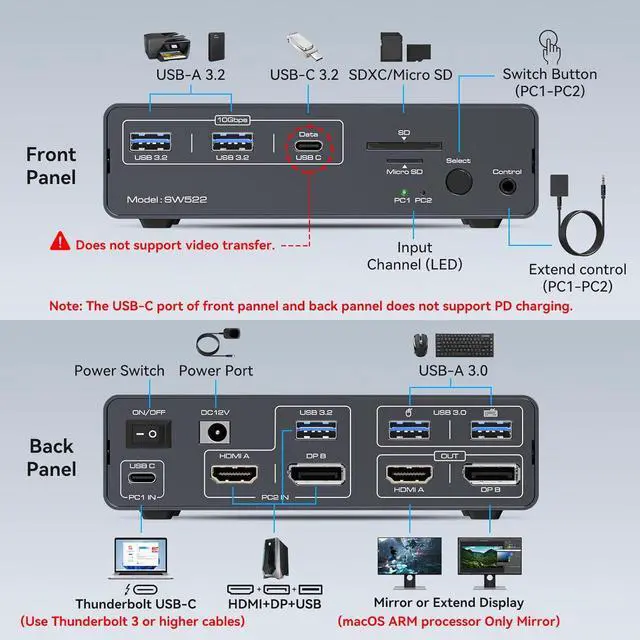
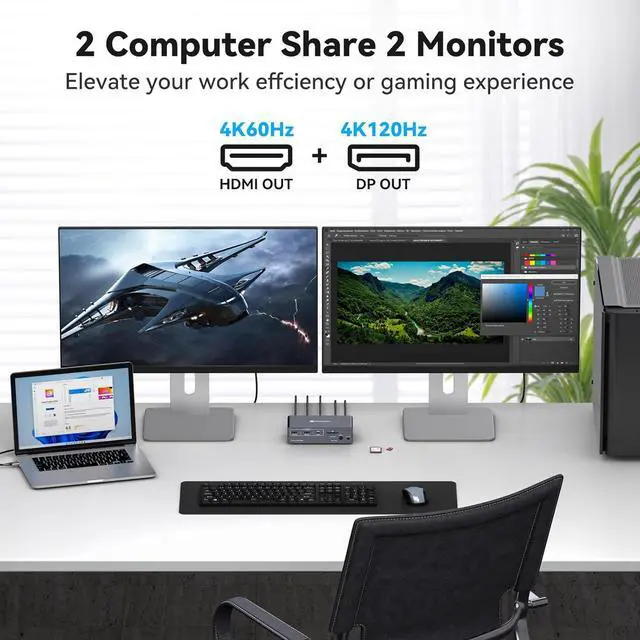
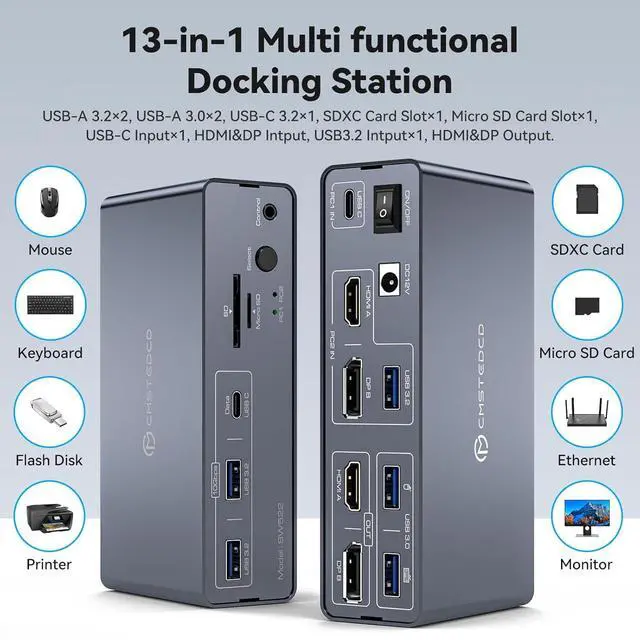
The KVM Switch Dual Display provides 1 USB-C (MST) input port for laptops and 1 integrated HDMI, DisplayPort and USB-A input port for desktops. Allows two computers to share a single HDMI + 1 DP display, seamlessly switching between a working laptop and a PC. Simplifies desktop layout, avoiding plugging and unplugging that can damage ports and increase work efficiency. Note: Please make sure the USB C port of your laptop supports image output; the desktop must be connected to the "PC2 IN" of the KVM Switch docking station via USB * 1 + HDMI * 1 + DP* 1.
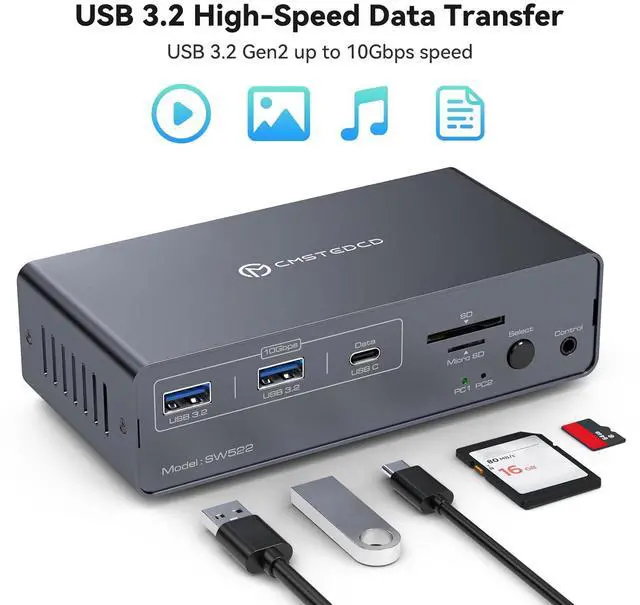
The versatile 13-in-1 Kvm Switch Docking Station provides multiple shared peripheral ports, 2 USB 3.0 for mouse and keyboard, 2 10Gbps USB 3.2, 1 USB-C date port for connecting more peripheral devices to increase transfer speeds; 1 SD card slot and 1 Micro SD card slot provide a more convenient way to transfer data. Provides a more convenient way to transfer data. Support multiple data transfer methods to create a powerful home workstation. Note: The 10Gbps USB-C port transfers data only, and does not support PD charging or video transfer.
![[KVM Switch 2 Monitors 2 PCs]](http://c1.neweggimages.com/MPS/SellerPortal/AplusContent/e0e0fb558b126635c52715046adae394a4a086219ab19d2fe9c7c89fab202b97.jpg)
![[KVM Switch 2 Monitors 2 PCs]](http://c1.neweggimages.com/MPS/SellerPortal/AplusContent/3a71a19962020cd92b87e7aa707d299825527f10198cdbdc26ad167eac9da0d3.jpg)
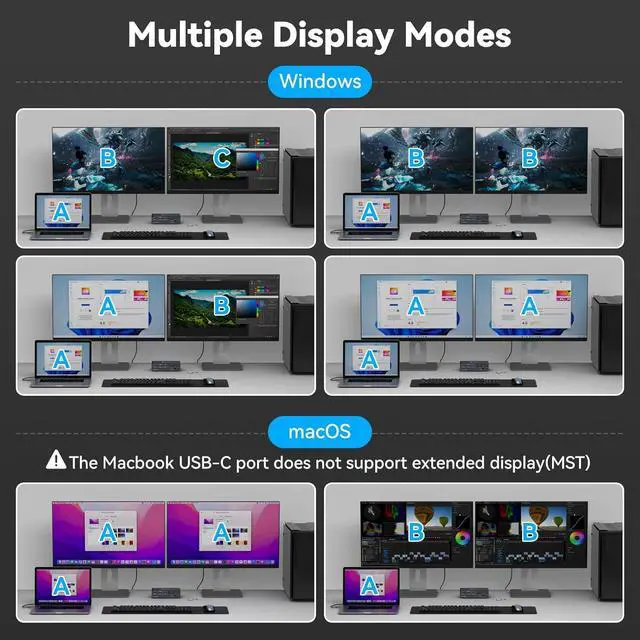
HDMI&DP KVM switch supports mirror mode and expansion mode.
Expanded Mode: If your signal source is Windows, the USB C&HDMI DP KVM switch docking station supports MST and SST modes, and 2 monitors can display 2 different images at the same time; if it is iOS, 2 monitors can only display 2 same images. This is a limitation of the iOS system, not the KVM switch.
Note: Desktop computers support MST and require HDMI and DP connections to create two monitors.

The Multi-function 13-in-1 Kvm Switch Docking Station provides multiple shared peripheral ports,2x USB 3.0 for mouse and keyboard,2x 10Gbps USB 3.2, 1x USB-C date-ports allow you to connect more peripherals for faster transmission speed; 1x SD card slot and 1x Micro SD card slot give you a more convenient way to transfer data.Support you with a variety of data transfer methods to create a powerful home workstation.
Note: The 10Gbps USB-C port transfers data only and does not support PD charging or video transfer

The USB C KVM Switch 2 monitors 2 computers support external wire controller and panel button.
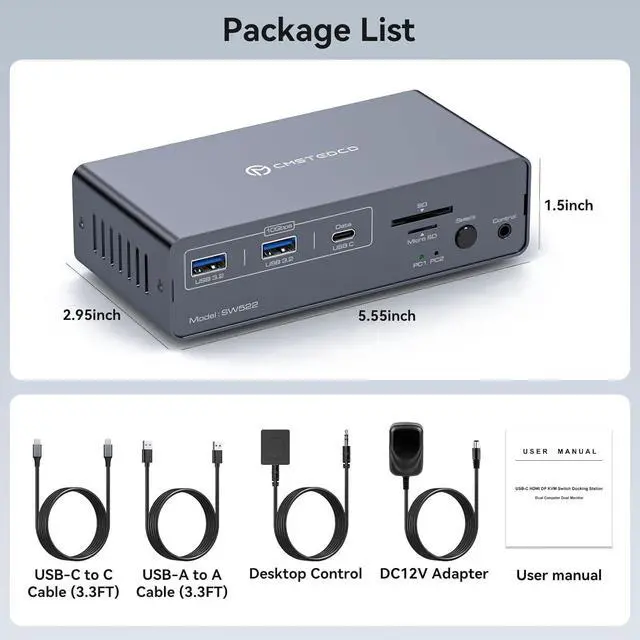
Using the wired extension button, you can place the KVM outside the work area, making your desktop cleaner and tidier. Or You can also use the "Select" button on the front panel of the kvm switch docking station to switch the signal source with one click.
LED indicator will show which source is working, avoiding the trouble of frequent wiring and improving efficiency.
NOTE: Keyboard shortcuts (hotkeys) toggles are not supported


