


• $62.99
  • Free 30-day Returns
  • Ships from China.
    Price alert
    Shop it at NeweggBusiness.

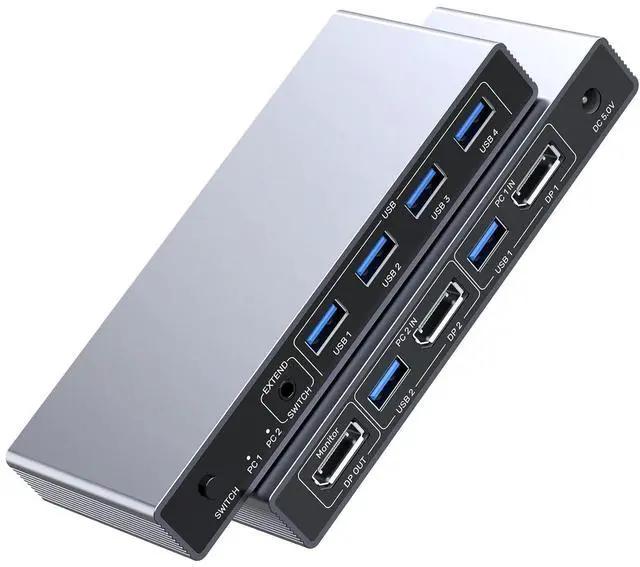
    Hitoor DP 1.4 KVM SwitchTwo Computers Sharing One Monitor,Two Mode Switching,8K 60Hz Ultra HD, Displayport KVM Switch with 4 USB A 5Gbps for Keyboards,Mouse, with Desktop Controller & DC 5V Adapter

    Limited time offer, ends 01/10 By Smart Life Marketplace

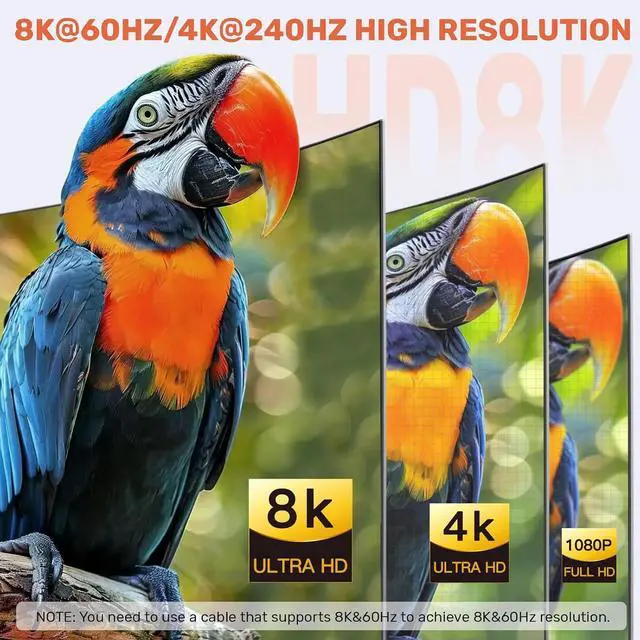
    • 2 IN 1 Out USB-A KVM Switch: Displayport KVM switches Supports Ultra-High-Definition Video Resolutions up to 7680x4320@60Hz, ensuring crystal-clear visuals for both work and entertainment. It also supports 4K@144Hz.
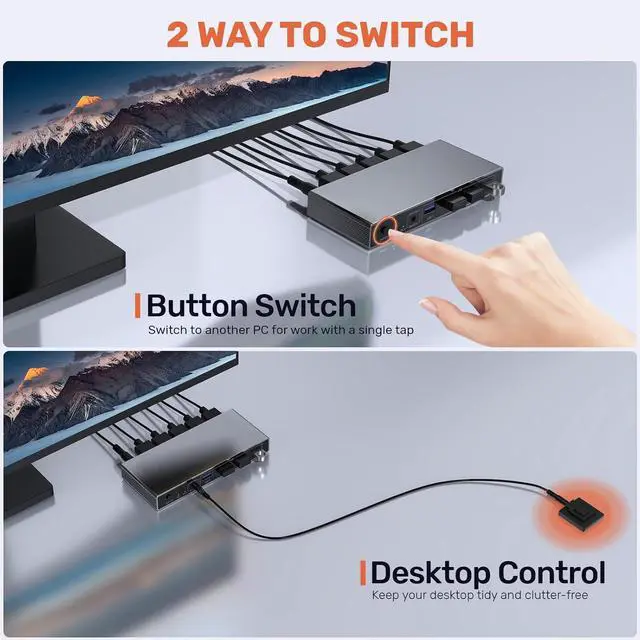
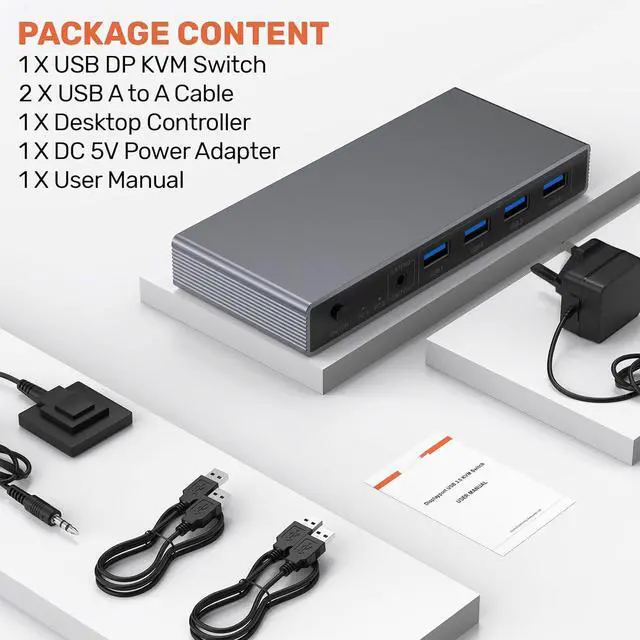
    • Dual Switching Modes: Instantly switch between two computers via the device buttons or the included remote control. Its compact design allows you to tuck the switch away in any corner, creating a neat and organized workspace.
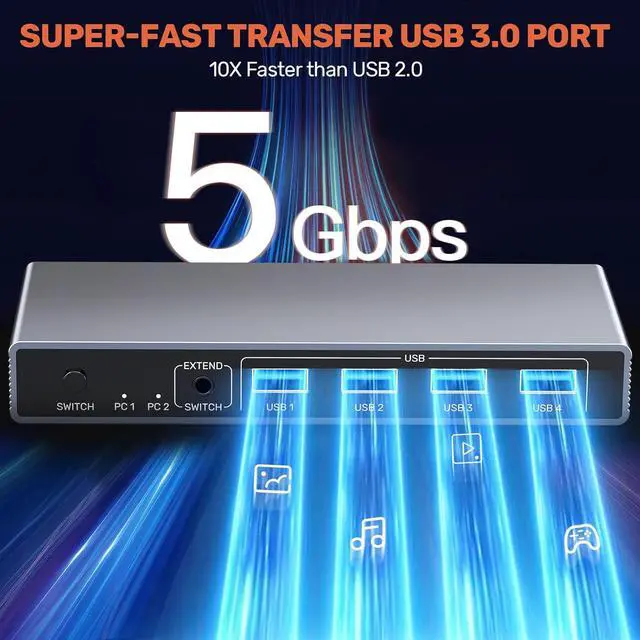
    • Seamless Dual PC Control: Easily switch between two DisplayPort-connected computers using a single set of USB keyboard and mouse. With USB 3.0 ports, this KVM Switch supports data transfer speeds of up to 5Gbps, ensuring fast and efficient connectivity for all your peripherals. It is backward compatible with USB 2.0 and USB 1.1 devices.
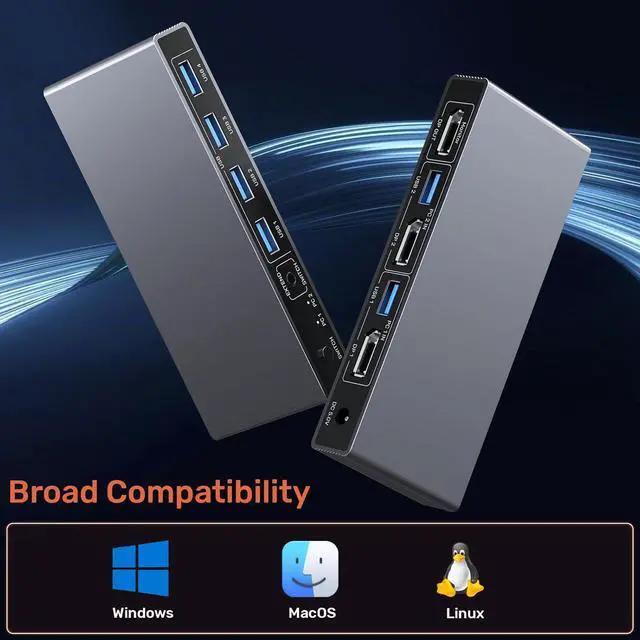
    • Multi-Platform Compatibility: Compatible with Windows, Linux, and Mac operating systems, making it a universal solution for different computing environments. LED indicators let you keep track of the device's operating status at all times.
    • NOTE: 1.When using High power devices, connect the power adapter to ensure stable transmission.2.This DP switch only supports DP interfaces and does not support HDMI interfaces.3.The product is covered with a transparent protective film. Remove it before use to avoid affecting the display effect
    +
    +
    Overview
    Specs
    Reviews
    avatar

    Any questions? Our AI beta will help you find out quickly.

    DP 1.4 KVM SwitchTwo Computers Sharing One Monitor,Two Mode Switching
    DP USB 3.0 A KVM Switch


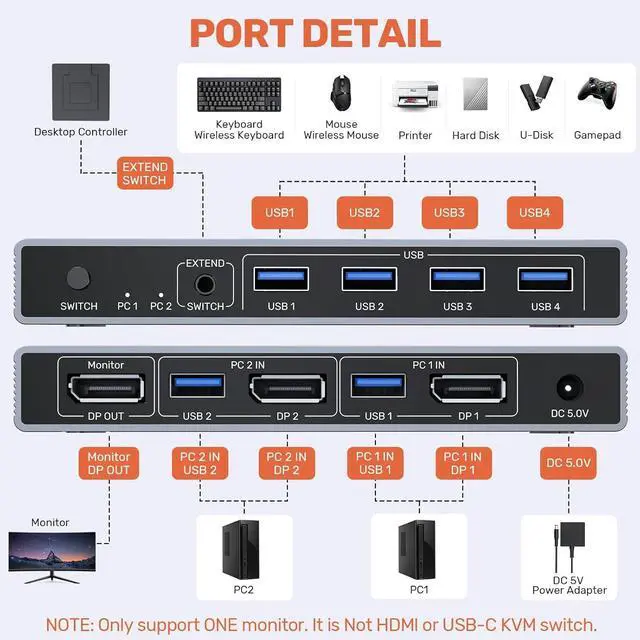
    A set of USB keyboard and mouse can control two computers equipped with DP interfaces, enabling free and seamless switching between the two computers.

    If you need to connect desktop computers, please note the following:


    NOTE:

    The PC 1 IN USB 3.0 A + DP ports need to be connected to Host 1 (ports on the same host).

    The PC 2 IN USB 3.0 A+ DP ports need to be connected to Host 2 (ports on the same host).

    The 2 -input 1-output function can only be achieved when all ports are fully connected.


    The DP ports of the KVM switch need to support a resolution of 8K@60Hz. You must ensure that the cables used, the connected display screens, and the hosts are all compatible with and support 8K@60Hz.

    DP USB 3.0 A KVM Switch
    DP USB 3.0 A KVM Switch
    DP USB 3.0 A KVM Switch
    DP USB 3.0 A KVM Switch
    DP USB 3.0 A KVM Switch

    NOTE:

    1. When Using the DP KVM Switch, Please Connect the Included Power Adapter. (Please keep the 5V power adapter connected during use. Don't use any over 5V power adapter.)

    2. This DP switching only supports the DP interface and does not support the HDMI interface.

    3. For protection during transportation, the product is covered with a clear protective film. You can remove the protective film before use.

    NOTE:  1. When Using the DP KVM Switch, Please Connect the Included Power Adapter.

    DP USB 3.0 A Video KVM Switch - Efficiently Manage Multiple Devices

    DP USB 3.0 A Video KVM Switch - Efficiently Manage Multiple Devices
    DP USB 3.0 A Video KVM Switch - Efficiently Manage Multiple Devices

    DP USB 3.0 A KVM Switch

    A set of USB keyboard and mouse can control two computers equipped with DP interfaces, enabling free and seamless switching between the two computers.

    If you need to connect desktop computers, please note the following:


    NOTE:

    The PC 1 IN USB 3.0 A + DP ports need to be connected to Host 1 (ports on the same host).

    The PC 2 IN USB 3.0 A+ DP ports need to be connected to Host 2 (ports on the same host).

    The 2 -input 1-output function can only be achieved when all ports are fully connected.

    The DP ports of the KVM switch need to support a resolution of 8K@60Hz. You must ensure that the cables used, the connected display screens, and the hosts are all compatible with and support 8K@60Hz.


    NOTE:

    1. When Using the DP KVM Switch, Please Connect the Included Power Adapter.(Please keep the 5V power adapter connected during use. Don't use any over 5V power adapter.)

    2. This DP switching only supports the DP interface and does not support the HDMI interface.

    3. For protection during transportation, the product is covered with a clear protective film. You can remove the protective film before use.


    Warranty & Returns

    Warranty, Returns, And Additional Information

    Warranty

    • Please contact the Seller directly for warranty information. Warranty information may also be found on the Manufacturer's website.
    • CONTACT

    Return Policies

    Manufacturer Contact Info

    LOADING...