


• $69.99
  • Free 30-day Returns
  • Ships from China.
    Price alert
    Shop it at NeweggBusiness.

    Hitoor USB-C + HDMI KVM Switch 2 in 1 Out with 3 USB A+1 USB C 3.0 Ports, 4K@60Hz Aluminum HDMI KVM Switch for 1 Laptop & 1 Desktop Share 1 Monitor Keyboard Mouse Printer, with USB Cables/Controller

    Limited time offer, ends 01/17 By Smart Life Marketplace

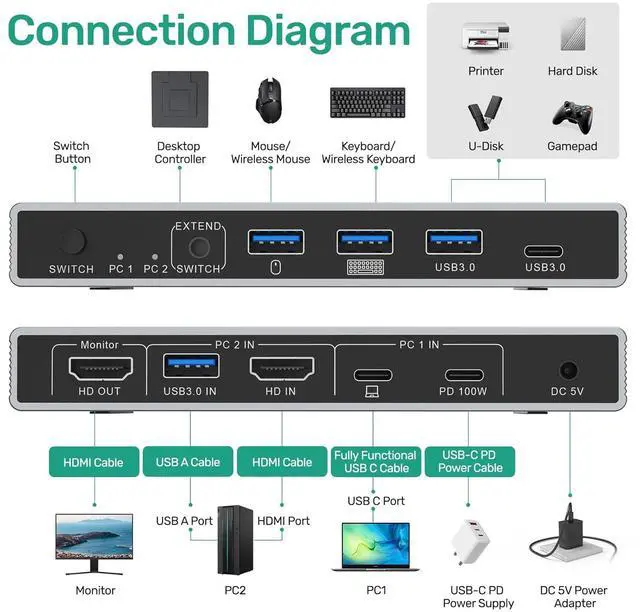
    • USB-C+HDMI KVM Switch 2 Computers 1 Monitor: Connect 2 computers (e.g., a USB-C laptop and a standard HDMI PC) to a single monitor, sharing up to 4 USB peripherals including keyboard, mouse, printer. Note: For the HDMI computer, both an HDMI cable and a USB-A to C cable are required for full functionality.
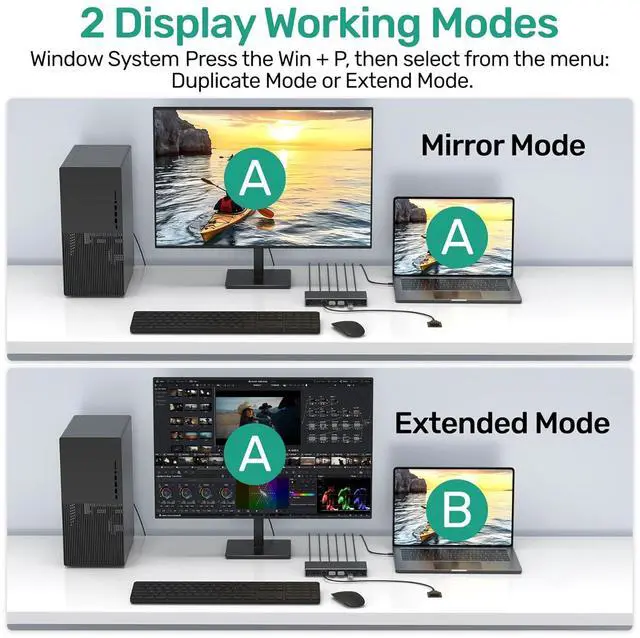
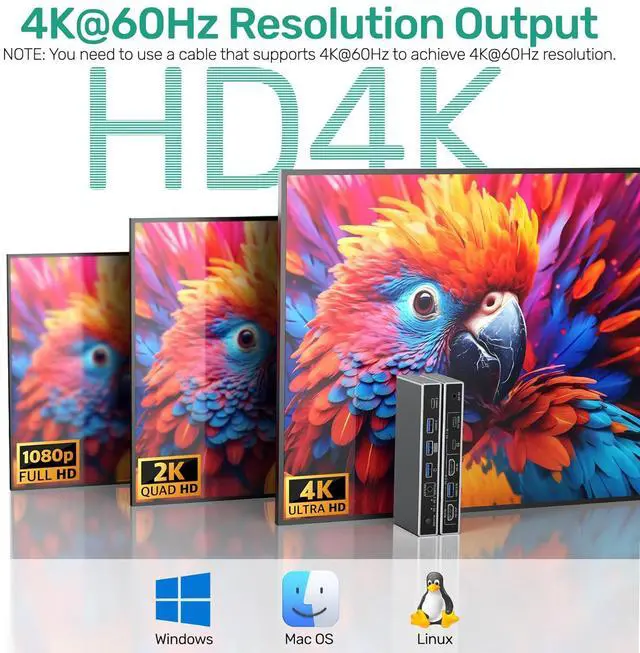
    • Up to 4K@60Hz: Supports up to 4K@60Hz Output, allowing you to enjoy realistic and colorful visual effects. And USB switch supports Windows, Mac OS, and Linux.
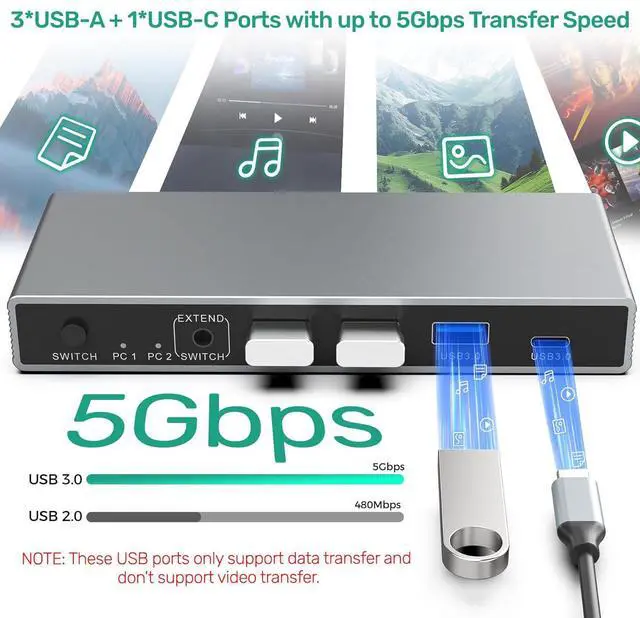
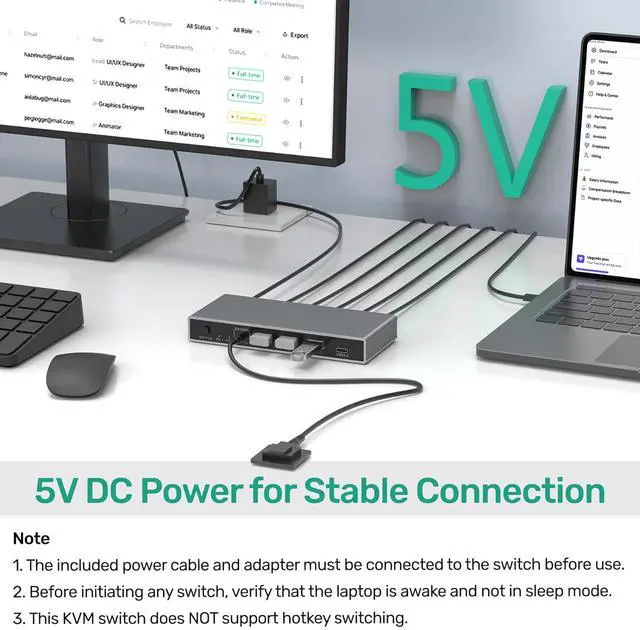
    • with 4-Port USB 3.0: KVM switch includes 3 USB-A 3.0 ports and 1 USB-C port for connecting peripherals like mouse, keyboard, printers, etc. HDMI KVM switch achieve transfer speeds up to 5 Gbps with USB 3.0. Note: Pls connect the included 5V power adapter for use. (To charge your laptop, connect its power adapter directly to the PD port on the switch.)
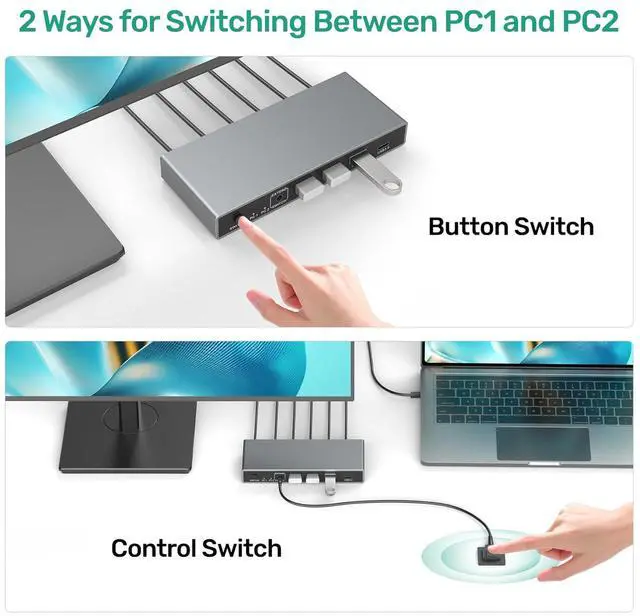
    • Two Ways to Switch and LED Indicator: KVM switch easily toggle between computers using either the physical button on the switch or the included desktop controller. Then you can see which computer is connected via the indicator light.
    • NOTE: 1. Pls ensure the included power adapter is connected during use. 2. Pls ensure your laptop has a Fully Functional USB-C interface. 3. Pls make sure that both HDMI/USB IN are connected to work properly. 4. Switching is not supported in sleep mode. 5. To meet your requirements for different cable lengths and quality, HDMI cables need to be purchased separately, allowing you to select the cable best suited to your work environment.
    +
    +
    Overview
    Specs
    Reviews
    avatar

    Any questions? Our AI beta will help you find out quickly.

    USB-C + HDMI KVM Switch 2 in 1 Out with 3 USB A+1 USB C 3.0 Ports, 4K@60Hz Aluminum HDMI KVM Switch
    USB-C + HDMI KVM Switch 2 in 1 Out with 3 USB A+1 USB C 3.0 Ports, 4K@60Hz Aluminum HDMI KVM Switch
    USB-C + HDMI KVM Switch 2 in 1 Out with 3 USB A+1 USB C 3.0 Ports, 4K@60Hz Aluminum HDMI KVM Switch
    USB-C + HDMI KVM Switch 2 in 1 Out with 3 USB A+1 USB C 3.0 Ports, 4K@60Hz Aluminum HDMI KVM Switch
    USB-C + HDMI KVM Switch 2 in 1 Out with 3 USB A+1 USB C 3.0 Ports, 4K@60Hz Aluminum HDMI KVM Switch
    USB-C + HDMI KVM Switch 2 in 1 Out with 3 USB A+1 USB C 3.0 Ports, 4K@60Hz Aluminum HDMI KVM Switch
    USB-C + HDMI KVM Switch 2 in 1 Out with 3 USB A+1 USB C 3.0 Ports, 4K@60Hz Aluminum HDMI KVM Switch
    USB-C + HDMI KVM Switch 2 in 1 Out with 3 USB A+1 USB C 3.0 Ports, 4K@60Hz Aluminum HDMI KVM Switch
    USB-C + HDMI KVM Switch 2 in 1 Out with 3 USB A+1 USB C 3.0 Ports, 4K@60Hz Aluminum HDMI KVM Switch
    USB-C + HDMI KVM Switch 2 in 1 Out with 3 USB A+1 USB C 3.0 Ports, 4K@60Hz Aluminum HDMI KVM Switch
    USB-C + HDMI KVM Switch 2 in 1 Out with 3 USB A+1 USB C 3.0 Ports, 4K@60Hz Aluminum HDMI KVM Switch
    USB-C + HDMI KVM Switch 2 in 1 Out with 3 USB A+1 USB C 3.0 Ports, 4K@60Hz Aluminum HDMI KVM Switch

    Features:


    USB-C+HDMI KVM Switch for 2 Computers 1 Monitor: Connect 2 computers (e.g., a USB-C laptop and a standard HDMI PC) to a single monitor, sharing up to 4 USB peripherals including keyboard, mouse, hard drive, and printer. Seamlessly switch between work, gaming, or home setups with the press of a single button of 4k KVM switch. Note: For the HDMI computer, both an HDMI cable (video) and a USB-A to C cable (data) are required for full functionality.


    Up to 4K@60Hz Resolution: This kvm switch 1 monitor 2 computers supports up to 4K@60Hz Output, allowing you to enjoy realistic and colorful visual effects. And USB switch supports multiple operating systems, including Windows, Mac OS, and Linux. Note: To achieve 4K output, you need to connect a cable that also supports up to 4K output. And make sure the resolution of the input and output are the same.

    KVM Switches with 4-Port USB 3.0 Hub: USB C KVM switch includes 3 USB-A 3.0 ports and 1 USB-C port for connecting peripherals like mouse, keyboard, flash drives, external hard drives, printers, etc. HDMI KVM switch achieve transfer speeds up to 5 Gbps with USB 3.0, making file transfers fast and efficient. Note: Please connect the included 5V power adapter for use. (To charge your laptop, connect its power adapter directly to the PD port on the switch.)

    Two Ways to Switch and LED Indicator: KVM switch 1 monitor 2 computers easily toggle between computers using either the physical button on the switch or the included desktop controller. Then you can see which computer is connected via the indicator light. This USB-C KVM switch clutter-free setup saves desk space and boosts productivity. (Note: Does not support automatic or hotkey switching.)


    NOTE: 1. Please ensure the included power adapter is connected during use. 2. Please ensure your laptop has a Fully Functional USB-C interface. 3. Please make sure that both HDMI/USB IN are connected to work properly. 4. Switching is not supported in sleep mode. 5. To meet your requirements for different cable lengths and quality, HDMI cables need to be purchased separately, allowing you to select the cable best suited to your work environment.


    Package Contents:

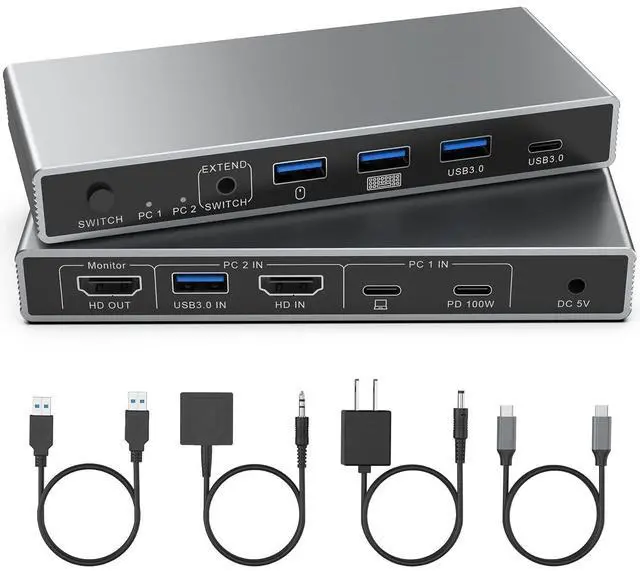
    1 x USB C HDMI KVM Switch, 1 x USB-C to C Cable(Fully Functional), 1 x USB A to USB A Data Cable, 1 x Desktop Controller, 1 x Power Adapter, 1 x Power Cable, 1 x User Manual.


    Please contact us if you have any questions before purchase or during use. We provide 24H customer friendly support service.

    Warranty & Returns

    Warranty, Returns, And Additional Information

    Warranty

    • Please contact the Seller directly for warranty information. Warranty information may also be found on the Manufacturer's website.
    • CONTACT

    Return Policies

    Manufacturer Contact Info

    LOADING...