


• $126.88
  • Free 30-day Returns
  • Ships from China.
    Price alert
    Shop it at NeweggBusiness.

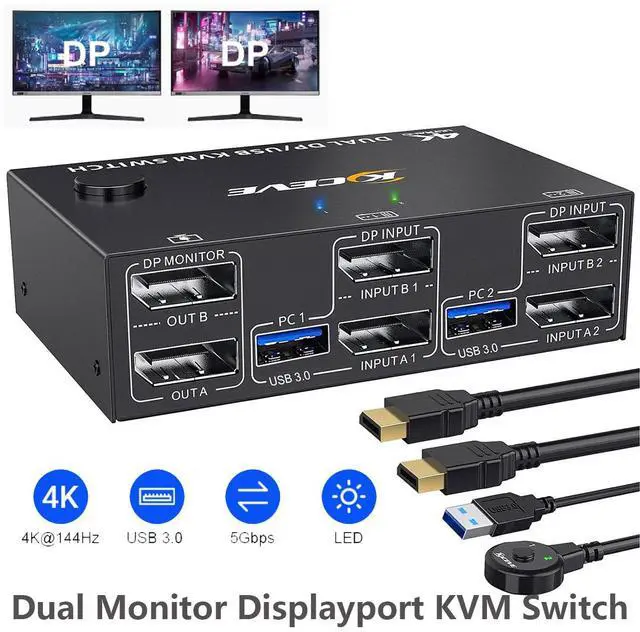
    Hitoor 2 Ports Displayport KVM Switch 2 Monitors 2 Computers, USB 3.0 DP Dual Monitor KVM Switch 2 in 2 Out for 2 Computer Share 2 Monitors and 4 USB 3.0 Devices, 4K@144Hz, with Wired Remote

    Limited time offer, ends 03/14 By Smart Life Marketplace

    • DisplayPort KVM Switch 2 Computers 2 Monitors: The KVM Switch allows you to manage two computers using just one keyboard, mouse, and a pair of DisplayPort monitors. Each computer connects to this KVM switch with 2 DP cables and 1 USB cable. Share printers, webcams, and storage seamlessly. Press "Windows+P" to choose between extended or mirrored desktop modes
    • Immersive 4K@144Hz Visual Performance: Experience stunning, fluid visuals. This KVM Switch 4K@144Hz complies with DP 1.4 standards, supporting resolutions up to 8K@30Hz, 4K@144Hz, 4K@120Hz, and 4K@60Hz.
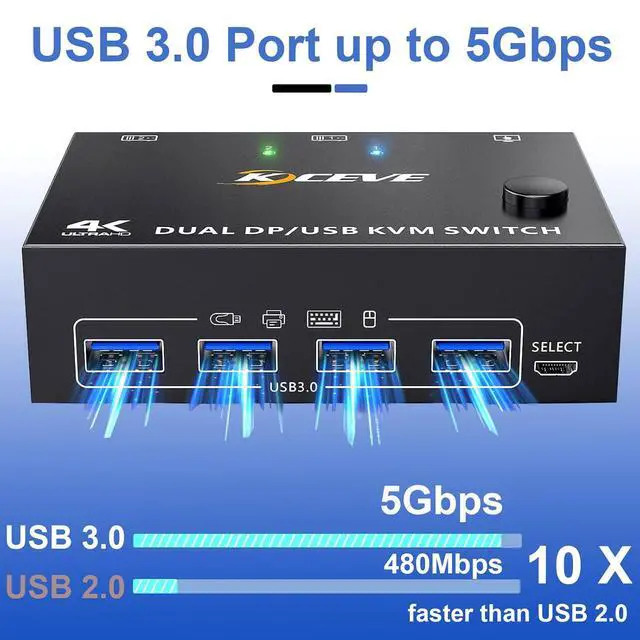
    • High-Speed 5Gbps USB Ports: This KVM Switch integrates a powerful USB 3.0 hub. Share up to 4 USB devices-like keyboards, mice, and printers-between 2 computers without unplugging. With data transfer speeds up to 5Gbps (10x faster than USB 2.0)
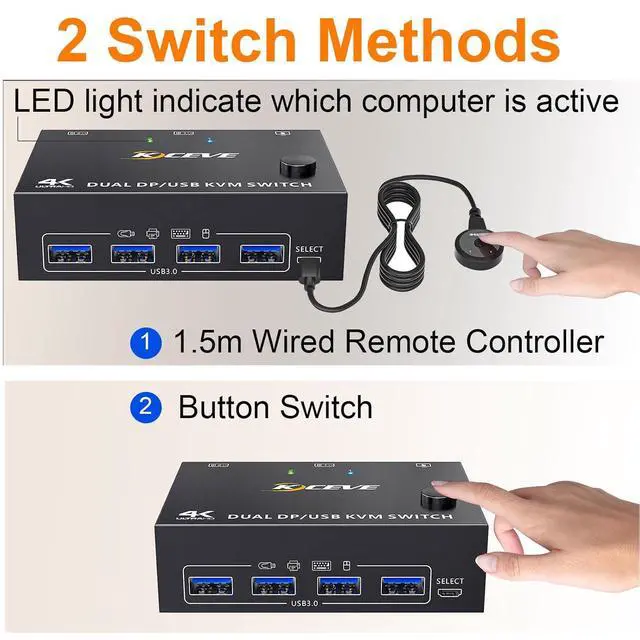
    • Effortless Operation with Two Switching Methods: Take instant command of your setup. Switch control between the 2 computers in seconds using either the button on the KVM switch panel or the included 1.5-m wired remote controller. An LED indicator clearly shows the active source. The system is plug-and-play, requires no drivers. KVM 2 computers 2 monitors is powered by USB cable and your own extra 5V power
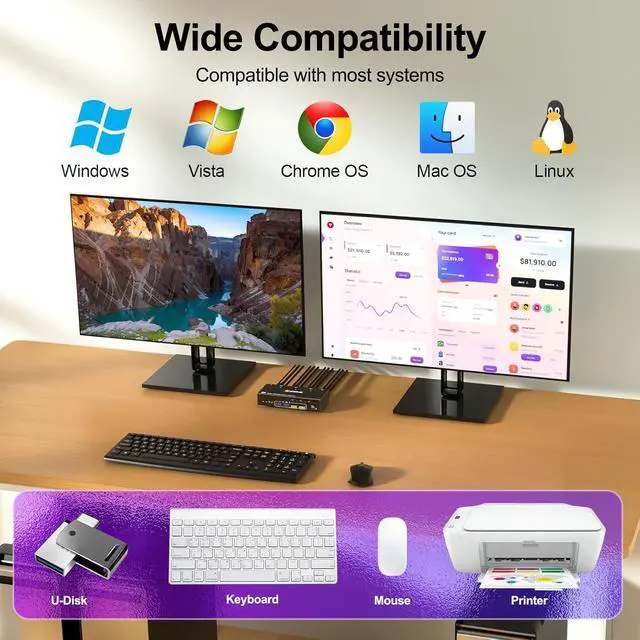
    • Broad Compatibility: This KVM Switch is ideally matched with two desktop PCs. It is compatible with Windows, macOS, Linux, and Chrome OS. For laptop users: Most laptops lack two DisplayPort outputs. Connection requires a high-quality, compatible USB-C to dual-DP hub or adapter.
    +
    +
    Overview
    Specs
    Reviews
    avatar

    Any questions? Our AI beta will help you find out quickly.

    USB 3.0 KVM Switch 2 Monitors 2 Computers DisplayPort
    USB 3.0 KVM Switch 2 Monitors 2 Computers DisplayPort


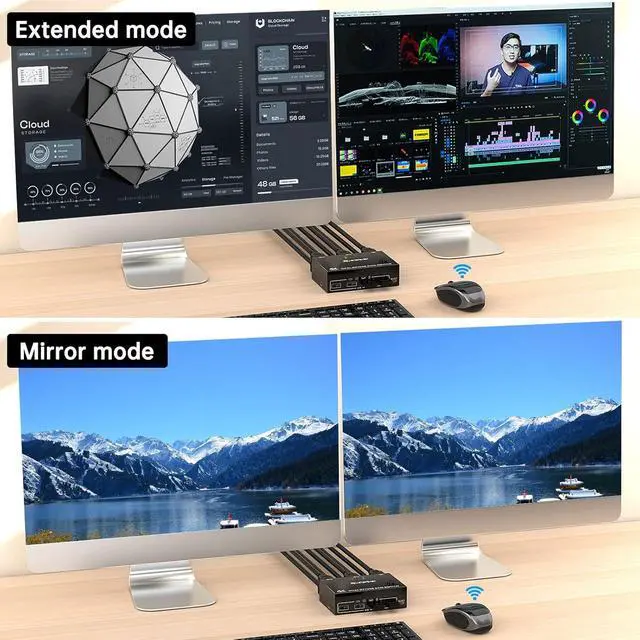
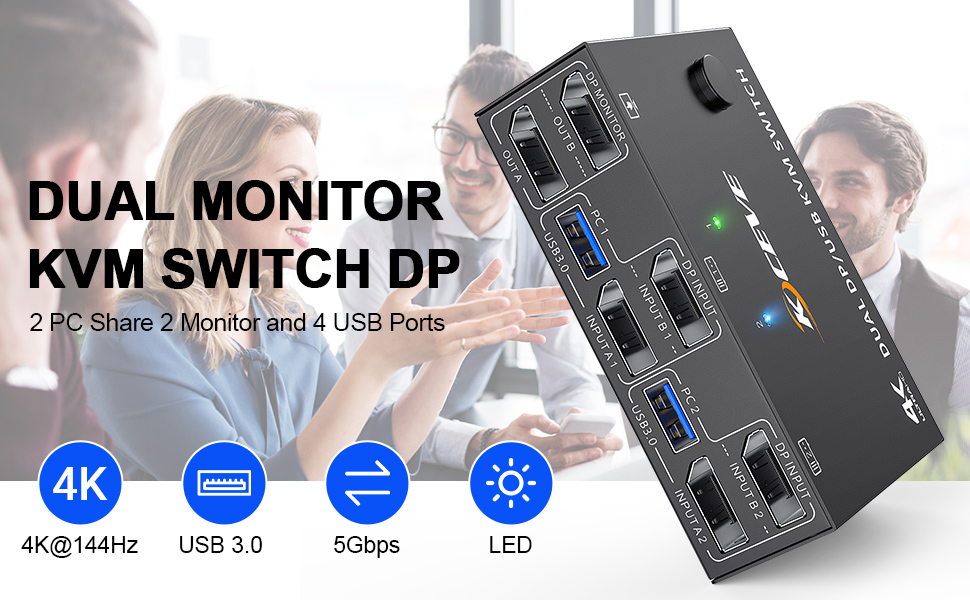
    2 computers share a set of mouse, keyboard, printer, scanner or webcam, and display on 2 monitors.


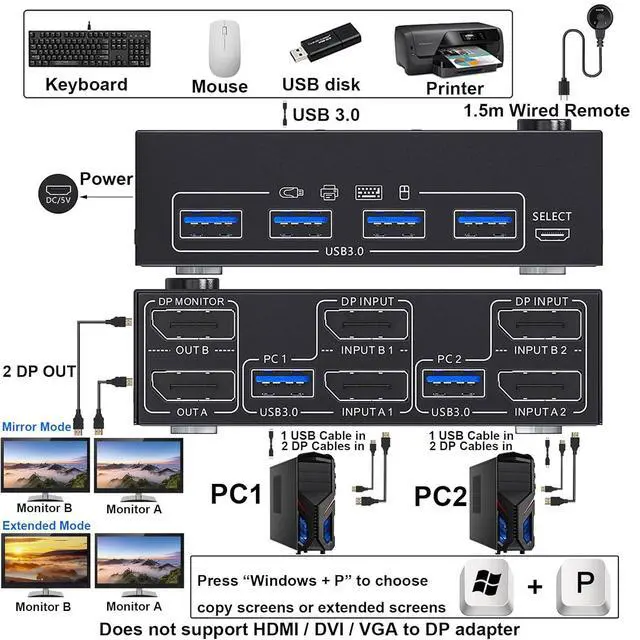
    You can choose between extended screen mode and mirrored screen mode by pressing Press "Windows+P"to choose extended or mirrored screen mode


    USB 3.0 support up to 5Gbps transmission speed

    2 switching methods: button switch & 1.5m wired remote control

    Plug and play. No additional driver software required.

    LED lights indicate which computer is active

    Compatible with Windows11 / 10 / 8 / XP / Vista / Chrome / Mac OS / Linux system,etc.

    Support DP 1.4 and below standard protocols.

    Support DP devices: Desktop, laptop, TV Box, Xbox One, A-p-pl-e TV, PS5, HDTV, Monitor, projectors

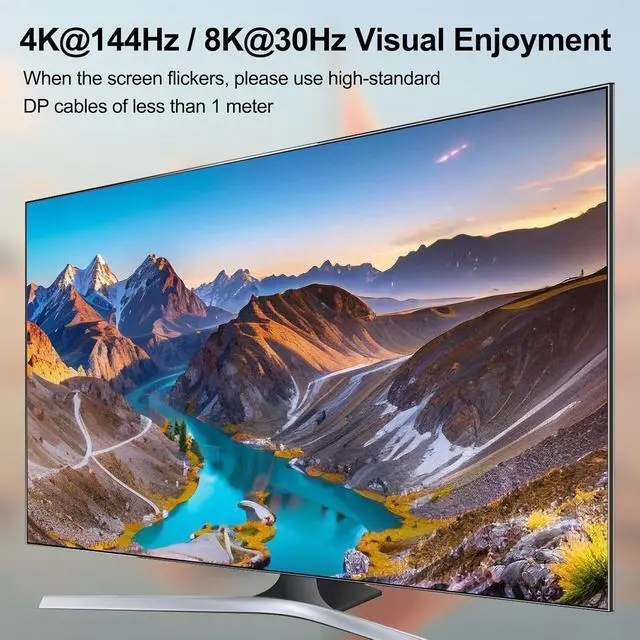
    Support UHD 4K@144Hz, 4K@120Hz, 2K@165Hz, 4K@60Hz.

    Please Note: Using 8K cables will solve the problem of flickering and black screen.


    DisplayPort KVM Switch 2 Computers Share 2 displayport Monitors and 4 USB Devices
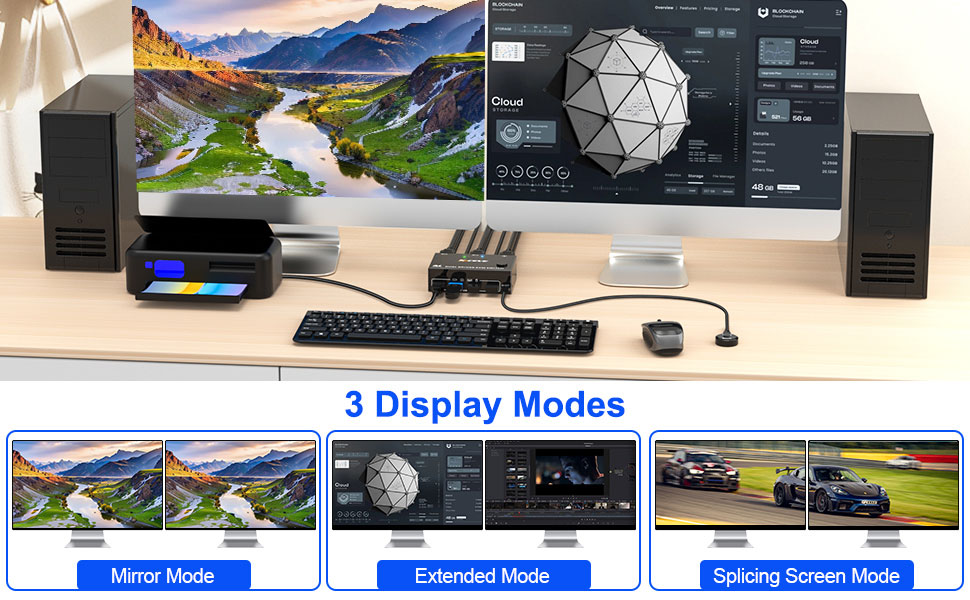
    USB 3.0 support up to 5Gbps transmission speed  2 switching methods: button switch & 1.5m wired remo


    Dual Monitor KVM Switch Displayport Connection Steps
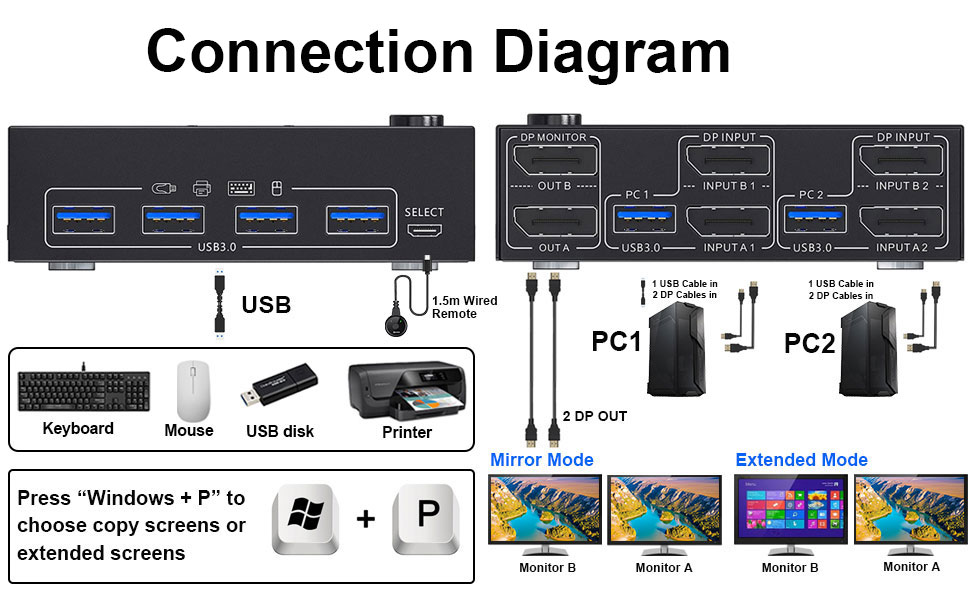
    Dual Monitor KVM Switch Displayport Connection Steps


    Each computer requires 2 DisplayPort cable + 1 USB cable to connect to the KVM switch


    • Step 1. Connect 2 displayport cables+1 USB3.0 cable between computer 1 and KVM Switch(USB 1, INPUT A1, INPUT B1).
    • Step 2. Connect 2 displayport cables+1 USB3.0 cable between computer 2 and KVM Switch(USB 2, INPUT A2, INPUT B2).
    • Step 3. Connect 2 displayport cables between the KVM Switch(OUT A, OUT B) and 2 monitors.
    • Step 4. Plug your USB device (keyboard & mouse) into the USB port on the KVM Switch. You can connect up to 4 USB 3.0 devices simultaneously. Compatible with USB 2.0/1.1 devices.
    • Step 5. Plug the wired remote into the "SELECT" port to switch freely between PC1 and PC2.


    Widely used in business seminars, media teaching, office, video conferencing, home theater, game entertainment, etc.

    Each computer requires 2 DisplayPort cable + 1 USB cable to connect to the KVM switch Step 1.Connect

    Please plug in the DC 5V power supply to provide enough power
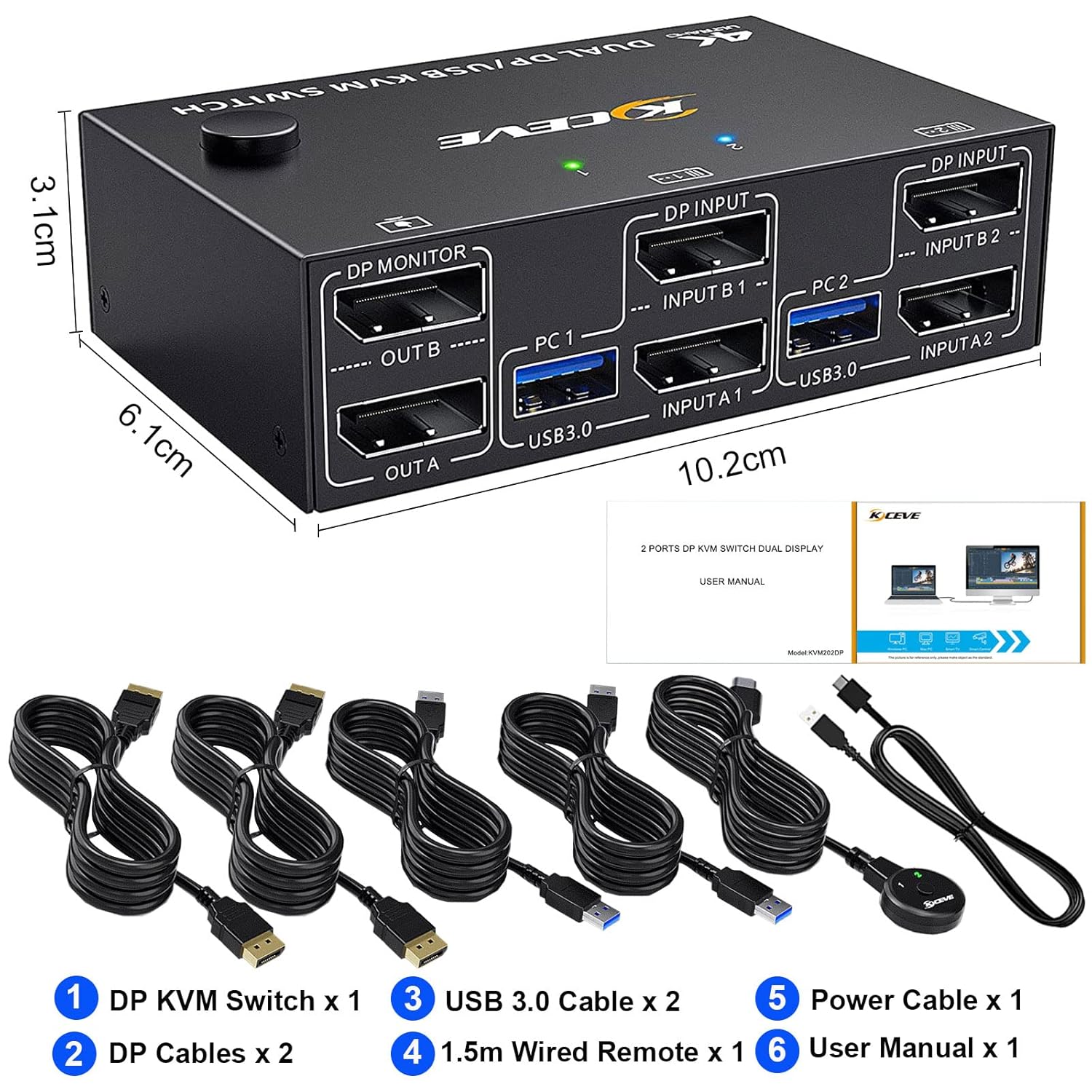
    Please plug in the DC 5V power supply to provide enough power
    Features
    1. DisplayPort KVM Switch - Control 2 Computers on 2 MonitorsThe KVM Switch 2 Computers 2 Monitors Displayport allows you to manage two computers using just one keyboard, mouse, and a pair of DisplayPort monitors. Each computer connects to this KVM switch displayport 2 computer with 2 DP cables and 1 USB cable. Share printers, webcams, and storage seamlessly. Press "Windows+P" to choose between extended or mirrored desktop modes, creating an efficient workspace for office, lab, or home use
    2. Immersive 4K@144Hz Visual PerformanceExperience stunning, fluid visuals. This KVM Switch 4K@144Hz complies with DP 1.4 standards, supporting resolutions up to 8K@30Hz, 4K@144Hz, 4K@120Hz, and 4K@60Hz. The 2 monitor 2 computer KVM switch displayport ensures sharp, realistic image quality on both monitors. Tip for better results: Use high-quality 8K-rated cables to prevent flickering or blank screens and ensure signal stability
    3. High-Speed 5Gbps USB Hub & Streamlined SharingBeyond video, this KVM Switch 2 Monitors 2 Computers Displayport integrates a powerful USB 3.0 hub. Share up to 4 USB deviceslike keyboards, mice, and printersbetween 2 computers without unplugging. With data transfer speeds up to 5Gbps (10x faster than USB 2.0), KVM 2 monitors 2 computers handles peripherals and file transfers efficiently, keeping your desk tidy and workflow smooth
    4. Effortless Operation with Two Switching MethodsTake instant command of your setup. Switch control between the two computers in seconds using either the button on the 2 computer KVM switch 2 monitors panel or the included 1.5-m wired remote controller. An LED indicator clearly shows the active source. The system is plug-and-play, requires no drivers. KVM 2 computers 2 monitors is powered by USB cable and your own extra 5V power
    5. Broad Compatibility & Setup NotesThis versatile KVM Switch 2 Monitors 2 Computer DP is ideally matched with two desktop PCs. It is compatible with Windows, macOS, Linux, and Chrome OS. For laptop users: Most laptops lack two DisplayPort outputs. Connection requires a high-quality, compatible USB-C to dual-DP hub or adapter. Windows supports an extended desktop. while macOS only mirrors displays
    6. Package & Reliable SupportIncluded: 1x KVM Switch 2 PC 2 monitor unit, 2 DP cables, 2 USB3.0 cables, 1 Wired Remote, 1 User Manual. We back the dual Monitor KVM Switch Displayport with a 12-month after-sales service and lifetime technical support. Our team is ready to assist with any questions.


    Warranty & Returns

    Warranty, Returns, And Additional Information

    Warranty

    • Please contact the Seller directly for warranty information. Warranty information may also be found on the Manufacturer's website.
    • CONTACT

    Return Policies

    Manufacturer Contact Info

    LOADING...