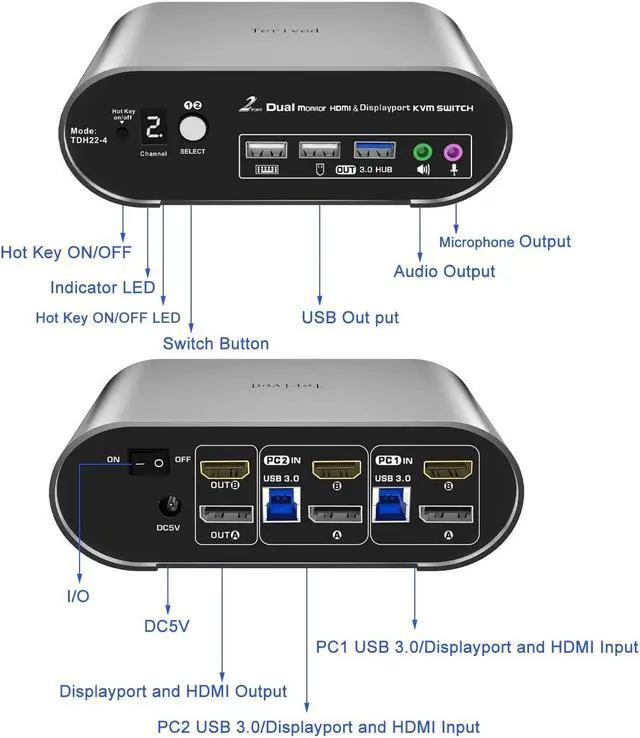
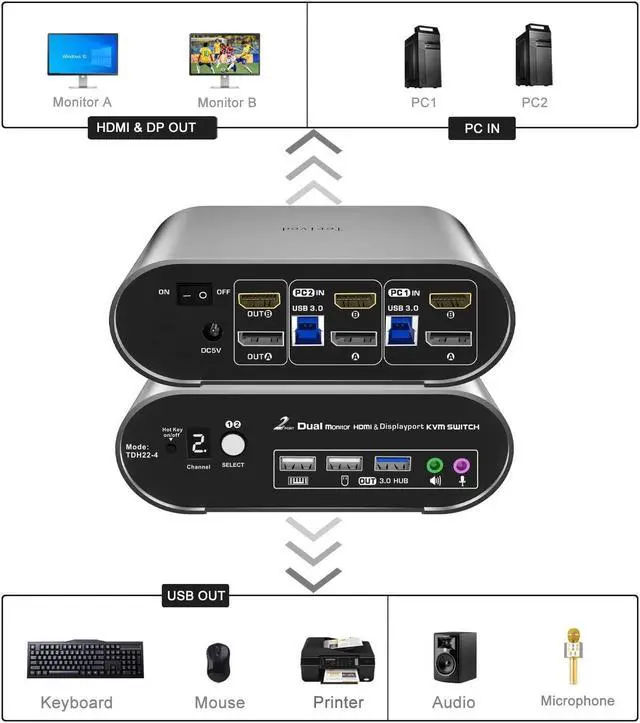
Attention: This model requires 1 HDMI and 1 DP port from each computer. Before making a purchase, make sure your PCs are compatible for dual monitor output. Set your HDMI monitor to the HDMI signal source and the DP monitor to the DP signal source. Also, remember to connect all included cables, especially the USB between the computer and KVM, so the front USB functions properly.
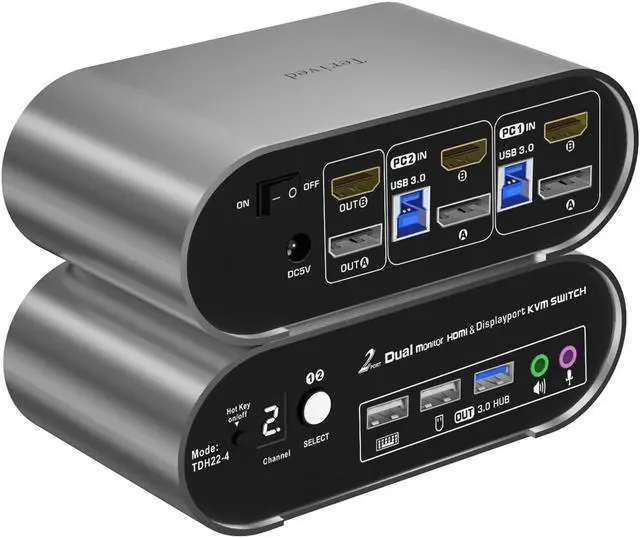
Aluminum Alloy Shell - We strive to provide customers with the best quality, which is why we have opted for an aluminum alloy body. This material not only offers an excellent premium look but also provides outstanding drop resistance, lightweight construction, strength, and robust corrosion resistance.
Digital Display - The KVM Switch features a digital display that makes it easy for you to view the current channel, even in low-light conditions.
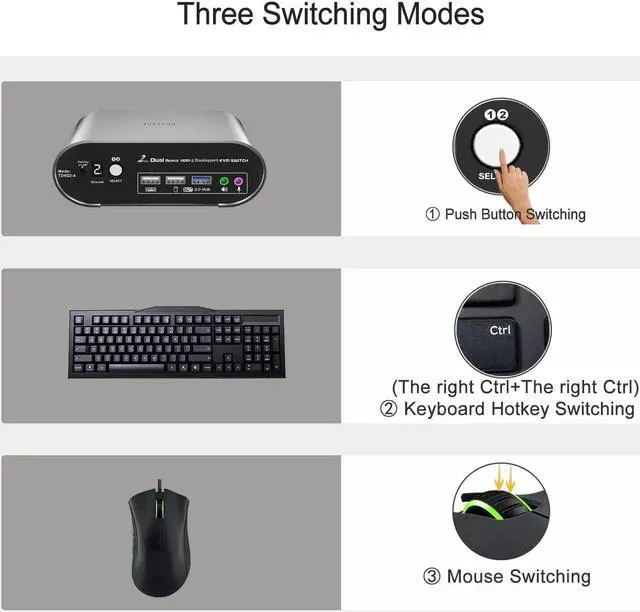
Hotkey - Tired of a manual button switch? This product gives you a convenient way to switch, including keyboard hotkeys switch, mouse wheel switch
Two computers two monitors KVM Switch - Control two computers with HDMI and DP interfaces, along with other compatible devices, using a single keyboard and mouse. Connect one HDMI monitor and one DP monitor. Enjoy separate audio and microphone output, as well as a USB 3.0 HUB
HDMI 2.1 + DP 1.4 KVM Switch -
Supported resolutions: 480i, 480p, 720p, 1080i, 1080p, 2K@240Hz, 4K@144Hz, RGB
4:4: 4 HDR10, HDMI 2.0 DP 1.2 compatible. Auto-Scan, auto-detection. Hot plug & play and HDCP.
Multi-platform: support Windows 11/10/7/2000/XP/Vista, Linux, and Mac
Supported resolutions: 480i, 480p, 720p, 1080i, 1080p, 2K@144Hz, 4K@144Hz, RGB
4:4: 4 HDR10
To Set up Extended mode (Windows): hold down the [window key] + [ P ], and select the display mode to [Extend]
or
Navigate Windows Display Settings selecting Start > Settings > System > Display.
Underneath Multiple displays, select Extend desktop to this display.
This bright digital display shows the current channel and the hotkey's on/off states. Not more guessing, unlike a common green led light, you can clearly see it even in the dark investment
The small white dot near the channel number shows the hotkey ON/OFF status, when only mouse hotkey is off the white dot will still appear
When the hotkey is on, plug the mouse and keyboard into the dedicated mouse and keyboard slot. Press the right CTRL key twice or double-click your mouse roller wheel to switch to the other computer
Installation
Power off your computers and monitors.
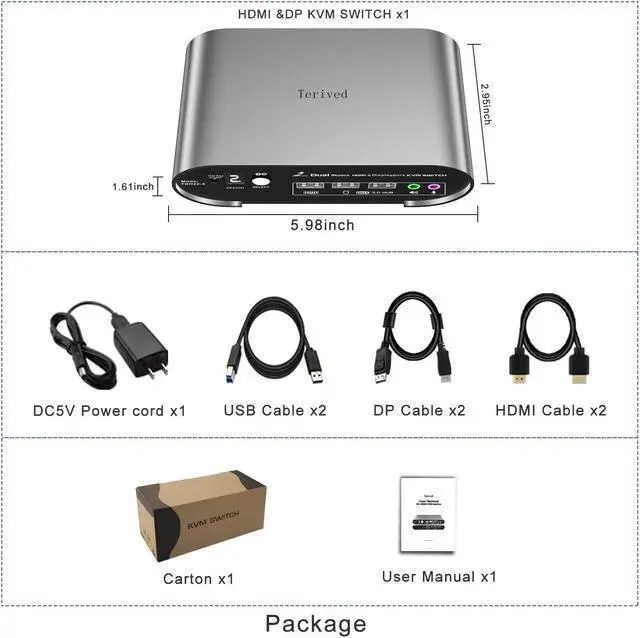
Connect two computers to the KVM switch with 2 HDMI cables, 2 DP magnetic ring cables, and 2 USB (Type A to B) cables.
Connect your HDMI monitor and DP monitor to the KVM switch with your cables.
Connect the 5V power supply to the KVM switch.
Connect your USB devices to the KVM switch.
Power on the KVM switch (the on/off switch located on the back of the KVM switch), then computers and monitors.
To set up your audio for a headphone or speaker (windows), open your sound setting and choose [ Speakers (USB Audio Device) ] as the sound output
To disable the 'beep' sound when switching between computers, right [CTRL] + right [CTRL] + [ b ] + [Enter]





 here!
here!