AV Access Docking Station KVM Switch 1 Laptop & 2 Desktop PCs, Dual 4K@60Hz Monitors, EDID Emulation, 100W USB-C Charging, Gigabit Ethernet,High Refresh Rates,Ideal for Gaming, Office & Creative Work
  •  
  • $219.99 
  • $179.99
  • Free 45-day Returns
  • Ships from China.
    Price alert
    Shop it at NeweggBusiness.

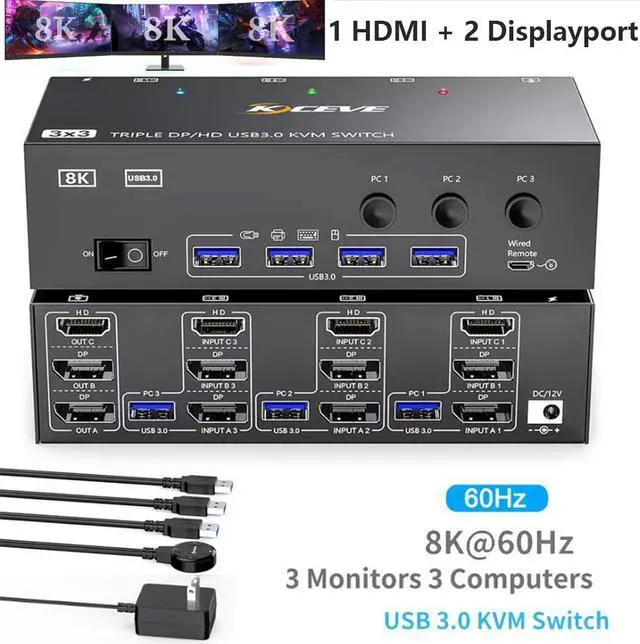
    SMA KVM Switch 3 Monitors 3 Computers 8K@60Hz 4K@144Hz, HDMI+2 Displayport USB 3.0 KVM Switch Triple Monitor for 3 Computer Share 3 Monitor and 4 USB 3.0 Devices, Wired Remote & Power Adapter Included

    Limited time offer, ends 01/10 By Smart Electronic Marketplace

    • [KVM Switch 3 Monitors 3 Computers] This KVM switch perfect for hooking up 3 desktops /laptops to share one set of wired or wireless keyboard mouse and 3 monitors (supports extended and mirrored display modes).
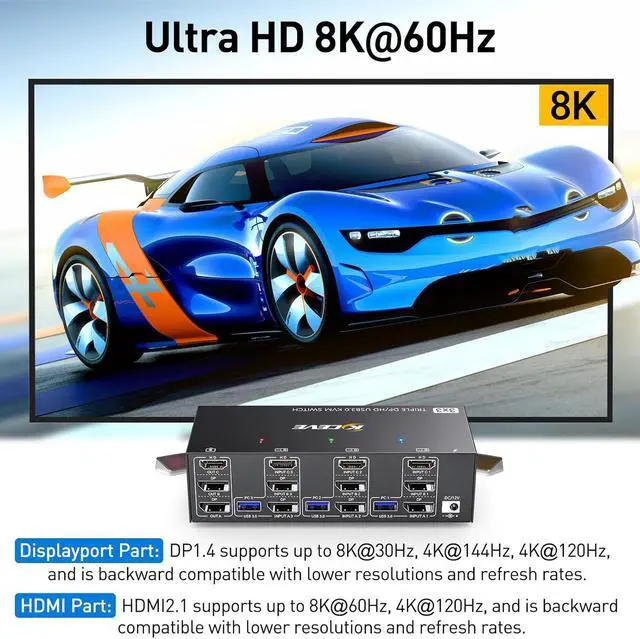
    • [Ultra HD 8K] KVM Displayport: support resol
    +
    +
    Overview
    Specs
    Reviews
    avatar

    Any questions? Our AI beta will help you find out quickly.

    Triple Monitor KVM Switch--For users sharing 3 Monitors between 3 Computers

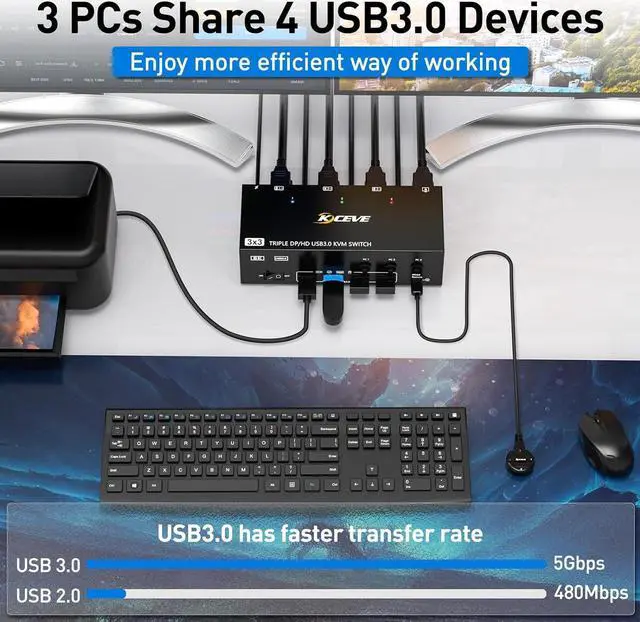
    3 computers share 3 monitors and 4 USB device. Supports wired or wireless keyboard and mouse. USB 3.


    • 3 computers share 3 monitors and 4 USB device.
    • Supports wired or wireless keyboard and mouse.
    • USB 3.0 with ultra-fast data transfer up to 5Gb/s.
    • Support resolutions up to 8K@60Hz, 4K@144Hz.
    3 PC share 3 Monitor and 4 USB3.0 Devices
    3 PC share 3 Monitor and 4 USB3.0 Devices


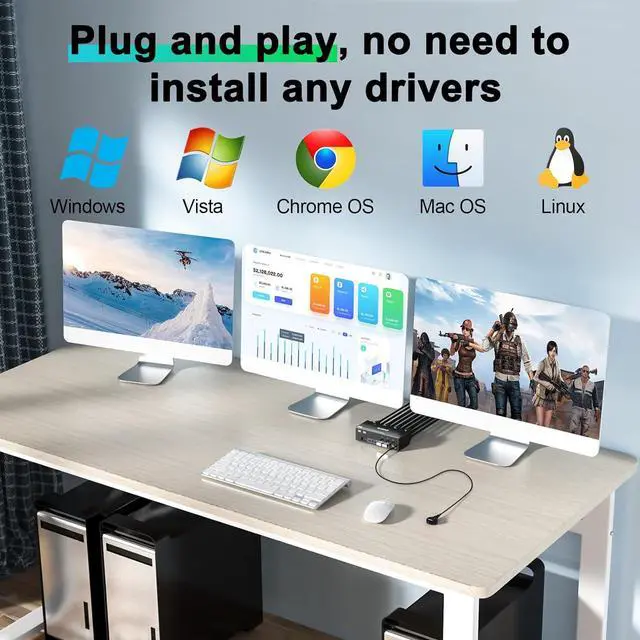
    2 Displayport1.4+HDMI2.1 USB3.0 Triple Monitors KVM Switch allows 3 desktop computers/laptops to share 3 monitors and 4 USB3.0 ports(keyboard,mouse and other USB devices).It can make your work space tidy and efficient, also a premium choice for working from home.


    NOTE1: Only when your computer supports 3 display or multi display, you can use this KVM to achieve 3 PC to share 3 monitors.

    NOTE2: You must make sure that your computer supports three-screen output, otherwise you cannot get three monitors to work at the same time. Test method: Without connecting to KVM, connect the computer directly to three monitors. If all three monitors work, then your computer supports three-screen output.

    NAOTE3:Please connect it correctly to make KVM work properly.

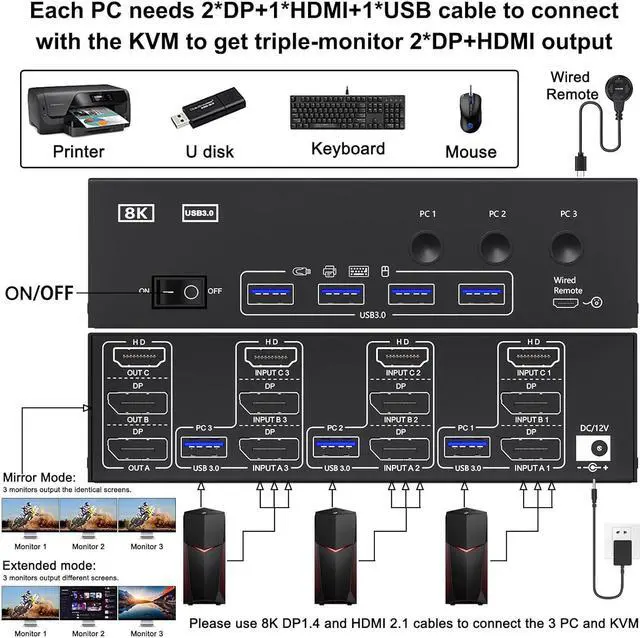
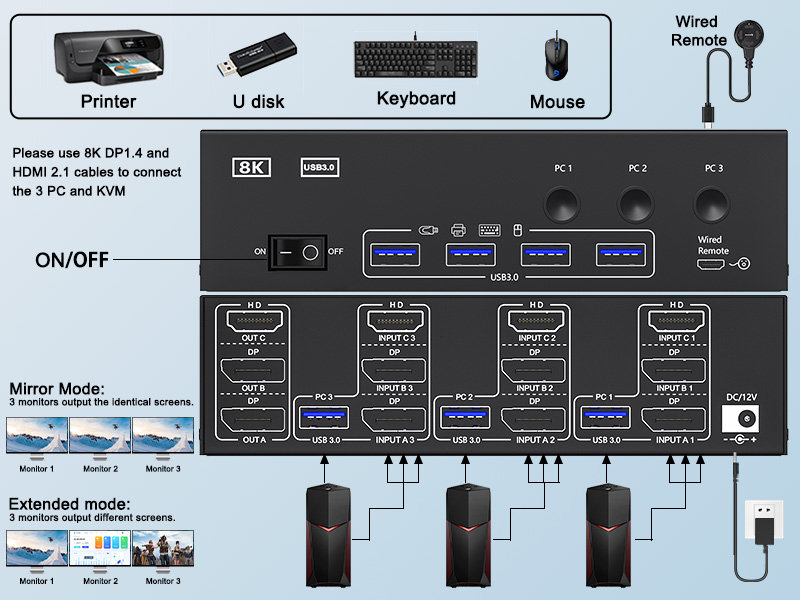
    Connection diagram of 3 monitors KVM switch Each PC requires 1*HDMI+2*DP+1* USB cable to connect the
    Connection diagram of 3 monitors KVM switch


    Each PC requires 1*HDMI+2*DP+1* USB cable to connect the 3 monitor KVM switch,OUT A, OUT B, OUT C connect to 3 monitors.Support DP to HDMI, USB-C to HDMI, USB-C to DP converter and USB-C docking station.


    Please confirm whether your computers support 1*HDMI+2*Displayport before placing an order.


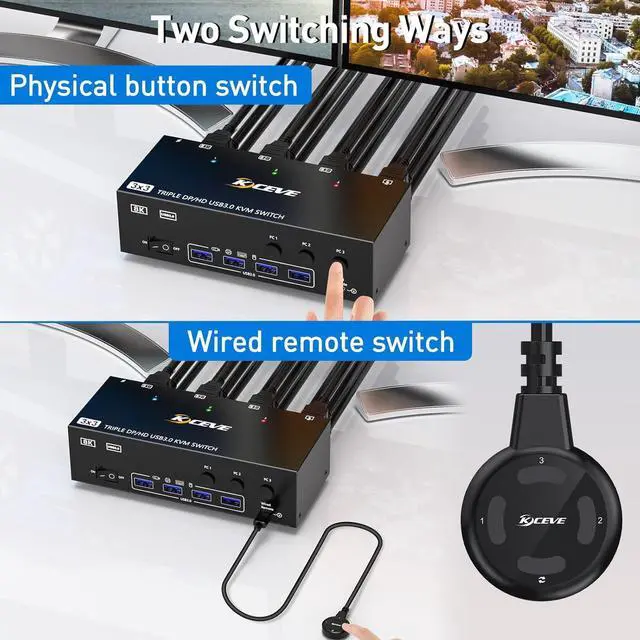
    • Switching mode: button switch and wired remote.
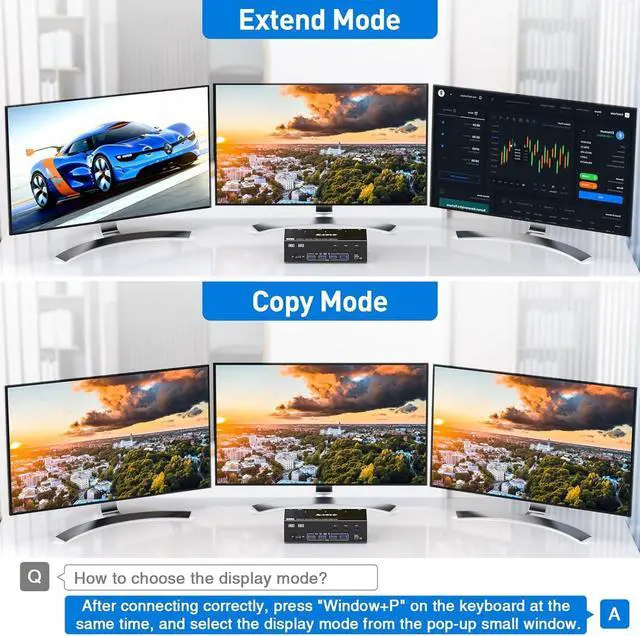
    • Two output modes: Mirror and Extended mode.
    • 12V power adapter, the recognition is more stable.
    51
    52
    53
    54
    55
    How to set the output mode  Windows OS: Press the shortcut key "WIN+P" and then select "Extension" o
    How to set the output mode


    Windows OS: Press the shortcut key "WIN+P" and then select "Extension" or "mirror"

    Mac OS: Set [Mirror Mode]: Select [A-p-p-l-e Icon] [System Preferences], click [Display] [Arrange], and then check [Mirror Display];

    Set [Extended Mode]: When [Mirror Display] is unchecked, "Extended Mode" can be achieved.

    Q & A: 


    Q: Is the triple monitor KVM Switch compatible with computers or laptops only with USB-C ports?

    A: Yes, but you need purchase an additional USB-C to DP/HDMI adapter or USB-C docking station to connect the KVM to your USB-C computer/laptop.


    Q: Why do some monitors work fine and others not when the cables are connected the same way?

    A: This depends on factors such as the version of cable used, the length of the individual cables, and whether adapters are used.

    It is recommended to use HDMI2.1, DP1.4 cable, and the length of a single cable should not exceed 1.5m.


    Q: Can the KVM switch's USB port be used for high-power USB devices such as hard drives?

    A: Yes, but please plug in the 12V power adapter (included in the package) for stable performance.


    Q: Does the DisplayPort 1.4 KVM switch support Hotkey switching?

    A: No, it DOES NOT support Hotkey switching,but supports button switch and wired remote 


    Q: Does this KVM switch support EDID emulation?

    A: NO, It does not support EDID emulation.

    Triple Monitor KVM Switch--For users sharing 3 Monitors between 3 Computers


    Specifications

    :
    Product Name: HDMI-compatible KVM Switch
    HDMI-compatible version: 2.1
    DP version: 1.4
    USB type: USB 3.0
    Data rate: 5Gbps
    Connection port: HDMI-compatible-A/standard DP interface
    HDMI-compatible cable: <1.5 meters (resolution: 8K@60Hz 4K@144Hz )
    DP cable: <1.5 meters (resolution: 8K@60Hz 4K@120Hz )
    Working power supply: 12V
    Plug specifications: US Adapter
    Product size: 16.2 * 6.6 * 4.4 cm
    Product Material: Aluminum Alloy
    Product color: Black


    The packaging includes:
    1 * KVM Switch
    3 * USB cable
    1 * Wired controller
    1 * User Manual
    1 * Power adapter

    Be careful:

    1. Due to manual measurement, there may be a 1-2cm error in product size!

    2. Due to lighting effects and shooting angles, there may be some color differences. Please understand!

    Warranty & Returns

    Warranty, Returns, And Additional Information

    Warranty

    • Please contact the Seller directly for warranty information. Warranty information may also be found on the Manufacturer's website.
    • CONTACT

    Return Policies

    Manufacturer Contact Info

    LOADING...