AV Access Docking Station KVM Switch 1 Laptop & 2 Desktop PCs, Dual 4K@60Hz Monitors, EDID Emulation, 100W USB-C Charging, Gigabit Ethernet,High Refresh Rates,Ideal for Gaming, Office & Creative Work
  •  
  • $219.99 
  • $189.99
  • Free 45-day Returns
  • Ships from China.
    Price alert
    Shop it at NeweggBusiness.

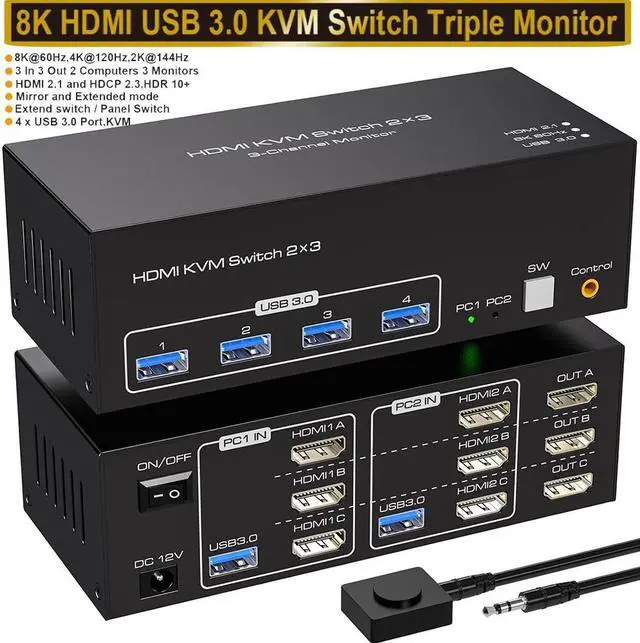
    SMA 8K@60Hz HDMI KVM Switch 3 Monitors 2 Computers, USB 3.0 KVM Switches with 4 USB Ports Triple Monitor KVM Switches for 2 Computers Support Extended & Copy Mode, 12V DC Adapter 2 USB Cables Included

    Limited time offer, ends 01/10 By Smart Electronic Marketplace

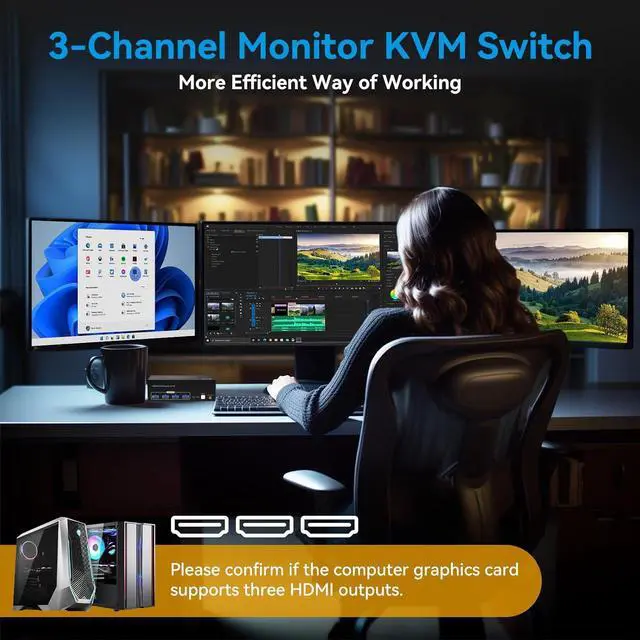
    • [KVM Switch 3 Monitors 2 PCs] The KVM Switch 3 Monitors allow 2 computers to share triple monitors and 4 USB 3.0 ports, such as mouse, keyboard, printer U disk, etc. And connect three displays in extend or duplicate display mode. (Note: Please make sure your computer supports multi-display and each connected computer requires 3 HDMI ports)
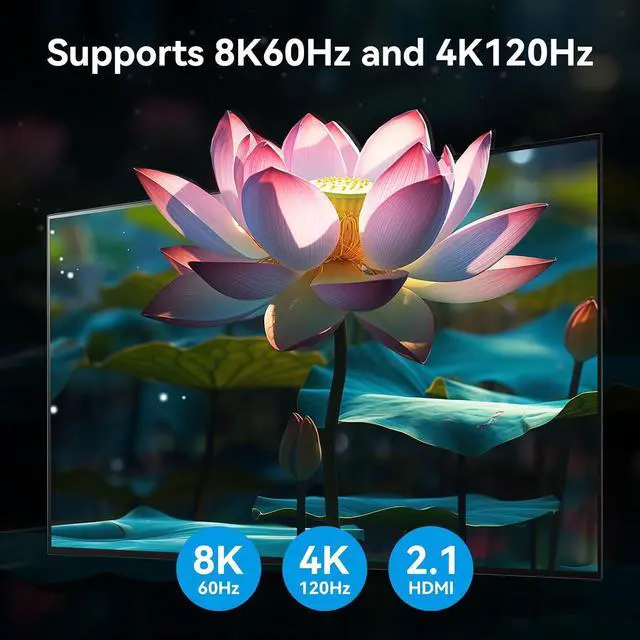
    • [8K 60Hz HDMI KVM Switch] Triple Monitor KVM Switch Supports resolutions and refresh rates up to 8K@60Hz 4K@120Hz, and is backward compatible with 1080p 3D 720P, etc.
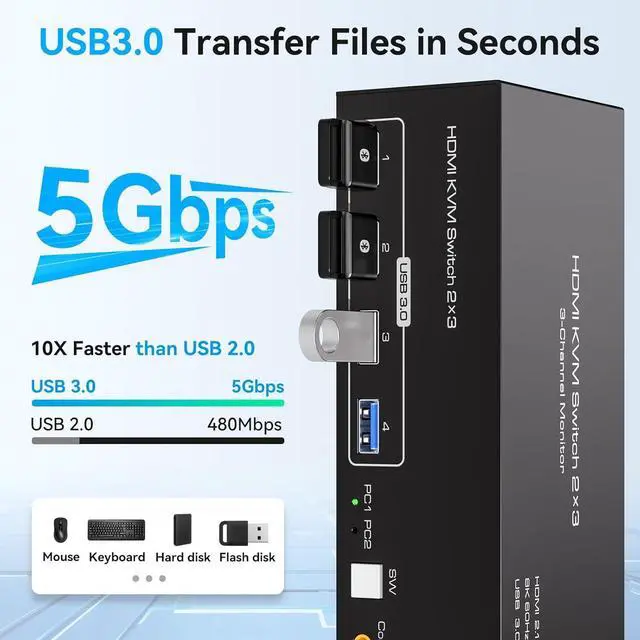
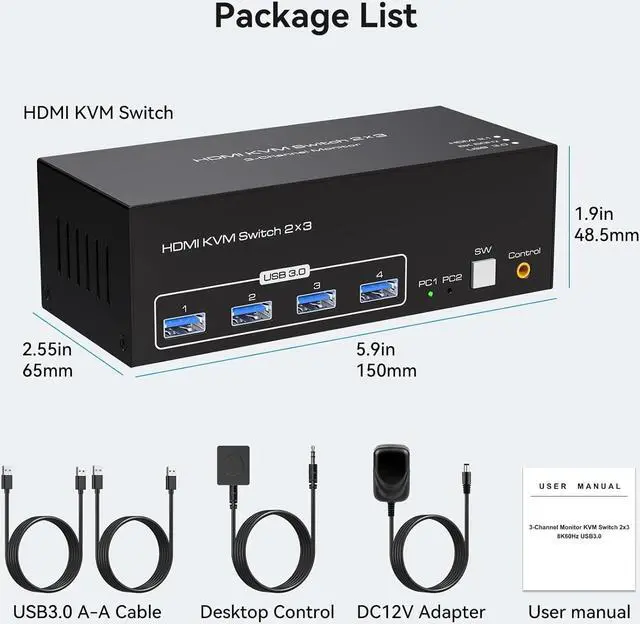
    • [High Speed USB 3.0] Featuring 4 USB 3.0 ports. Each port can transmit data at speeds of up to 5Gbps, offering significantly faster performance compared to USB 2.0. USB 3.0 is also compatible with older USB versions like 2.0/1.1.
    • [2 Switching Modes] Option 1: Using the wired extension button, you can place the KVM outside the work area, making your desktop cleaner and tidier; Option 2: Just press the white "SW" button next to the indicator light to achieve one-click switching.
    +
    +
    Overview
    Specs
    Reviews
    avatar

    Any questions? Our AI beta will help you find out quickly.

    SMA 8K@60Hz HDMI KVM Switch 3 Monitors 2 Computers, USB 3.0 KVM Switches with 4 USB Ports


    8K@60Hz HDMI KVM Switch 3 Monitors 2 Computers share 3 Monitors and 4 USB 3.0 device

    Support Resolutions Up to 4K@120Hz/8K@60Hz, and backward compatible with lower resolutions: 4K@60Hz,


    Support Resolutions Up to 4K@120Hz/8K@60Hz, and backward compatible with lower resolutions: 4K@60Hz, 4K@30Hz, 1080P, 720P, etc.

    HDMI 2.1 KVM Switch 3 Monitors allows easy switching of a full set of keyboards and mice and other USB 3.0 devices between two computers and 3 monitors, Up to four USB devices can be shared at the same time, Avoiding frequent unplugging that can lead to device damage.


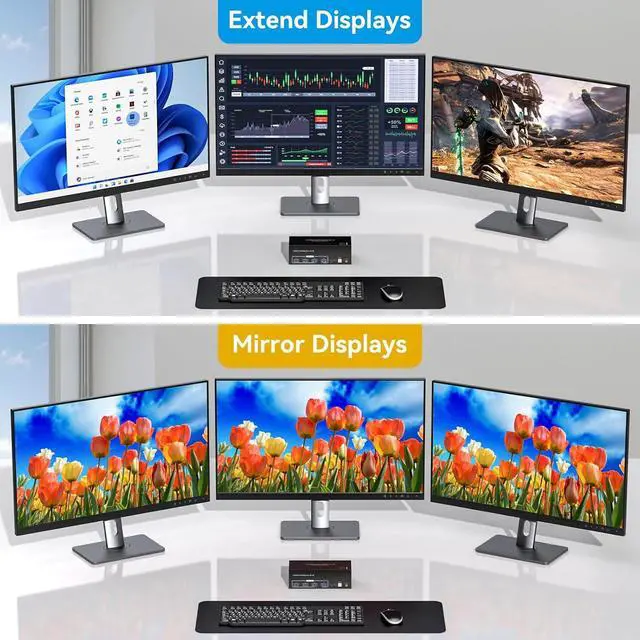
    Support two modes: 

    Mode 1: Copy mode (computer host outputs 3 identical screens on 3 displays) Mode 2: Extended mode (computer host outputs 3 different screens on 3 displays)

    USB 3.0 with ultra-fast data transfer rates up to 5Gb/s, up to ten times faster than USB 2.0, and ba


    USB 3.0 with ultra-fast data transfer rates up to 5Gb/s, up to ten times faster than USB 2.0, and backward compatible with USB 2.0 and USB 1.1.

    Support for External Wired Controllers Equipped with an external wired controller that can be easily

    Support for External Wired Controllers

    Equipped with an external wired controller that can be easily switched without getting up when using it.

    Supports Key Switching You can easily and quickly switch between computers with the push of a button

    Supports Key Switching

    You can easily and quickly switch between computers with the push of a button on the control panel.

    Support for Indicator Design LED lights are designed to show active devices so you can clearly see w

    Support for Indicator Design

    LED lights are designed to show active devices so you can clearly see which device is in use.

    connect
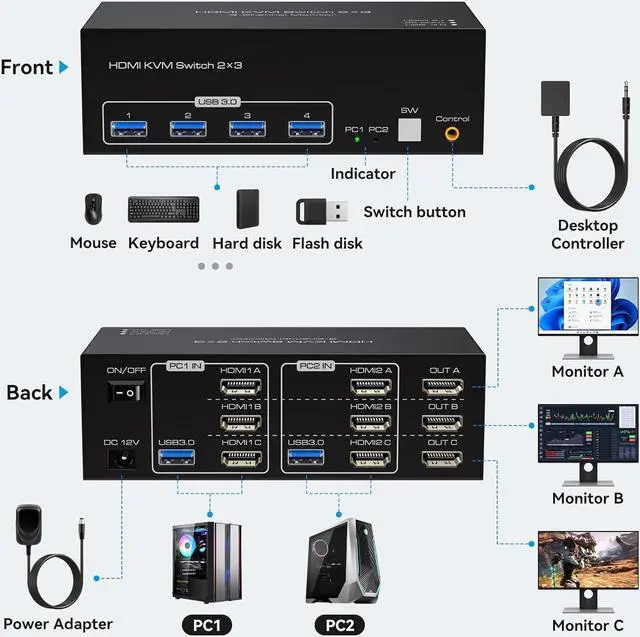
    Installation steps:


    1. Insert the adapter into the KVM ;

    2. Plug the 3*HD-MI cables into the KVM switch and monitor;(Output)

    3. Plug the HD-MI cable, and USB cable into the KVM switch and your computer/laptop (HD-MI cables are not included)(Input)

    Please check whether HDMI IN 1A, HDMI IN 1B, HDMI IN 1C, and USB IN 1 corresponding, and whether HDMI IN 2A, HDMI IN 2B, HDMI IN 2C and USB IN 2 are corresponding. Mixed insertion is not supported.

    HDMI IN 1A + HDMI IN 1B + HDMI IN 1C + USB IN 1=PC1

    HDMI IN 2A + HDMI IN 2B + HDMI IN 2C + USB IN 2=PC2

    4. Insert the mouse and keyboard into the KVM switch


    Note:

    1. Most of the reasons why only one video output works is because of an incorrect connection. Please make sure each computer has 3 HD-MI cables connected to the KVM.

    2. If the KVM switch does not work, you can turn off the switch on the panel and turn it on again after 2-3 seconds, and it will return to normal.

    Package
    8K@60Hz HDMI KVM Switch 3 Monitors 2 Computers share 3 Monitors and 4 USB 3.0 device


    Support Resolutions Up to 4K@120Hz/8K@60Hz, and backward compatible with lower resolutions: 4K@60Hz, 4K@30Hz, 1080P, 720P, etc.
    HDMI 2.1 KVM Switch 3 Monitors allows easy switching of a full set of keyboards and mice and other USB 3.0 devices between two computers and 3 monitors, Up to four USB devices can be shared at the same time, Avoiding frequent unplugging that can lead to device damage.

    Support two modes: Mode
    1: Copy mode (computer host outputs 3 identical screens on 3 displays)
    Mode 2: Extended mode (computer host outputs 3 different screens on 3 displays)


    Support for External Wired Controllers
    Equipped with an external wired controller that can be easily switched without getting up when using it.

    Supports Key Switching
    You can easily and quickly switch between computers with the push of a button on the control panel.

    Warranty & Returns

    Warranty, Returns, And Additional Information

    Warranty

    • Please contact the Seller directly for warranty information. Warranty information may also be found on the Manufacturer's website.
    • CONTACT

    Return Policies

    Manufacturer Contact Info

    LOADING...