Dual Monitor HDMI KVM Switch for 2 Computers 2 Monitors
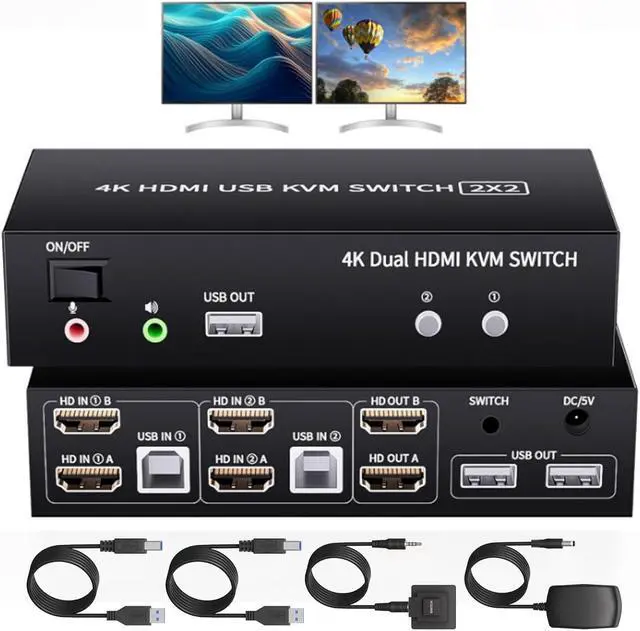
This HDMI KVM switch 2 port allows you Using only 1 set of keyboard, mouse to control 2 computer devices and 2 monitors. Furthermore two computers can share 3 USB 2.0 peripheral devices.s. It's a great accessory for a family, office or other workplace.
Features:
- Share one set of keyboard, mouse and dual monitors between 2 computers or laptops;
- Dual monitors output support up to 4K@60Hz for extended,mirrored or spliced display;
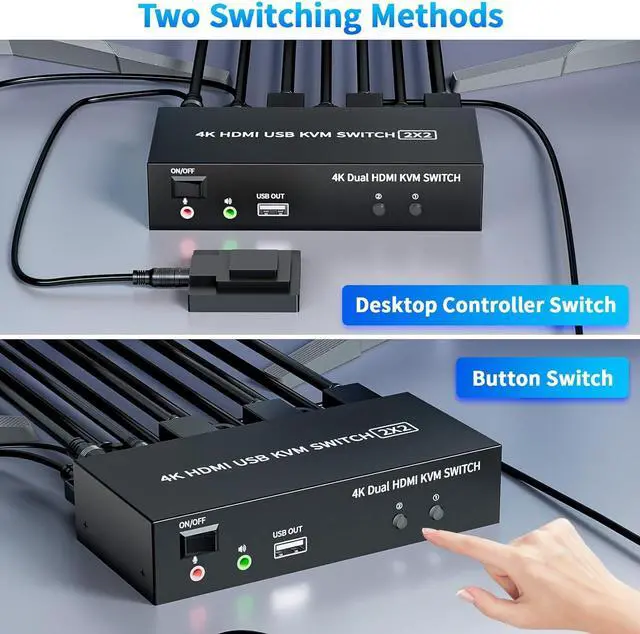
- Switching modes: Buttons on the front panel and wired remote;
- With extra 3 USB 2.0 and Audio Microphone output;
- The ports that need to plug in HDMI/USB cables are all hidden behind the KVM, so the desktop doesn't get cluttered.
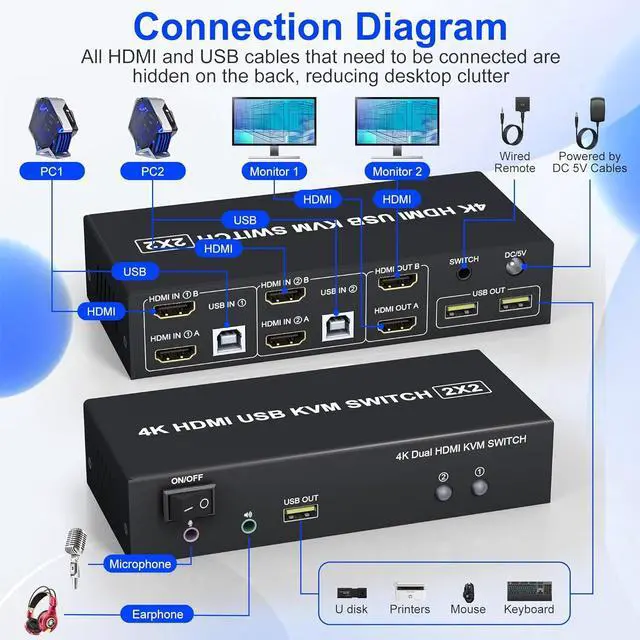
- 1. Insert the adapter into the KVM ;
- 2. Plug the HDMI cable into the KVM and monitor;(Output)
- 3. 1). Connect PC1 Firstly(Input)
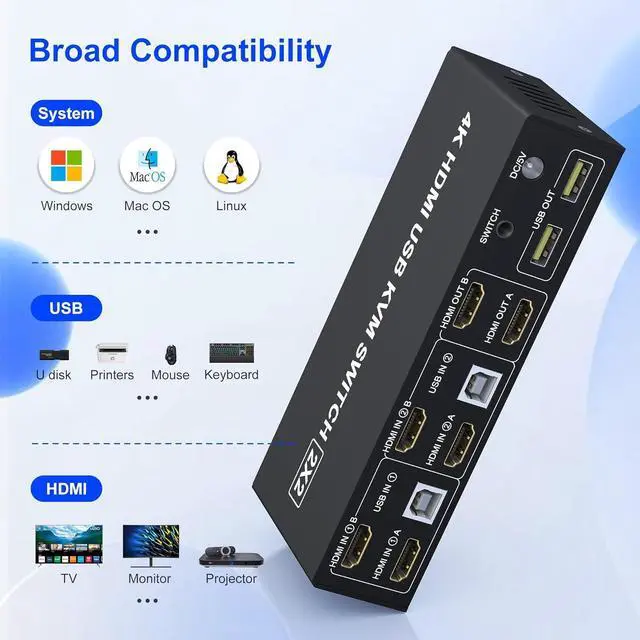
- Use 1 HDMI cable to connect the "HDMI IN 1 A" input interface and PC1 HDMI A output interface,
- Use 1 HDMI cable to connect the "HDMI IN1 B" input interface and PC1 HDMI B output interface.
- Use 1 "USB-a to USB-b" USB cable to connect the "USB IN 1" input interface and PC1 USB interface.
- 2)Then, Connect PC2 according to the connection steps of PC1.
- 4. Insert the mouse and keyboard into the KVM switch
- 5. If needed, you can connect a microphone and audio port
Note:
- 1. Most of the reasons why only one video output works is because of incorrect connection. Please make sure each PC has(2 HDMI+USB cable) connect to the KVM.
- 2. If the input USB ports are not connected or connected incorrectly, the output USB device will not be recognized.
- 3. Note: HDMI cables are not included
Supports Button Switch
- You can easily and quickly switch between computers with the push of a button on the control panel.
Support wired remote control
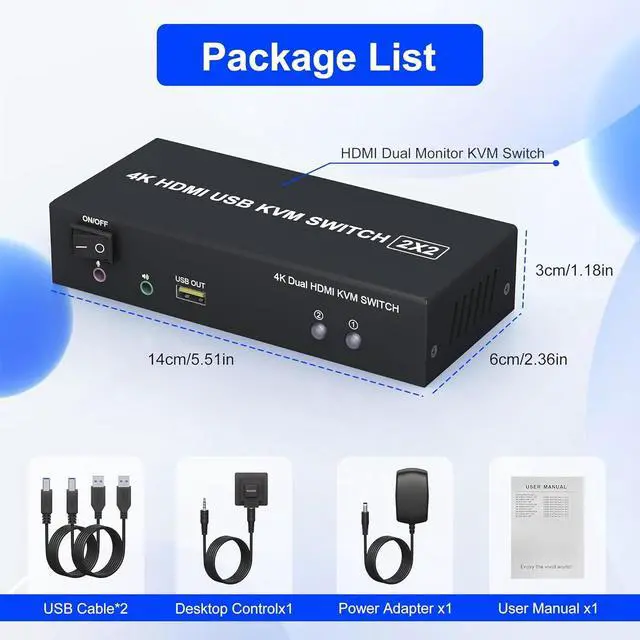
- A push-button controlled switch extension cable is included for easy switching without having to get up when using it.
Supports separate audio and microphone output
- HDMI KVM comes with a 3.5mm Audio Jack port with a DAC chip inside, which can be inserted into a 3-segment 3.5mm earpiece device, and a 3.5mm microphone interface, which can be inserted into a 3-segment microphone.
3 USB 2.0 ports
- With 3 USB 2.0 hubs, transfer rate of up to 480 Mbps. Sharing devices as keyboard mouse scanners, printers, flash drives etc.
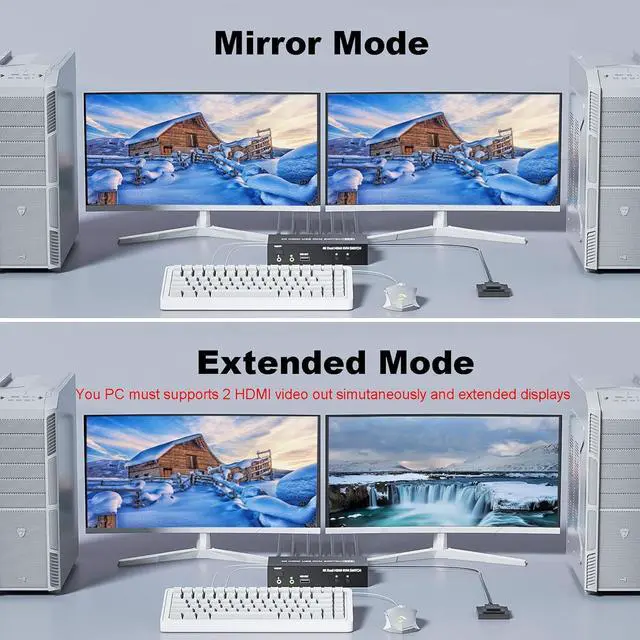
- Extended Display
- Mirrored Display
- 1)Extended mode can output 2 different screens and mirror mode can output 2 identical screens.Note:If your graphics card has a splicing screen function, you can use the splicing screen mode.
- 2) The requirement for this KVM to achieve a 2-screen display is that each PC you connect to has the capability to support a 2 screen display. This has nothing to do with KVM.
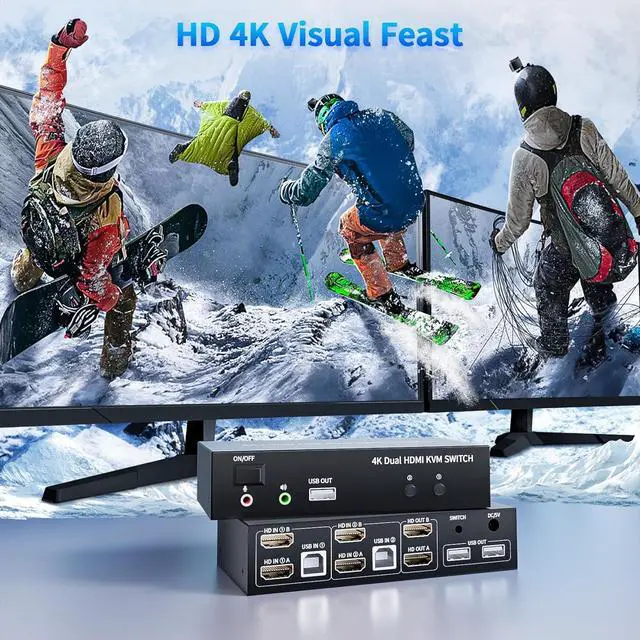
4K HD Resolution
- Support 3D 4K@60Hz, 1440P@60HZ and backward compatible with lower resolutions.
This HDMI KVM switch 2 port allows you Using only 1 set of keyboard, mouse to control 2 computer devices and 2 monitors. Furthermore two computers can share 3 USB 2.0 peripheral devices. s. It's a great accessory for a family, office or other workplace.
Features:
Share one set of keyboard, mouse and dual monitors between 2 computers or laptops;
Dual monitors output support up to 4K@60Hz for extended, mirrored or spliced display;
Switching modes: Buttons on the front panel and wired remote;
With extra 3 USB 2.0 and Audio Microphone output;
The ports that need to plug in HDMI/USB cables are all hidden behind the KVM, so the desktop doesn't get cluttered.
NOTE:
The KVM switch does not feature EDID emulation, need to reset the displays and resolution after switching between 2 input signals
Keyboard shortkey switch: NO
Cable requirement: Please use standard HDMI cable, most connection issues such as flickering and drops are cause by poor cable connection ( maybe the poor cable work well for direct connection, but when connect to a long transmission, then the performance will not good enough )





 here!
here!