• $169.99
  • Free 45-day Returns
  • Ships from China.
    Price alert
    Shop it at NeweggBusiness.

    SMA KVM Switch 3 Computers 3 Monitors 8K@60Hz /4K@144Hz, 2* Displayport + HDMI Triple Monitor USB 3.0 KVM Switch for 3 PC Shares 3 Monitors and 4 USB 3.0 Devices with Wired Remote & 12V Power Adapter

    Limited time offer, ends 01/10 By Smart Electronic Marketplace

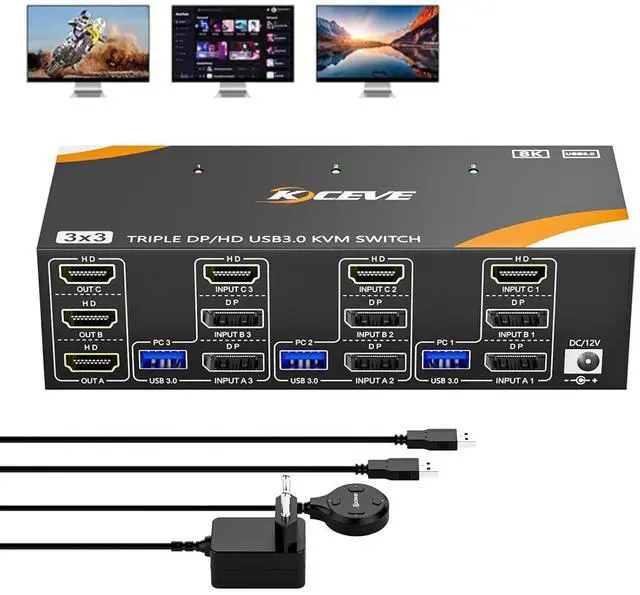
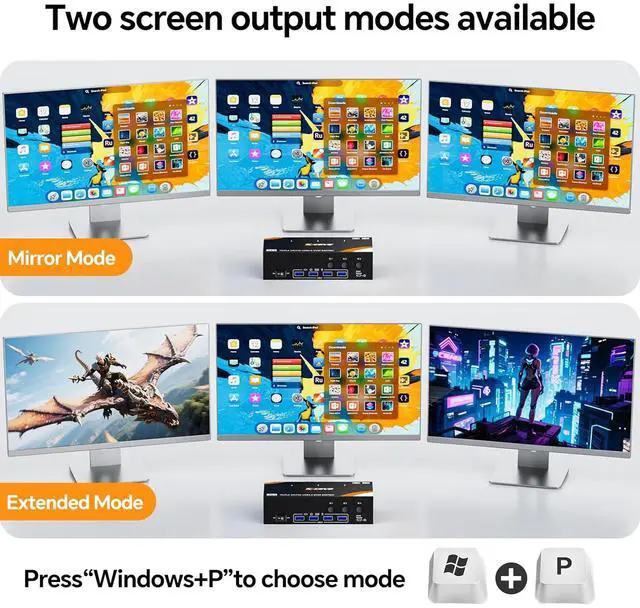
    • HDMI + DP + DP KVM Switch 3 PC 3 Monitors: The KVM Switch is ideal for devices with DP and HDMI interfaces. 3 computers share mouse, keyboard and monitors. Press "Windows+P" to mirror or expand the display.
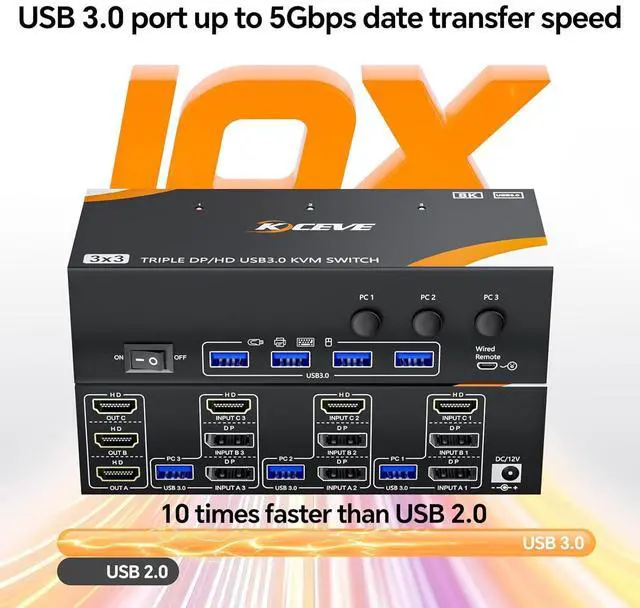
    • USB 3.0 ports: The USB 3.0 KVM switch supports ultra-fast data transfer at up to 5Gbps. The DP HDMI KVM switch for 3 PC 3 monitors shares 4 USB 3.0 devices without unplugging Keyboard, mouse, printer and other USB devices can be safely identified.
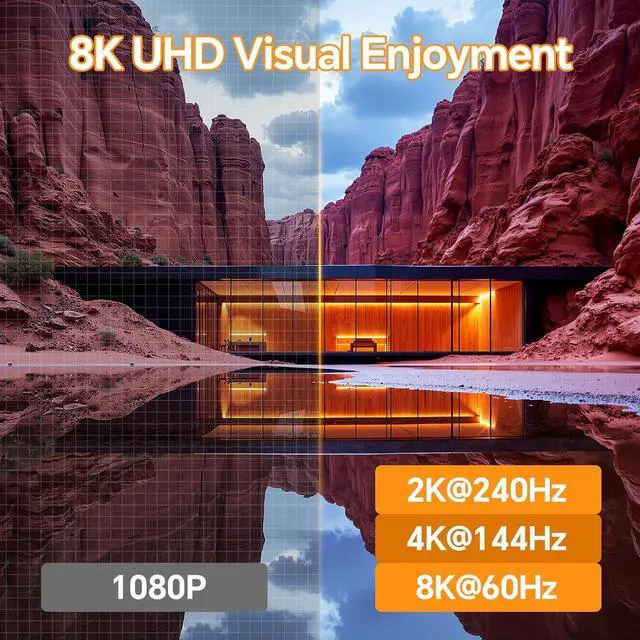
    • 8K@60Hz: plug and play. No driver required. The KVM switch offers you excellent UHD viewing experience. All 3 HDMI ports support 8K@60Hz, 4K@144Hz, 4K@120Hz, 4K@60Hz and 2K@165Hz.
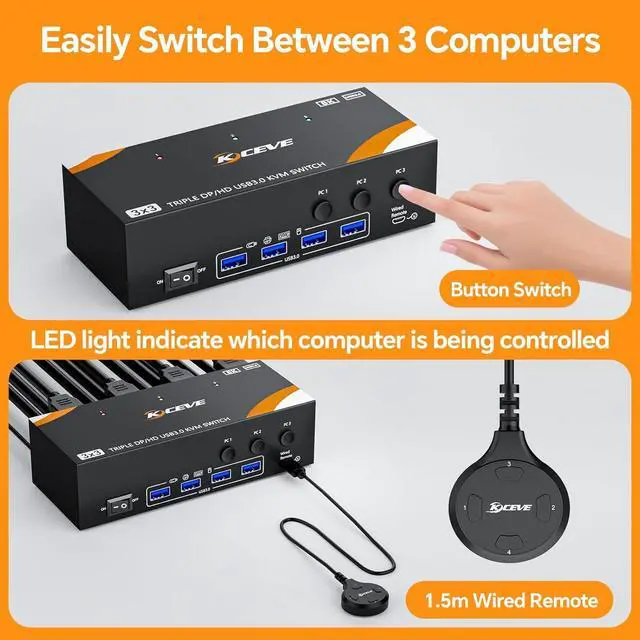
    • 2 switching methods: Switch between 3 PCs with the button of the KVM Switch or the 1.5m long wired remote (included).
    • Excellent compatibility: The KVM support a variety of HDMI and DP inputs, e.g. computers, laptops, TV boxes, PS5, monitors, HDTV and projectors. Driver-free for Windows 7/8/10/11/XP/Vista, Mac OS, Chrome, Linux, Unix and Ubuntu etc...
    +
    +
    Overview
    Specs
    Reviews
    avatar

    Any questions? Our AI beta will help you find out quickly.

    USB 3.0 KVM Switch 3 PC 3 Monitor HDMI DP DP Share 4 USB Devices

    USB 3.0 KVM Switch 3 PC 3 Monitor HDMI DP DP Share 4 USB Devices
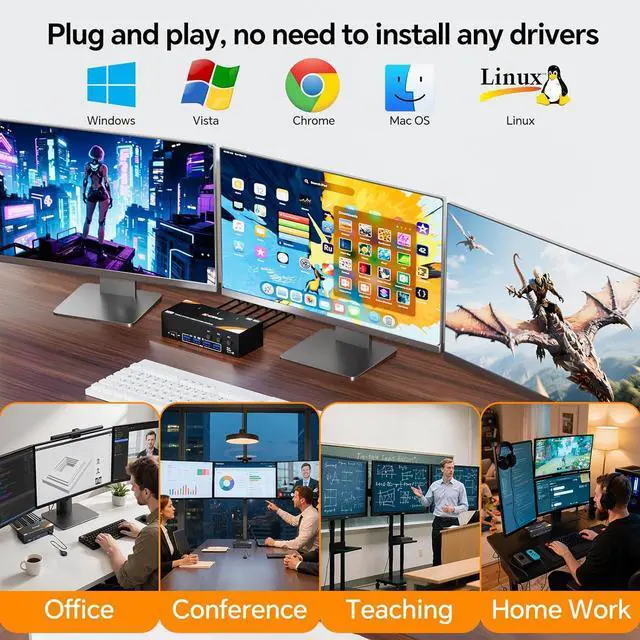
    Plug and play, no driver required.


    Just one mouse, keyboard, and printer to control three computers and output data to three HDMI monitors. Supports four USB peripherals (Bluetooth mice are not supported).

    Work and play comfortably - whether in the office or at home


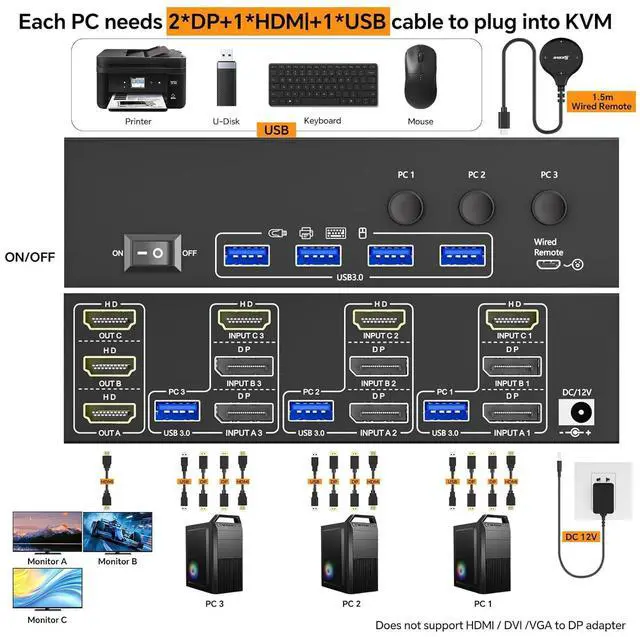
    Connection diagram of the KVM switch for 3 PCs and 3 monitors (HDMI, HDMI, HDMI)

    Plug and play, no driver required.
    Each PC requires 2 DP, 1 HDMI, 1 USB cable to connect to the KVM.


    Driver-free for Windows 11/10/8/7/XP/Vista/Chrome/Mac OS/Linux, etc. (Not recommended for less compatible docking stations).

    Supports DP to HDMI, USB-C/Type-C to HDMI, and USB-C/Type-C to DP adapter.


    Advanced and mirrored screen mode

    Each PC requires 2 DP, 1 HDMI, 1 USB cable to connect to the KVM.


    Press Windows P to select extended screen mode (three different screens) or mirrored screen mode (the same screen).

    Two switching methods: key switch and 1.5m long wired remote control.

    LED indicator indicates which computer is active.


    8K@60 Hz/4K@144 Hz UHD video experience

    Press Windows P to select extended screen mode (three different screens) or mirrored screen mode (th


    Supports resolutions of 8K@60 Hz, 4K@144 Hz, 4K@60 Hz, 2K@165 Hz and below.

    8K cable solves flickering and black screen problems.

    Supports DisplayPort 1.4, HDMI 2.1, and HDCP 2.3.

    Supports HDMI/DP input: desktop, laptop, TV box, PS5, monitor, HDTV and projector.


    4 USB 3.0 ports with a data transfer speed of up to 5 Gbps

    Supports resolutions of 8K@60 Hz, 4K@144 Hz, 4K@60 Hz, 2K@165 Hz and below.  8K cable solves flicker
    Supports resolutions of 8K@60 Hz, 4K@144 Hz, 4K@60 Hz, 2K@165 Hz and below.  8K cable solves flicker
    USB 3.0 KVM Switch 3 PC 3 Monitor HDMI DP DP Share 4 USB Devices


    Each PC requires 2 DP, 1 HDMI, 1 USB cable to connect to the KVM.

    Driver-free for Windows 11/10/8/7/XP/Vista/Chrome/Mac OS/Linux, etc. (Not recommended for less compatible docking stations).

    Supports DP to HDMI, USB-C/Type-C to HDMI, and USB-C/Type-C to DP adapter.

    Advanced and mirrored screen mode


    Press Windows P to select extended screen mode (three different screens) or mirrored screen mode (the same screen).

    Two switching methods: key switch and 1.5 m long wired remote control.

    LED indicator indicates which computer is active.

    Warranty & Returns

    Warranty, Returns, And Additional Information

    Warranty

    • Please contact the Seller directly for warranty information. Warranty information may also be found on the Manufacturer's website.
    • CONTACT

    Return Policies

    Manufacturer Contact Info

    LOADING...