AV Access Docking Station KVM Switch 1 Laptop & 2 Desktop PCs, Dual 4K@60Hz Monitors, EDID Emulation, 100W USB-C Charging, Gigabit Ethernet,High Refresh Rates,Ideal for Gaming, Office & Creative Work
  •  
  • $219.99 
  • $159.99
  • Free 45-day Returns
  • Ships from China.
    Price alert
    Shop it at NeweggBusiness.

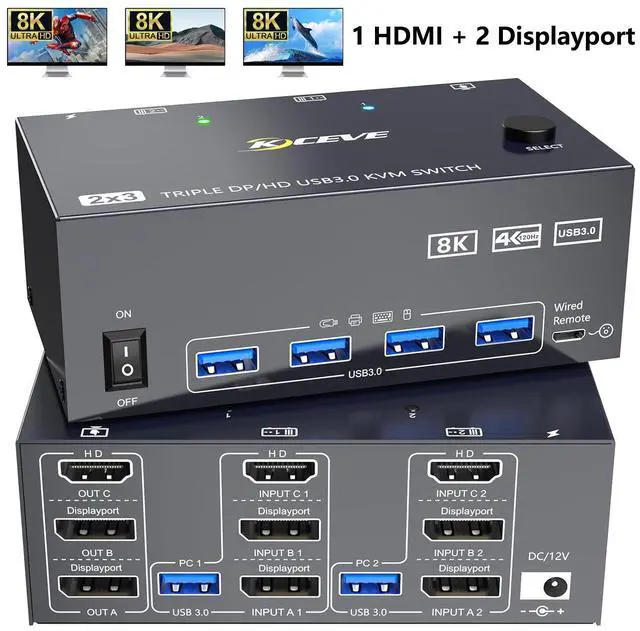
    SMA 8K KVM Switch 3 Monitors 2 Computers 8K@60Hz 4K@144Hz, 3 Monitors KVM Switch for 2 Computers Sharing Triple Monitors, Keyboard, Mouse, Printer with 2*USB3.0 Cables, Power Adapter and Controller

    Limited time offer, ends 01/17 By Smart Electronic Marketplace

    • Pre-Purchase Note: 1. Both computers need two DP ports, one HDMI port, and one USB-A output port. 2.Of your three monitors: two require DP ports, one requires an HDMI port.3.For the KVM switch, use short cables compliant with DP 1.4 and HDMI 2.1 standards.
    • KVM Switch 3 Monitors 2 Computers: The kvm switch allows you to control 2 computers by only one set of keyboard mouse,share 4 USB devices and 3 monitors.Quick switching avoids damaging the interface by plugging and unplugging,Improve work efficiency.
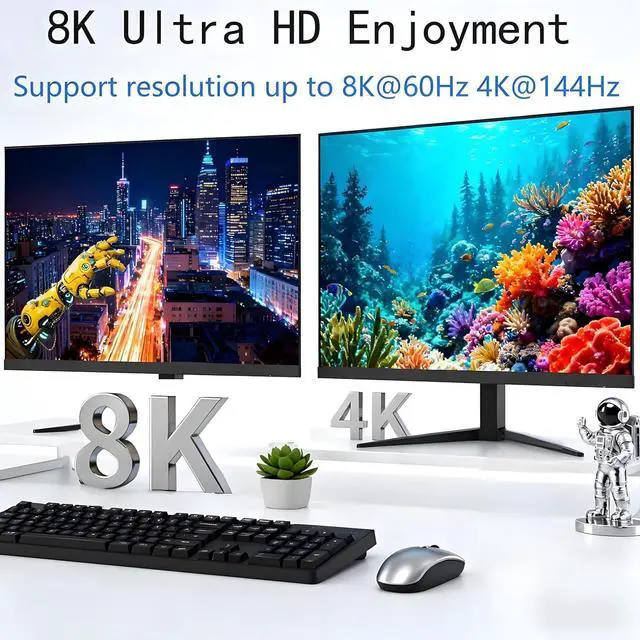
    • Ultra HD 8K: KVM switch 3 monitors 2 computers supports resolutions up to 8K@60Hz/4K@144Hz,delivering lifelike visual experiences.DP HDMI KVM switch is also backward compatible with 4K@30Hz,1080P,or lower resolutions.Note:To achieve maximum resolution,avoid using adapters or low-quality cables.
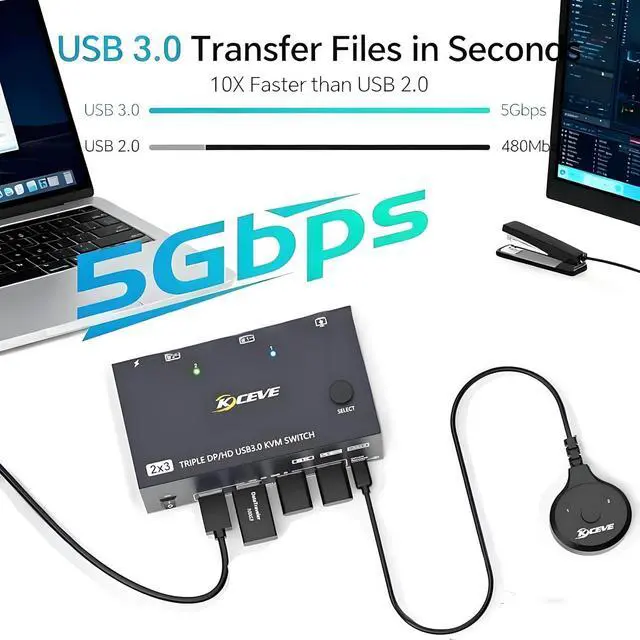
    • with 4 USB 3.0 Ports: kvm switch features 4 USB 3.0 ports for connecting keyboards, mice, USB drives, printers, and other USB devices. Data transfer speeds reach up to 5Gbps, reducing wait times and boosting productivity.Also compatible with USB 2.0 devices.
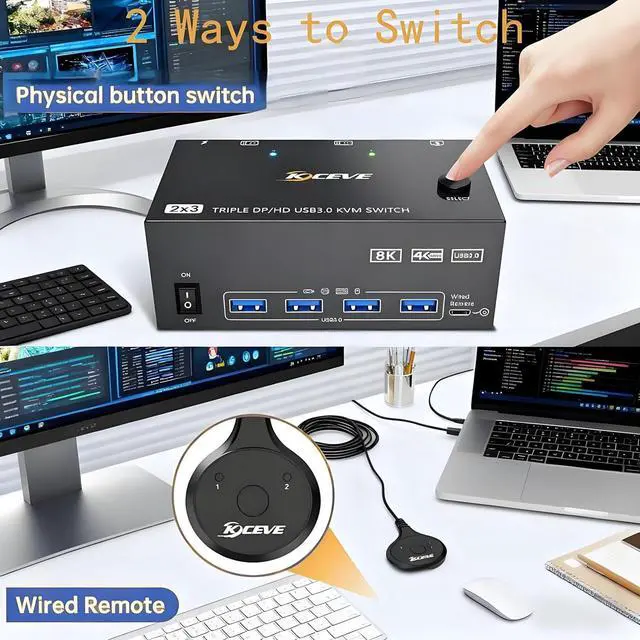
    • Great compatibility & 2 switching modes: Widely compatible with Windows/Vista/XP/Mac OS/Linux and Unix etc.The 12V power adapter provides a stronger drive for the monitor switch to ensure stable operation. You can press the button on the panel or use the wired remote controller to switch the computers.
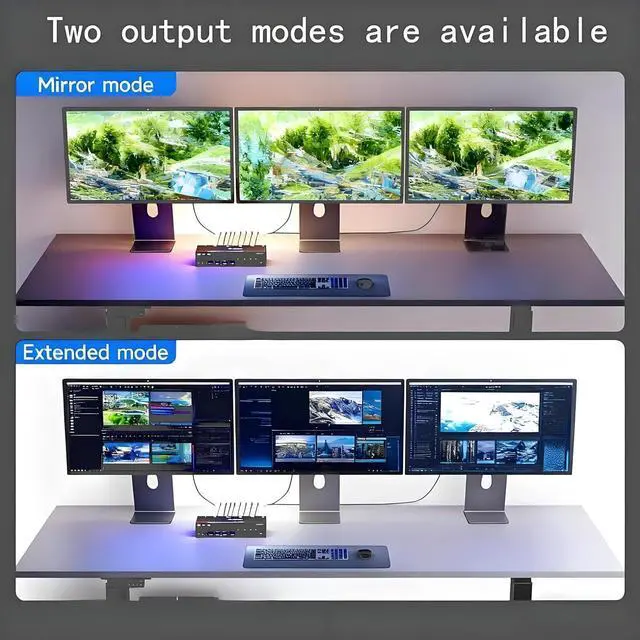
    • Extended mode and Mirrored mode: Support Extended mode and Mirrored mode.
    +
    +
    Overview
    Specs
    Reviews
    avatar

    Any questions? Our AI beta will help you find out quickly.

    8K KVM Switch 3 Monitors 2 Computers 8K@60Hz 4K@144Hz, 3 Monitors KVM Switch


    • 3 monitors kvm switch for 2 computers share 3 screen
    • kvm switch triple monitor allows you to easily manage 2 computers to share 3 monitors,3 USB 3.0 devices. Only one set of keyboard and mouse is needed to control two computers and Three monitors,greatly improving work efficiency.With just one click of a button,you can easily switch between computers and enjoy seamless control
    3 monitors kvm switch for 2 computers share 3 screen kvm switch triple monitor allows you to easily
    Multiple Screen Display Modes


    Displayport HDMI KVM Switch triple monitor supports Extend and Mirror modes. 


    • Mirror mode: Output three identical screens,suitable for presenting PPTs,etc.


    • Extend mode: Output three different screens to achieve efficient multitasking. Note:The computer supports multi monitor output function
    Multiple Screen Display Modes


    • kvm switch 2 computers 3 monitors support 8K@60Hz,4K@144Hz The resolution can output impressive high-quality UHD videos,bringing exquisite and realistic visual experience.It is also backward compatible with 2K144Hz,2K60Hz 1080P,etc. 


    • Note: The output can only reach 8K when both the computer and monitor support 8K and use an 8K cables. It is recommended to use an 8K cable with a length not exceeding 1.5 meters
    kvm switch 2 computers 3 monitors support 8K@60Hz,4K@144Hz The resolution can output impressive high
    kvm switch 2 computers 3 monitors support 8K@60Hz,4K@144Hz The resolution can output impressive high
    Product Connection Steps


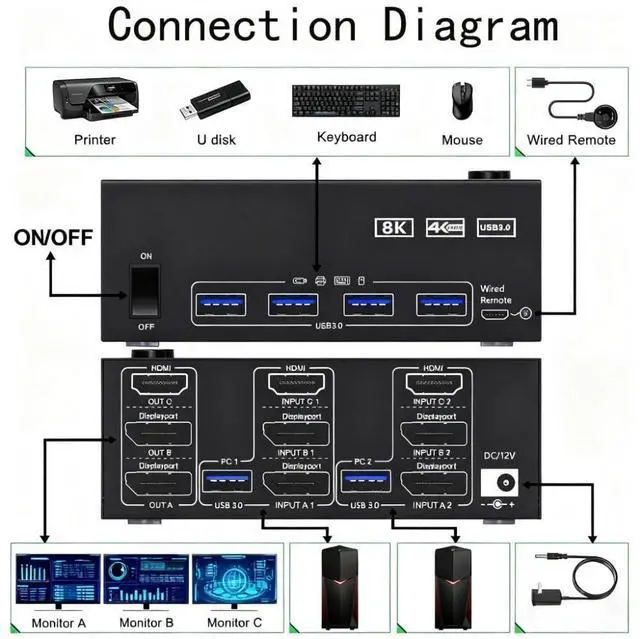
    • 1. Ensure that your computer has 1 HDMI port, 2 DP ports, and 1 USB-A port.PC1/PC2 requires 1*HDMI +2*DP +1*USB cable to connect to the 3 display kvm switches
    • 2. Make sure that one monitor has 1 HDMl port and the other 2 monitors each have 1 Displayport port. OUT A displays the video from INPUT A,OUT B displays the video from INPUT B and OUT C displays the videofrom INPUT C.
    • 3. Insert the included power adapter to ensure stability
    • 4. Connect your USB device (keyboard and mouse) to the USB 3.0 port on the triple monitor kvm. You can connect up to 4 USB 3.0 devices at the same time.Compatible with USB 2.0/1.1 devices.
    Product Connection Steps
    Product Connection Steps
    Product Connection Steps
    1. 3 monitors kvm switch for 2 computers share 3 screen
    2. kvm switch triple monitor allows you to easily manage 2 computers to share 3 monitors,3 USB 3.0 devices. Only one set of keyboard and mouse is needed to control two computers and Three monitors,greatly improving work efficiency.With just one click of a button,you can easily switch between computers and enjoy seamless control


    1. kvm switch 2 computers 3 monitors support 8K@60Hz,4K@144Hz The resolution can output impressive high-quality UHD videos,bringing exquisite and realistic visual experience.It is also backward compatible with 2K144Hz,2K60Hz 1080P,etc. Note: he output can only reach 8K when both the computer and monitor support 8K and use an 8K cables. It is recommended to use an 8K cable with a length not exceeding 1.5 meters


    1. Product Connection Steps
    2. 1.Ensure that your computer has 1 HDMI port, 2 DP ports, and 1 USB-A port.PC1/PC2 requires 1*HDMI +2*DP +1*USB cable to connect to the 3 display kvm switches
    3. 2.Make sure that one monitor has 1 HDMl port and the other 2 monitors each have 1 Displayport port. OUT A displays the video from INPUT A,OUT B displays the video from INPUT B and OUT C displays the videofrom INPUT C.
    4. 3.Insert the included power adapter to ensure stability
    5. 4.Connect your USB device (keyboard and mouse) to the USB 3.0 port on the triple monitor kvm. You can connect up to 4 USB 3.0 devices at the same time.Compatible with USB 2.0/1.1 devices.


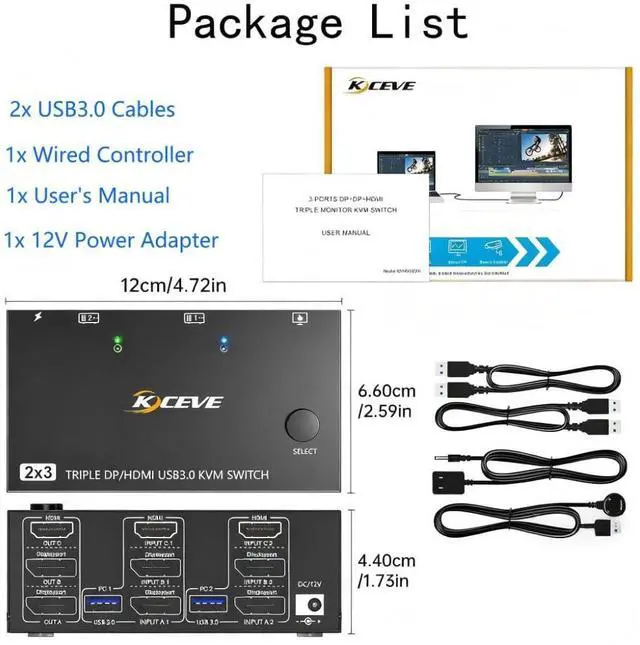
    Package included:

    1x Triple monitor KVM,2x USB 3.0 Cable,1x Wired remote,1x Power Adapter,1x User's manual.

    Warranty & Returns

    Warranty, Returns, And Additional Information

    Warranty

    • Please contact the Seller directly for warranty information. Warranty information may also be found on the Manufacturer's website.
    • CONTACT

    Return Policies

    Manufacturer Contact Info

    LOADING...