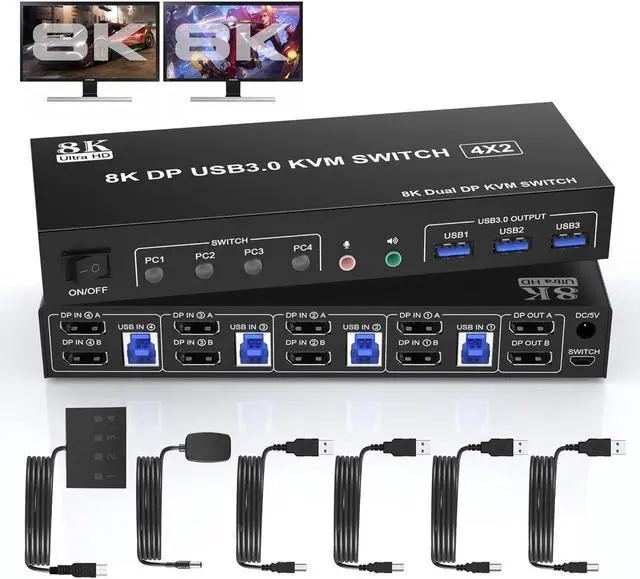
8K DP1.4 KVM Switch (DP + DP + DP + DP)-4 computers share 2 monitors and 3 USB 3.0 devices.
This 8K DisplayPort KVM Switch 4-Port, you can easily control 4 signal sources at the same time, share the same keyboard and mouse, and share 2 monitors.
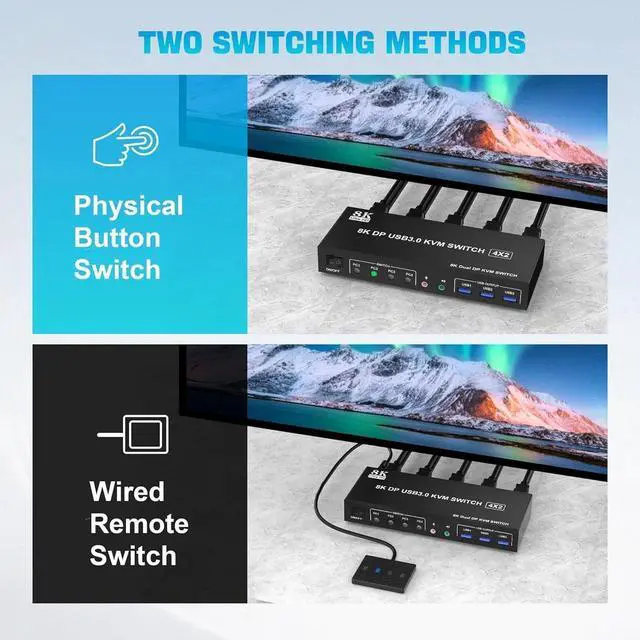
You can toggle and control any input device at any time with a button switch.
Advantages:
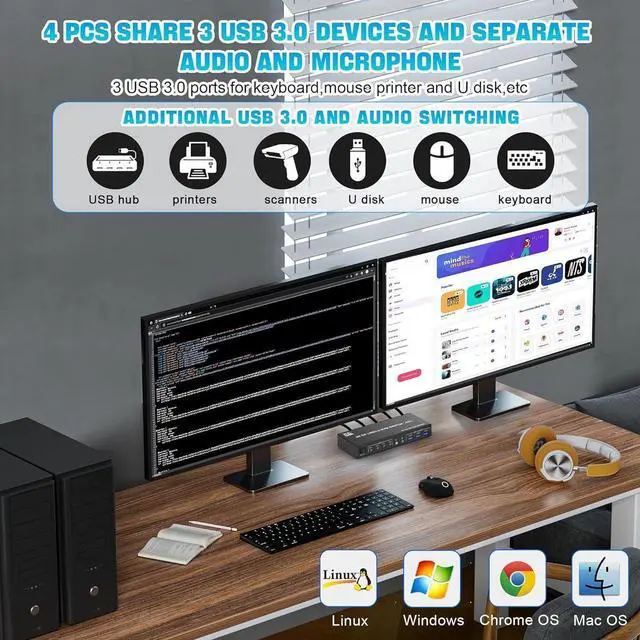
- 4 computers/laptops share 3 USB 3.0 devices and 2 monitors, and with extra Audio Microphone output;
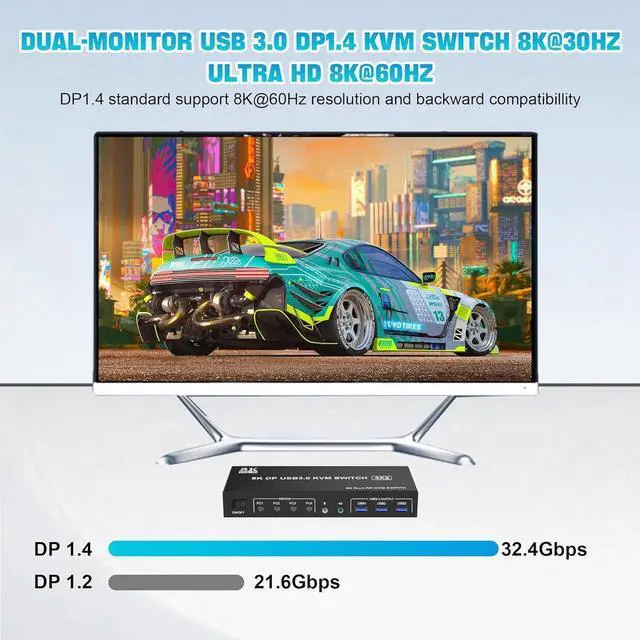
- Supoort DP 1.4 and downward compatible.Dual monitors output support up to 8K@60Hz for extended,mirrored or spliced display (Depends on your computer's graphics card.);
- Switching mode: push-button switch and wired remote control;
- Support for most major operating systems, including Windows, Linux, and Mac;
- The ports that need to plug in DP/USB cables are all hidden behind the KVM, so the desktop doesn't get cluttered;
- No complicated installation is required, and non-professionals can easily operate it.
8K/4K HD Resolution
- This 4 port kvm switch dual monitor supporting high resolution max up to 8K@60Hz, and also supports 4K@60Hz or other lower resolution (Downward Compatible).
Note:
- Only when both your computer Graphics card, monitor and DP cable support 8K@60Hz then you can get 8K@60Hz effect, so if you want the max resolution you have to check your devices first.
Connection steps:
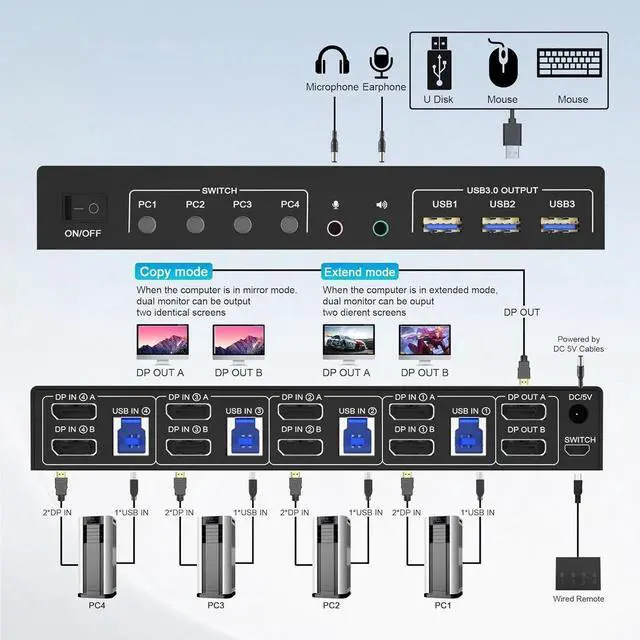
- 1. Insert the DC/5V adapter into the KVM ;
- 2. Plug the DP cable into the KVM and monitor;(Output)
- 3. Plug the DP cable and USB cable into the KVM and your computer/laptop (DP cables are not included)(Input)
- DP IN1 A + DP IN1 B + USB IN1=PC1
- DP IN2 A + DPIN2 B + USB IN2=PC2
- DP IN3 A + DPIN3 B + USB IN2=PC3
- DP IN4 A + DPIN4 B + USB IN2=PC4
- 4. Insert the mouse and keyboard into the KVM switch
- 5. If needed, you can connect a microphone and audio port
Note:
- 1. Most of the reasons why only one video output works is because of incorrect connection. Please make sure each PC has(2 DP cables+1 USB cable) connect to the KVM.
- 2. If the KVM switch does not work, you can turn off the switch on the panel and turn it on again after 2-3 seconds, and it will return to normal.
- 3.Before purchasing this DP dual monitor KVM switch, please make sure that connecting your computer directly to the monitor can work normally,Otherwise, the KVM will not be available.
- 4. Note: DP cables are not included
Supports separate audio and microphone output
- KVM Switch comes with a 3.5mm Audio Jack port with a DAC chip inside, which can be inserted into a 3-segment 3.5mm earpiece device, and a 3.5mm microphone interface, which can be inserted into a 3-segment microphone.
Switch by Panel button/desktop controller
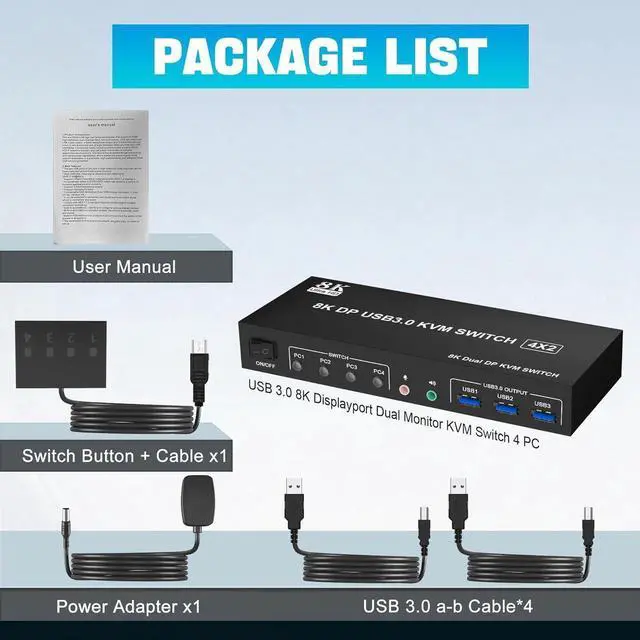
- Quickly switch between the 4 computers with just one click of the switch button on the panel or use the wired remote controller (included in the package).
- Please note: This KVM does not support hotkey switching.
LED Indicator
- When switching to which PC, the LED will tell you whether PC1 or PC2 or PC3 or PC4 is active.
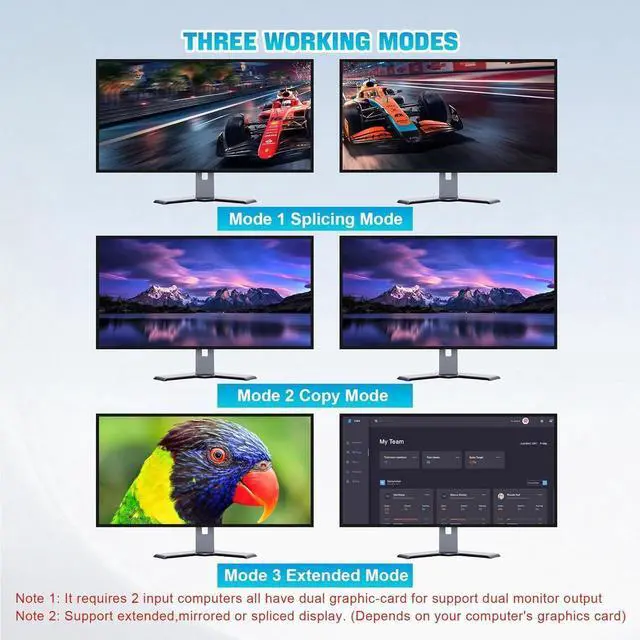
3 Display Modes
- Extended Display
- Mirrored Display
- Spliced Display
If you are a designer or illustrator, you can use this mode to see the effect while working.
- 1)Extended mode can output two different screens and mirror mode can output two identical screens. Note: If your graphics card has a splicing screen function, you can use the splicing screen mode.
- 2) The requirement for this KVM to achieve a dual-screen display is that each PC you connect to has the capability to support a dual or multi-screen display. This has nothing to do with KVM.
[4 Port Displayport Switch] This 4 IN 2 OUT DP KVM Switch is for you to control them using one set of keyboard, mouse and single or dual monitors to make your work space tidy and efficient, also a premium choice for working from home. Only when your computer supports dual display or multi display, you can use this KVM to achieve 4 PC to share 2 monitors.
[Ultra HD 8K@60Hz] DP 1.4 KVM Switch supports max resolution of 8K@60Hz and downward compatible DP 1.2.
[with 3 USB 3.0 Ports] with 3 USB 3.0 ports which can recognize keyboard, mouse, printer, scaner and other USB devices. USB 3.0 offers data transfer speeds of up to 5Gbps, while USB 2.0 offers data transfer speeds of only 480Mbps.
[2 Switching Mode & LED Indicator] 1. Toggle selection on front panel; 2. Wired remote switch. Compatible with a variety of computer systems, such as Windows, Linux, Mac, Unix, Ubuntu, Raspberry and most other major OS; also supports DP devices without USB signal input like DVR, NVR etc. LED indicate.





 here!
here!