

Your Browsing History
- Free 30-day Returns
$289.89
Ships from China.


Meet Your Seller

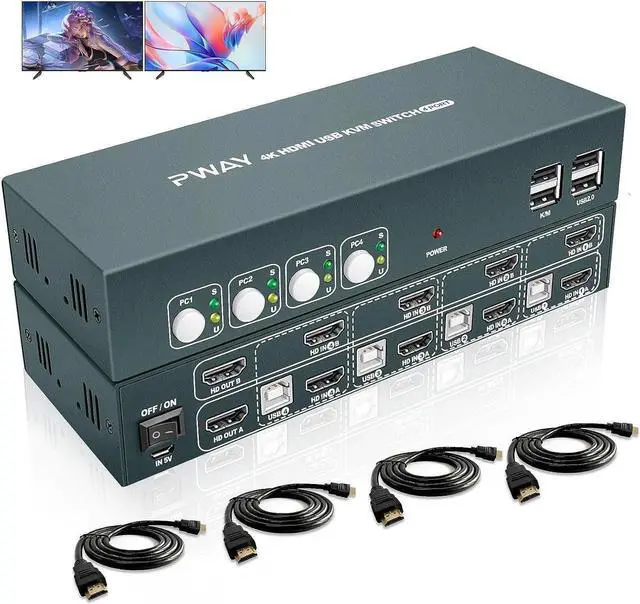


Dual Monitor HDMI KVM Switch for 4 Computer,Extended Display 4 Port,4 Computers Share 2 Monitors, USB 2.0 Hub with Hotkey Switch, UHD 4K@30Hz Downward Compatible, No Adapter Required
Limited time offer, ends 10/17 By YuXuan Technology
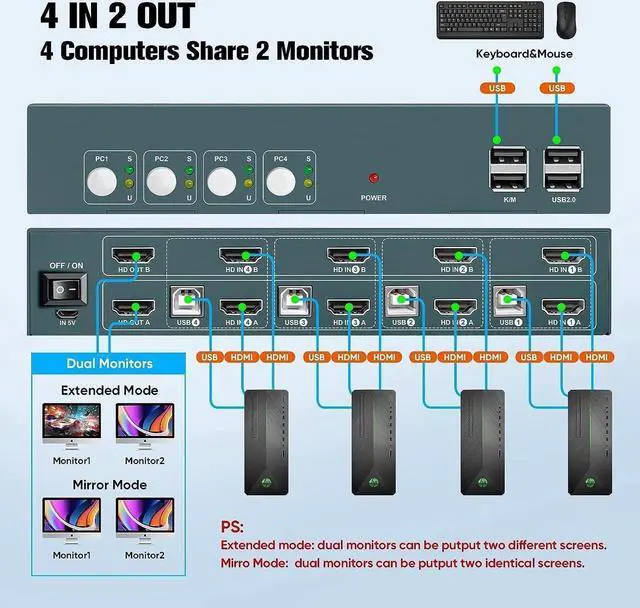
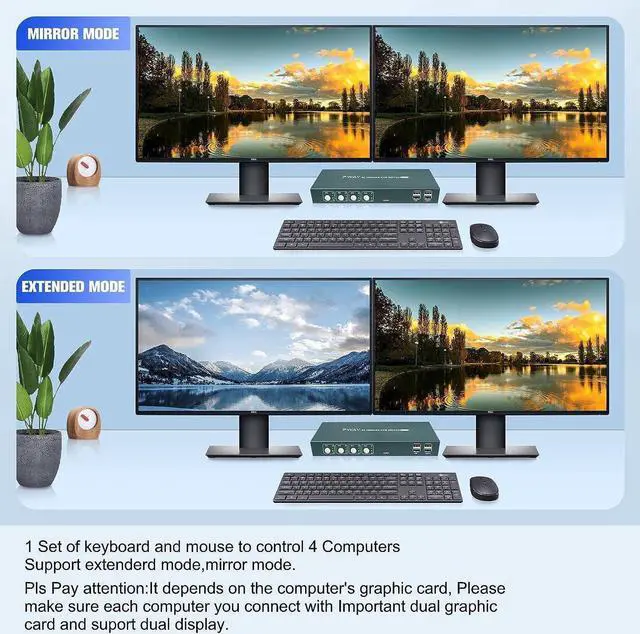
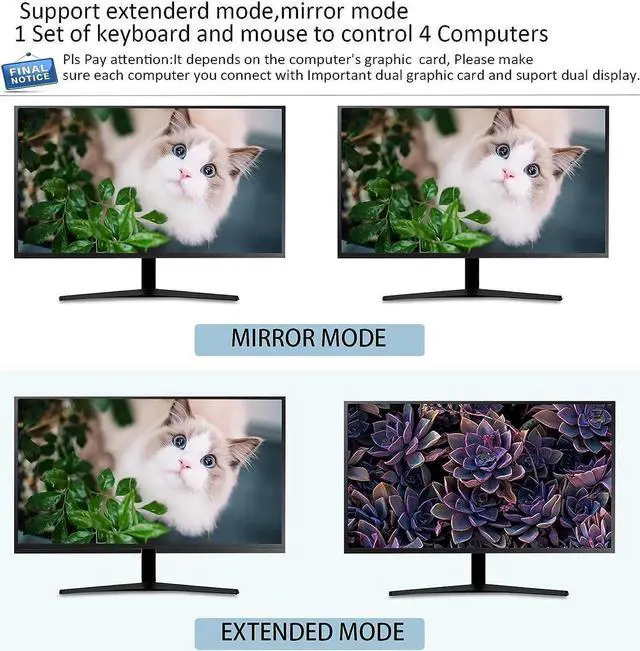
- 4 Computers Sharing Dual MonitorsThis 4 In 2 Out HDMI KVM can help you control 4 computers to share 2 monitors (extended display mode or duplicate display mode), and you can clearly see the working status by the indicator light, provided that your computer or laptop supports multiple or dual monitors.
- Extra Micro USB(5V 2A) Power Supply Port Design Support High Power Devices To Run With More Stable PerformanceNormally, there is no need to connect extra power adapter. However, if you connect a mechanical keyboard, mouse, or other high power device , you may need to use an power adapter for stable performance. Our KVM switch with a Micro USB (5V 2A) power port that supports 5V power input to power high power USB devices. (Product does not include a power adapter)
- Strong compatibility, No driver]our switcher is compatible with HDMI 1.4 and HDCP1.2 , supports USB2.0 protocol,Windows 10/8/8.
+
+
Overview
Specs
Reviews

Any questions? Our AI mode will help you find out quickly.
Try me now
4 Computers Sharing Dual MonitorsThis 4 In 2 Out HDMI KVM can help you control 4 computers to share 2 monitors (extended display mode or duplicate display mode), and you can clearly see the working status by the indicator light, provided that your computer or laptop supports multiple or dual monitors.
Extra Micro USB (5V 2A) Power Supply Port Design Support High Power Devices To Run With More Stable PerformanceNormally, there is no need to connect extra power adapter. However, if you connect a mechanical keyboard, mouse, or other high power device, you may need to use an power adapter for stable performance. Our KVM switch with a Micro USB (5V 2A) power port that supports 5V power input to power high power USB devices. (Product does not include a power adapter)
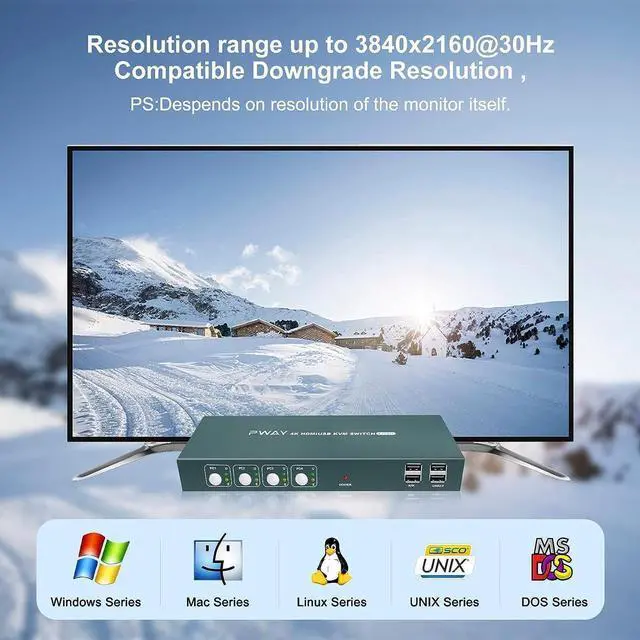
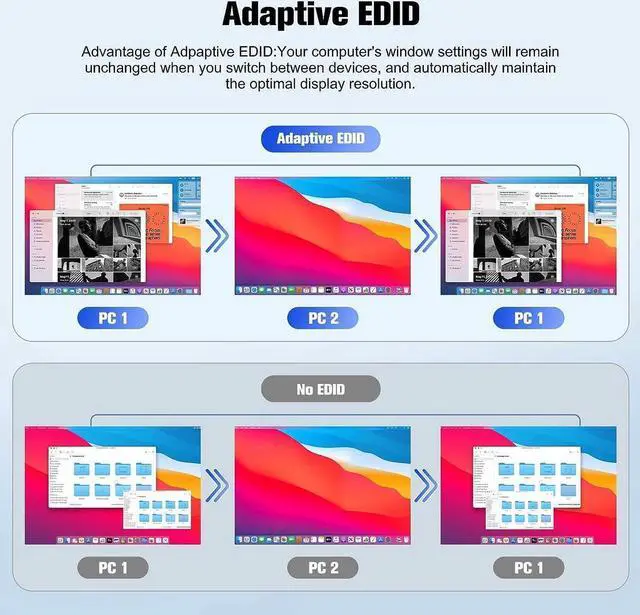
Strong compatibility, No driver]our switcher is compatible with HDMI 1.4 and HDCP 1.2, supports USB 2.0 protocol, Windows 10/8/ 8.1 /7/Vista/XP and Mac OS, Linux and automatically adapts to EDID, which can adapt to a variety of complex environments, You can use after install, no extra drive need.
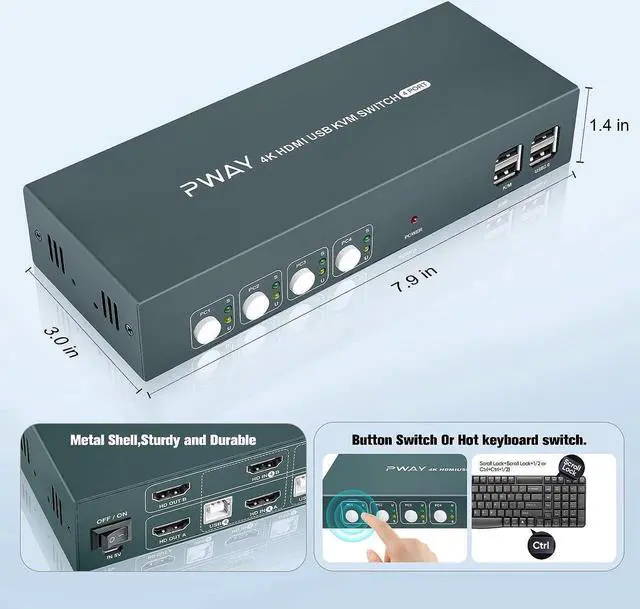
2 Switching MethodsThis monitors switch for 4 computers not only support button switch ( Use the keys on the KVM panel to select the signal source to be switched), but also support hotkey switch(Scroll Lock+Scroll Lock+1/2/3/4 or Ctrl+Ctrl+1/2/3/4).
Note: it is normally that wait 3 - 4 second when switching during the product switching process, because the signal source needs to re-identify the display information and re-output the image signal.
Ultra 4K@30Hz The HD video signal resolution can reach up to 3840*2160@30Hz and is backward compatible, giving you a smoother, clearer visual enjoyment.
Note: You can get the 4K@60Hz effect only when all your devices support 4K@30Hz, so if you want the maximum resolution, you must check your device first.
2 USB 2.0 This HDMI dual monitor KVM has 2 K/M 1.1 ports and 2 USB 2.0 ports, which can share USB devices, such as scanners, USB printers, U disks, etc., and can automatically identify and match various display devices, making your work more convenient. Please note that the keyboard and mouse should oonnect the K/M USB port, or the keyboard and mouse will not work.
What You Will Get1X HDMI KVM4*1Switcher host+4x USB cable+ 8xHDMI cable+1x Micro usb cable, with User manual.
Extra Micro USB (5V 2A) Power Supply Port Design Support High Power Devices To Run With More Stable PerformanceNormally, there is no need to connect extra power adapter. However, if you connect a mechanical keyboard, mouse, or other high power device, you may need to use an power adapter for stable performance. Our KVM switch with a Micro USB (5V 2A) power port that supports 5V power input to power high power USB devices. (Product does not include a power adapter)
Strong compatibility, No driver]our switcher is compatible with HDMI 1.4 and HDCP 1.2, supports USB 2.0 protocol, Windows 10/8/ 8.1 /7/Vista/XP and Mac OS, Linux and automatically adapts to EDID, which can adapt to a variety of complex environments, You can use after install, no extra drive need.
2 Switching MethodsThis monitors switch for 4 computers not only support button switch ( Use the keys on the KVM panel to select the signal source to be switched), but also support hotkey switch(Scroll Lock+Scroll Lock+1/2/3/4 or Ctrl+Ctrl+1/2/3/4).
Note: it is normally that wait 3 - 4 second when switching during the product switching process, because the signal source needs to re-identify the display information and re-output the image signal.
Ultra 4K@30Hz The HD video signal resolution can reach up to 3840*2160@30Hz and is backward compatible, giving you a smoother, clearer visual enjoyment.
Note: You can get the 4K@60Hz effect only when all your devices support 4K@30Hz, so if you want the maximum resolution, you must check your device first.
2 USB 2.0 This HDMI dual monitor KVM has 2 K/M 1.1 ports and 2 USB 2.0 ports, which can share USB devices, such as scanners, USB printers, U disks, etc., and can automatically identify and match various display devices, making your work more convenient. Please note that the keyboard and mouse should oonnect the K/M USB port, or the keyboard and mouse will not work.
What You Will Get1X HDMI KVM4*1Switcher host+4x USB cable+ 8xHDMI cable+1x Micro usb cable, with User manual.
Warranty & Returns
Warranty, Returns, And Additional Information
Warranty
- Please contact the Seller directly for warranty information. Warranty information may also be found on the Manufacturer's website.
- CONTACT
Return Policies
- Return for refund within: 30 days
- Return for replacement within: 30 days
- This item is covered by YuXuan Technology Return Policy
Manufacturer Contact Info
- For a directory of all our manufacturers, please click below.
- Manufacturers Directory
LOADING...