AV Access Docking Station KVM Switch 1 Laptop & 2 Desktop PCs, Dual 4K@60Hz Monitors, EDID Emulation, 100W USB-C Charging, Gigabit Ethernet,High Refresh Rates,Ideal for Gaming, Office & Creative Work
  •  
  • $219.99 
  • $299.89
  • Free 30-day Returns
  • Ships from China.
    Price alert
    Shop it at NeweggBusiness.

    Meet Your Seller

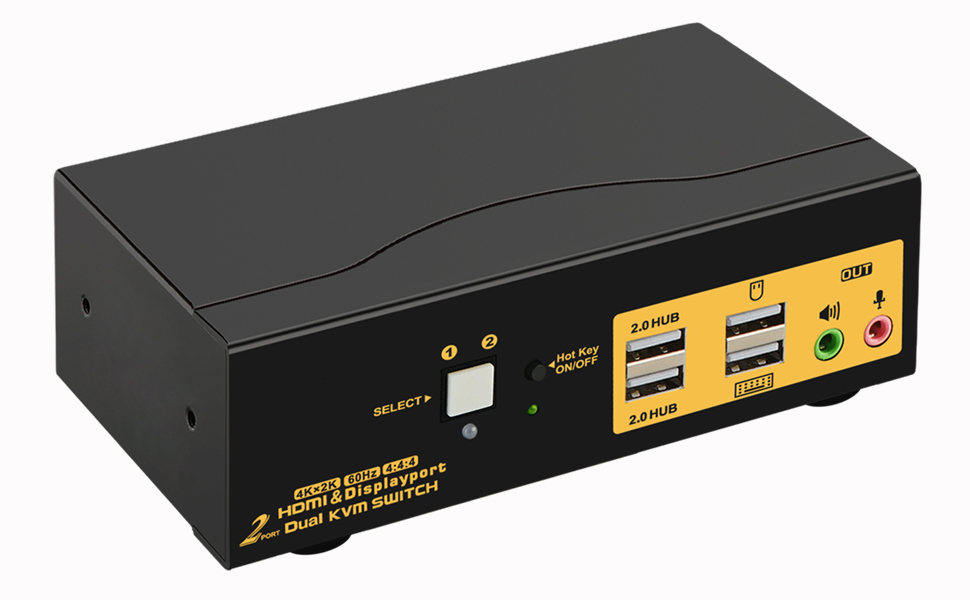
    4Kx2K @60Hz 2 Port HDMI + Displayport Dual Monitor KVM Switch with Audio, HDMI DP KVM Switch with USB 2.0 Hub and Cables Support HDMI 2.0, HDCP 2.2, HDR 10

    Limited time offer, ends 01/24 By YuXuan Technology

    • 2 Port KVM Switch Dual Monitor HDMI + DisplayPort: Controls 2 computers or laptops with Dual HDMI and DisplayPort (DP) graphic outputs to share 1 set of keyboard, mouse and 2 monitors for extended or mirrored display.
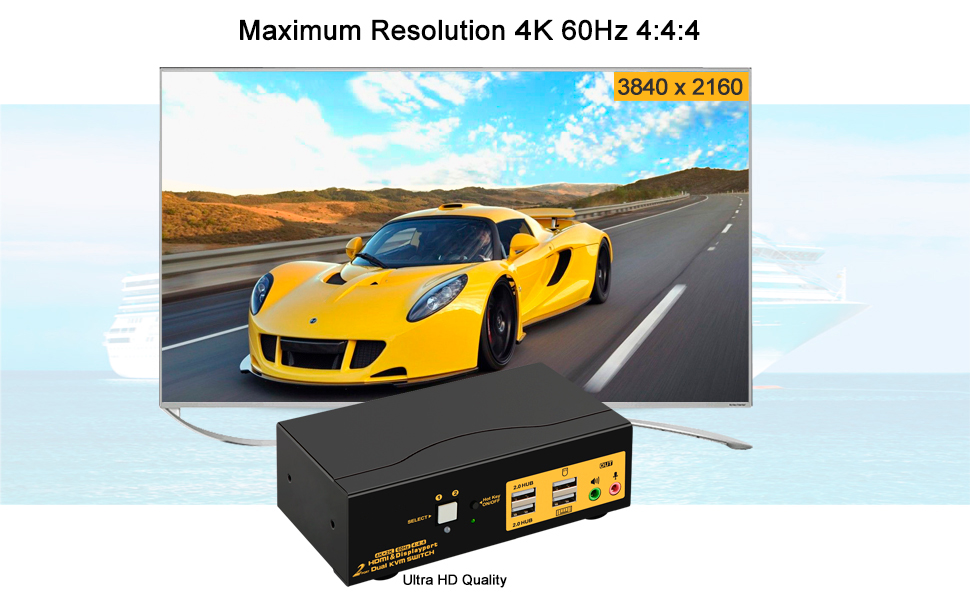
    • Dual Monitor KVM Support HDMI2.0 and DP1.2 Protocol: Supports high resolution up to 3840*2160@60Hz and downwards, with built-in auto EDID
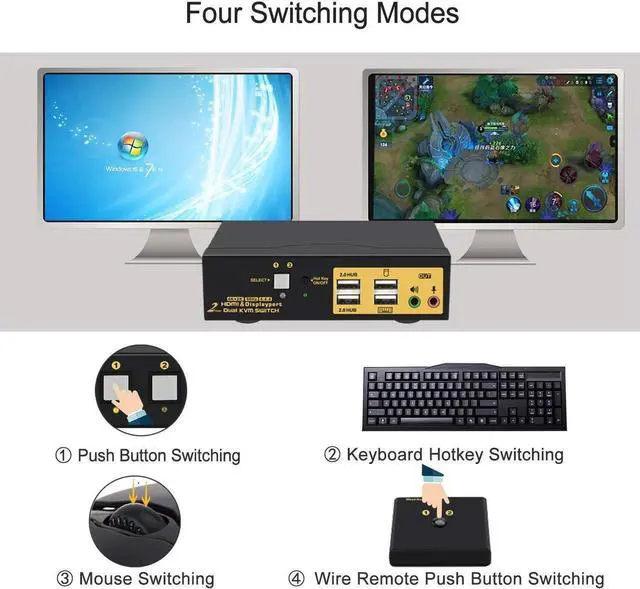
    • KVM Switch with Multiple Switching Methods: Easily switch between home desktop, work laptop or gaming machines via front button, keyboard hotkey, mouse clicks, wired remote and auto scan to meet various needs.
    • USB KVM Compatible with Most OS and USB devices: Cross support major operation systems like Windows, Linux, Mac and More; with 2 Extra USB 2.0 HUB ports to share more USB devices between computers
    • High-end Metal Housing with All cables Needed: Solid built with protective metal housing to ensure steadiness on desk; comes with all cables needed except cable for monitors
    +
    +
    Overview
    Specs
    Reviews
    avatar

    Any questions? Our AI beta will help you find out quickly.

    1

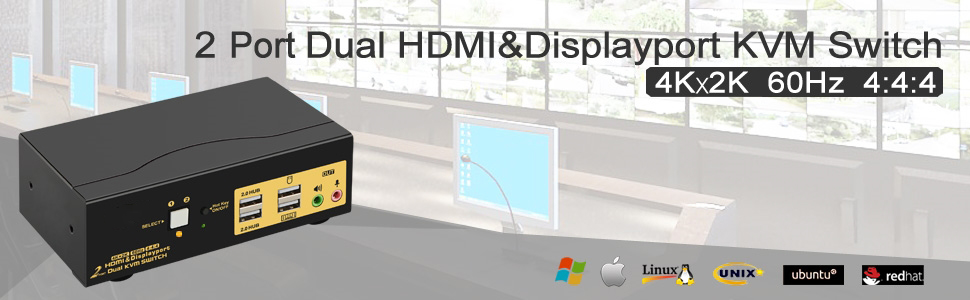
    2 Ports HDMI USB KVM Switch HDMI USB Switch Display Port KVM Switch HDMI and USB Switch KVM with HDMI Displayport Switch DP KVM


    How Can This Help You?


    If you need to manage up to 2 computers or laptops with dual HDMI + DP graphic Outputs for home, work and gaming purposes, this is a premium choice for you to hook them up and share 1 set of keyboard, mouse and 2 monitors output for extended or mirrored display.

    More Benefits:

    1. Reduce plugging and unplugging cables and get rid of mass of cables and devices to build a tidy and efficient worksapce

    2. View lager screens with high resolution up to 3840x2160@60Hz with HDMI 2.0 & DP 1.2 protocol.

    3. Compatible with most wired or wireless keyboard and mouse with unique USB passthough technology

    4. Support multiple switching methods via push button, mouse clicks, keyboard hotkeys, wired remote, and auto scan.

    5. With 2 Extra USB 2.0 HUB ports for sharing various USB peripherals like printer, scanner, webcam, headset, jump drives etc.

    6. Support seperate audio and microphone outputs

    7. Heavy weight metal housing to ensure steadiness on desk for protecting your properties.
    2
    3

    How to Get Dual Monitor Display


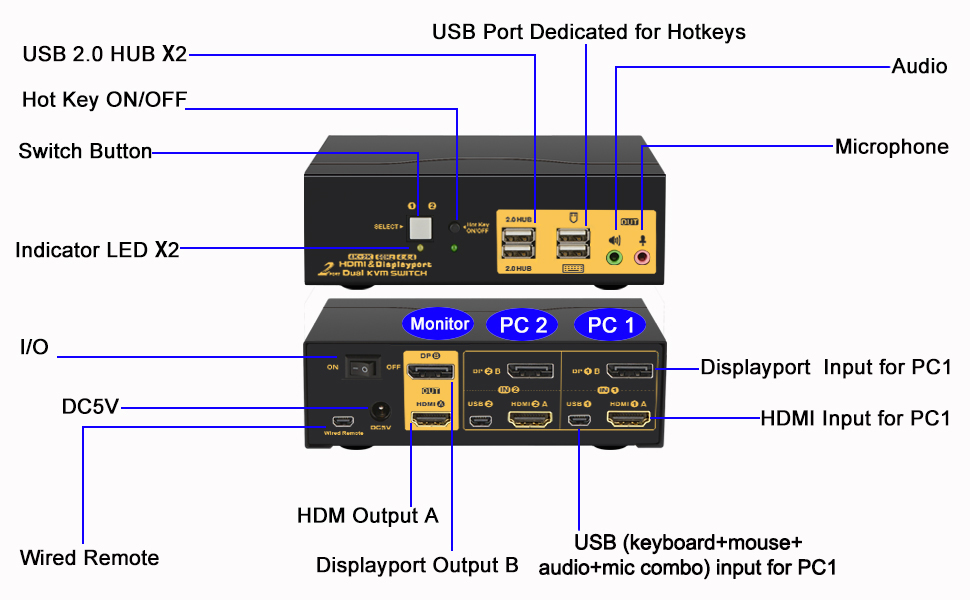
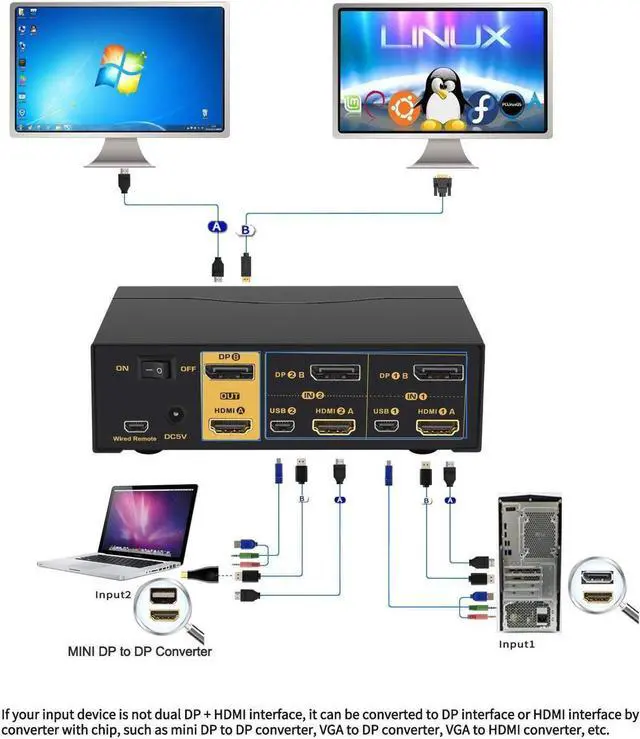
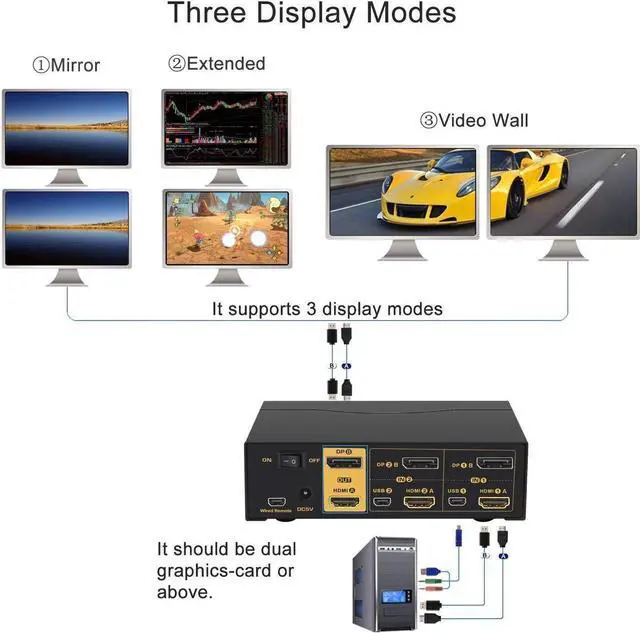
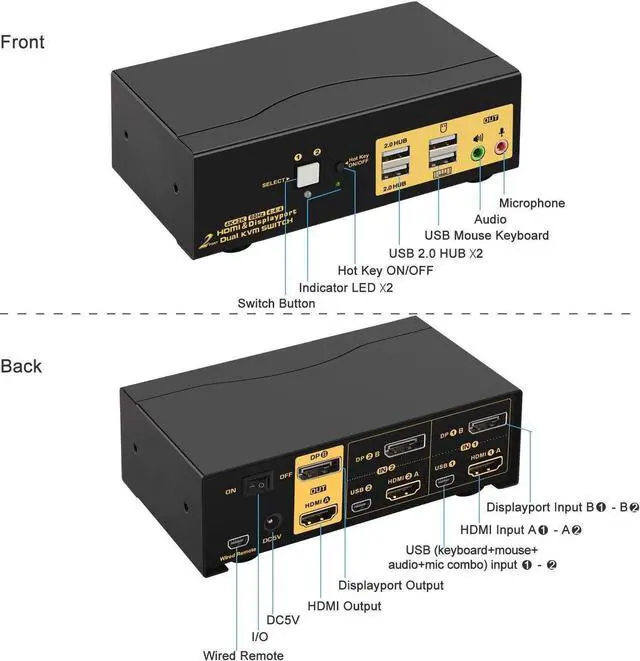
    This Dual Monitor KVM Switch allows you to hook single or dual monitors. To get dual monitor display, each computer requires 2 video connections to correspondent IN A and IN B ports. IN A ports connection are for HDMI Out A display, IN B ports connection are for DP Out B display.

    Warm Reminder:

    1. Reliable adapter or docking station will be needed for non-HDMI or non-DP graphic output, such as VGA, DVI and USB C. please be aware of adapters needed for your setup before order.

    2. Resolution is subject to adapter being used.

    3. Make sure your computers supports dual display, by connecting 2 monitors directly to your computers.

    4

    How to Get Keyboard and Mouse Work


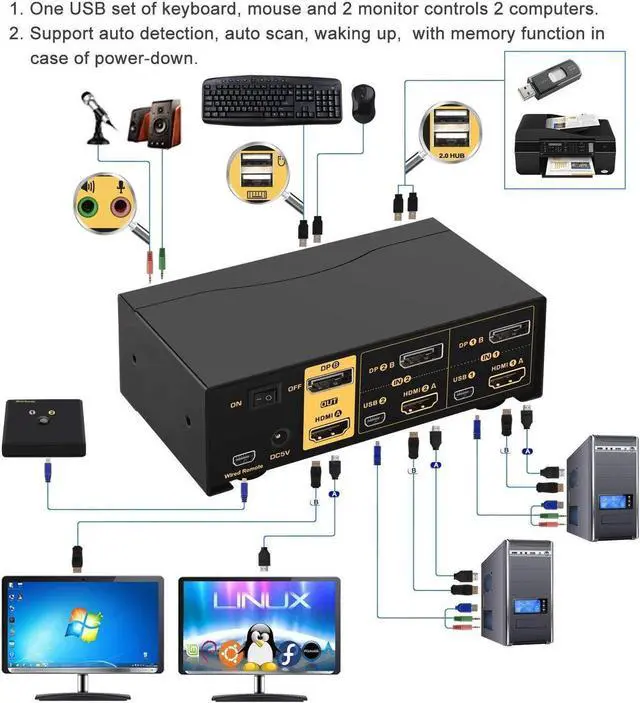
    The Package includes 2 set of USB+audio combo cables. Please connect each computer using one of the cables to the kvm switch.

    The end with USB and audio jacks goes to computer. Please use USB 2.0 port for connecting the USB. USB 3.0 Port would not work.

    The other end with only mini USB goes to correspondent mini USB port on the kvm switch.

    There are 4 USB ports on front panel , 2 are standard USB 2.0 ports which do not support hotkeys. Other 2 USB ports marked with keyboard and mouse icon are dedicated for hotkeys. If you turned off the hotkeys, all 4 USB ports will be identical as USB 2.0 HUB ports.


    Enjoy High Resolution with HDMI 2.0 & DP 1.2 Protocol
    5

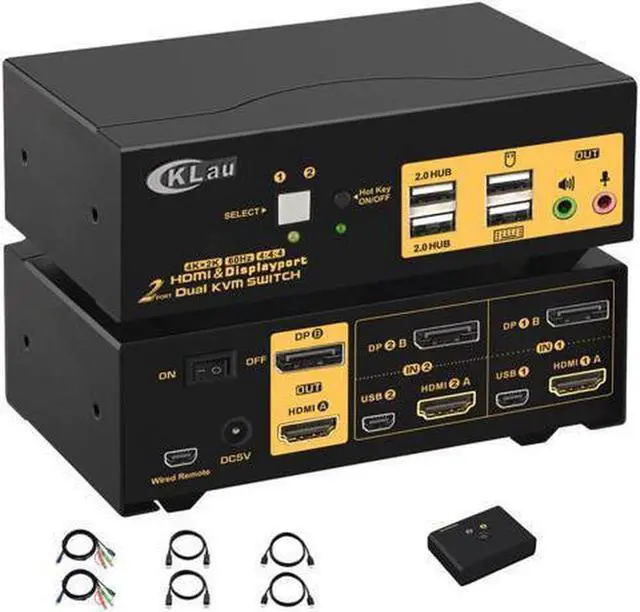
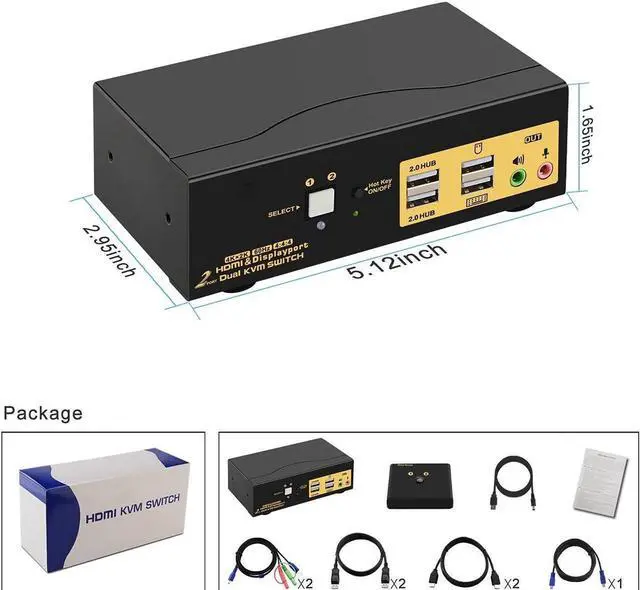
    Package included:


    1 x 2 Port KVM switch

    1 x DC5V 2A power dapter

    2 x KVM Cables

    2 x HDMI cables

    2 x dispalyport cables

    1 x wire remote push button with cable

    1 x User manual

    5

    3 Display Modes

    1. Extended

    2. Mirrored

    3. Spliced

    8

    5 Switching Modes

    1. Push Button

    2. Mouse Clicks

    3. Keyboard hotkeys

    4, Wired Remote

    5. Auto Scan (defaut as inactive)

    9

    Multi Platform Supports

    Cross support most major operation systems including Windows, Linux, Mac and more

    2 Port KVM Switch Dual Monitor HDMI +
    DisplayPort: Controls 2 computers or laptops with Dual HDMI and DisplayPort (DP) graphic outputs to share 1 set of keyboard, mouse and 2 monitors for extended or mirrored display.
    Dual Monitor KVM Support HDMI 2.0 and DP 1.2
    Protocol: Supports high resolution up to 3840*2160@60Hz and downwards, with built-in auto EDID
    KVM Switch with Multiple Switching Methods: Easily switch between home desktop, work laptop or gaming machines via front button, keyboard hotkey, mouse clicks, wired remote and auto scan to meet various needs.
    USB KVM Compatible with Most OS and USB devices: Cross support major operation systems like Windows, Linux, Mac and More; with 2 Extra USB 2.0 HUB ports to share more USB devices between computers
    High-end Metal Housing with All cables Needed: Solid built with protective metal housing to ensure steadiness on desk; comes with all cables needed except cable for monitors

    Warranty & Returns

    Warranty, Returns, And Additional Information

    Warranty

    • Please contact the Seller directly for warranty information. Warranty information may also be found on the Manufacturer's website.
    • CONTACT

    Return Policies

    Manufacturer Contact Info

    LOADING...