shipping Holiday Shipping Details & Extended Holiday Returns
AV Access KVM Switch Docking Station for 2 Monitors 2 Computers, 4K KVM Switch Dual Monitor for Laptop & Desktop, EDID, 1G Ethernet, 100W USB-C Charging, 3X USB 3.0, for Home Office & Gaming(KD-E10)
  •  
  • $169.99 
  • $199.89
  • Free 30-day Returns
  • Ships from China.
    Price alert
    Shop it at NeweggBusiness.

    Meet Your Seller

    4K@60Hz 2 Port USB C KVM Switch with Audio, Dual Port USB-C KVM Switcher for 2 Computers/Mac/Mobile Sharing 1 Monitor, Keyboard and Mouse Support Most Operate System

    Limited time offer, ends 12/25 By YuXuan Technology

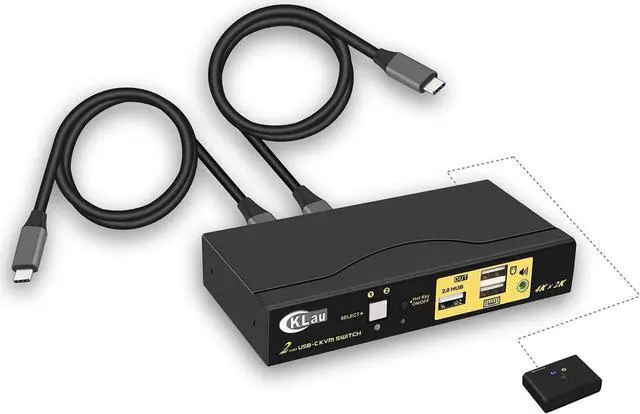
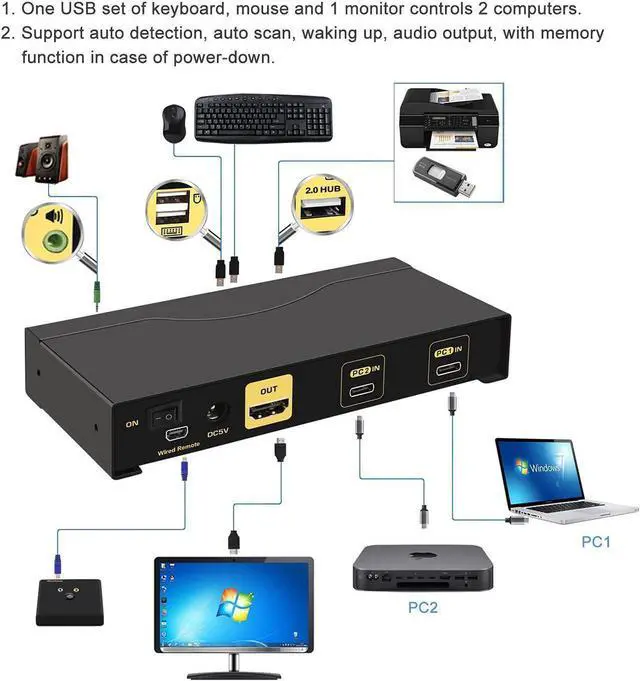
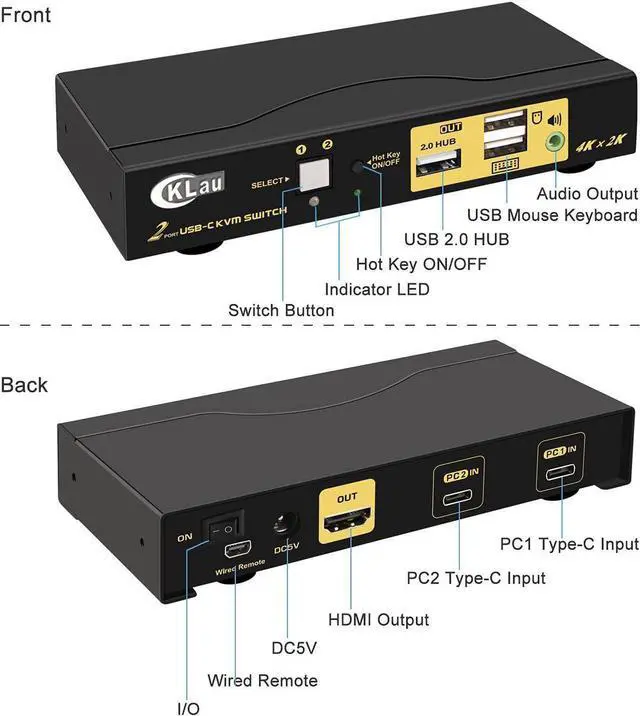
    • 1. USB C Switch: 2 USB-C input, 1 HDMI output. 2 computers / PCs / Mac / laptops / mobile phones sharing one set of USB keyboard, mouse, 1 monitor and USB 2.0 peripheral. With 3.5mm stereo audio output.
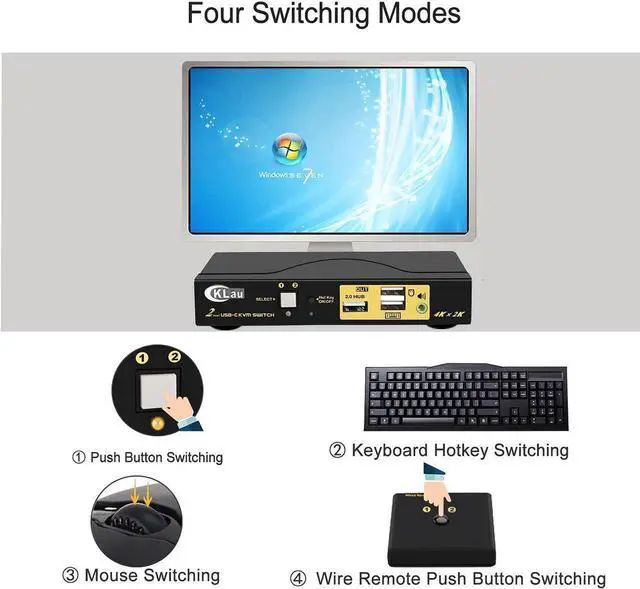
    • 2. USB C Switcher 2 Computers: Four switching way optional: Hotkey switching(Num Lock + Num Lock + 1 / 2 + Enter, or Ctrl + Ctrl + 1 / 2 + Enter, or Scroll Lock+ Scroll Lock+1 / 2 + Enter), mouse switching (click mouse wheel 2 times), manual button switching, wired remote push button switching.
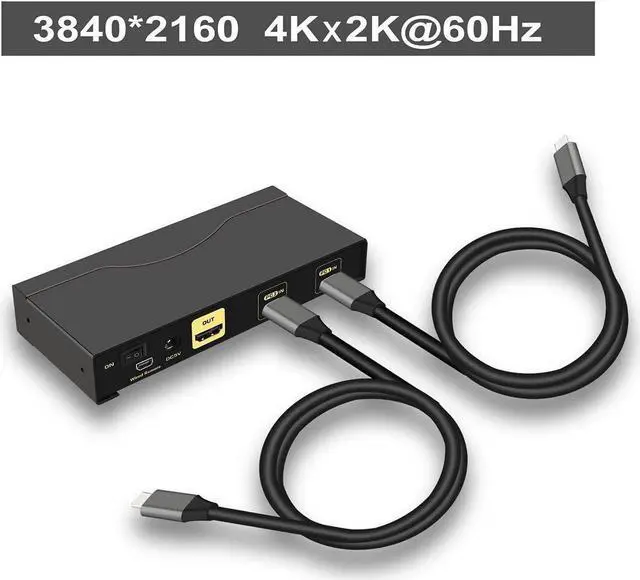
    • 3. USB C Switch 2 Computers: HDMI output resolution up to 4K x 2K @60Hz 4:4:4. Compatible 3840x2160@60Hz, 1080P and lower resolution. Support wireless/wired keyboard and mouse and Apple keyboard.
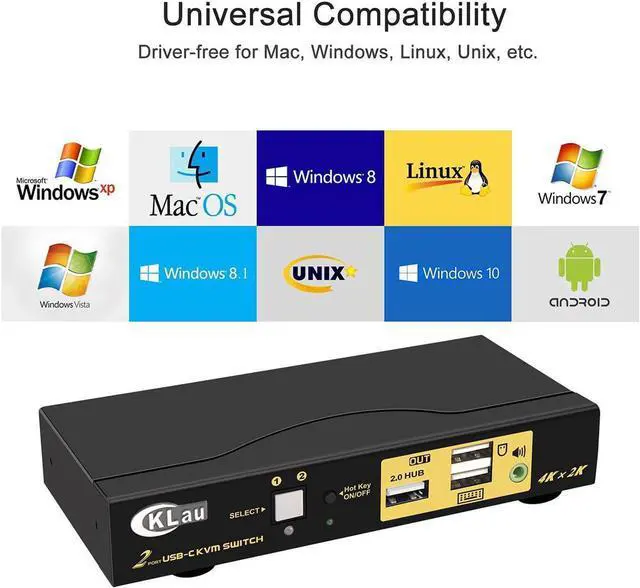
    • 4. KVM Switch USB C KVM Switches: Compatible thunderbolt 4, thunderbolt 3, thunderbolt 2, thunderbolt 1. (When connecting thunderbolt 4 devices, resolution output is 4K@60Hz). Drive-free for Windows 10/7/2000/XP/Vista, Linux, Mac, Debian, Ubuntu, Fedora, Raspbian, Ubuntu, Android, etc.
    • 5. 2 Port KVM
    +
    +
    Overview
    Specs
    Reviews
    avatar

    Any questions? Our AI beta will help you find out quickly.

    Inaccurate specs? Let us know
    feedback
    4K KVM Switch Computer Switch for 2 Computers KMV Switches 4K KVM for Mac Computer Monitor Switch USB KVM Switch KVM USB Switch USB C Switcher 2 Computers USB-C Switch
    Installation step;
    1. Turn off all devices;
    2. Plug DC5V 2A power adapter into KVM switch and AC socket;
    3. Plug type-c cables into KVM Switch and your computers/mobile phones; plug HDMI cables into KVM switch and your monitors;
    4. Plug mouse into mouse slot of KVM, plug keyboard into keyboard slot of KVM;
    5. Plug your headset or other USB 2.0 peripheral devices or wired remote push button switch into KVM switch if needed;
    6. Turn on KVM switch;
    7. Turn on your computers/mobile phones.
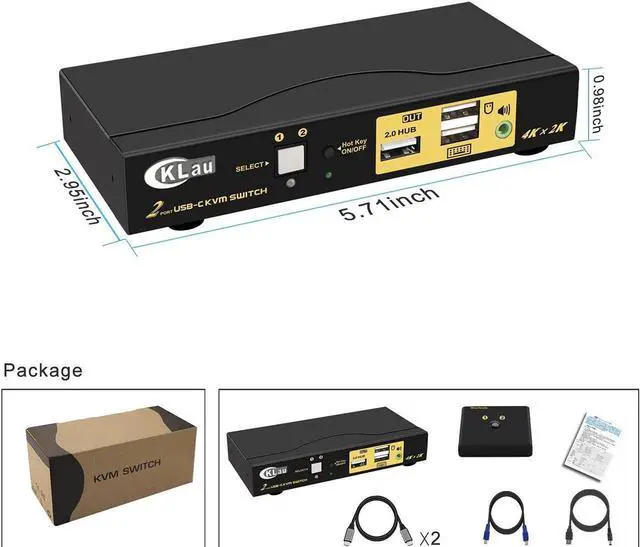
    Package include: 1pcs x TYPE-C KVM switch + 4pcs xType-C cables + 1pcs wired remote push button + 1pcs x DC5V 2A power adapter + 1pcs x manual.

    Warranty & Returns

    Warranty, Returns, And Additional Information

    Warranty

    • Please contact the Seller directly for warranty information. Warranty information may also be found on the Manufacturer's website.
    • CONTACT

    Return Policies

    Manufacturer Contact Info

    LOADING...