Your Browsing History
- Free 30-day Returns
$198.78
Ships from China.
Meet Your Seller
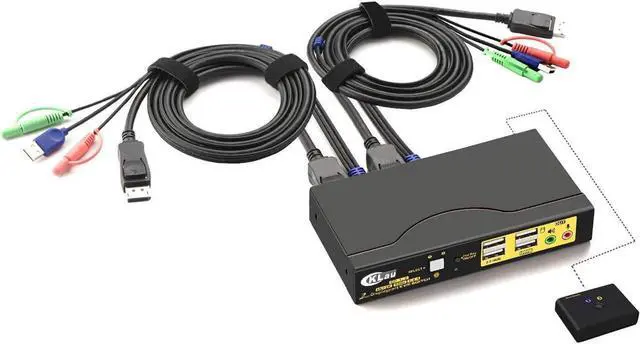
4Kx2K@60Hz DP 1.2 Dual Port Displayport KVM Switch with Audio and Cables for 2 Computers 1 Monitor Support Keyboard Mouse Switching
Limited time offer, ends 07/22 By YuXuan Technology
- 1. 4K KVM Switches: 2 displayport-interface computers sharing one set of keyboard, mouse, 1 monitor and 2 pcs USB 2.0 peripheral. (this KVM switch is DP 1.2 version, it doesn?t compatible DP 1.4 devices and 144Hz, 120Hz, 100Hz refresh rate)
- 2. 2 Port KVM for Mac: Support wireless keyboard and mouse, Apple keyboard. Supports 16:9 widescreen and 21:9 ultra-wide monitors. Compatible HDCP 2.2, HDR10.
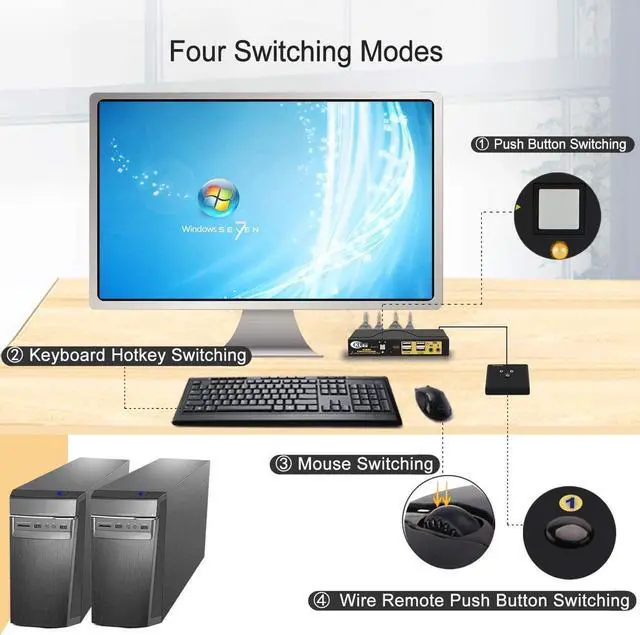
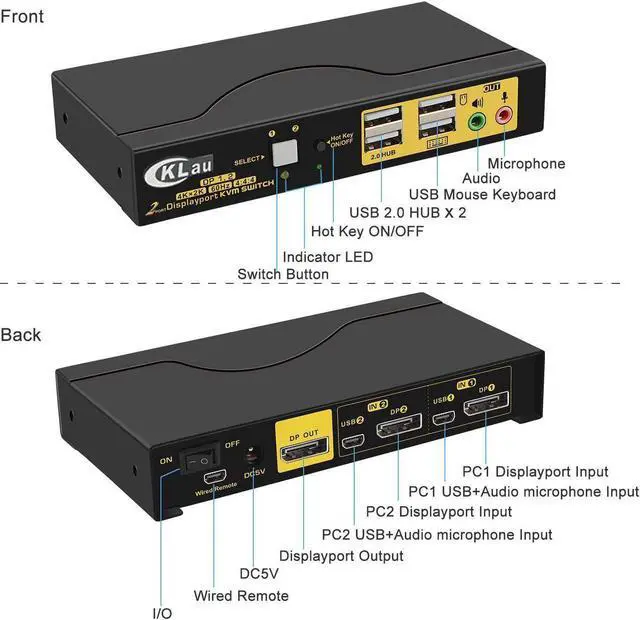
- 3. Displayport Switch 4K KVM Switch: Four switching way optional: Hotkey switching(NumLock + NumLock + 1 / 2 + Enter, or Ctrl + Ctrl + 1 / 2 + Enter, or ScrollLock + ScrollLock + 1 / 2 + Enter), mouse switching(click mouse wheel 2 times), manual button switching, wired remote push button switching.
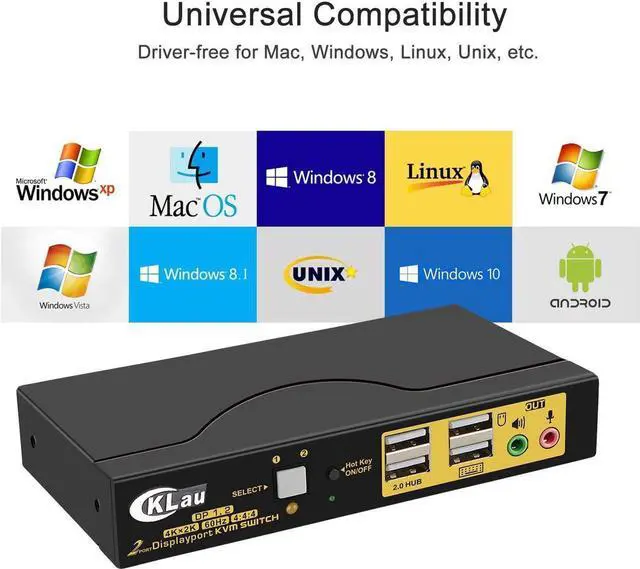
- 4. Monitor Switch for 2 Computers: Space Saving Design with minimal footprint. Drive-free for Windows 10/7/2000/XP/Vista, Linux, Mac, Debian, Ubuntu, Fedora, Raspbian, Ubuntu and other operating system.
- 5. 2 Port KVM Switch: Resolution up to 4096x2160@60Hz 4:4:4, compatible 3840x2160@60hz and
+
+
Overview
Specs
Reviews
Any questions? Our AI beta will help you find out quickly.
Try me now
Display Port Switch KVM Switch Displayport Switcher KMV Switches Computer Switch for 2 Computers KVM USB 2.0 KVM Switch 2 Computers Displayport Switch 2 In 1 Out Two Computers One Monitor Switch
Installation Step;
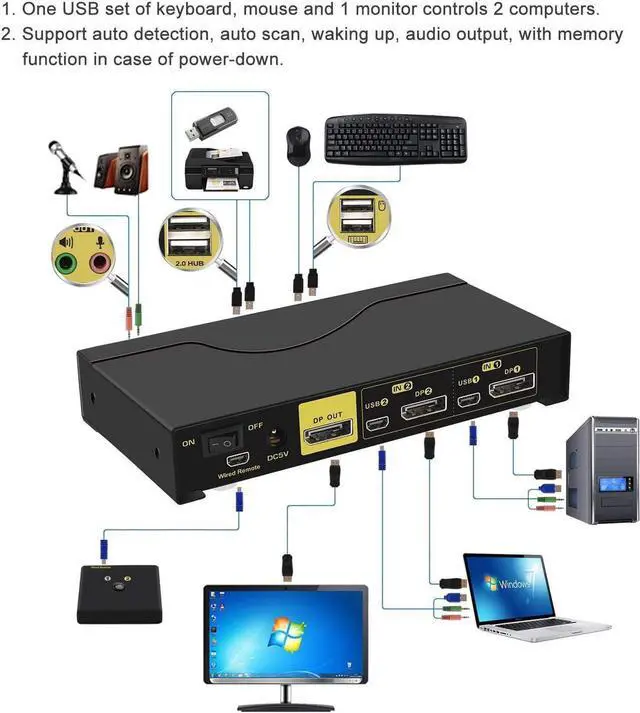
1. Turn off all devices and unplug all the cables;
2. Plug DC5V 2A power adaper into KVM switch and AC socket;
3. Plug special USB cables and displayport cables into KVM switch and computers;
4. Plug mouse into mouse slot of KVM switch, plug keyboard into keyboard slot of KVM switch;
5. Plug displayport cable into KVM switch and your monitor;
6. Plug speaker or microphone into KVM switch if needed;
7. Turn on KVM switch;
8. Turn on computers.
Package:
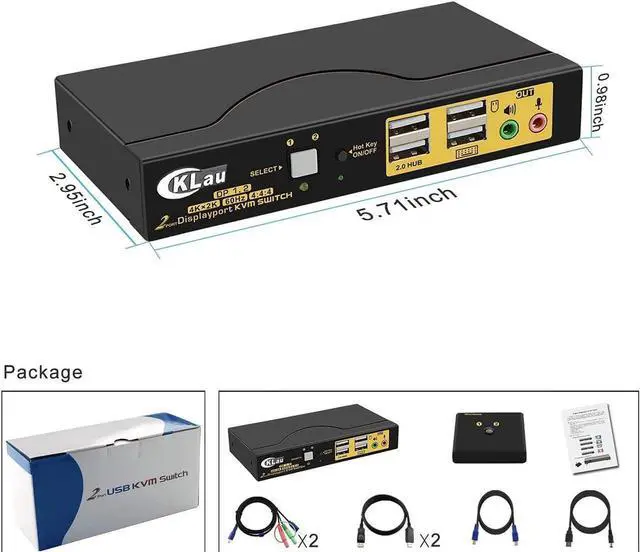
1 x 2 port displayport KVM switch
2 x special USB cables
2 x displayport cables
1 x DC 5V 2A Power adapter
1 x manual
1 x wire remote push button switch
Warm Tips:
If your computer without displayport port, we suggest you buy the converter with chip. The quality of converter will affect the function of KVM switch.

Installation Step;
1. Turn off all devices and unplug all the cables;
2. Plug DC5V 2A power adaper into KVM switch and AC socket;
3. Plug special USB cables and displayport cables into KVM switch and computers;
4. Plug mouse into mouse slot of KVM switch, plug keyboard into keyboard slot of KVM switch;
5. Plug displayport cable into KVM switch and your monitor;
6. Plug speaker or microphone into KVM switch if needed;
7. Turn on KVM switch;
8. Turn on computers.
Package:
1 x 2 port displayport KVM switch
2 x special USB cables
2 x displayport cables
1 x DC 5V 2A Power adapter
1 x manual
1 x wire remote push button switch
Warm Tips:
If your computer without displayport port, we suggest you buy the converter with chip. The quality of converter will affect the function of KVM switch.
Warranty & Returns
Warranty, Returns, And Additional Information
Warranty
- Please contact the Seller directly for warranty information. Warranty information may also be found on the Manufacturer's website.
- CONTACT
Return Policies
- Return for refund within: 30 days
- Return for replacement within: 30 days
- This item is covered by YuXuan Technology Return Policy
Manufacturer Contact Info
- For a directory of all our manufacturers, please click below.
- Manufacturers Directory
LOADING...