

Your Browsing History
- Free 30-day Returns
$37.40
Ships from China.


Meet Your Seller

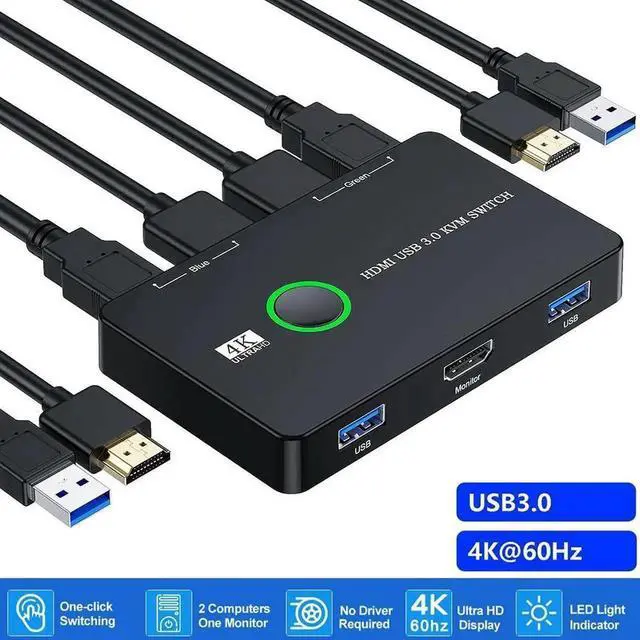


Vszerda KVM Switch HDMI, Upgraded USB 3.0 and HDMI KVM Switch for 2 Computers Share Keyboard Mouse Printer to One HD Monitor, Supports 4K @60Hz, 2 HDMI Cables and 2 USB Cables Included
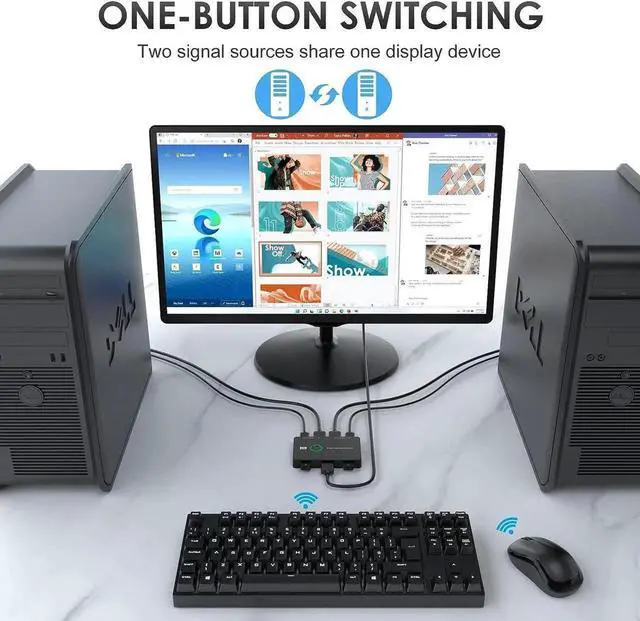
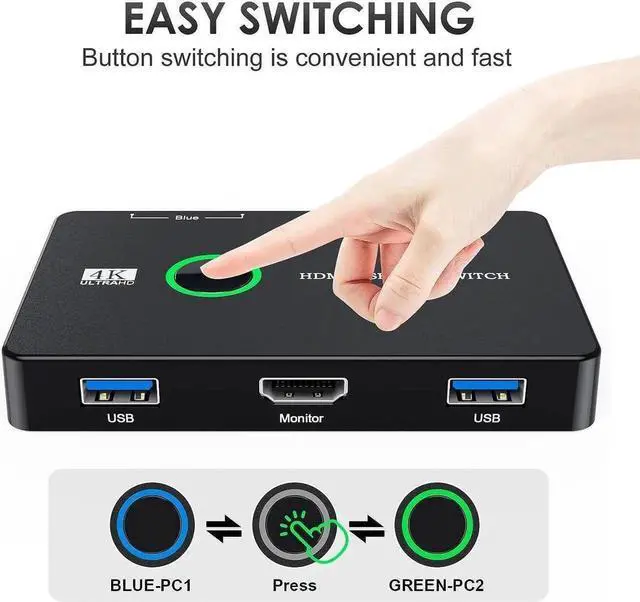
- [USB KVM HDMI Switch] This KVM Switch allows you to one-button control 2 computers with only one set of USB devices, such as mouse, keyboard, printer and monitor. Just one-key can easily switch 2 computers, making your work and life much more simple and efficient.
- [Ultra HD 4K@ 60Hz Visual Enjoyment] With the output resolution up to 4K@60Hz, this KVM Switcher 2 port helps to display more exquisite and realistic image, giving you a wonderful visual impact! And this KVM Switch 2 computers also support 4K@30Hz,1080P or lower resolution.
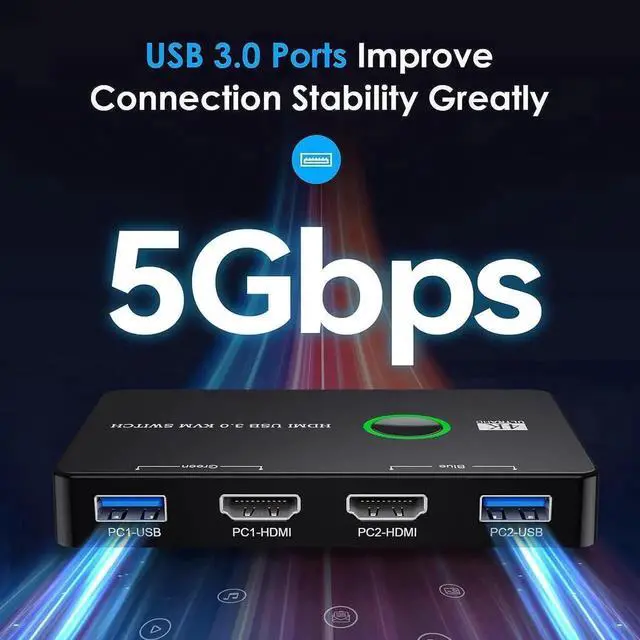
- [Upgrade USB Port & Greatly Compatibility] Upgraded USB 3.0 port, making the data transfer more stability. Our 2 computers one monitor kvm switch driver-free for Windows 10/8/8.1/7/Vista/XP and Mac OS, Linux, and Chrome OS.
- [Free UP Your Desk Space] This keyboard mouse switch is great for PC test/burn-in computer control, saving the desk space required for two monitors, keyboards and mice, and provide you with a clean and spacious entertainment .
+
+
Overview
Specs
Reviews

Any questions? Our AI mode will help you find out quickly.
Try me now
USB KVM Switch Connects Two Computers to a Single Keyboard, Mouse and Monitor
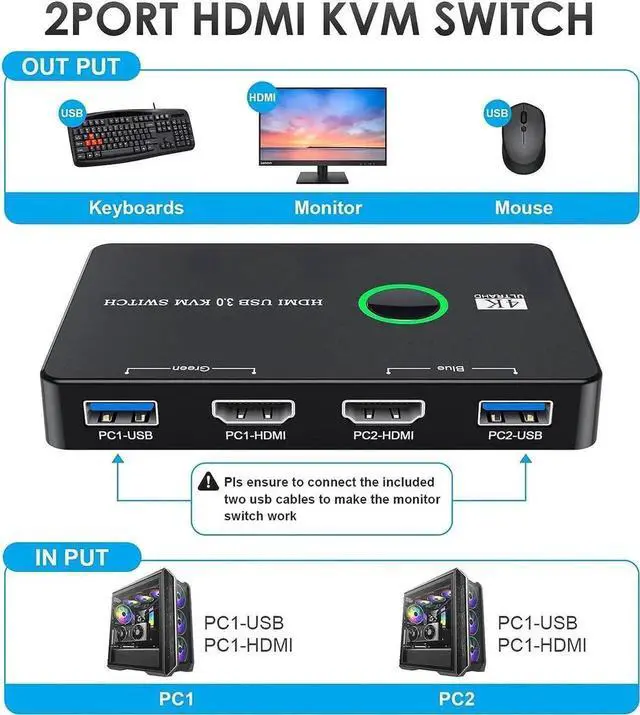
This HDMI KVM Switch can achieve two computers or laptops connected to a single monitor, furthermore two computers can share 2 USB 3.0 peripheral devices. You can share a single USB keyboard, USB mouse and HDMI monitor with both systems, it not only a keyboard mouse switch but also a monitor switch.
**Notice**:
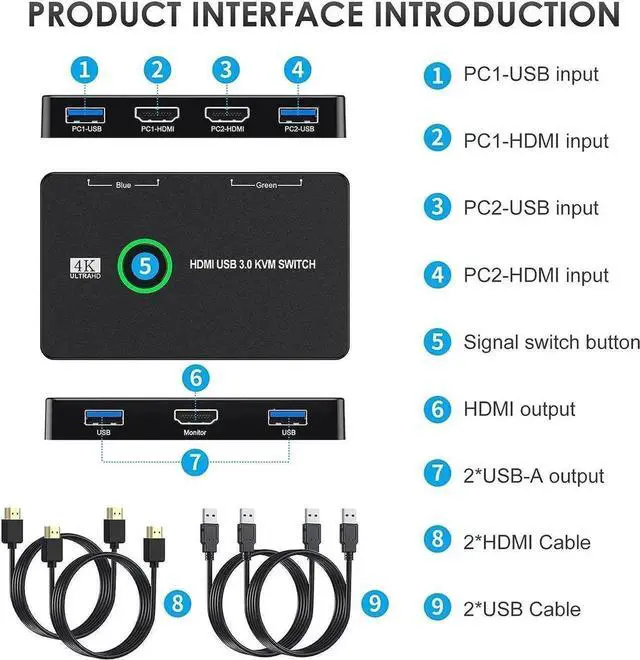
- 1. Please ensure to connect all the cables (2 HDM1 cables & 2 USB 3.0 cables), then connect your mouse and keyborad to use.
- 2. This KVM switch does support HDMI 2.0 4K@60Hz, but you must make sure that both your computers support HDMI 2.0 ! You can't connect two computers and set one up at 4K@60Hz and the other at 4K@30Hz, because it won't work and your screens will remain blank, they both must be capable and set up to display 4K@60Hz or both at 4K@30Hz.
Warranty & Returns
Warranty, Returns, And Additional Information
Warranty
- Please contact the Seller directly for warranty information. Warranty information may also be found on the Manufacturer's website.
- CONTACT
Return Policies
- Return for refund within: 30 days
- Return for replacement within: 30 days
- This item is covered by YuXuan Technology Return Policy
Manufacturer Contact Info
- For a directory of all our manufacturers, please click below.
- Manufacturers Directory
LOADING...