- Free 30-day Returns
Meet Your Seller
Dual Monitor HDMI+Displayport KVM Switch 4 Computers 2 Monitors 4K@60Hz 2K@120Hz 4 Port KVM Switches for 4 PCs Share 4 USB 3.0 Devices with Remote Control,USB3.0 Cables and Power Adapter
- USB 3.0 DP+HDMI KVM Switch Dual Monitor
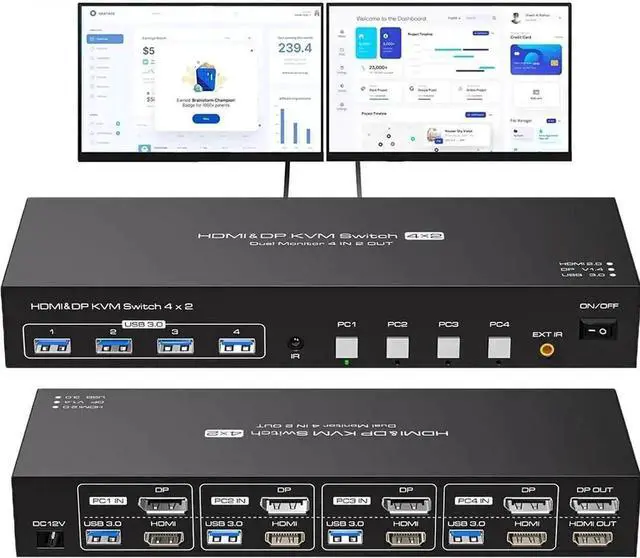
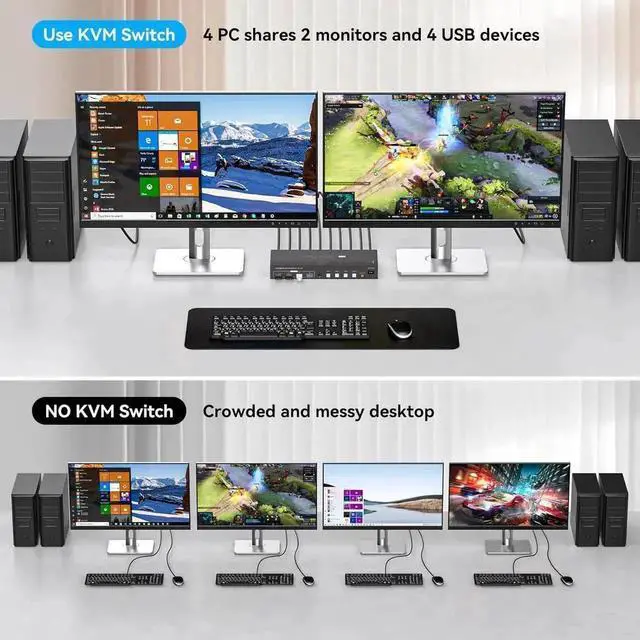
- This dual monitor 4 IN 2 OUT DP+HDMI KVM Switch is for you to control them using one set of keyboard, mouse and single or dual monitors to make your work space tidy and efficient, also a premium choice for working from home. Only when your computer supports dual display or multi display, you can use this KVM to achieve 4 PC to share 2 monitors
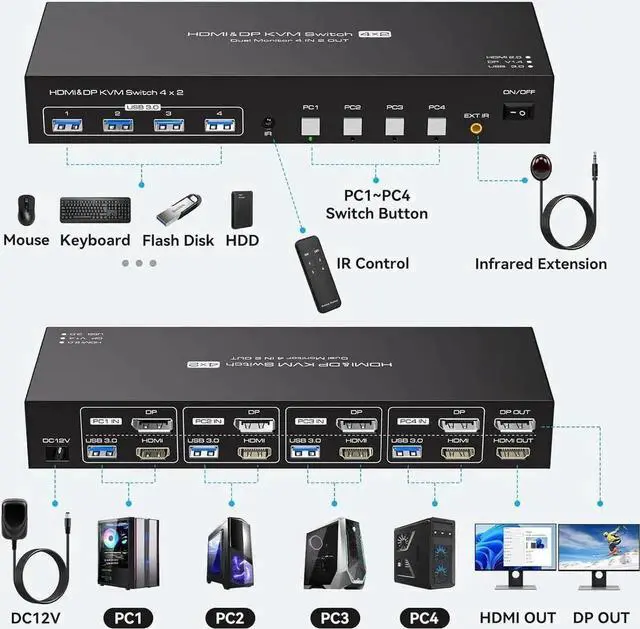
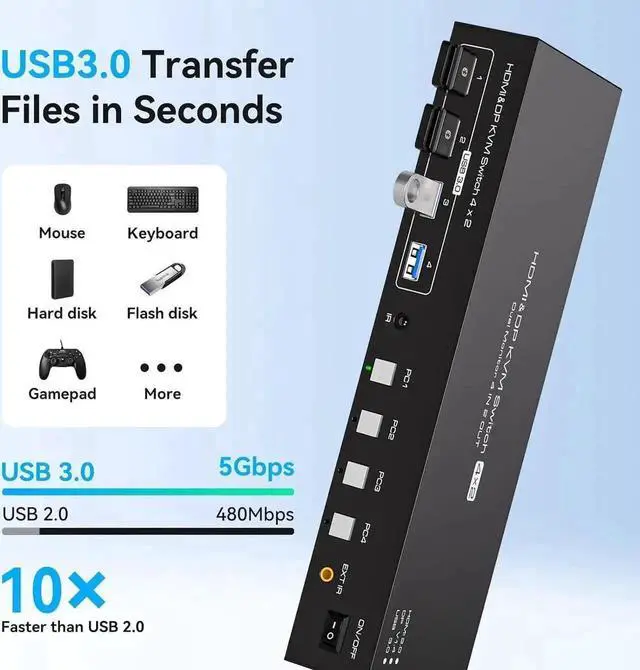
- 4 computers/laptops share one set of keyboard, mouse and dual monitors, and more USB 3.0 peripherals
- Support maximum resolution up to 4K 144Hz Dual monitors output
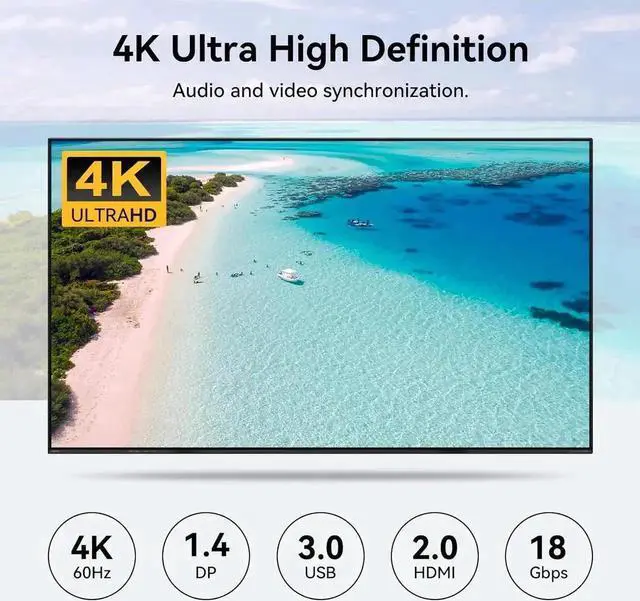
- support up to 4K@60Hz/2K@120Hz,1080P@240Hz for extended and mirrored display;
- Compatible with Windows 11/10/8/7/2000/XP/Vista, Linux, UNIX, Ubuntu, Fedora, and other systems;
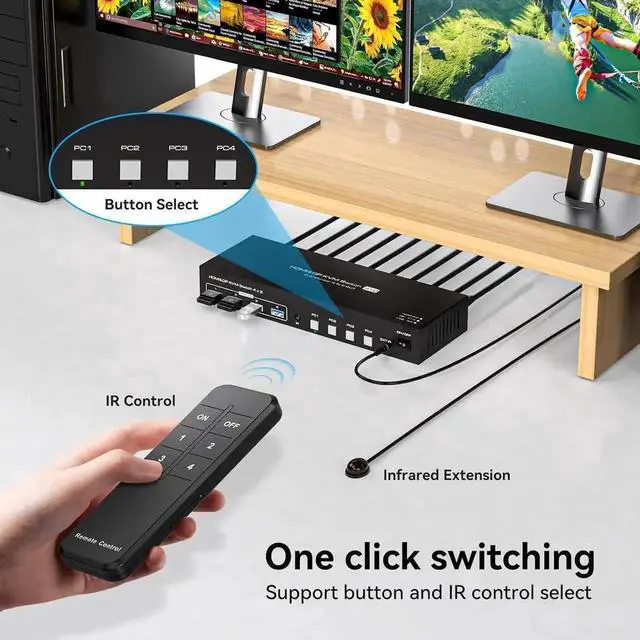
- Advanced switching modes: push button and IR remote control;No complicated installation is required, and non-professionals can easily operate it
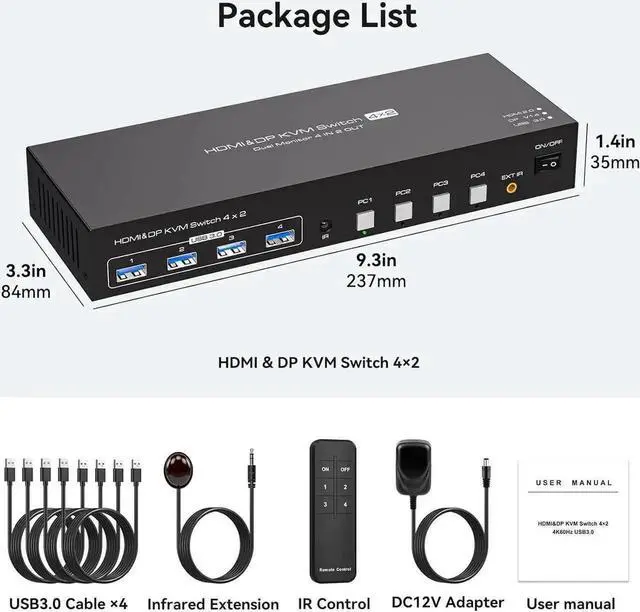
- The ports that need to plug in HDMI+DP+USB cables are all hidden behind the KVM, so the desktop doesn't get cluttered
Any questions? Our AI beta will help you find out quickly.
USB 3.0 DP+HDMI KVM Switch Dual Monitor
This dual monitor 4 IN 2 OUT DP+HDMI KVM Switch is for you to control them using one set of keyboard, mouse and single or dual monitors to make your work space tidy and efficient, also a premium choice for working from home. Only when your computer supports dual display or multi display, you can use this KVM to achieve 4 PC to share 2 monitors
4 computers/laptops share one set of keyboard, mouse and dual monitors, and more USB 3.0 peripherals
Support maximum resolution up to 4K 144Hz Dual monitors output
support up to 4K@60Hz/2K@120Hz, 1080P@240Hz for extended and mirrored display;
Compatible with Windows 11/10/8/7/2000/XP/Vista, Linux, UNIX, Ubuntu, Fedora, and other systems;
Advanced switching modes: push button and IR remote control; No complicated installation is required, and non-professionals can easily operate it
The ports that need to plug in HDMI+DP+USB cables are all hidden behind the KVM, so the desktop doesn't get cluttered
Warranty & Returns
Warranty, Returns, And Additional Information
Warranty
- Please contact the Seller directly for warranty information. Warranty information may also be found on the Manufacturer's website.
- CONTACT
Return Policies
- Return for refund within: 30 days
- Return for replacement within: 30 days
- This item is covered by YuXuan Technology Return Policy
Manufacturer Contact Info
- For a directory of all our manufacturers, please click below.
- Manufacturers Directory