- Free 30-day Returns
Meet Your Seller
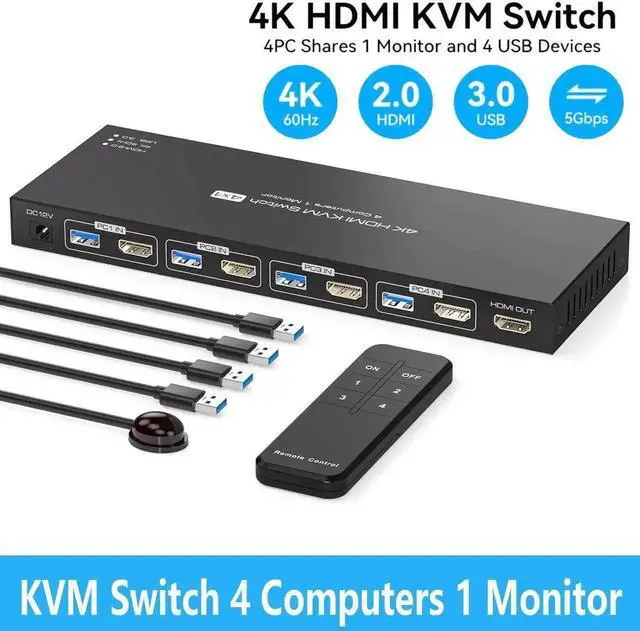
Vszerda 4 Port HDMI KVM Switch for 1 Monitors 4 Computers 4K@60Hz, HDMI USB 3.0 KVM Switches, KVM Switch HDMI 4 in 1 Out for 4 PCs Sharing 1 Monitor and 4 USB 3.0 Devices with IR Remote Control
Limited time offer, ends 08/18 By Hai Kou Shi Quan Jun Dian Zi Shang Wu Yo
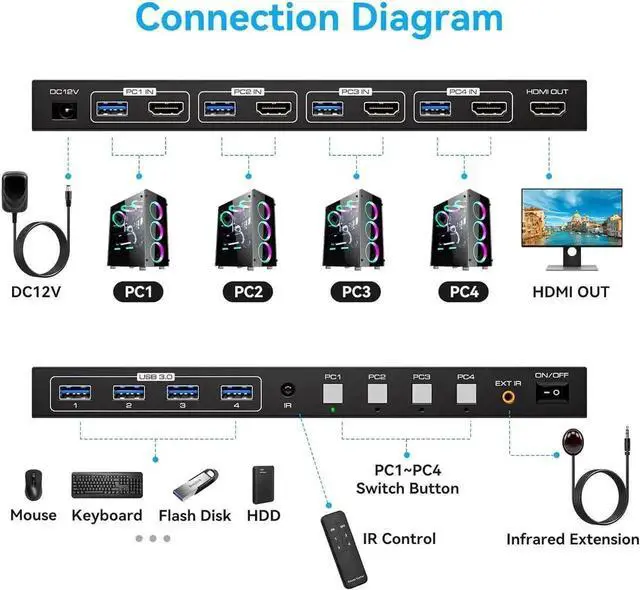
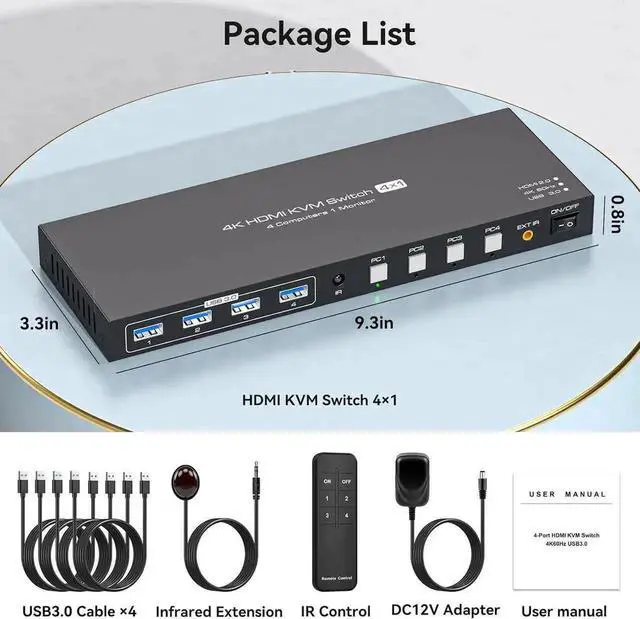
- [KVM Switch 1 Monitors 4 Computers] The KVM switch allows 4 computers to share one display and 4 USB3.0 devices such as mouse, keyboard, and printer. Simply use the remote control or button on the panel to easily switch between the 4 computers without any complexity or lag.
- [Ultra-High Definition Resolution] Supports astonishing resolutions up to 4K@60Hz. It is also backward compatible with resolutions such as 4K@30Hz, 1080P@60Hz, and 720P@60Hz.
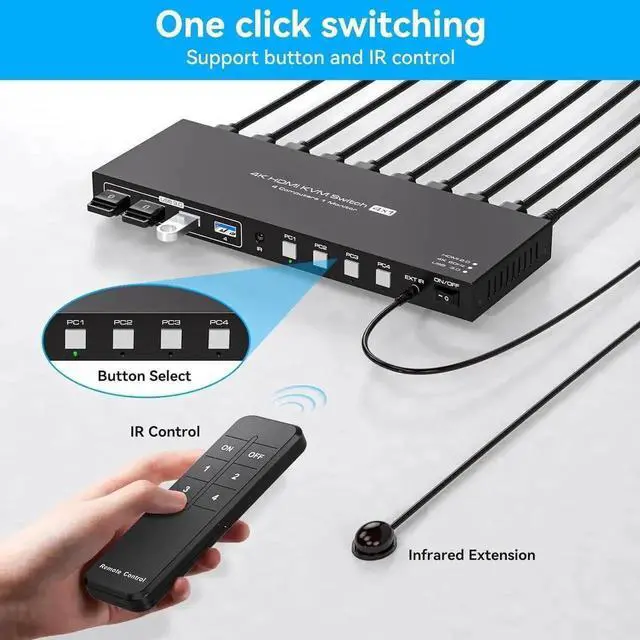
- [Two Switching Modes] 1. Panel key switching: You can use the panel keys to switch computers directly. 2. IR remote control switching: Use the remote control to switch the computer you need to work on. (Note: When using the remote control, please make sure the infrared receiver is connected to the device).
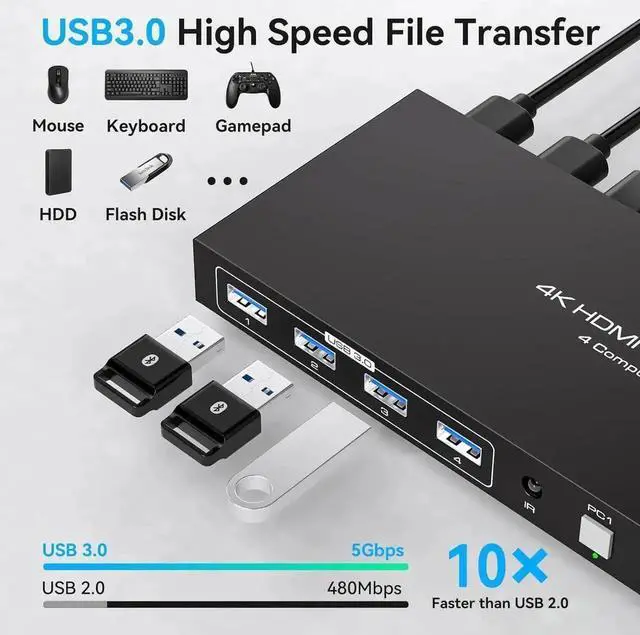
- [With 4 USB 3.0 Ports] Comes with 4 high-speed USB 3.0 ports that can transfer data at a speed of up to 5Gbp/s, which is 10x faster than USB 2.0.
- [Wide Compatibility] plug-and-play. Compatible with Windows, Vista, XP, Mac OS, Linux, and Unix.
Any questions? Our AI beta will help you find out quickly.
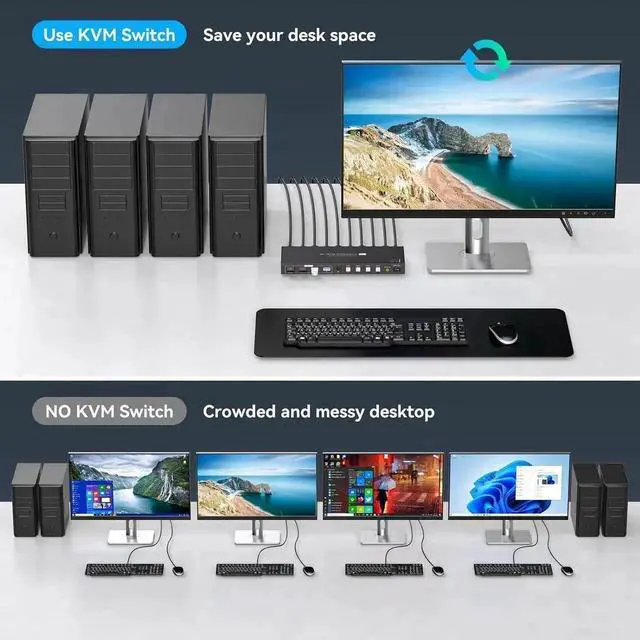
The hdmi kvm switch 4 port allows 4 computers to share one monitor and 4 USB 3.0 devices, enabling you to control 4 computers and one monitor directly with a single set of mouse and keyboard.
The kvm switch 4 pc 1 monitor allows 4 computers to share one display and 4 USB 3.0 devices such as mouse, keyboard, and printer. Simply use the remote control or button on the panel to easily switch between the 4 computers without any complexity or lag. You can place the product outside of your workspace to keep your workplace tidy and improve work efficiency.
Two Switching Modes
1.
Panel key switching: You can use the panel keys to switch computers directly. 2.
IR remote control switching: Use the remote control to switch the computer you need to work on. (Note: When using the remote control, please make sure the infrared receiver is connected to the device).
Warranty & Returns
Warranty, Returns, And Additional Information
Warranty
- Please contact the Seller directly for warranty information. Warranty information may also be found on the Manufacturer's website.
- CONTACT
Return Policies
- Return for refund within: 30 days
- Return for replacement within: 30 days
- This item is covered by Hai Kou Shi Quan Jun Dian Zi Shang Wu Yo Return Policy
Manufacturer Contact Info
- For a directory of all our manufacturers, please click below.
- Manufacturers Directory