

Your Browsing History
- Free 30-day Returns
$99.99
Ships from China.

Meet Your Seller

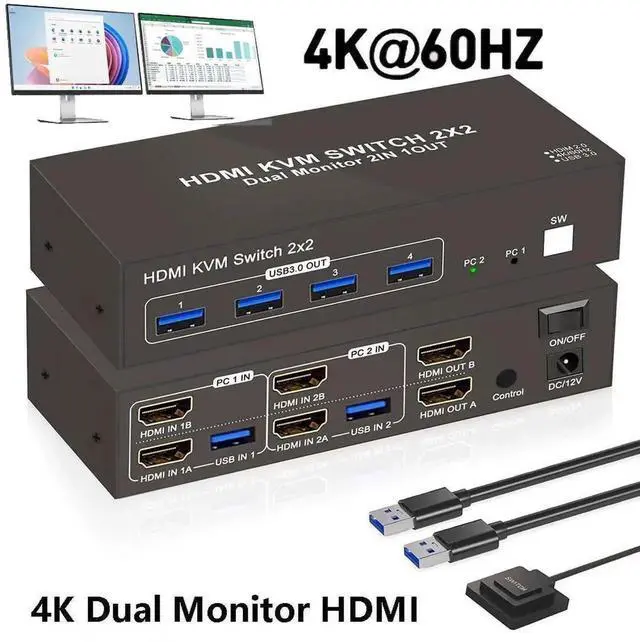
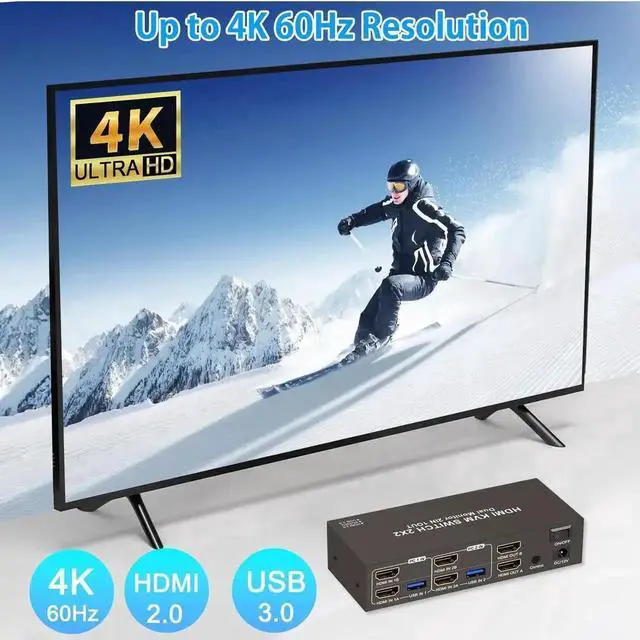


Vszerda 2 Ports HDMI KVM Switch 2 Computers 2 Monitors, 4K@60Hz HDMI USB 3.0 KVM Switcher Dual Monitor HDMI 2 in 2 Out with 4 USB Ports to Share Mouse Keyboard Printer etc. Supports Extended/Copy Mode
Limited time offer, ends 10/14 By Hai Kou Shi Quan Jun Dian Zi Shang Wu Yo
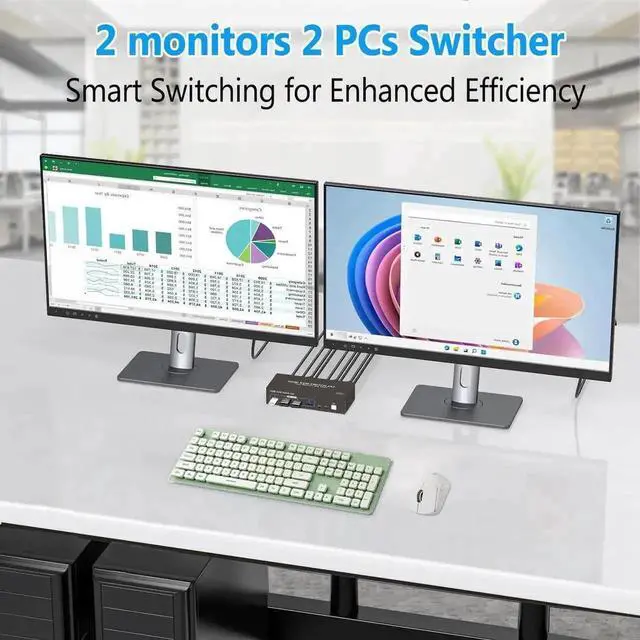
- Dual Monitor HDMI KVM: Achieve seamless multitasking with this HDMI KVM switch, allowing two PCs to share two monitors along with a keyboard and mouse setup.
- Support Extended & Copy Mode: Elevate your multitasking capabilities with Extended Mode and Copy Mode features. Extended Mode expands your desktop across multiple screens; while Copy Mode duplicates content on all connected displays.
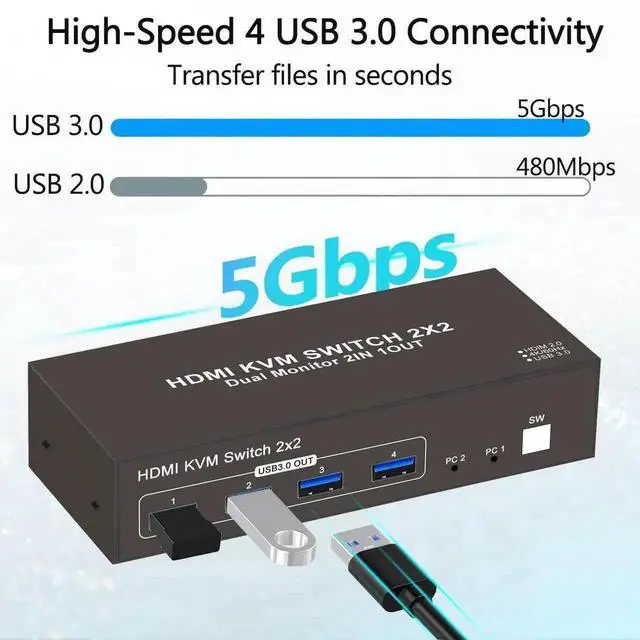
- High-Speed USB3.0 for Efficient Transfers: Featuring 4 USB 3.0 ports, effortlessly transfer data, images, and files between your connected devices.
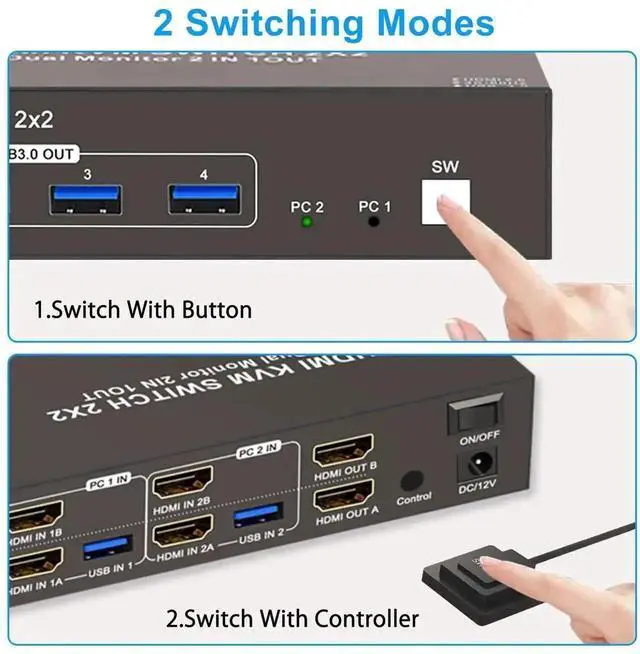
- 2 Way Effortless Input Switching: With two HDMI input ports (HDMI1 and HDMI2), seamlessly switch between multiple devices such as computers, gaming consoles, and streaming devices with just the press of a button. You can also switch the HDMI signal source through the extra control.
- Suitable for Various Scenarios: Plug-and-play with no drivers needed, suitable for office environments, classrooms, conference rooms, gaming setups, and labs etc..
+
+
Overview
Specs
Reviews

Any questions? Our AI mode will help you find out quickly.
Try me now
Features:
1.
Display Delay During Switching: When switching between computers, the monitors may briefly go black for a few secondsthis is normal and expected.
2. USB 3.0
And HDMI Ports: USB ports are for data transfer only (e. g., images and music). For both video and audio, use the HDMI ports.
3. Port Matching for
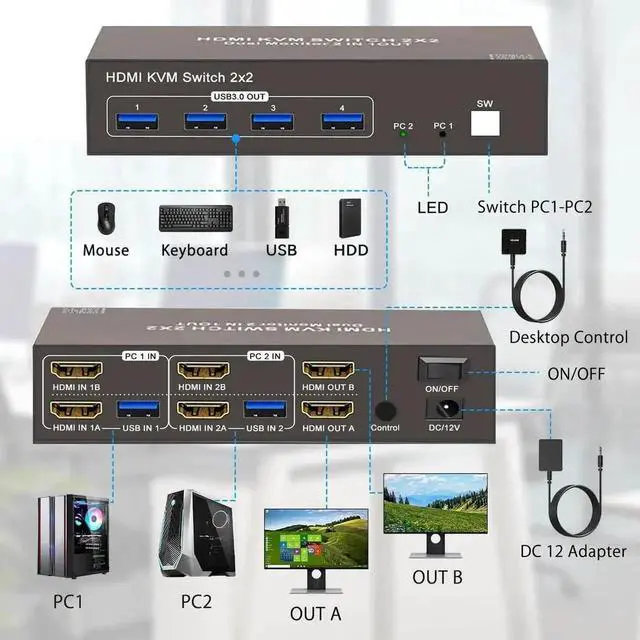
HDMI Input/Output: When connecting HDMI sources, ensure they match the corresponding outputs. For example, if the input is from HDMI IN B, use HDMI OUT B; if from HDMI IN A, use HDMI OUT A.
4.
Extended & Mirrored Modes: This KVM Switch supports both extended and mirrored display modes, but your computer must support these as well. Note that the HDMI KVM switch only transmits signals; it doesnt modify display settings on your device.
5. Power for
Stability: For stable operation, connect the KVM switch to the included power supply.
6.
Dual Monitor Setup: To use dual monitors, connect both HDMI ports on one PC. For example, connect HDMI IN 1B and HDMI IN 1A on PC 1 IN, and connect HDMI OUT B and HDMI OUT A on the output side. This setup allows HDMI OUT B to display HDMI IN Bs output, and HDMI OUT A to display HDMI IN 1As output.
Package List: 1x HDMI USB 3.0 kvm switch+ 2xUSB cables+ 1xPower Adapter+ Button extension module + user manual.
Warranty & Returns
Warranty, Returns, And Additional Information
Warranty
- Please contact the Seller directly for warranty information. Warranty information may also be found on the Manufacturer's website.
- CONTACT
Return Policies
- Return for refund within: 30 days
- Return for replacement within: 30 days
- This item is covered by Hai Kou Shi Quan Jun Dian Zi Shang Wu Yo Return Policy
Manufacturer Contact Info
- For a directory of all our manufacturers, please click below.
- Manufacturers Directory
LOADING...