- Free 30-day Returns
Meet Your Seller
Vszerda USB C KVM Switch 4K@60Hz, USB C HDMI Dual Monitor KVM Switch for 1 PC and 1 Laptop Sharing 2 Monitor and 4 USB3.0 Devices, 100W PD for Laptop with Wired Remote Control and USB Cables Included
Limited time offer, ends 07/20 By Hai Kou Shi Quan Jun Dian Zi Shang Wu Yo
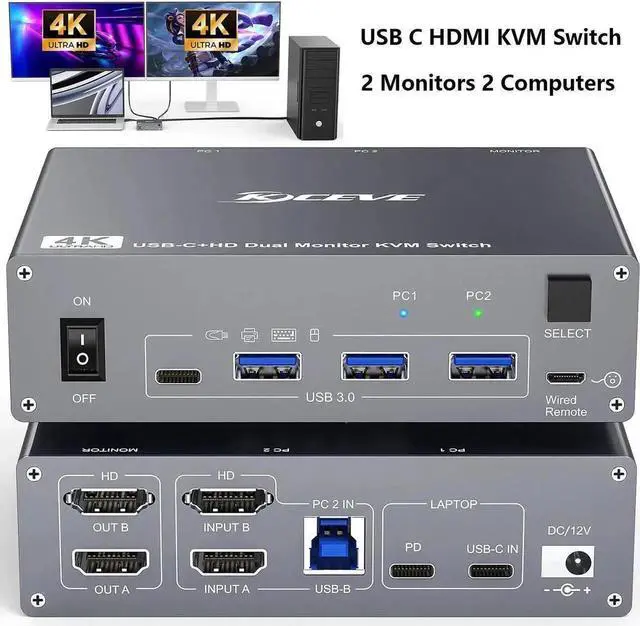
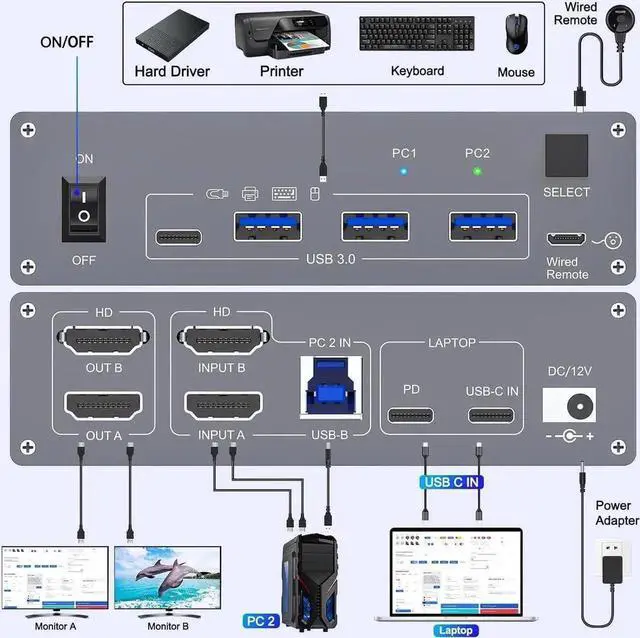
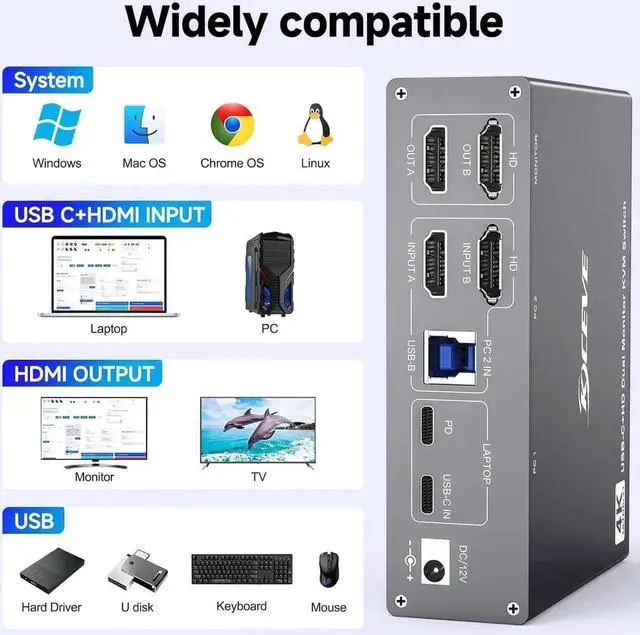
- [Dual Monitor KVM, Double Productivity] The docking station KVM switch connects 1 laptop+1 desktop and 2 monitors with 1x USB-C (MST)+dual HDMI inputs and 2x HDMI outputs. Note: The USB C port connected to the laptop needs to support video transmission and USB control protocols.
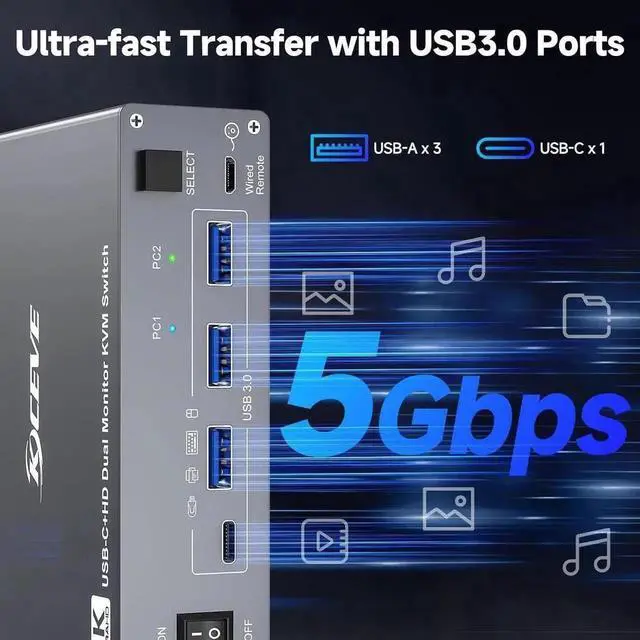
- [7-in-1 Docking Station] KVM Switch with multiple shared peripheral ports, like 3x USB 3.0, 1x USB-C, 1x PD charge, and 2x HDMI outputs.
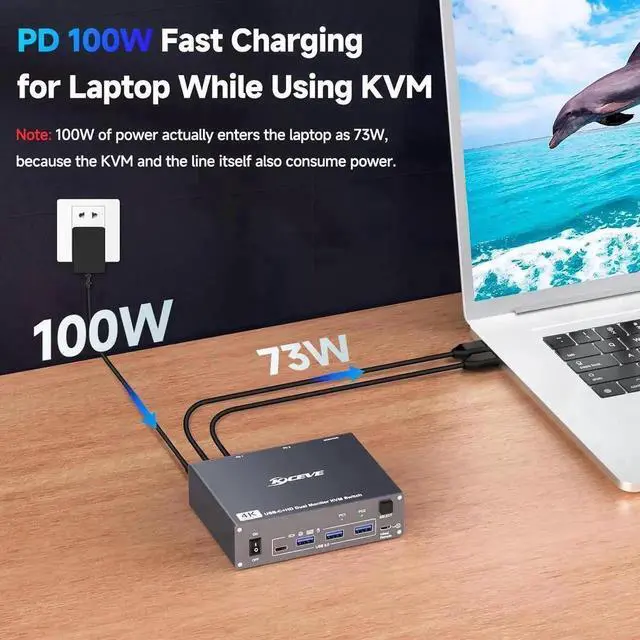
- [Support 100W PD Fast Charging] Designed with a PD charging port, which can provide enough power for your laptop during use. Pls note: The actual power charged to the laptop is between 73W and 85W, because the KVM itself and the cable will produce some power loss.
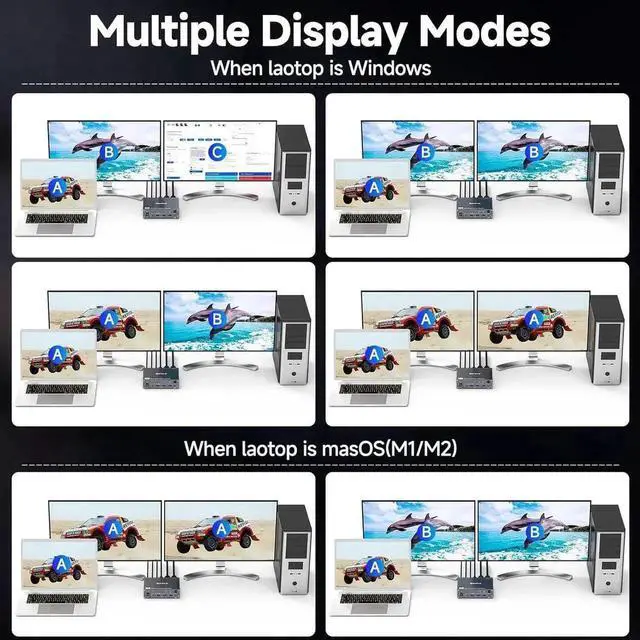
- [Extension Mode and Copy Mode] Note: Only support mirrored output on macOS. Supports extension mode and copy mode for Windows laptops and desktops.
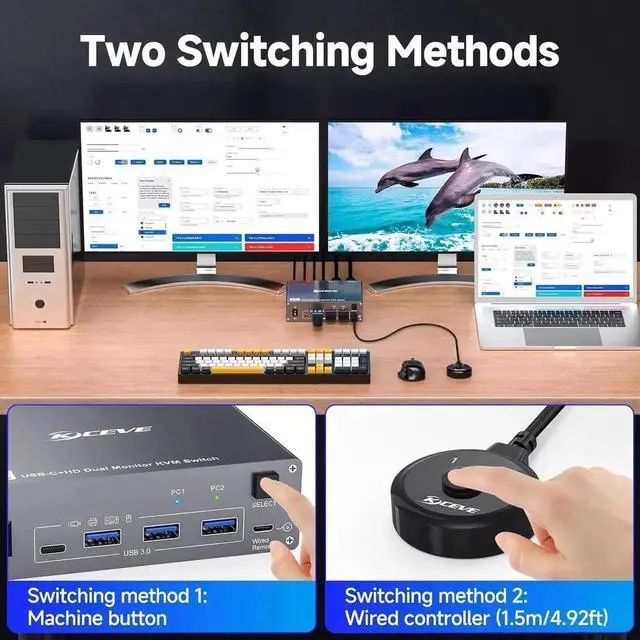
- [Easy Switching] Plug and play; 2 switching methods are provided: press the selection button on the KVM to switch; use the desktop extension button to switch.
Any questions? Our AI beta will help you find out quickly.
The docking station KVM switch connects 2 computers(1 laptop+1 desktop) and 2 monitors with 1x USB-C (MST) +dual HDMI inputs and 2x HDMI outputs. Seamlessly switch between your work desk and personal laptop to boost your productivity with this USB-C HDMI KVM switch.
Note: The USB C port connected to the laptop needs to support video transmission and USB control protocols.
Unleash the potential of this KVM switch for 1 laptop and 1 desktop with multiple shared peripheral ports, like 3x USB 3.0, 1x USB-C, 1x PD charge, and 2x HDMI outputs. Make your work from home more convenient and easier than ever before.
The USB C HDMI KVM Switch is designed with a PD charging port, which can provide enough power for your laptop during use.
Please note: The actual power charged to the laptop is between 73W and 85W, because the KVM itself and the cable will produce some power loss.
Warranty & Returns
Warranty, Returns, And Additional Information
Warranty
- Please contact the Seller directly for warranty information. Warranty information may also be found on the Manufacturer's website.
- CONTACT
Return Policies
- Return for refund within: 30 days
- Return for replacement within: 30 days
- This item is covered by Hai Kou Shi Quan Jun Dian Zi Shang Wu Yo Return Policy
Manufacturer Contact Info
- For a directory of all our manufacturers, please click below.
- Manufacturers Directory