• $159.99
  • Free 30-day Returns
  • Ships from China.
    Price alert
    Shop it at NeweggBusiness.

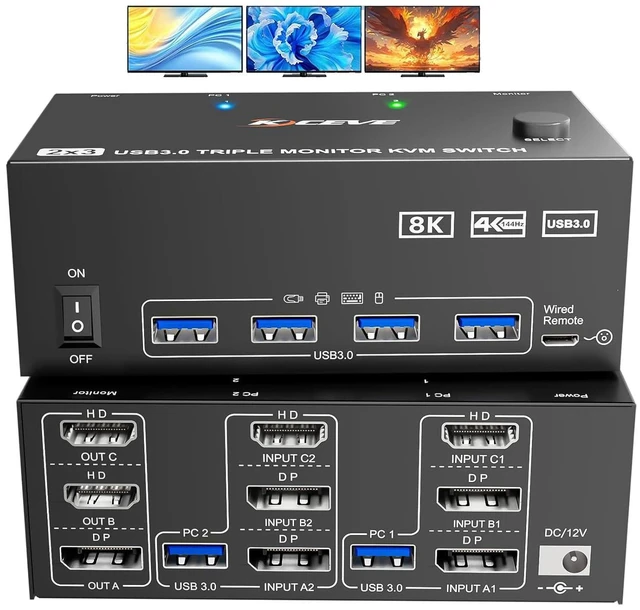
    8K@60Hz 4K@144Hz [HDMI + 2 Displayport in] [ 2 HDMI + 1 Displayport Out] Triple Monitors KVM Switch for 2 Computers 3 Monitors Share 4 USB 3.0 Ports, Wired Remote Control and USB Cable Included

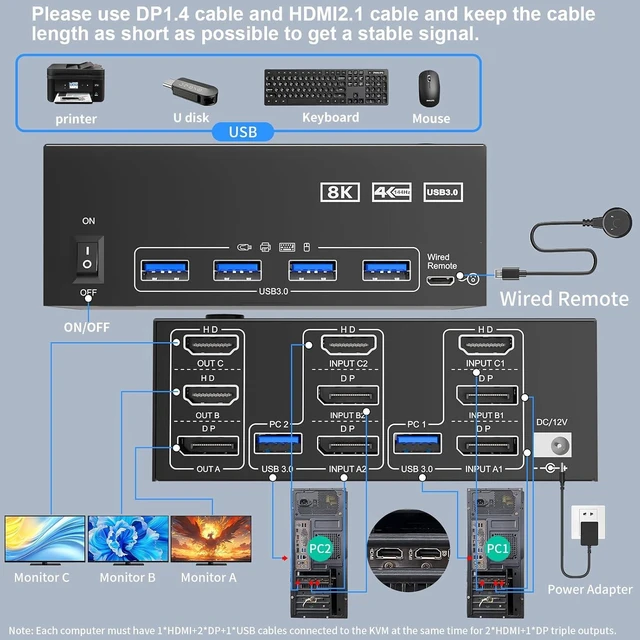
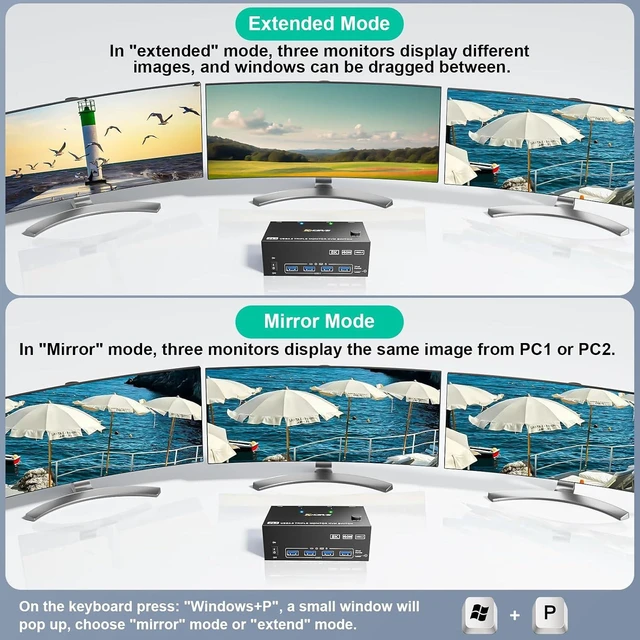
    • HD DP KVM Switch 2 PC 3 Monitors: The KVM Switch can control 2 computers to share 3 monitors and 4 USB 3.0 devices with a keyboard and mouse. It is the best KVM switch to improve work efficiency and make your workspace more tidy.
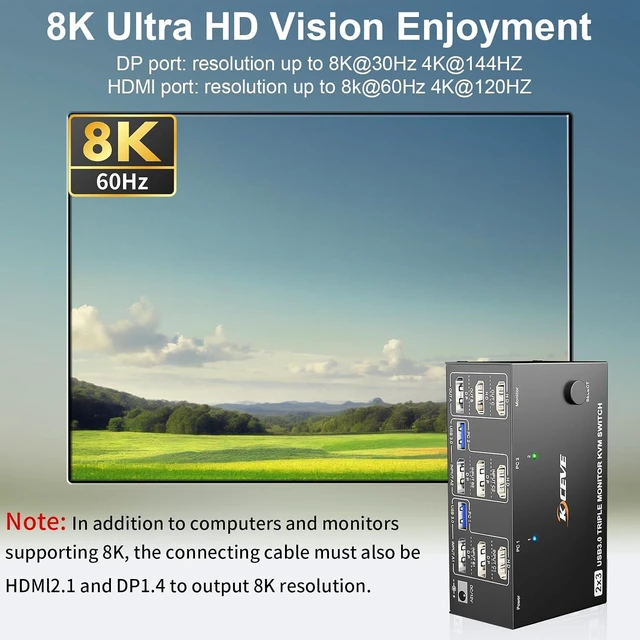
    • [UHD 8K image enjoyment]: The KVM switches supports 8K@60Hz/4K@144Hz. Please note: 1)The HDMI port supports 8K@60Hz and is backward compatible. 2) The DP port supports 8K@30Hz and is backward compatible. Note: Use DP 1.4 and HDMI 2.1 cable to connect the KVM switch to the monitors. Shorter cable lengths are preferable as longer cables can affect optimal resolution or display quality.
    • 4 USB 3.0 Ports: KVM switch for 3 monitors with 4 USB 3.0 ports, supports super fast data transfer at 5Gbps, connect keyboards, mice, printers, hard drives, etc. Important: Please make sure you use a USB cable to connect the KVM switches to the USB port of your computer, otherwise the USB port may not be recognized.
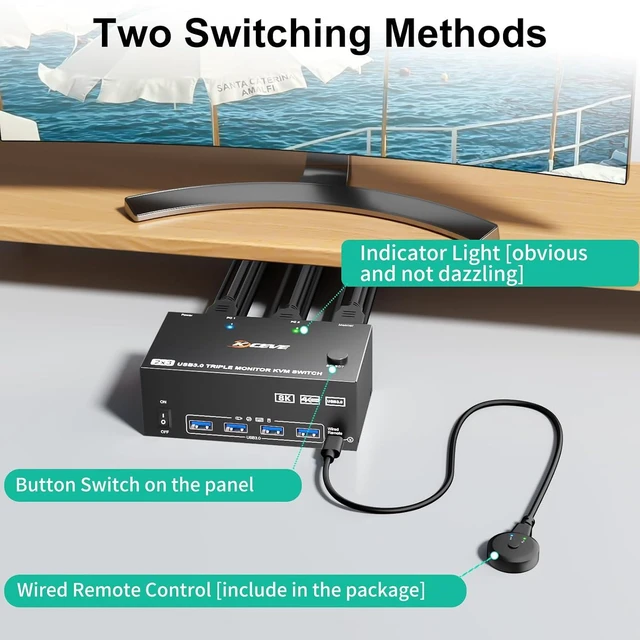
    • Easy Switching: The USB 3.0 KVM switch for 2 PCs and 3 monitors has two switching options. You can use the switch buttons or wired remote control to switch freely between the two computers. The LED indicator shows which computer is running. Note: Hotkey switching is not supported.
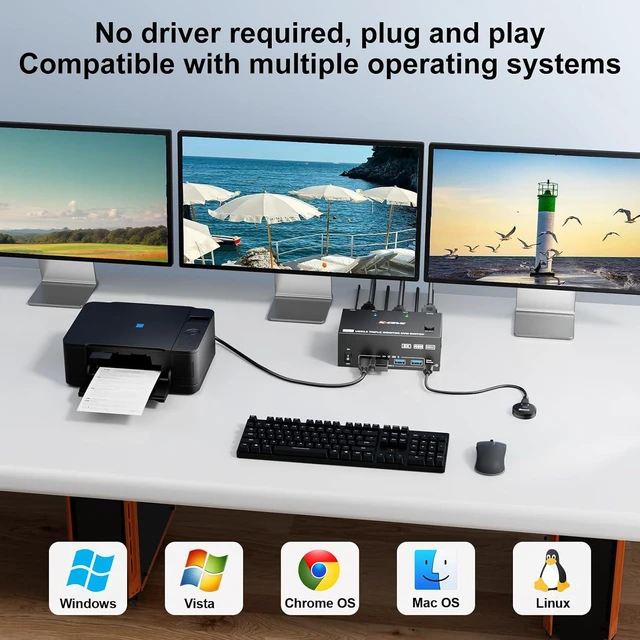
    • Wide Compatibility: Plug and play, no driver required, works with Windows/Vista/XP/MacOS/Linux and most other popular systems. It can be widely used in the office, study, games, meetings and other places.
    +
    +
    Overview
    Specs
    Reviews

    Any questions? Ask CelesteSM will help you find out quickly.

    Features

    1. HD DP KVM Switch 2 PC 3 MonitorsThe HDMI + DisplayPort USB3.0 KVM Switch can control 2 computers to share 3 monitors and 4 USB 3.0 devices with a keyboard and mouse. It is the best KVM switch to improve work efficiency and make your workspace more tidy.
    2. UHD 8K image enjoyment: The KVM switches for three monitors supports 8K@60Hz/4K@144Hz. Please note: The HDMI port supports HK @ 300 / 100% and is backward compatible. The DP port supports TK@30HZ/K@1200 and is backward compatible. Note: Use DP 1.4 and HDMI 2.1 cable to connect the KVM switch to the monitors. Shorter cable lengths are preferable as longer cables can affect optimal resolution or display quality.
    3. 4 USB 3.0 Ports: KVM switch for 3 monitors with 4 USB 3.0 ports, supports super fast data transfer at 5Gbps, connect keyboards, mice, printers, hard drives, etc. Important: Please make sure you use a USB cable to connect the KVM switches to the USB port of your computer, otherwise the USB port may not be recognized.
    4. Easy Switching: The USB 3.0 KVM switch for 2 PCs and 3 monitors has two switching options. You can use the switch buttons or wired remote control to switch freely between the two computers. The LED indicator shows which computer is running. Note: Hotkey switching is not supported.
    5. Wide Compatibility: Plug and play, no driver required, works with Windows/Vista/XP/MacOS/Linux and most other popular systems. It can be widely used in the office, study, games, meetings and other places.
    6. Important: Each computer must be connected to a 1HDMI + 2DP + 1USB KABBAL to achieve a normal triple display. For desktop or laptop computers without 1xHDMI+2xDP port, you need to use a reliable adapter or USB-C dock. Please make sure each of your computers can support three monitors before purchasing. Test method: you can connect the computer directly to three monitors (without KVM).

    Warranty & Returns

    Warranty, Returns, And Additional Information

    Warranty

    • Please contact the Seller directly for warranty information. Warranty information may also be found on the Manufacturer's website.
    • CONTACT

    Return Policies

    Manufacturer Contact Info

    LOADING...