Installation Step;
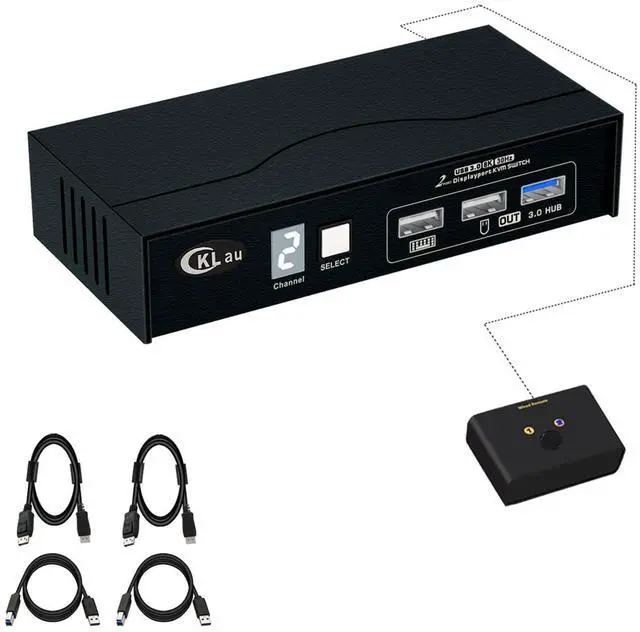
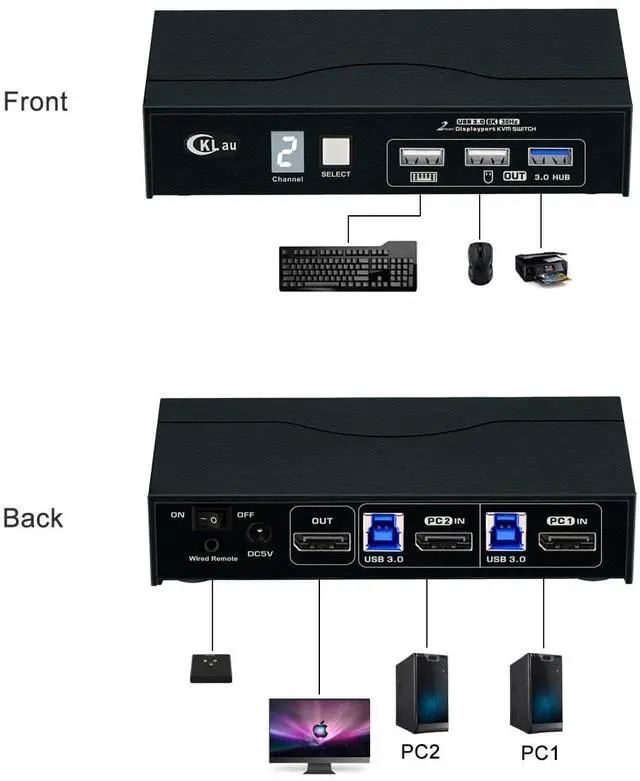
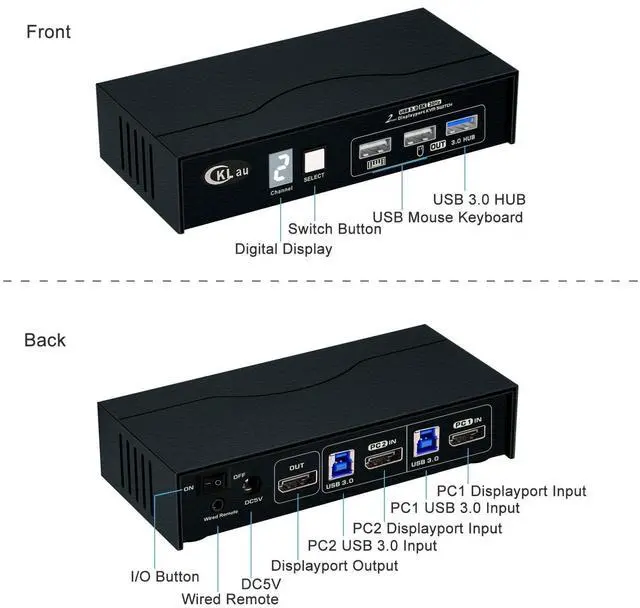
1. Connect the KVM switch and computers by USB 3.0 cables, and Displayport 1.4 cables which come with the KVM switch;
2. Connect the KVM switch and your monitor by Displayport 1.4 cables;
3. Plug the mouse into the mouse slot of the KVM switch, and plug the keyboard into the keyboard slot of the KVM switch, plug the wired remote push-button switch or other USB peripheral device into the KVM switch if needed;
4. If one of your computers operates on BIOS, you need to turn off all your computers at first and start by turning on that computer, entering your password, logging into the system, and waiting for the display. Then, switch to the second computer and turn it on. If both computers are BIOS-based, follow this sequence: start by powering on the KVM, then switch on the first BIOS computer, enter your password, log into the system, switch the KVM to the second computer, and finally, turn on the second BIOS computer. In summary, avoid starting both BIOS computers simultaneously, as it may cause issues like a black screen or disable your keyboard and mouse.
Package:
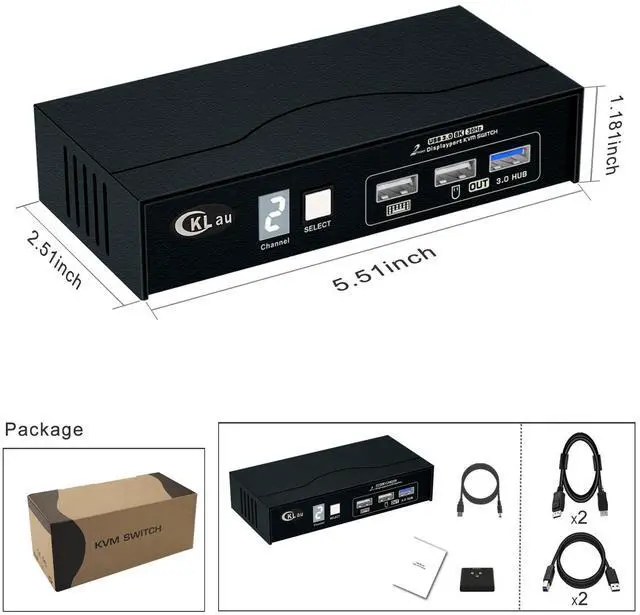
1 pcs x 2 port Displayport KVM switch
2 pcs x USB 3.0 cables
2 pcs x Displayport 1.4 cables
1 pcs x wired remote push button
1 pcs x power cable
1 pcs x manual
Tips:
1. The KVM switch comes with a power cable, We suggest you plug it into the KVM switch and your wall charger, to keep power stable and avoid damaging your devices cause the power supply is not stable.
2. This DP 1.4 Single Monitor KVM switch is without emulation EDID function, Windows size and location may be moving after switching between computers.
3. If you want to get 8K30Hz or 4K144Hz resolution, your devices(include computers, monitor, docking station, adapter) all should support that resolution. The KVM switch is like a bridge for transferring computers' signals to monitors, it can't change your devices' resolution. For example, your computers and monitors all support 4K144Hz, but one of your computers needs to use an adapter, and this adapter only supports 4K60Hz, then this computer only supports 4K60Hz but not 4K144Hz.
Easily to know which computer you are operating now.
Anti-interference, signal transfer more stability.
USB 3.0 data transferring rate up to 5Gbps/s (10 times faster than USB 2.0).
Only press the button of the wired remote or manual button one time, it will switch to another computer easily.
Resolution compatible 7680x4320@30Hz, 5120x2880@50/60Hz, 3840x2160@60/120/144Hz, 3840x1620@60/120/144Hz, 3440x1600@60/120/144Hz, 3440x1440@60/120/144Hz, 3840x1080@60/120/144/165/240Hz, 3200x1800@60/120/144/165/240Hz, 2560x1440@60/120/144/165/240Hz, 2048x1536@60/120/144/165/240Hz, 2048x1280@60/120/144/165/240Hz, 2048x1080@60/120/144/165/240Hz, 1920x1200@60/120/144/165/240Hz, 1920x1080@60/120/144/165/240Hz, etc. Suit for home, office, play gaming, Ultra-HD TV, etc. Enjoy your time!
CKLau Brand Some of DP 1.4 Series KVM Switch
CKLau Displayport 1.4 2 Computers 1 Monitor Switch Connect Diagram CKLau 2x1 Displayport 1.4 2 Computers KVM Switch Advantage With digital display With 2 pcs High Shield Displayport 1.4 Cables With a USB 3.0 Hub port Two Switching Way Optional CKLau DP 1.4 One Monitor KVM Switcher Application Area