Dual Monitor KVM Switch Dual Monitor HDMI KMV Switches KVM Dual Monitor KVM for Mac KVM Switch USB 3.0 KVM Switch 4K
Installation Step
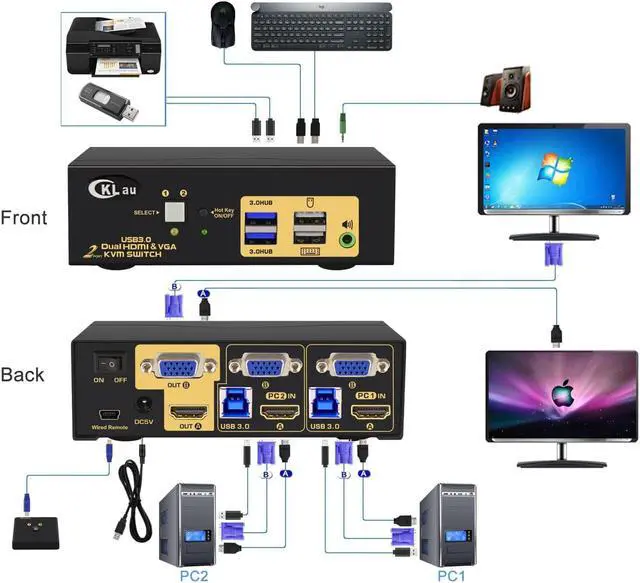
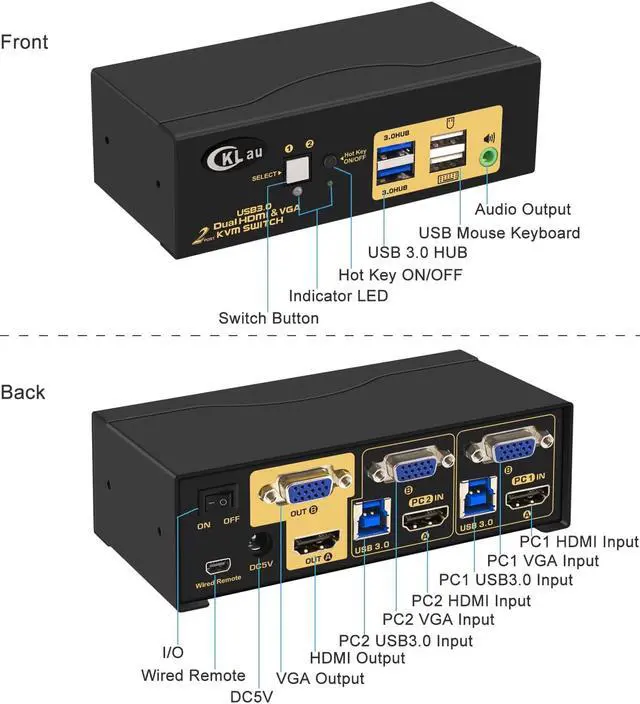
1. Turn off all devices and unplug all the cables;
2. Plug DC5V 2A power adapter into KVM and AC socket;
3. Plug USB 3.0 cables, HDMI cables, VGA cables into KVM switch and your computers;
4. Plug HDMI cable, VGA cable into KVM switch and monitors;
5. Plug mouse into mouse slot of KVM switch, plug keyboard into keyboard slot of KVM switch;
6. Plug speaker or USB devices into KVM switch if needed;
7. Turn on KVM switch;
8. Turn on computers.
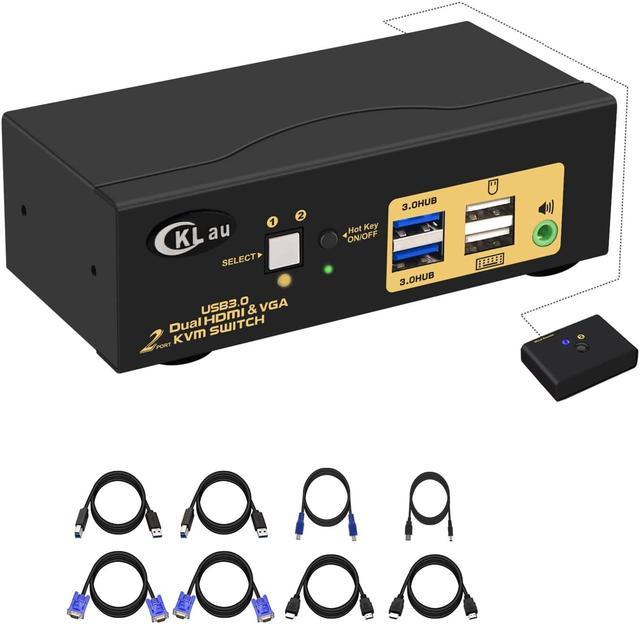
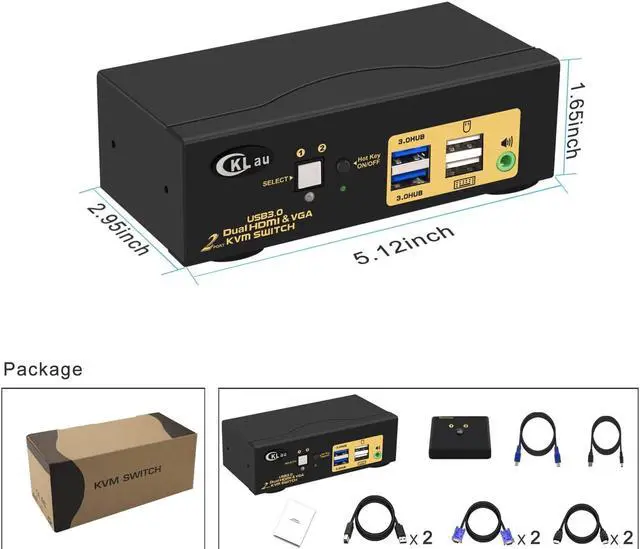
Package: 1 x 2 Port HDMI VGA KVM Switch + 2 x HDMI cable + 2 x VGA cable + 2 x USB 3.0 cable + 1 x User Manual + 1 x DC 5V 2A Power Adapter + 1 x wire remote push button switch
Support HDMI 2.0, HDCP 2.2, HDR10.
Support auto detection, auto scan, waking up, with memory function in case of power-down.
Data transferring rate up to 5Gbps/s (10 times faster than USB 2.0).
Certified HDMI adopter over 10 years. Excellent image processing and transmission capacity, make the output signal is more smooth and steady.
Monitor Switch for 2 Computers USB 3.0 KVM Switch 2 Computers With 2 pcs extra USB 3.0 HUB Certified HDMI adopter