Computer Switch for 2 Computers Monitor Switch for Multiple Computers KVM for Mac 4K KVM USB KVM USB HDMI Switch KVM USB Switch 2 Port HDMI KVM Switch Monitor Keyboard Mouse Switch Keyboard Mouse Monitor Switch
Installation Step
1. Turn off all your devices and unplug all the cables;
2. Plug DC5V 2A power adapter into KVM switch and AC socket;
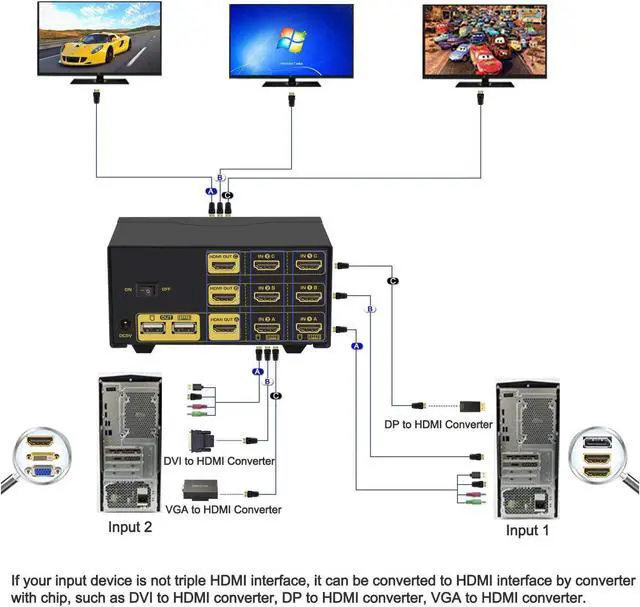
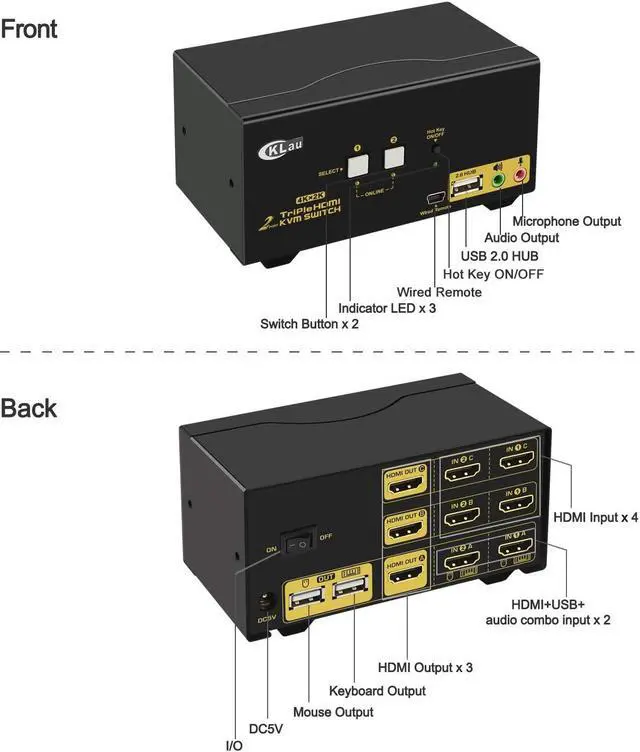
3. Plug KVM cables(cable A), HDMI cables(cable B and cable C) into KVM switch and your computers;
4. Plug HDMI cable into KVM switch and your monitor;
5. Plug mouse into mouse slot of KVM switch, plug keyboard into keyboard slot of KVM switch;
6. Plug speaker or microphone or other USB 2.0 peripheral into KVM switch if needed;
7. Turn on KVM switch;
8. Turn on your computers.
Package Content
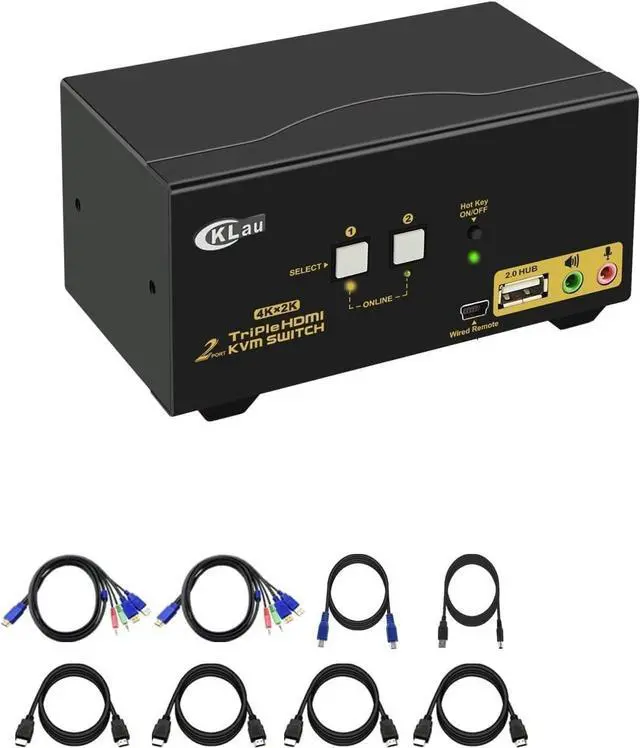
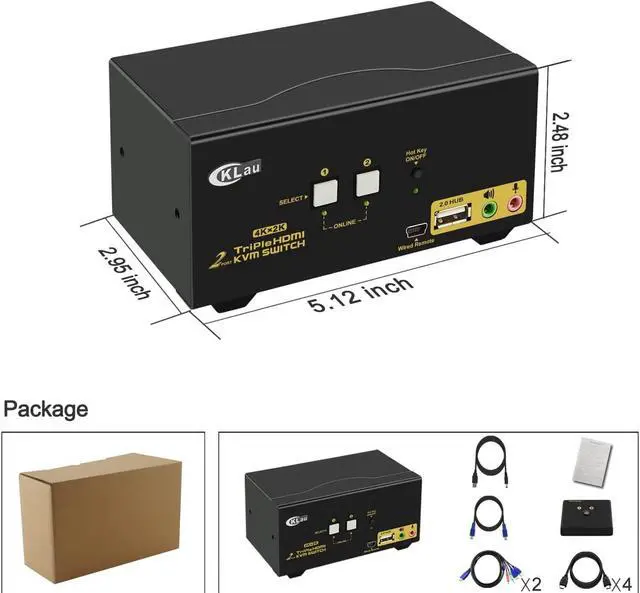
1 * 2 Port Triple Monitor HDMI KVM Switch
2 * KVM cable
4 * HDMI cable
1 * User Manual in English
1* DC 5V 2A Power Adapter (US Plug)
1 * wire remote push button switch
Tips:
If your computer without HDMI port, you should purchase the reliable converter with chip. The quality of converter will affect the function of KVM switch.
Support HDMI 2.0, HDCP 2.2, HDR 10, EDID.
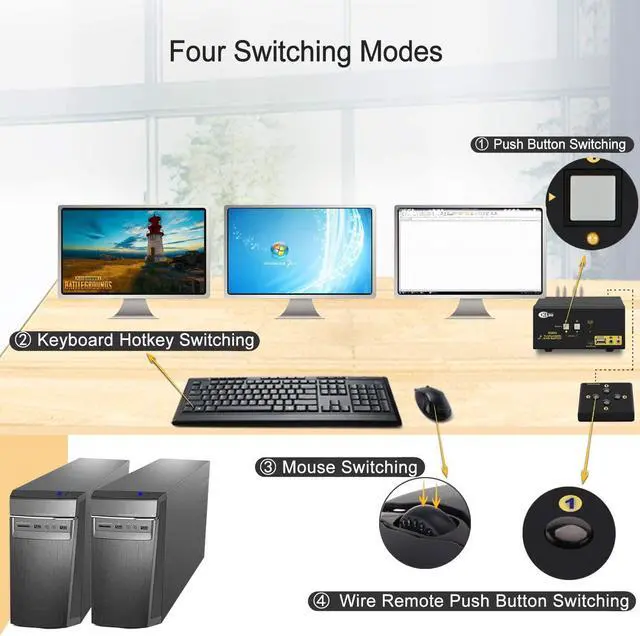
Support auto detection, auto scan, waking up, with memory function in case of power-down.
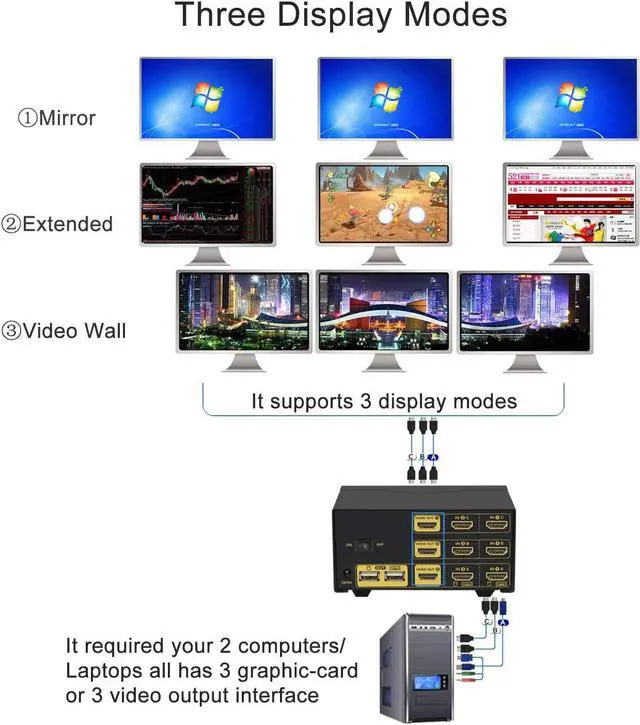
Extended display: 3 monitors display are separated content.
Mirror display: 3 monitors display are same content.
Video wall display: shows the whole content by 3 monitors together.
We are certified HDMI adopter over 10 years. Excellent image processing and transmission capacity, make the output signal is more smooth and steady.
Page 11Previous pageNext pageCKLau 4Kx2K@60Hz Dual Port 3 Monitor KVM Switch HDMI with Audio and Cables, KVM Switch 3 Monitors 2 Computers Supports Emulation EDID, Hotkey Switching
Share:
Found a lower price? Let us know. Although we can't match every price reported, we'll use your feedback to ensure that our prices remain competitive.
Fields with an asterisk * are required
**