• $208.99
  • Free 30-day Returns
  • Ships from China.
    Price alert
    Shop it at NeweggBusiness.

    Meet Your Seller

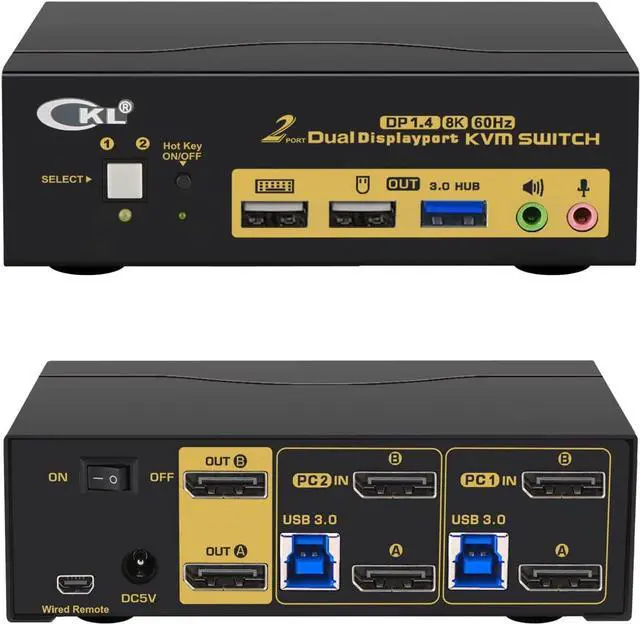
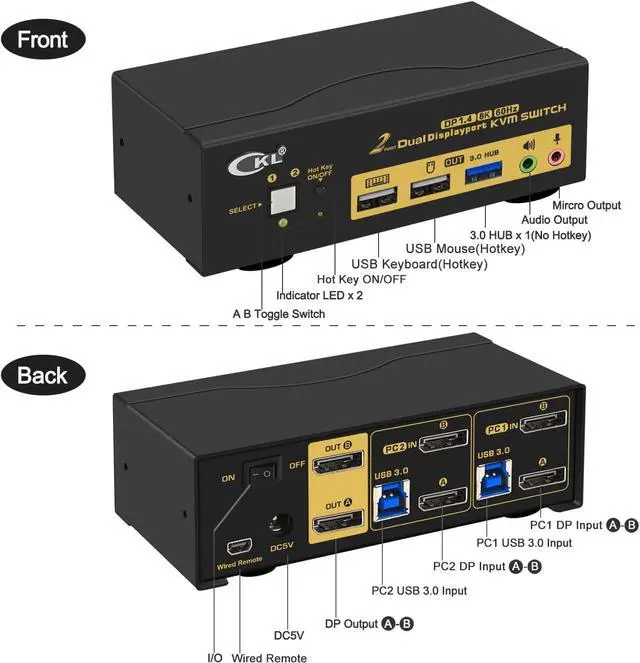
    CKL 2 Port USB 3.0 KVM Switch Dual Monitor DisplayPort 1.4 4K@144Hz 8K@30Hz for 2 Computers, PC Screen Keyboard Mouse Peripheral Audio Sharing Selector Box, with All Cables (622DP-4)

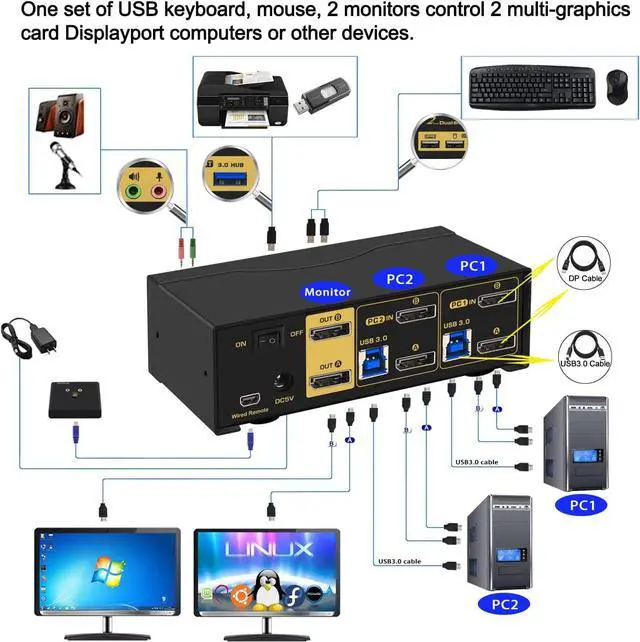
    • CAPABILITIES: This KVM Switch Dual Monitor DisplayPort helps you to Hook up 2 computers or laptops to share one set of keyboard, mouse and dual extended or mirrored monitors, with 1 extra high speed USB 3.0 hub port for sharing USB peripheral; Perfect for IT specialist, gaming, multi tasks and WFH (work from home);
    • RESOLUTION: DP 1.4 KVM Switch supports max. resolution of 8K@60Hz for dual DP input on a single monitor, 8K@30Hz, 4K@144Hz, 4K@240Hz (32:9), 2560x1440@144Hz and downwards. Final resolution is also subject to graphic cards, monitors, cables and adapters and how those work together;
    +
    +
    Overview
    Specs
    Reviews
    avatar

    Any questions? Our AI beta will help you find out quickly.

    Welcome to GEEK ZONE Store

    CAPABILITIES: This KVM Switch Dual Monitor DisplayPort helps you to Hook up 2 computers or laptops to share one set of keyboard, mouse and dual extended or mirrored monitors, with 1 extra high speed USB 3.0 hub port for sharing USB peripheral; Perfect for IT specialist, gaming, multi tasks and WFH (work from home);
    RESOLUTION: DP 1.4 KVM Switch supports max. resolution of 8K@60Hz for dual DP input on a single monitor, 8K@30Hz, 4K@144Hz, 4K@240Hz ( 32:9 ), 2560x1440@144Hz and downwards. Final resolution is also subject to graphic cards, monitors, cables and adapters and how those work together;
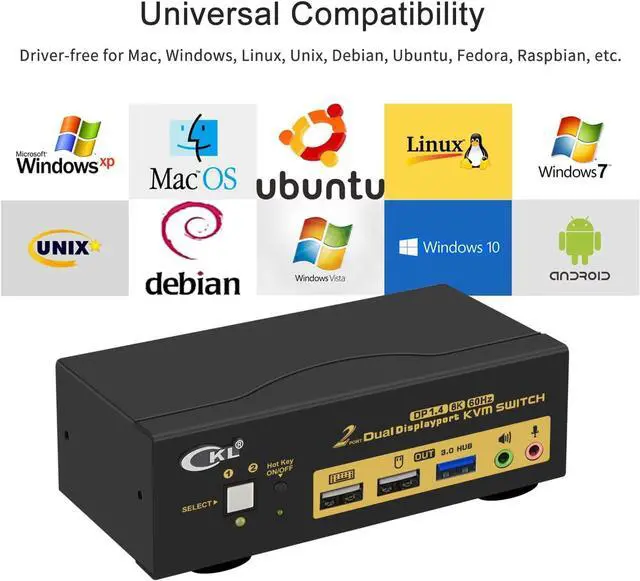
    COMPATABILITY: Cross supports most major operation systems like Windows, Linux, Mac and more; also support switch between devices without keyboard and mouse like DVR and NVR; Support webcam, speaker / headphone and microphone;
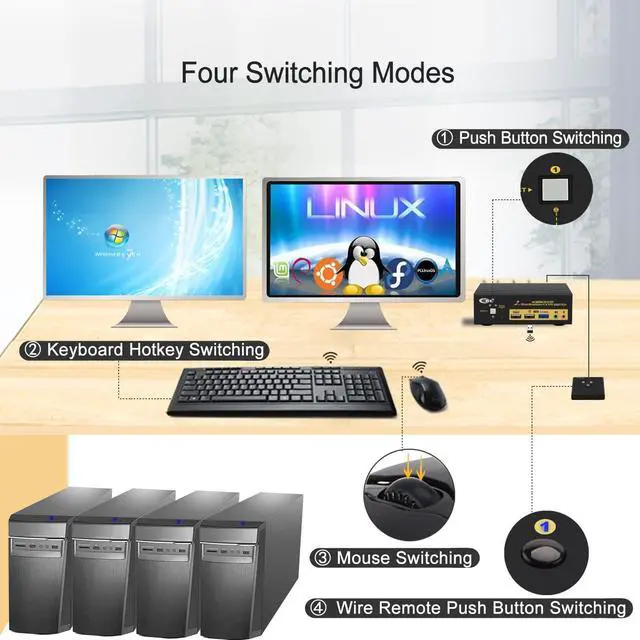
    SWITCH METHODS: Supports more switching methods than others to meet with different needs, including keyboard hotkeys, mouse hotkeys, push button, wired remote and auto scan; switching only takes 2 or 3 seconds after first set-up;
    WARM REMINDER: Adapters will be needed if your computer does not have dual DP outputs, powered HDMI to DP or USB C to DP adapters are preferred; This DisplayPort KVM switch does not support EDID emulation so the desktop locations may change upon switching and boot-up.

    Warranty & Returns

    Warranty, Returns, And Additional Information

    Warranty

    • Please contact the Seller directly for warranty information. Warranty information may also be found on the Manufacturer's website.
    • CONTACT

    Return Policies

    • Return for refund within: 30 days
    • Return for replacement within: 30 days
    • This item is covered by MUSE TECH Return Policy

    Manufacturer Contact Info

    LOADING...