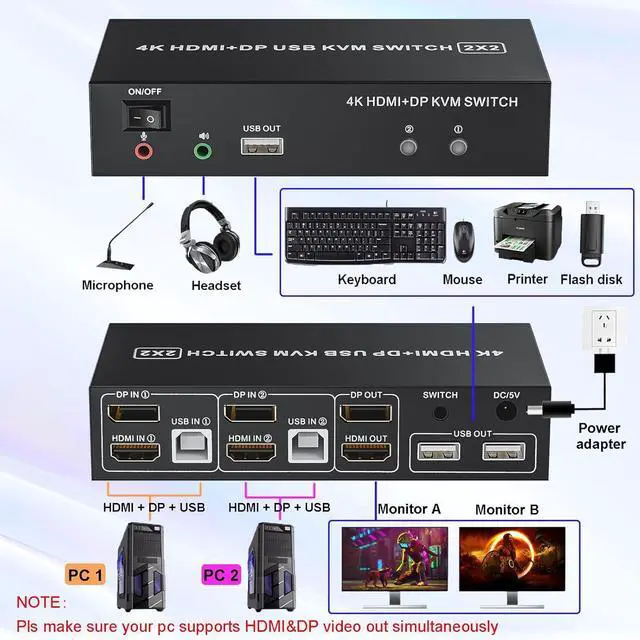
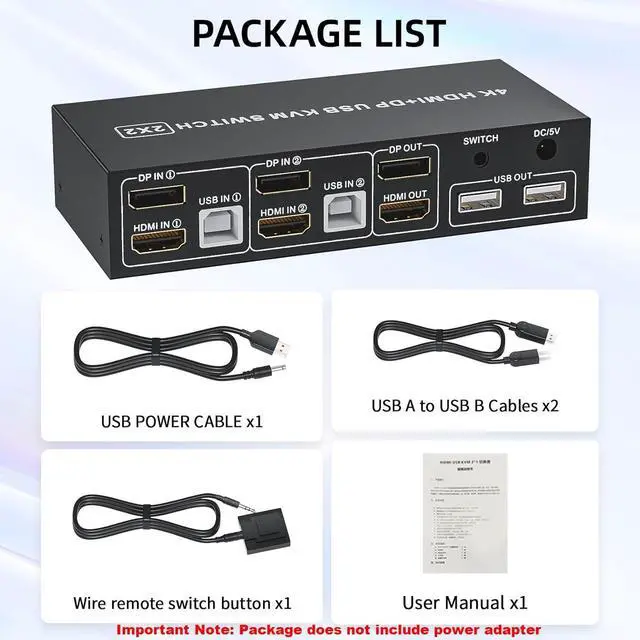
The HDMI,Displayport and USB input must be corresponding with each other
- HDMI IN1 + DP IN1 + USB IN1=PC1
- HDMI IN2 + DP IN2 + USB IN2=PC2
Important Note:
- Wireless mouse and keyboads are not supported
- Mechanical keyboards and mouses are not supported, standard 104-key wired USB keyboard, standard 2 or 3 button wired USB mouse are recommended
- Short key switch via keyboard is not supported
- For reliability, pls do not set the referesh rates more than 60Hz
- HDMI ATC certified HDMI 2.0 and Displayport Vesa Certified 1.2 and above cable are needed. Most sync issues are caused by poor cable
- Pls make sure both of your PC or laptop comes with HDMI and displayport. And It is capable of supporting 2 video out simultaneously
Boost Yout Productivity with Extra Screens
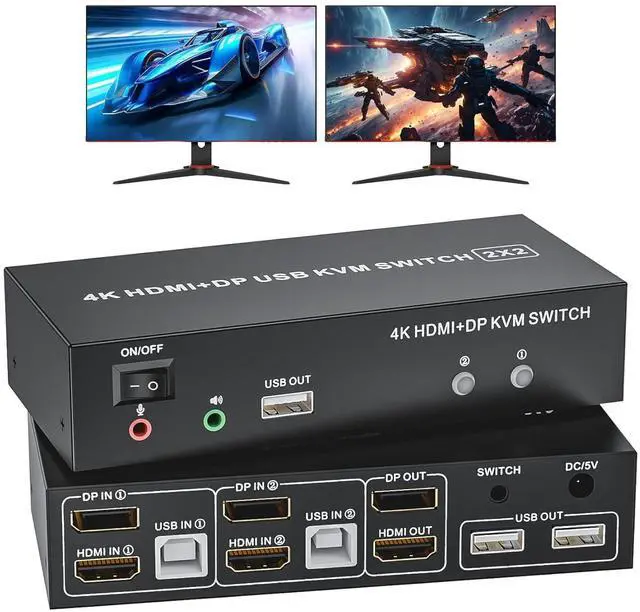
Dual Monitor KVM Switch
Using this dual Monitor KVM Switch to control 2 computers or laptops with HDMI and Displayport out. (Every computer must support 2 screen or above display functions and must support extended display)
4K HDMI + DP KVM Switch
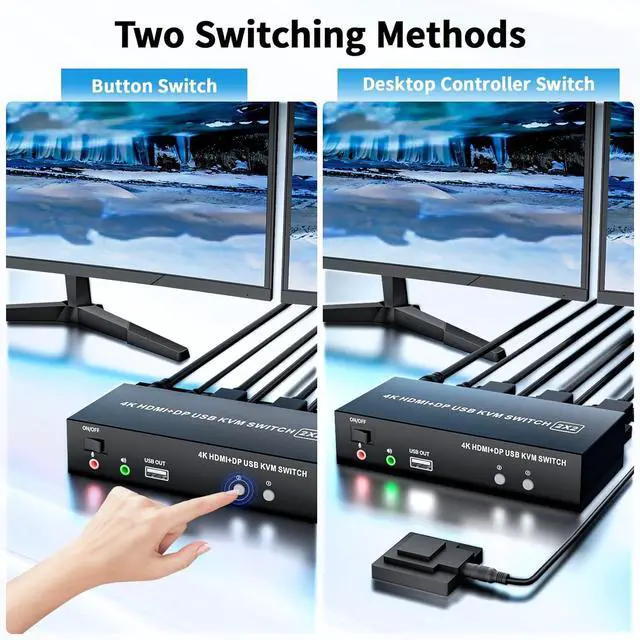
Wired Remote Control
Using the remote to switch 2 monitors between 2 computers with one set of keyboard and mouse
4K@60Hz Smart Chip
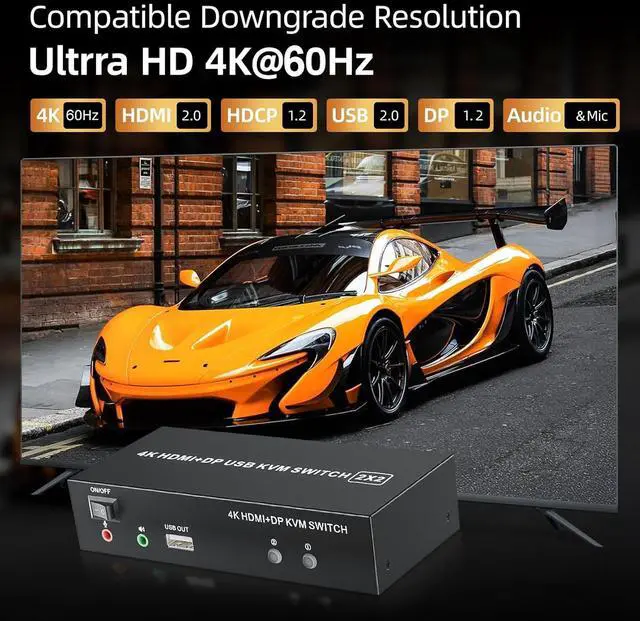
Supports up to 4K@60Hz resolution, HDMI 2.0 HDCP 2.2 compliant. Bring you an stunning viewing experience with realistic images / sounds and vibrant colors
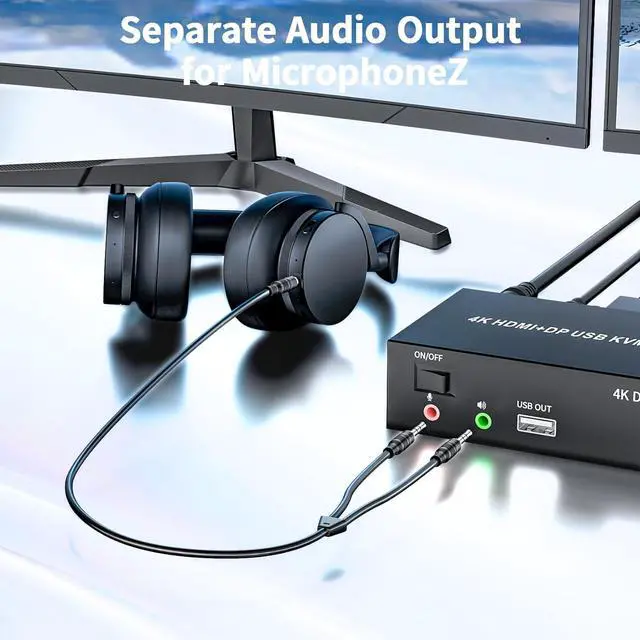
Separate Audio Output
Supports stereo audio output for microphones, enjoy immersive clear audio
KVM Switch Dual Monitor: This KVM switch 2 computers 2 monitors help you to control 2 computers or laptops by only one set of wired keyboard and mouse. 2 PCs sharing a printer, keyboard, mouse, microphone and audio. Additional USB 2.0 x3 for printer, keyboard and mouse
4K@60Hz Resolution: USB HDMI KVM switch supports maximum resolution up to 4K@60Hz, and backwards compatible with 1080P, 720P, 480P, etc. Also supports 3.5 mm audio and mircrophone out
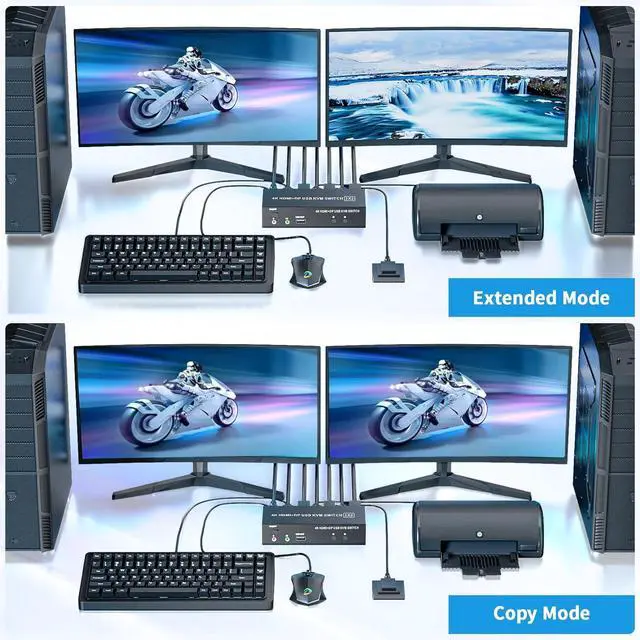
Extended & Copy Mode: DP dual monitor KVM switcher supports copy and extended modes; In copy mode, it will display same content on 2 monitors. In extended mode, it will display two different screens;
NOTE: Please make sure your computer supports multi-screen display
Wide Conpatible: KMV switcher is plug and play, no extra drive needed; Compatible with HDMI 2.0 and HDCP 1.2, supports USB 2.0 protocol; Windows 10/ 8/ 7/ Vista/ XP and Mac OS, Linux, which can adapt to a variety of complex environments





 here!
here!