shipping Holiday Shipping Details & Extended Holiday Returns
  • $189.99
  • Free 30-day Returns
  • Ships from China.
    Price alert
    Shop it at NeweggBusiness.

    Meet Your Seller

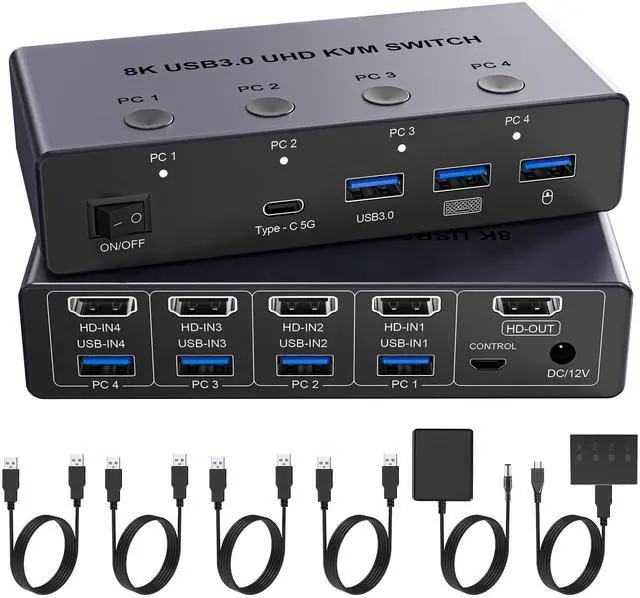
    BUCIER 8K@60Hz HDMI KVM Switch 4 Computers 1 Monitor with 4 USB 3.0 Ports Aluminum KVM Switches Share One Monitor Keyboard Mouse Hard Drives Printer with 4 USB Cables and Desktop Controller

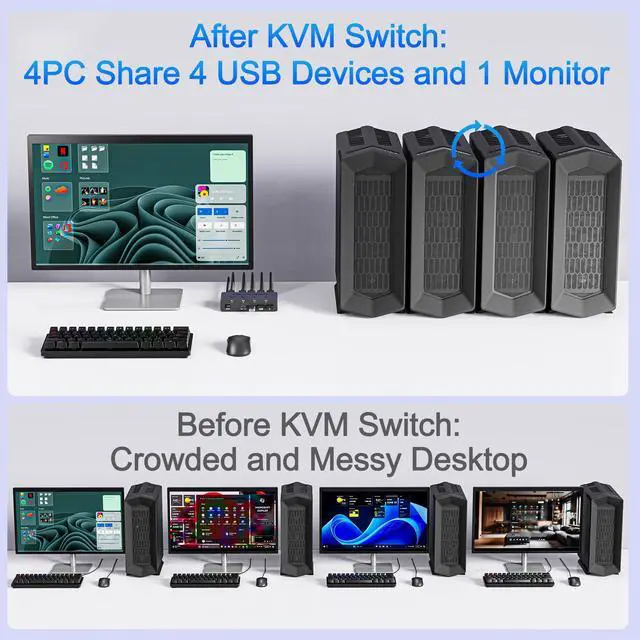
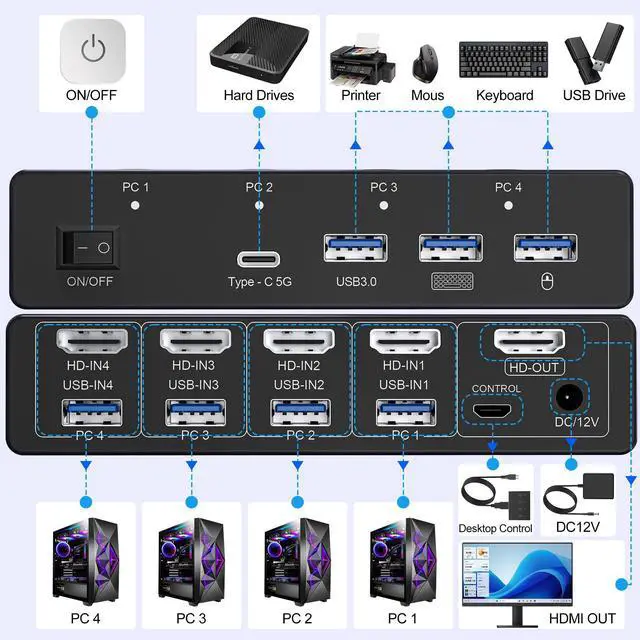
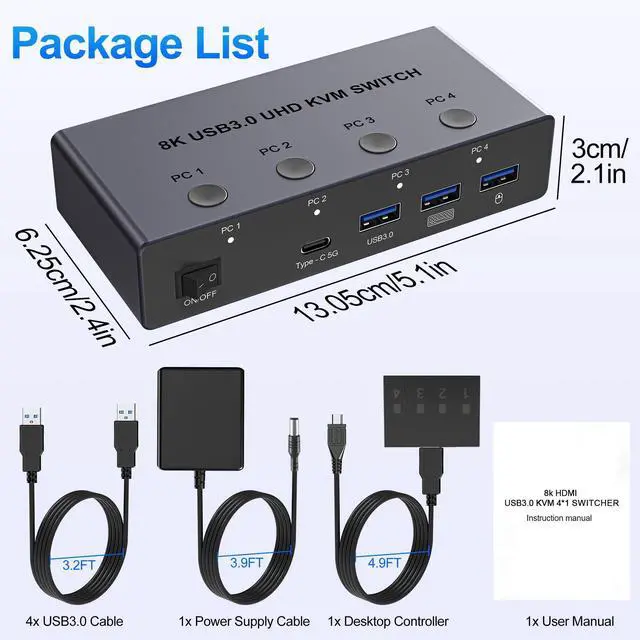
    • HDMI KVM Switch for 4 Computers: This hdmi kvm switch enables 4 computers to share 1 monitor and up to 4 USB 3.0 peripheralssuch as a keyboard, mouse, external hard drives, USB flash drives, and printers. Simply use the remote control or the switch buttons on the panel to easily switch between the 4 computers without any complicated operations, saving costs, simplifying your workspace, and improving work efficiency. Note: Each PC and monitor must be equipped with an HDMI port for proper operation. Note: Each computer and the monitor must feature an HDMI port to ensure proper operation.
    • UHD 8K@60Hz Resolution: This hdmi kvm switch 4 computers 1 monitor supports resolution up to 8K@60Hz 4K@120Hz and backward compatible 4k@60Hz, 4k@30Hz, 2560*1440@120Hz, 1920*1080@240Hz. Note: To achieve these resolutions, both your computer's graphics card and monitor must support 8K@60Hz or 4K@120Hz. Using a high-quality HDMI 2.1 cable is recommended for smooth, seamless video output.
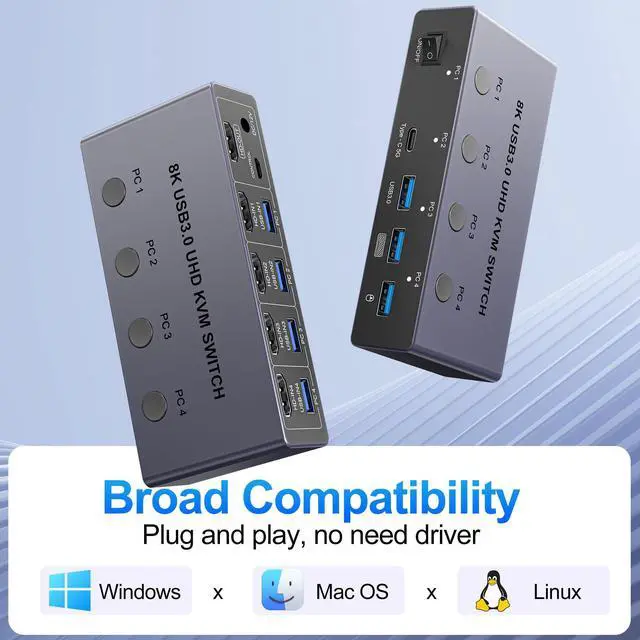
    • With 4 USB 3.0 Ports: This HDMI KVM switch has 4 USB 3.0 ports (3 USB-A+1 USB-C) for sharing USB flash drives, printers, mobile hard drives, U disk, and other USB devices. USB 3.0 supports transfer speeds of up to 5Gbps, backward compatible with USB 2.0, 1.1, and 1.0, providing transfer speeds 10 times faster than USB 2.0. Note: Each computer needs to be connected to the KVM with either a USB A cable, otherwise the keyboard and mouse will not be recognized.
    +
    +
    Overview
    Specs
    Reviews
    avatar

    Any questions? Our AI beta will help you find out quickly.

    8K@60Hz HDMI KVM Switch 4 Computers 1 Monitor with 4 USB 3.0 Ports Aluminum KVM Switches Share One Monitor Keyboard Mouse Hard Drives Printer with 4 USB Cables and Desktop Controller

    Additional Features

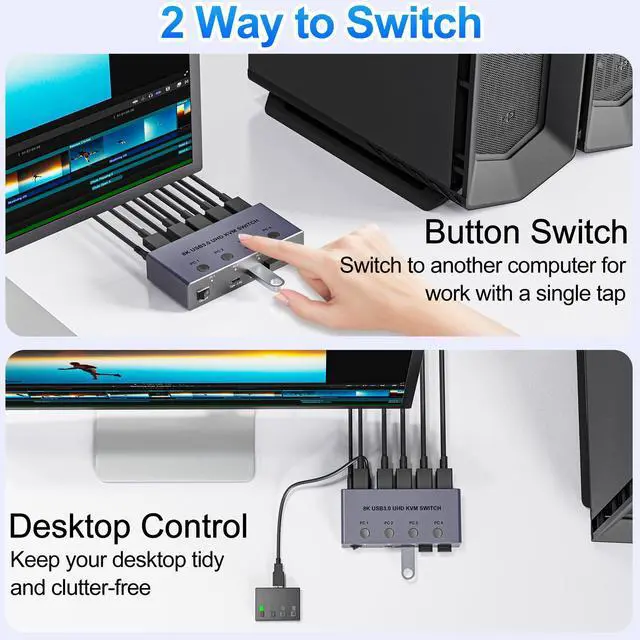
    • Two Switching Ways: HDMI KVM Switch supports One-Button switch or desktop controller switch, freely switch between 4 computers, saving space on your desk and sharing your display, keyboard and mouse between four computers. LED indicators clearly show which computer is active. The wired desktop controller allows you to place the HDMI 2.1 KVM switch out of sight for a cleaner, more organized workspace. NOTE: Not support Hotkey switching
    • Wide Compatibility & Driver-Free: This USB switch supports Windows, MacOS, and Linux systems. Just plug and play. It is compatible with most HDMI source devices, such as PC, Laptop, MacBook Pro, Mac mini, Nintendo Switch, PS5, PS4, PS3, Xbox One, etc. Our 8K 60Hz KVM switch is widely applied for enterprise, office, multimedia teaching, meeting rooms, gaming rooms, research tests, etc
    • Stable work: The 4 port KVM switch is equipped with a 12V 1A external power supply to ensure stable operation, even when connecting high-power USB devices. If you have any questions during use, please contact us. We have a professional technical team to help you solve your difficulties. Within 12 months, we will replace the switch at no charge. Note: This KVM switch must be connected to a DC 12V power adapter for proper operation.
    • NOTE: 1, Each PC must be connected with an HDMI cable (for video transfer) and a USB A cable (for data transfer) for normal use. 2, For stable use, please connect to the power source for power supply. 3, Not supported for use with docking station. 4, Do not press the button on the switch or the desktop controller while connecting devices and cables. 5, If you are connecting a laptop, please check the laptop is awakened from sleep mode before you switch. 6, Not support EDID Emulation

    Warranty & Returns

    Warranty, Returns, And Additional Information

    Warranty

    • Please contact the Seller directly for warranty information. Warranty information may also be found on the Manufacturer's website.
    • CONTACT

    Return Policies

    Manufacturer Contact Info

    LOADING...