Ideal Switch for 2 Computers Share 4 USB Devices, Free Your Desk Space and Save Your Time!
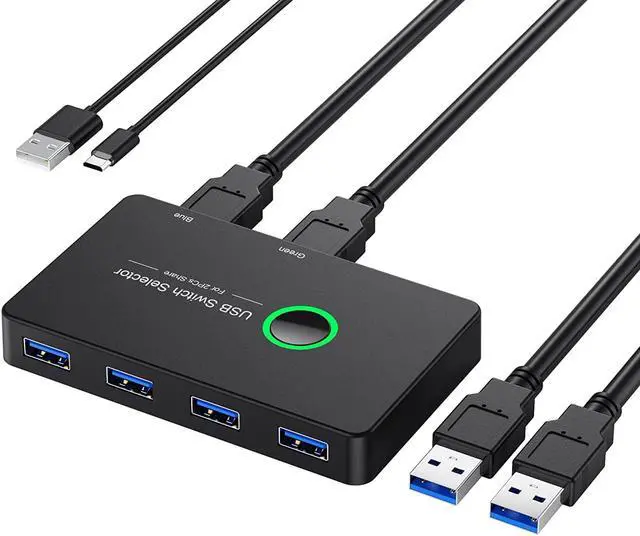
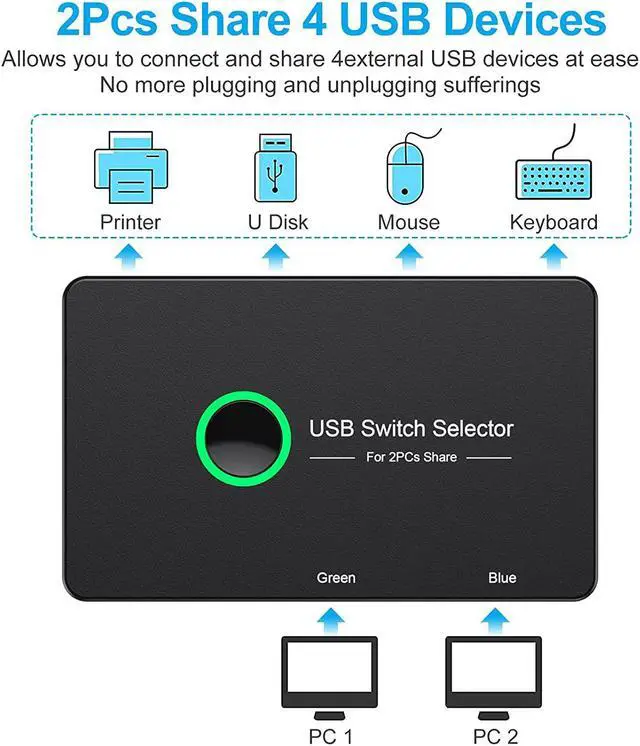
Our USB switch realizes 2 computers share 4 USB Devices, can easily switch between 2 computers via a push button with LED indicates the active computer without constantly swapping cables or set up complicated network sharing software. Thanks to the 2 in 4 out design, this kvm switch is very nice to expand your PC' USB 3.0 port into 4, helping to save time and space!
4 Port USB 3.0 Design
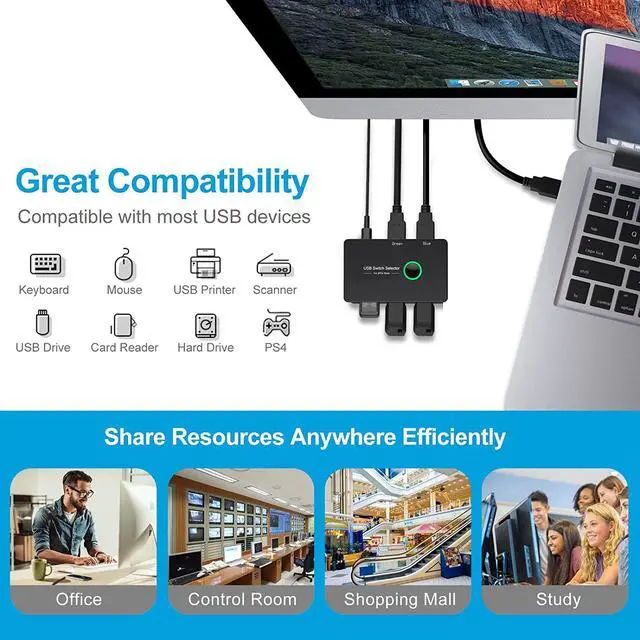
- Usb Switcher compatible with Mouse, Keyboard, Printer, Scanner, PC and son on. USB 3.0 also backward compatible with USB2.0 and USB1.1
- If your device has USB2.0 ports or lower, you won't be able to export USB 3.0 speeds
Driver-Free Design
- Plug and Play, no driver request! Easy Installation
Package Included
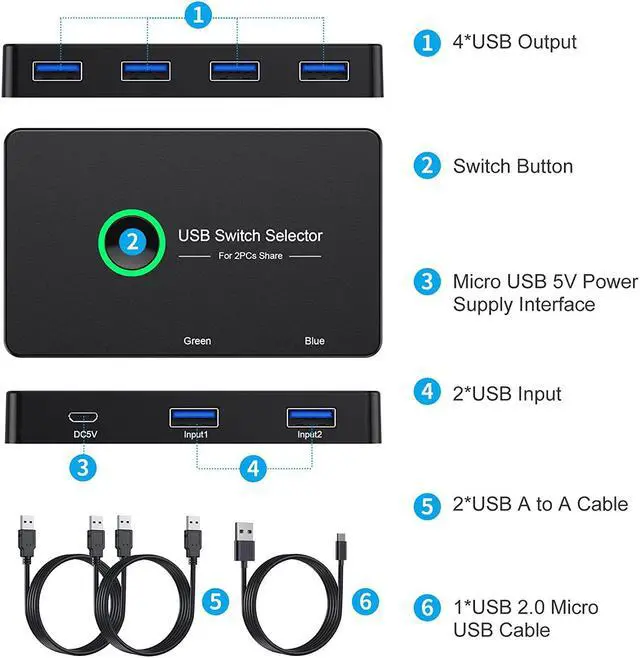
- 1 x USB 3.0 Sharing Switch Box
- 1x Micro USB 2.0 Cable
- 2x USB 3.0 Cables
- 1x User Manual
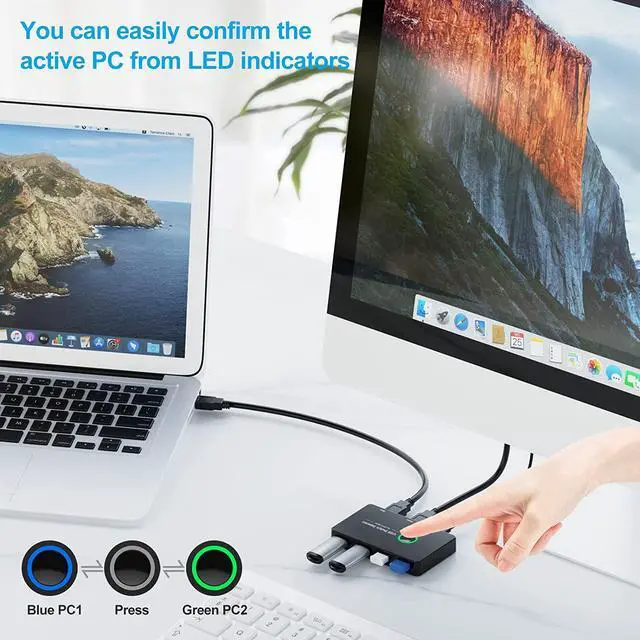
LED indicator & One Button Switch
- Just press the button, your computer will switch to another devices and the different LED light will indicate to different PC when you switch.
- Note: This kvm usb switch will not 'automatically' switch between devices, it needs switch computer by manual control the button.
4 Port USB 3.0 & DC5V Micro Charging
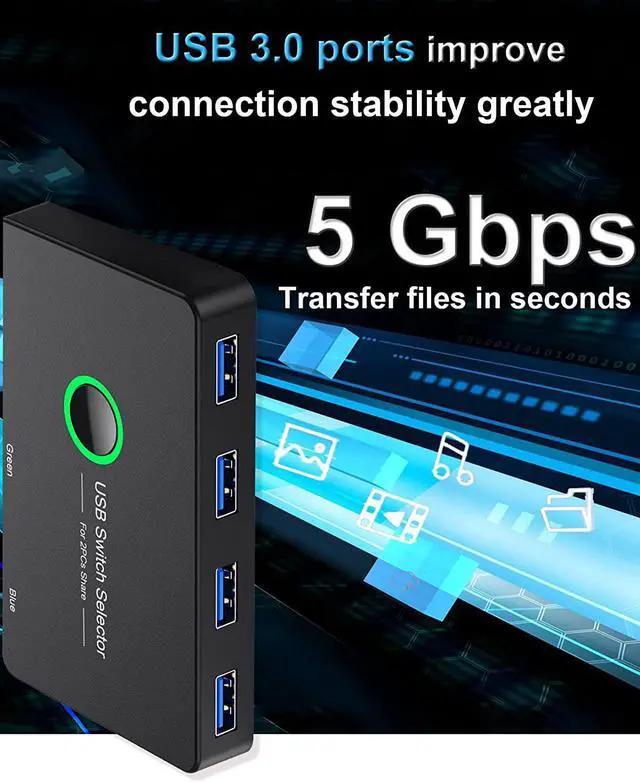
- USB 3.0 Switch supports ultra-fast USB 3.0 data transfer rates of up to 5Gb/s (10 times faster than USB 2.0 )transfer Files in Seconds!
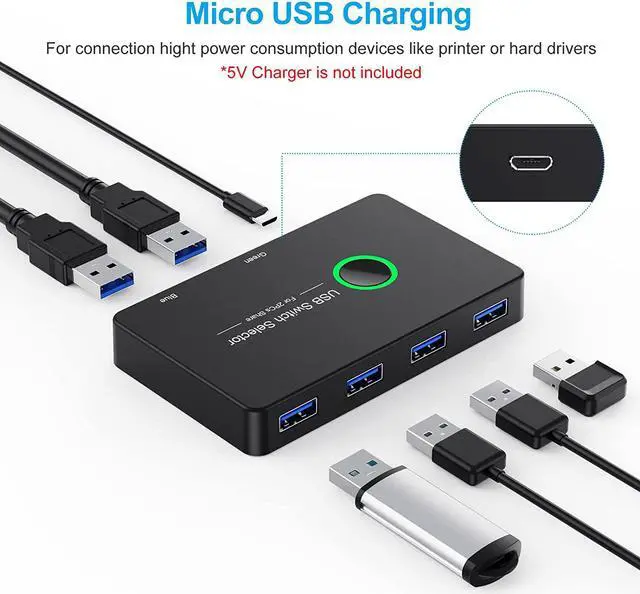
- Providing DC5V Micro Charging Port, more convenient to connect high power consumption devices, more stable use!
Micro USB 2.0 and USB 3.0 Cables
- There are 2 x USB 3.0 Cables (150cm) and 1 x Micro USB 2.0 Cable (150cm) come with the USB KVM switches, you not need to buy extra cables.
- Please use Standard 5V Adapter (Not Included) for powering
Our 2 Computers 1 Monitor Switch, Plug and Play, No Driver Request!
Application for this USB KVM Switch
- Windows 10/8/8.1/7/Vista/XP
- Mac OS
- Linux
- Chrome OS
When do you need a Micro USB port?
- If you only connect a keyboard and a mouse, No additional power is needed.
- USB 3.0 KVM Switches is required to plug in Mirco USB port when you connect high powered device, like external HDD, Digital Video Cameras, Printer and so on.
Does this Switch work with a wireless mouse or keyboard?
- Yes, it does. If your wireless device has a USB port, you can use it.
Would this damage a hard drive when switching?
- It won't damage your hard drive.
- If you running a USB hard drive through this KVM Switch, you just tell the current computer to eject it before switching to the other computer. This is no different than what you'd need to do if you physically unplugged it from one computer and plugged it into another computer, which is effectively what this switch is doing for you.
Are the Kvm Switch essentially disconnected from the computer when not being used?
- Yes, it disconnects the usb device from the one computer when it is connected to the other computer.
- For example, you are sharing a mouse between two computers. When the mouse works on the one computer, then it is disconnected from the other. Otherwise the mouse would be working on both computers which wouldn't make much sense.
| Inferface Port |
USB 3.0 |
| Number of ports |
2 in 4 Out |
| Transfer Rate |
5 Gbps |
| Extra Power Port |
Yes |
| Connector Style |
Plug In |
| Switch Style |
Button Switch |
| Item Dimensions (W x H x D) |
3.9 x 2.3 x 0.5 Inchs |
| Weight |
280g/0.61lbs |
Ideal Switch for 2 Computers Share 4 USB Devices, Free Your Desk Space and Save Your Time!
Our USB switch realizes 2 computers share 4 USB Devices, can easily switch between 2 computers via a push button with LED indicates the active computer without constantly swapping cables or set up complicated network sharing software. Thanks to the 2 in 4 out design, this kvm switch is very nice to expand your PC' USB 3.0 port into 4, helping to save time and space!
4 Port USB 3.0 Design
Usb Switcher compatible with Mouse, Keyboard, Printer, Scanner, PC and son on. USB 3.0 also backward compatible with USB 2.0 and USB 1.1
If your device has USB 2.0 ports or lower, you won't be able to export USB 3.0 speeds
Driver-Free Design
Plug and Play, no driver request! Easy Installation
Package Included
1 x USB 3.0 Sharing Switch Box
1x Micro USB 2.0 Cable
2x USB 3.0 Cables
1x User Manual





 here!
here!