




 here!
here!
I’m your shopping assistant for PC builds, upgrades, and everything tech.
Got questions? Ask away!
Start a conversation
here!
I’m your shopping assistant for PC builds, upgrades, and everything tech.
Got questions? Ask away!
Start a conversation



Any questions? Ask CelesteSM will help you find out quickly.

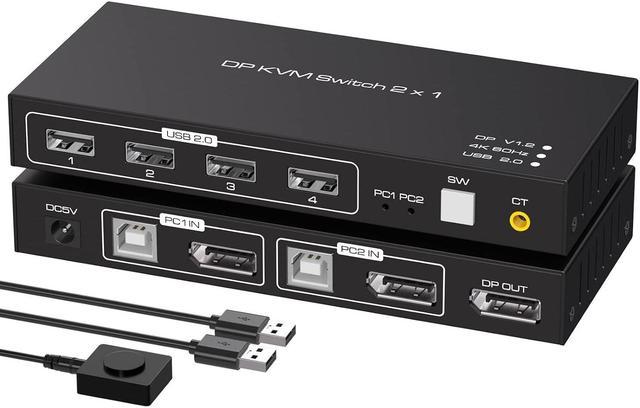
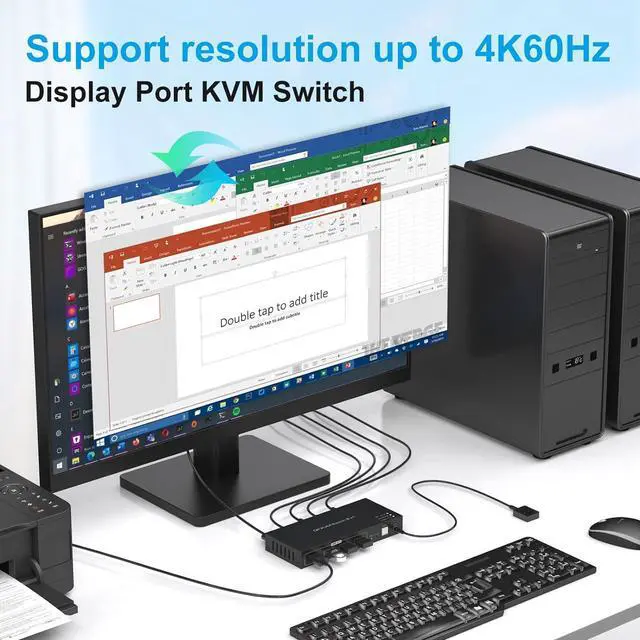
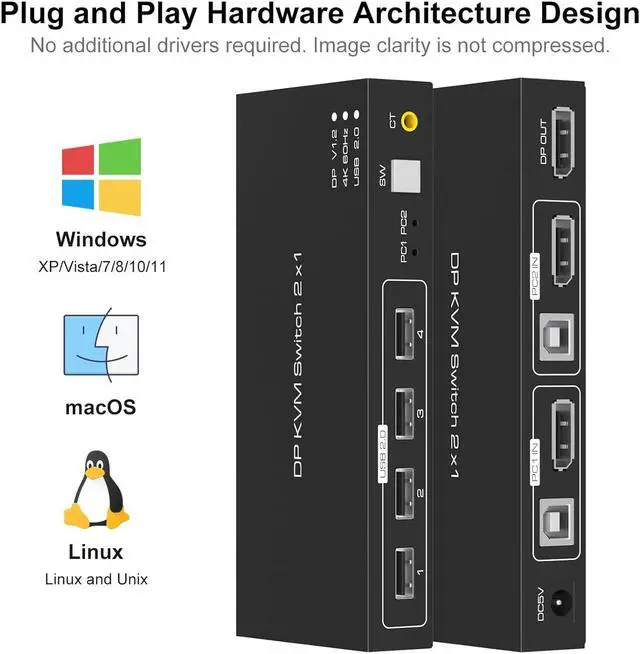
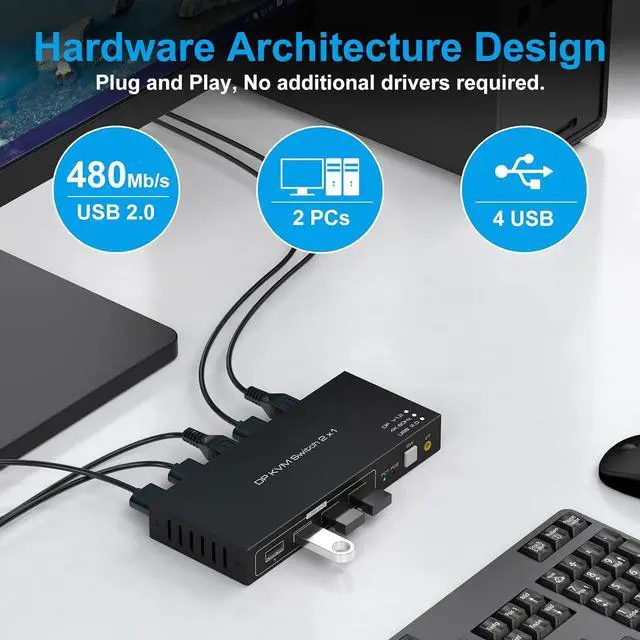
The Kvm Switch Displayport Support 2 Computers Share 1 HD Monitor (such as TVs, Projectors, LCD Monitors, Etc.)and Just Need 1 Keyboard and Mouse.
Features:
1.High Compatibility, Can Auto-match Source and Display Device;
2.The Kvm Switch USB 2.0 Built-in Automatic Adjustment System, Make The Image Smooth, Clear and Stable;
3.No Need to Install The Driver, Support Remote Control With an External Controller;
4.Easily Switches Between Systems Via Push Buttons With LED Indicating The Active Computer;

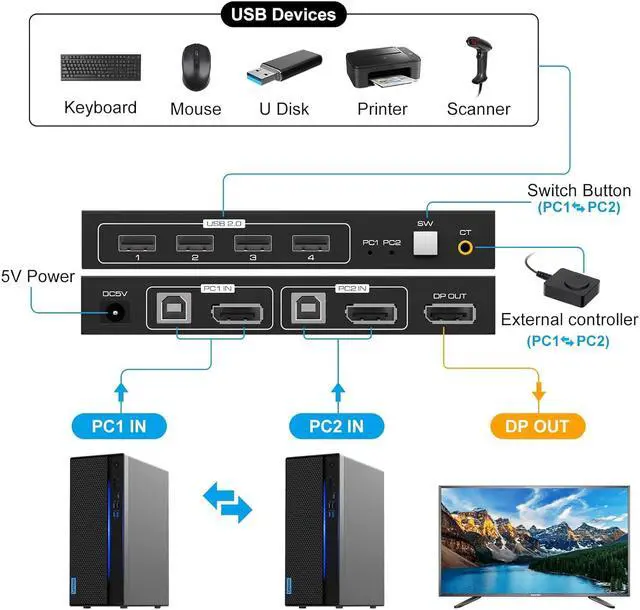
1. Connect the DP output port of the computer 1 to the DP_IN1 input port on the back of the KVM switcher through an DP cable.
2. Connect the USB port of the computer 1 to the USB_IN1 port on the back of the KVM switcher through an DP cable.
3. Connect the DP output port of the computer 2 to the DP_IN2 input port on the back of the KVM switcher through an DP cable.
4. Connect the USB port of the computer 2 to the USB_IN2 port on the back of the KVM switcher through an DP cable.
5. Connect the DP_OUT behind the KVM switcher to the monitor via an Displayport cable.
6. Connect a mouse, printer, USB stick, etc. to the front USB port.
7. Switch between computer 1 and computer 2 through the buttons on the panel or external control kits.
Note: If it cannot drive USB devices, please connect to 5V power supply.

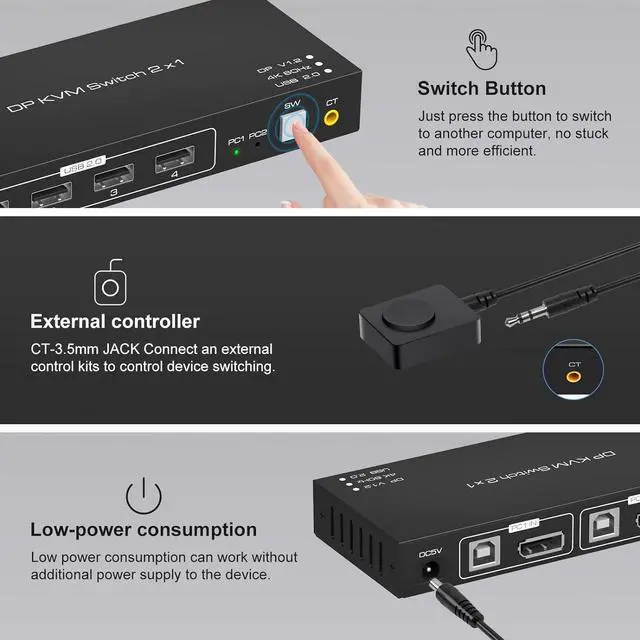
The KVM Switch DP Support One-Key SwitchingJust Need to Lightly Press The Button on The Panel,You Can Easily and Quickly Switch Between 2 Computers

The KVM Switch Also Come With an External Controller That Allows You to Easily and Quickly Switch Between 2 Computers on One Monitor If The USB 2.0 KVM Switch Have Some Distance Away From You.

The KVM Switch Don't Need Additional Power Required and It's Powered by The USB Cable.
Please Use Standard 5V Adapter(Not Included) for Powering. Any Charger With Higher Voltage Output is Not Allowed.

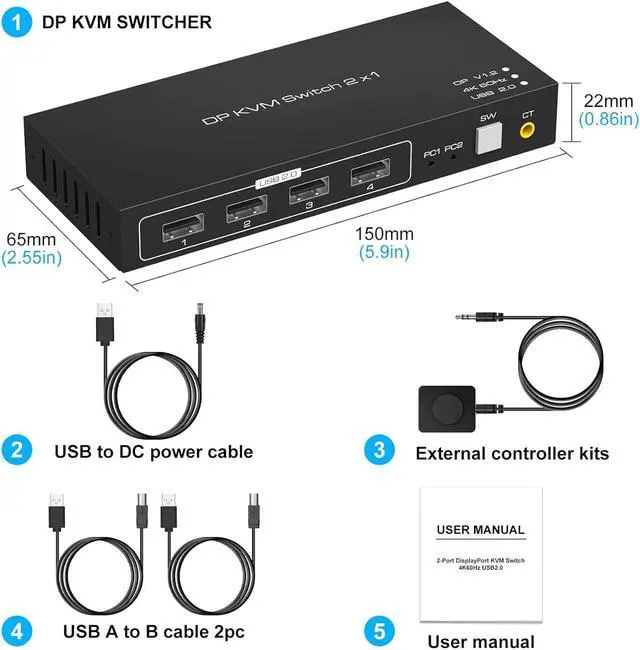
1. 4K DP KVM SWITCHER x 1
2. User manual x 1
3. USB to DC power cable x 1
4. USB_B type cable x 2
5. External controller kits x 1
Before power on, please check the connection line carefully. And make sure that all interfaces are normally connected.


