

Your Browsing History
- Free 30-day Returns
$195.99
Ships from China.

Best Sellers
 Top Rated
- $199.99
- + FREE SHIPPING

Meet Your Seller


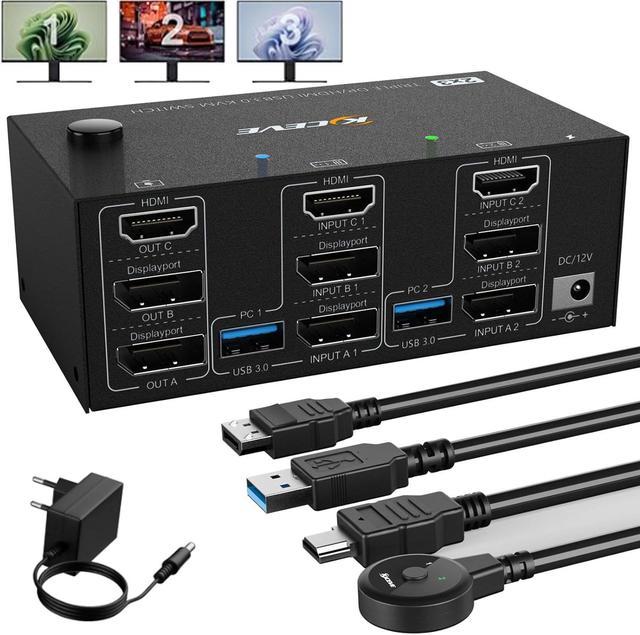


USB 3.0 HDMI + 2 DisplayPort KVM Switch 3 Monitors 2 Computers, 8K@60Hz KVM Switch 4K@144Hz, KVM Switch Displayport 1.4 + HDMI 2.1 for 2 PC Share Mouse, Keyboard and 3 Monitors, with Wired Remote
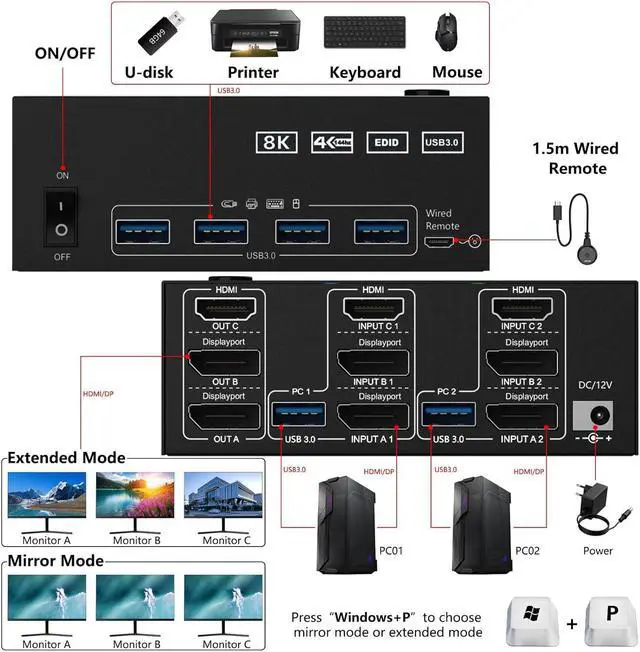
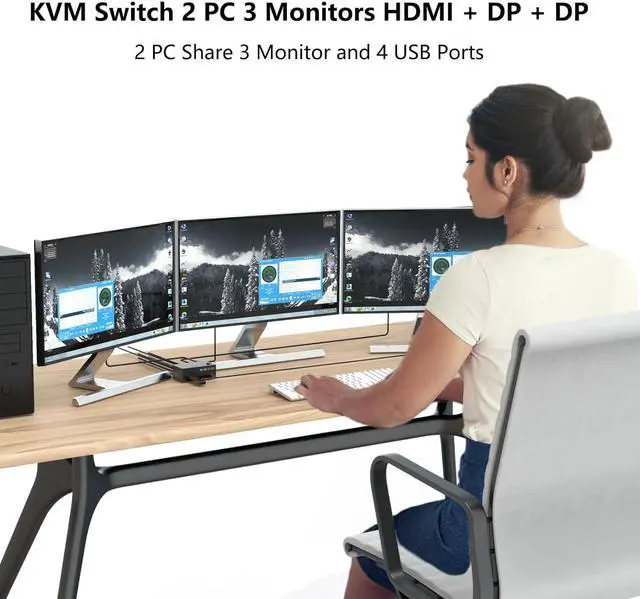
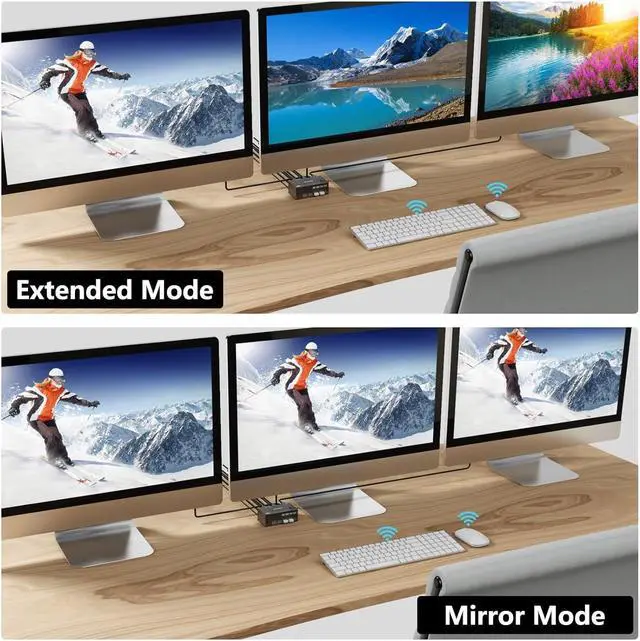
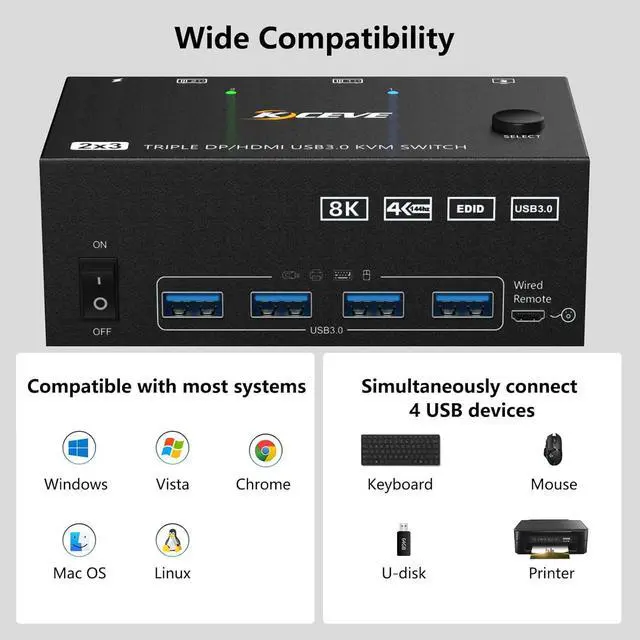
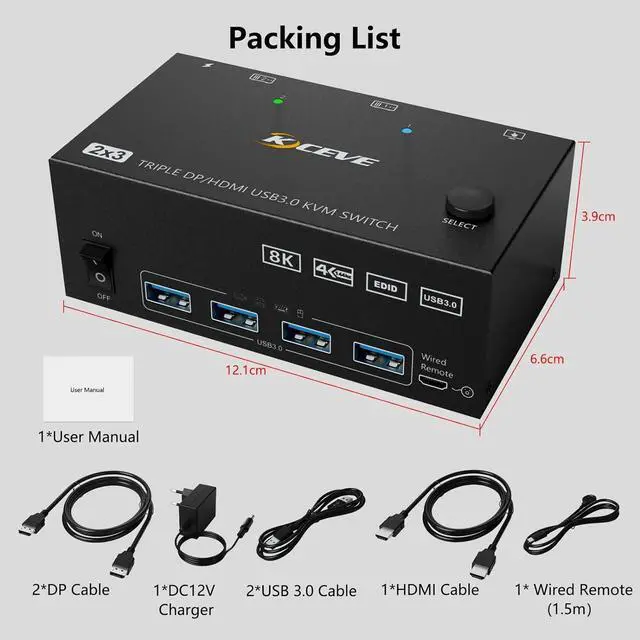
- [HDMI+DP+DP KVM Switch 2 PC 3 Monitors] This USB 3.0 KVM switch HDMI +2 Displayport is very suitable for devices with DP and HDMI interfaces, so that 2 computers can share one set of mouse, keyboard and monitors. Video output to screen with 2 DP and 1 HDMI interface. Each PC requires 1 HDMI, 2 DP and 1 USB cable to connect to the KVM switch.
- [Share 4 USB 3.0 Ports Up to 5Gbps] for 2 Computers Share 4 USB 3.0 devices without disconnecting, identify wireless keyboard, mouse, printer and other USB devices. Supports ultra-fast data transfer up to 5Gbps and is backward compatible with USB 2.0/1.1 devices.
- [Supports 4K@144Hz HDMI 2.1 Supports 8K@60Hz] The dual DisplayPort supports 8K@30Hz, 4K@144Hz, 3440x1440@144Hz, 4K@60Hz. The HD-MI port supports 8K@60Hz, 4K@60Hz, and backward compatibility.
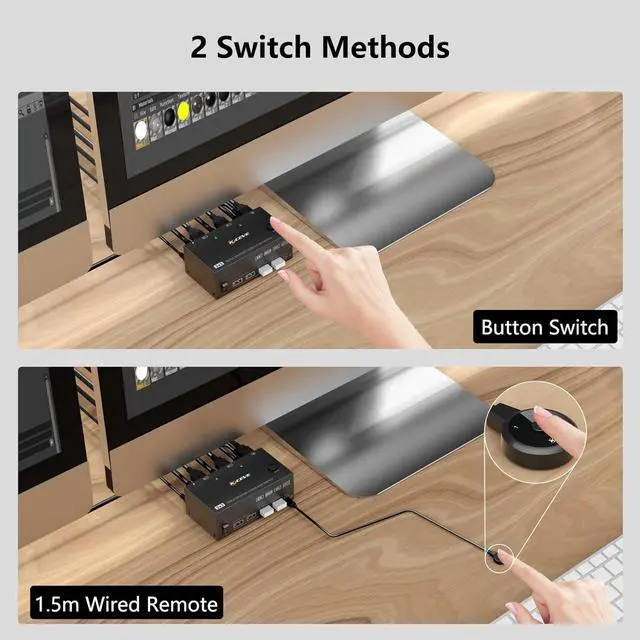
- [2 Switching Methods] Freely switch between 2 PCs using the KVM switch button or the 1.5m wired remote control.
- [Excellent Compatibility] for Windows 7/8/10/11/XP/Vista, Mac OS, Chrome, Linux, Unix etc
+
+
Overview
Specs
Reviews

Any questions? Our AI mode will help you find out quickly.
Try me now
USB 3.0 HDMI + 2 DisplayPort KVM Switch 3 Monitors 2 Computers, 8K@60Hz KVM Switch 4K@144Hz, KVM Switch Displayport 1.4 + HDMI 2.1 for 2 PC Share Mouse, Keyboard and 3 Monitors, with Wired Remote
Warranty & Returns
Warranty, Returns, And Additional Information
Warranty
- Please contact the Seller directly for warranty information. Warranty information may also be found on the Manufacturer's website.
- CONTACT
Return Policies
- Return for refund within: 30 days
- Return for replacement within: non-replaceable
- This item is covered by Shenzhen Qiuyiyue Store Return Policy
Manufacturer Contact Info
- For a directory of all our manufacturers, please click below.
- Manufacturers Directory
LOADING...
LOADING...