
AV Access KVM Switch 2 Computers 2 Monitors DisplayPort 8K@60Hz 4K@165hz/144hz, DP KVM Switch Dual Monitors with USB 3.0 Ports, Audio Out, IR Remote, Hotkey Switch, with 6 DP Cables
  •  
  • $159.99 
  • $129.99
  • Free 30-day Returns
  • Ships from China.
    Price alert
    Shop it at NeweggBusiness.

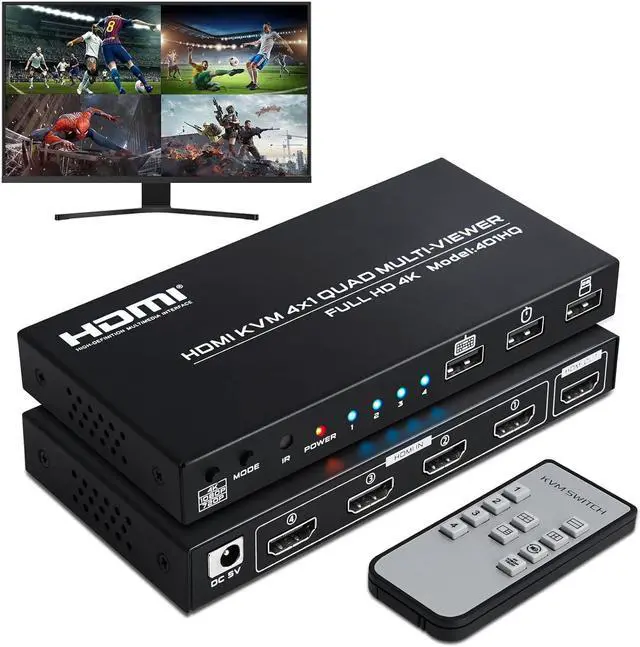
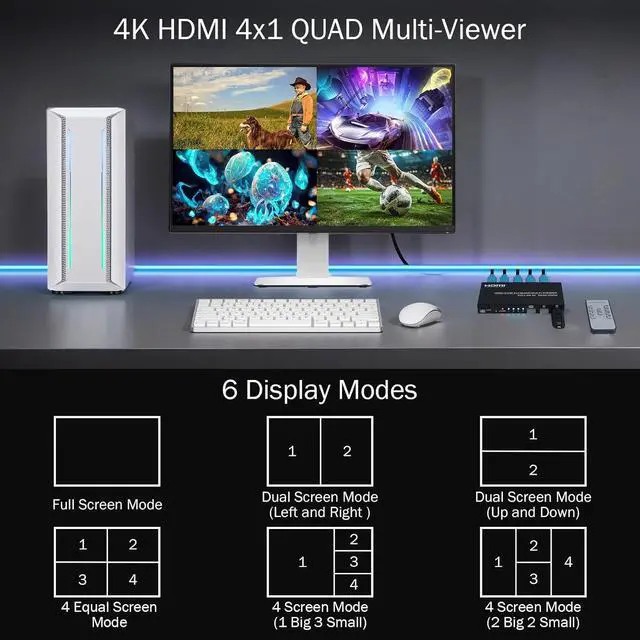
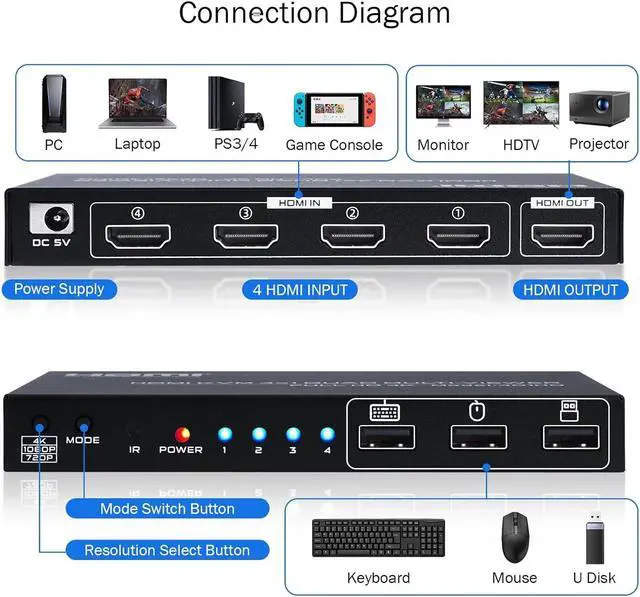
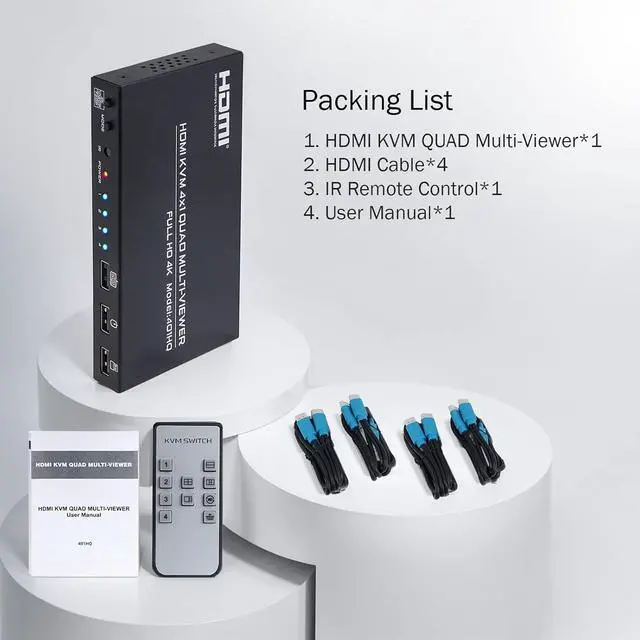
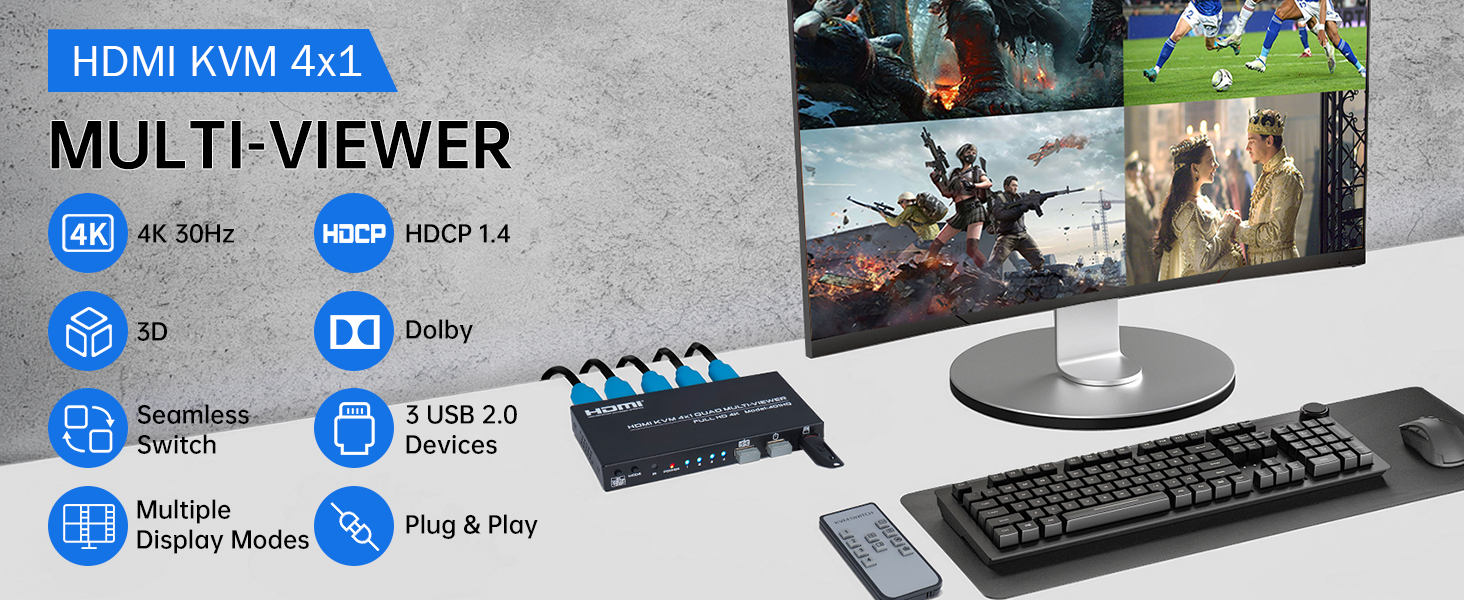
    AUTYUE 4 in 1 Out KVM HDMI Switch, 4K Quad Multi Viewer 4x1 Seamless Switcher with Keyboard Hotkey, 4 Port HDMI KVM Quad Multi-Viewer 4 Computers share 1 Monitor Keyboard Mouse with IR Remote Control

    Limited time offer, ends 01/17 By Shenzhen Qiuyiyue Store

    • 4x1 Quad Multiviewer KVM Switch: This 4 in 1 out HDMI KVM Switch allows you to control 4 computers/ PC with 1 set of monitor, mouse and keyboard. Seamless switching between 4 HDMI sources without frequently changing devices.
    • Hotkey Switching for USB Devic
    +
    +
    Overview
    Specs
    Reviews
    avatar

    Any questions? Our AI beta will help you find out quickly.

    4K HDMI KVM Switch 4 in 1 out Quad Multiviewer supports 4 Computers share 1 Monitor, Keyboard, Mouse


    4K HDMI KVM Switch 4 in 1 out Quad Multiviewer supports 4 Computers share 1 Monitor, Keyboard, Mouse or other USB devices at the same time
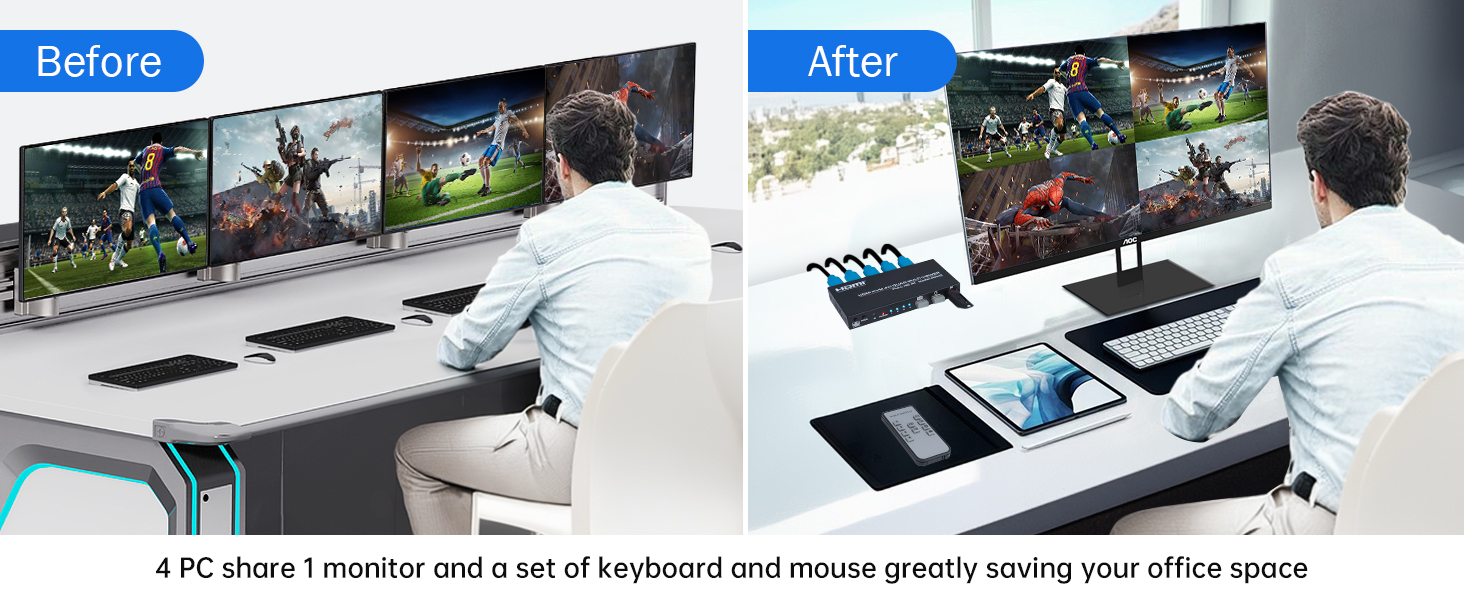
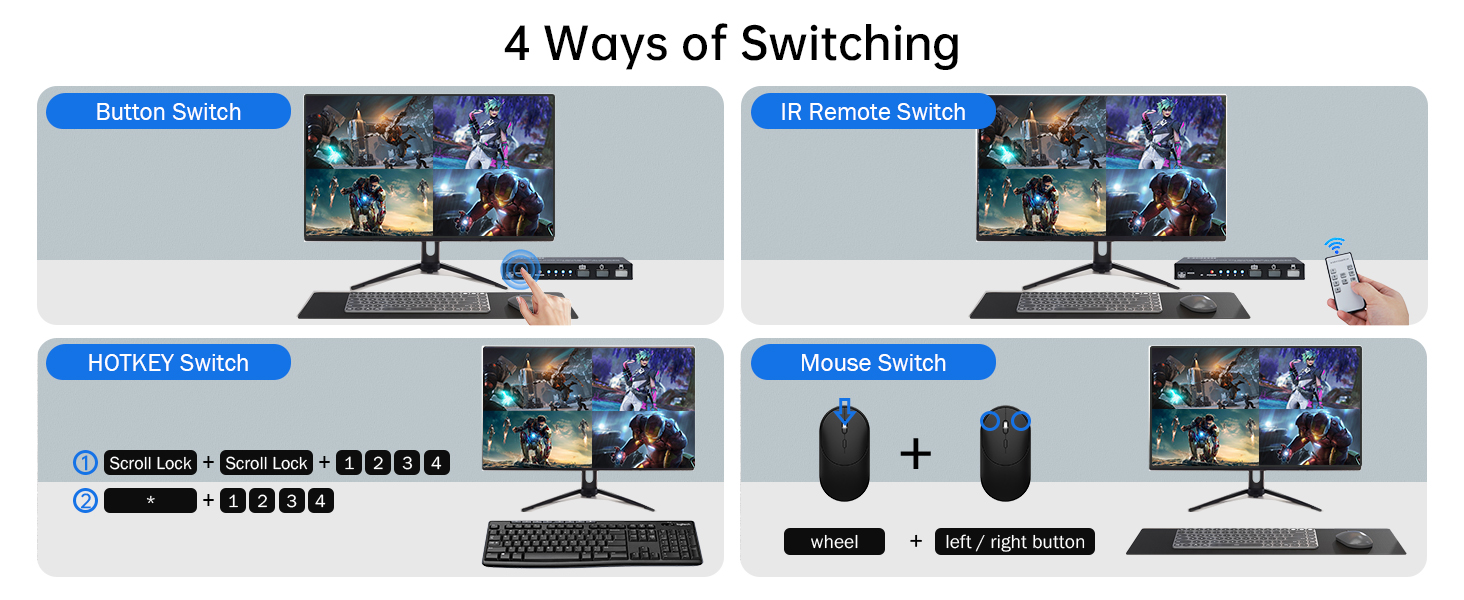
    4K HDMI KVM Switch 4 in 1 out Quad Multiviewer supports 4 Computers share 1 Monitor, Keyboard, Mouse
    Hotkey Notes: 1. Keyboard shortcut replacement: (The following shortcut key "Scroll lock" can be rep


    Hotkey Notes:


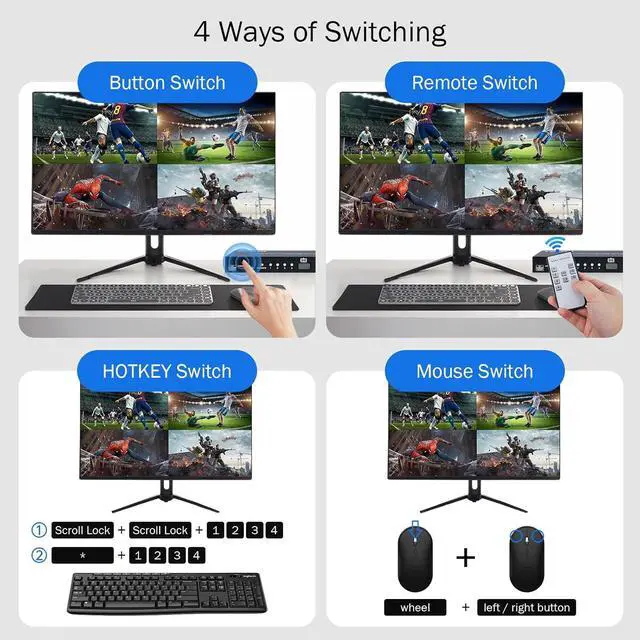
    1. Keyboard shortcut replacement: (The following shortcut key "Scroll lock" can be replaced with Ctrl / CapsLock / NumLock according to personal habits)

    scroll lock + scroll lock + "Ctrl / CapsLock / NumLock " + Enter


    2. Single screen control switching for USB devices:

    1) scroll lock + scroll lock + 1/2/3/4

    2) numeric keypad * + 1/2/3/4 (Simultaneously press)

    3) Switch to the front / back screen of the current control screen: Press the mouse wheel + left / right mouse button (Simultaneously press)

    Follow the above hotkey to choose which computer that the USB devices is controlling when multi HDMI sources showing on 1 monitor.

    3. On/Off multi-screen keyboard-and-mouse crossing mode:

    scroll lock + scroll lock + F12

    Crossing mode allows keyboard and mouse cross between HDMI sources, which means you can control max 4 computer at the same time.


    4. Multi screen synchronous control mode:

    numeric keypad * + 0 (Simultaneously press)

    Synchronous control mode means the USB devices will operate multi HDMI sources with the same way at the same time.


    5. Restore factory settings:

    scroll lock + scroll lock + ESC / R
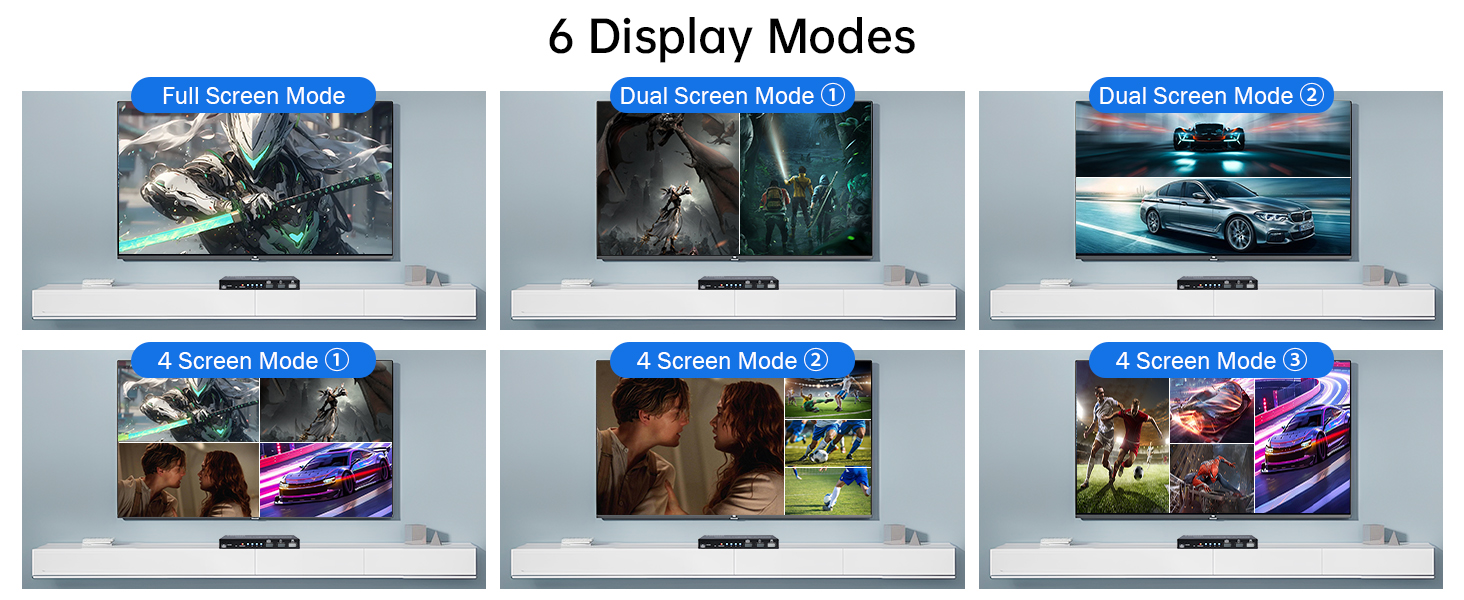
    6 mode
    12
    13
    4K HDMI KVM Switch 4 in 1 out Quad Multiviewer supports 4 Computers share 1 Monitor, Keyboard, Mouse or other USB devices at the same time

    Hotkey Notes:

    1.
    Keyboard shortcut replacement: (The following shortcut key "Scroll lock" can be replaced with Ctrl / CapsLock / NumLock according to personal habits)

    scroll lock + scroll lock + "Ctrl / CapsLock / NumLock " + Enter


    2. Single screen control switching for
    USB devices:

    1) scroll lock + scroll lock + 1/2/3/4

    2) numeric keypad * + 1/2/3/4 (Simultaneously press)

    3) Switch to the front / back screen of the current control screen: Press the mouse wheel + left / right mouse button (Simultaneously press)

    Follow the above hotkey to choose which computer that the USB devices is controlling when multi HDMI sources showing on 1 monitor.


    3.
    On/Off multi-screen keyboard-and-mouse crossing mode:

    scroll lock + scroll lock + F12

    Crossing mode allows keyboard and mouse cross between HDMI sources, which means you can control max 4 computer at the same time.


    4.
    Multi screen synchronous control mode:

    numeric keypad * + 0 (Simultaneously press)

    Synchronous control mode means the USB devices will operate multi HDMI sources with the same way at the same time.


    5.
    Restore factory settings:

    scroll lock + scroll lock + ESC / R
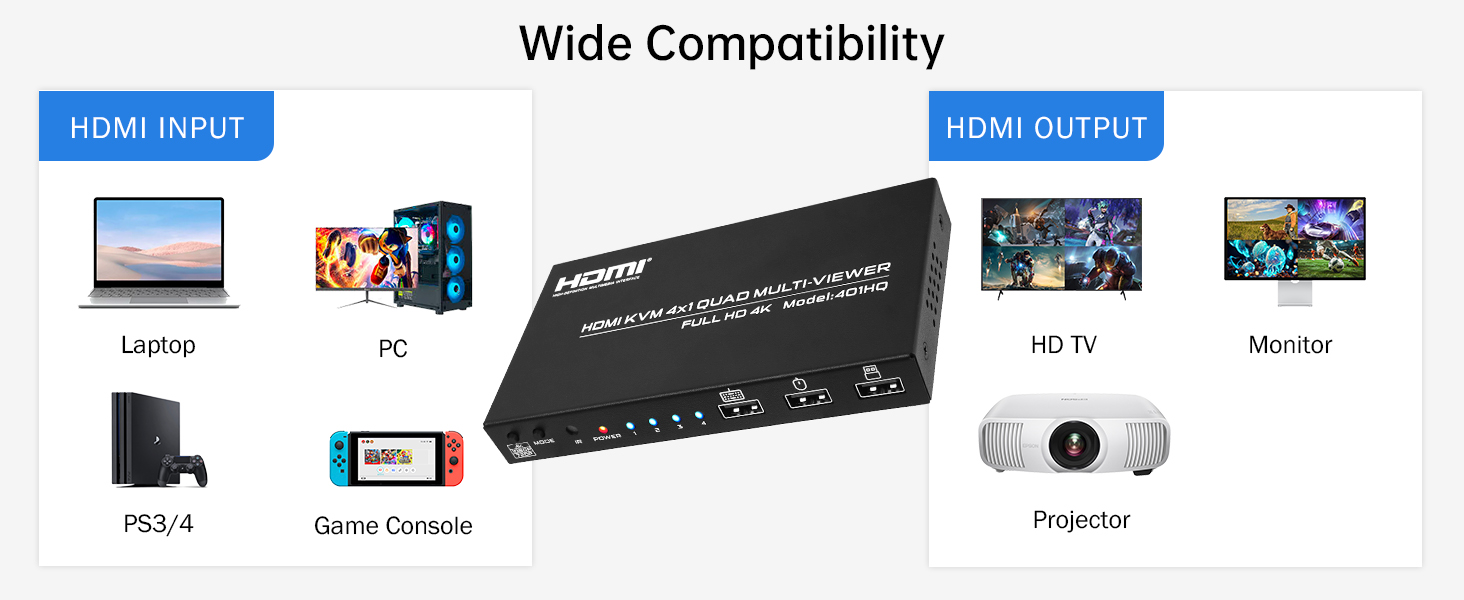
    Warranty & Returns

    Warranty, Returns, And Additional Information

    Warranty

    • Please contact the Seller directly for warranty information. Warranty information may also be found on the Manufacturer's website.
    • CONTACT

    Return Policies

    Manufacturer Contact Info

    LOADING...