

v AV Access KVM Switch Dual Monitor 4K@60Hz, 2K@144Hz, 1080P@240Hz, USB 3.0 KVM Switch 2 Monitors 2 Computers, Ultrawide Screen PC Keyboard Mouse Switcher, Hotkey Switch
  •  
  • $99.99 
  • $99.99
  • Free 30-day Returns
  • Ships from China.
    Price alert
    Shop it at NeweggBusiness.

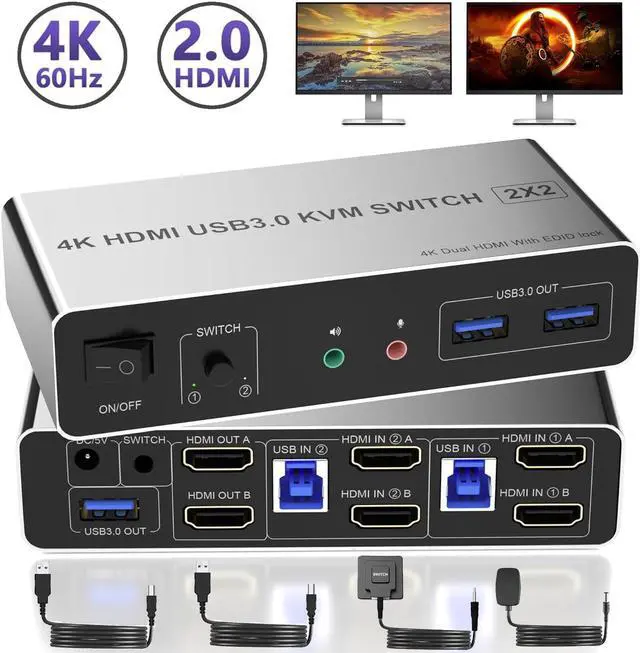
    AUTYUE HDMI Dual Monitor KVM Switch 2 Computers 2 Monitors 4K@60Hz, EDID Emulators HDMI USB KVM Switcher for 2 PCs Share Dual Monitors and 3 USB 3.0 Ports with Audio Microphone, Extended & Mirror Mode

    Limited time offer, ends 01/17 By Shenzhen Qiuyiyue Store

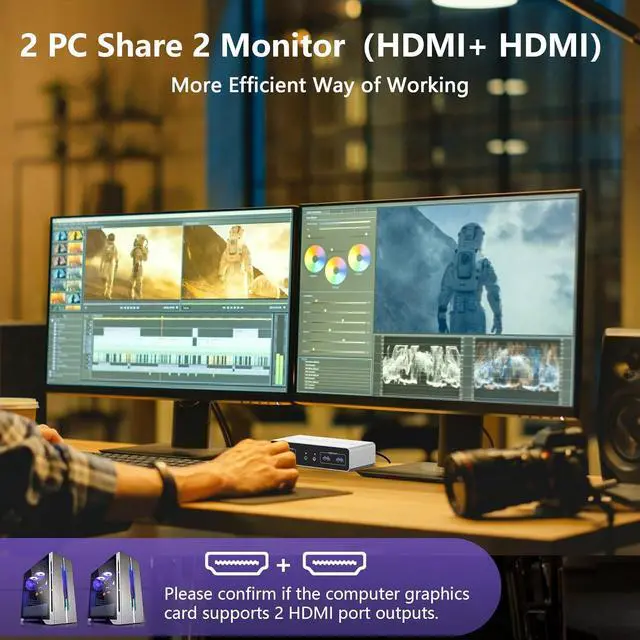
    • [KVM Switch 2 Monitors 2 Computers] The KVM Switch allows 2 computers share 2 monitor and 3 USB devices like mouse keyboard Printer. Support copy mode and extension mode. (Note:Requires 2 HDMI ports for each connected computer and make sure your PC or lap
    +
    +
    Overview
    Specs
    Reviews
    avatar

    Any questions? Our AI beta will help you find out quickly.

    kvm switch 2 monitors 2 computers KVM Switch 2 monitors 2 computers allows two computers share dual


    kvm switch 2 monitors 2 computers


    • KVM Switch 2 monitors 2 computers allows two computers share dual monitor and 3 USB devices and separate audio and microphone output
    • This KVM dual monitor switch can simulate the EDID of the display, keep per PCs always having correct display information.
    • The hdmi kvm switch support extended and mirror display
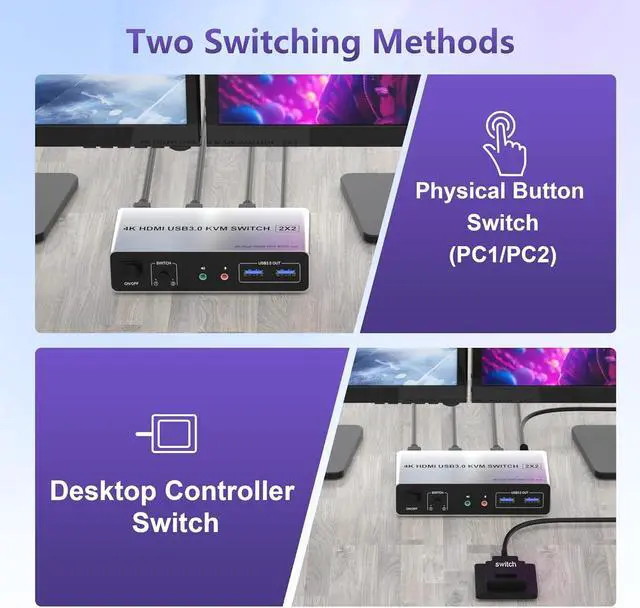
    • 2 Switching modes: Button switch and wired remote.
    • Wide Compatibility,support most major OS including Windows, Linux, Mac
    • Supports resolutions up to 4096*2160@60Hz(4K@60Hz)

    Please note:

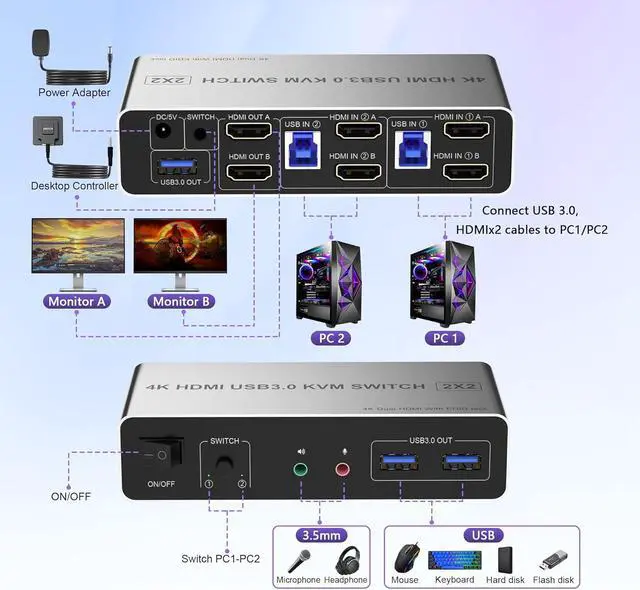
    1) If the HDMI source is input from HDMI IN A, it needs to be output from the OUT A. If the HDMI source is input from HDMI IN B, then it needs to be output from the OUT B.

    2) If you want to output 2 monitors simultaneously, 2 HDMI ports of one HDMI source computer must be connected. Specifically, HDMI A and HDMI B of PC1 IN should be connected at the same time, and OUT A and OUT B of the output ends should also be connected simultaneously. OUT A display the video from HDMI A, and OUT B will display the video from HDMI B.

    Dual Monitor KVM Switch Support Ultra HD 4K Visuals The 4K HDMI KVM Switch supports resolutions up t
    Dual Monitor KVM Switch Support Ultra HD 4K Visuals


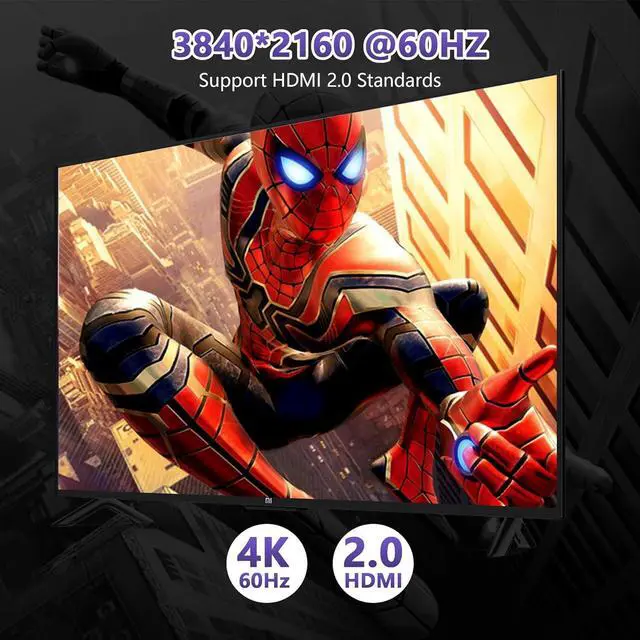
    • The 4K HDMI KVM Switch supports resolutions up to 4096*2160@60Hz(4K@60Hz)
    • Backward compatible with 4K30@Hz, 1080P or lower resolutions for compatibility with various HDMI devices.
    • Note: If you want to achieve the maximum resolution, It's crucial to ensure both the signal source and HDMI cable support 4K@60Hz.
    Extend Displays and Mirror Displays Copy mode: the main screen can be copied to the second output sc

    Extend Displays and Mirror Displays


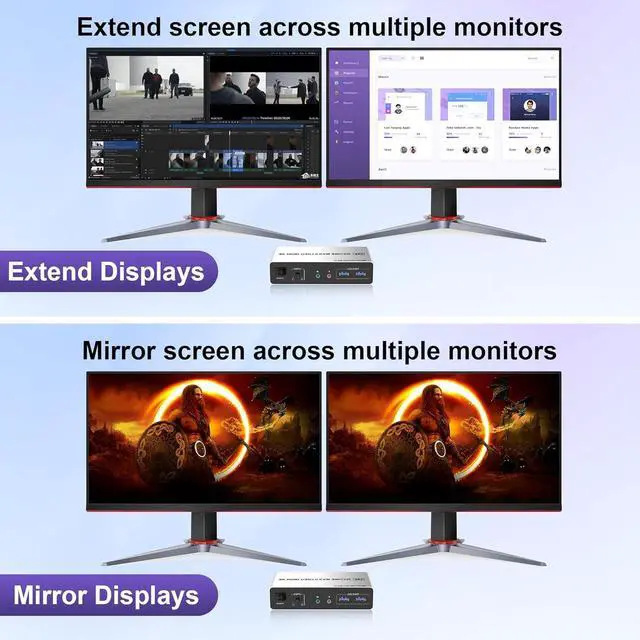
    • Copy mode: the main screen can be copied to the second output screen and display two identical screens.
    • Extended mode: windows on the main screen can be dragged to the second output screen and display two different screens.
    • Note: Please make sure your computer supports multi-screen display. Test method: Connect the source to 2 monitors and they both display, your computer supports multi-monitor display.
    CONNECTION PC1 IN: USB IN 1 and HDMI IN1 A/HDMI IN1 B cables, device connected to computer 1.  PC2


    CONNECTION

    PC1 IN: USB IN 1 and HDMI IN1 A/HDMI IN1 B cables, device connected to computer 1.

    PC2 IN: USB IN 2 and HDMI IN2 A/HDMI IN2 B cables, device connected to computer 2.

    HDMI OUT: HDMI OUT A and HDMI OUT B, connected to 2 HDMl display devices.


    Note:

    1. Requires 2 HDMI ports for each connected computer and make sure your PC or laptop supports multiple monitors

    2. After connecting the computers and the monitors through KVM, Please set the screen output mode on the computer (press Windows+P) and select the output mode in the pop-up window on the screen. Otherwise, only one of the two connected monitors has an image.

    3. Before purchasing this product, please make sure that connecting your computer directly to the monitor can produce images normally, Otherwise, the KVM will not be available.

    3 USB 3.0
    KVM USB 3.0 Switch


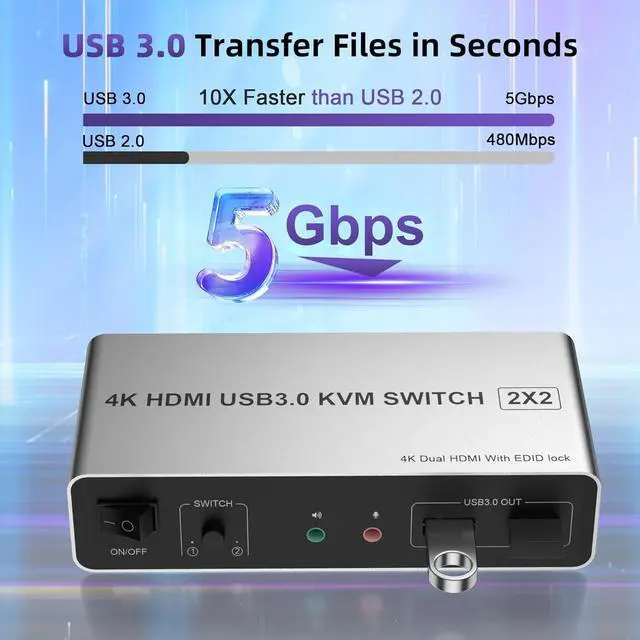
    In addition to two HDMI ports, this KVM switch also has 3 USB 3.0 ports with a data transfer rate up to 5Gbp/s, which is 10 times faster than USB 2.0 ports. USB 2.0 devices are compatible. It can be used to share USB devices such as printers, scanners, webcams, wired or wireless keyboards and mice, and more.


    2 Monitor KVM also supports separate audio and microphone output. Plug and play without any software needed.

    Switch by Panel button Press the panel button next to the indicator light to achieve one-click switc
    Switch by Panel button
    • Press the panel button next to the indicator light to achieve one-click switching,Simple, quick and easy to use, Let you can save more time to do other things!
    Desktop Control Enhanced Convenience Our kvm switch comes with a wired remote control, featuring a p
    Desktop Control Enhanced Convenience
    • Our kvm switch comes with a wired remote control, featuring a push-button switch for seamless switch. Easily switch without having to get up when using it.
    LED Indicator When switching to which PC, the LED will tell you whether PC1 or PC2 is active.
    LED Indicator
    • When switching to which PC, the LED will tell you whether PC1 or PC2 is active.
    Audio and microphone output
    Audio and microphone output
    • Dual monitor KVM comes with a 3.5mm Audio Jack port with a DAC chip inside, which can be inserted into a 3-segment 3.5mm earpiece device, and a 3.5mm microphone interface, which can be inserted into a 3-segment microphone.
    package
    kvm switch 2 monitors 2 computers
    KVM Switch 2 monitors 2 computers allows two computers share dual monitor and 3 USB devices and separate audio and microphone output
    This KVM dual monitor switch can simulate the EDID of the display, keep per PCs always having correct display information.
    The hdmi kvm switch support extended and mirror display
    2 Switching modes: Button switch and wired remote.
    Wide Compatibility, support most major OS including Windows, Linux, Mac
    Supports resolutions up to 4096*2160@60Hz(4K@60Hz)
    Please note:

    1)If the HDMI source is input from HDMI IN A, it needs to be output from the OUT A. If the HDMI source is input from HDMI IN B, then it needs to be output from the OUT B.

    2) If you want to output 2 monitors simultaneously, 2 HDMI ports of one HDMI source computer must be connected. Specifically, HDMI A and HDMI B of PC1 IN should be connected at the same time, and OUT A and OUT B of the output ends should also be connected simultaneously. OUT A display the video from HDMI A, and OUT B will display the video from HDMI B.


    CONNECTION
    PC1 IN: USB IN 1 and HDMI IN1 A/HDMI IN1 B cables, device connected to computer 1.

    PC2 IN: USB IN 2 and HDMI IN2 A/HDMI IN2 B cables, device connected to computer 2.

    HDMI OUT: HDMI OUT A and HDMI OUT B, connected to 2 HDMl display devices.

    Note:


    1. Requires 2 HDMI ports for each connected computer and make sure your PC or laptop supports multiple monitors


    2. After connecting the computers and the monitors through KVM, Please set the screen output mode on the computer (press Windows+P) and select the output mode in the pop-up window on the screen. Otherwise, only one of the two connected monitors has an image.


    3. Before purchasing this product, please make sure that connecting your computer directly to the monitor can produce images normally, Otherwise, the KVM will not be available.

    Warranty & Returns

    Warranty, Returns, And Additional Information

    Warranty

    • Please contact the Seller directly for warranty information. Warranty information may also be found on the Manufacturer's website.
    • CONTACT

    Return Policies

    Manufacturer Contact Info

    LOADING...