

v AV Access KVM Switch Dual Monitor 4K@60Hz, 2K@144Hz, 1080P@240Hz, USB 3.0 KVM Switch 2 Monitors 2 Computers, Ultrawide Screen PC Keyboard Mouse Switcher, Hotkey Switch
  •  
  • $99.99 
  • $79.99
  • Free 30-day Returns
  • Ships from China.
    Price alert
    Shop it at NeweggBusiness.

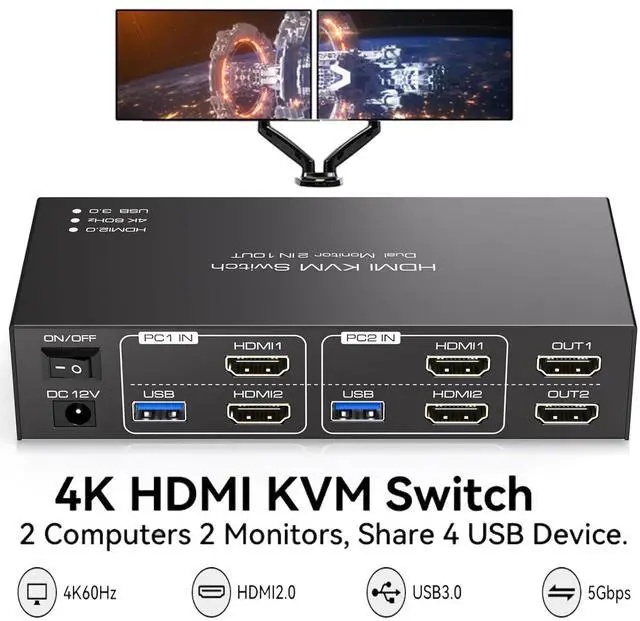
    AUTYUE HDMI KVM Switch 2 Monitors 2 Computers 4K@60Hz Dual Monitor HDMI USB 3.0 KVM Switch for 2 Computers share 4 USB USB 3.0 Devices Support Copy & Extend Mode with 12V DC Power Supply & Cable

    Limited time offer, ends 01/17 By Shenzhen Qiuyiyue Store

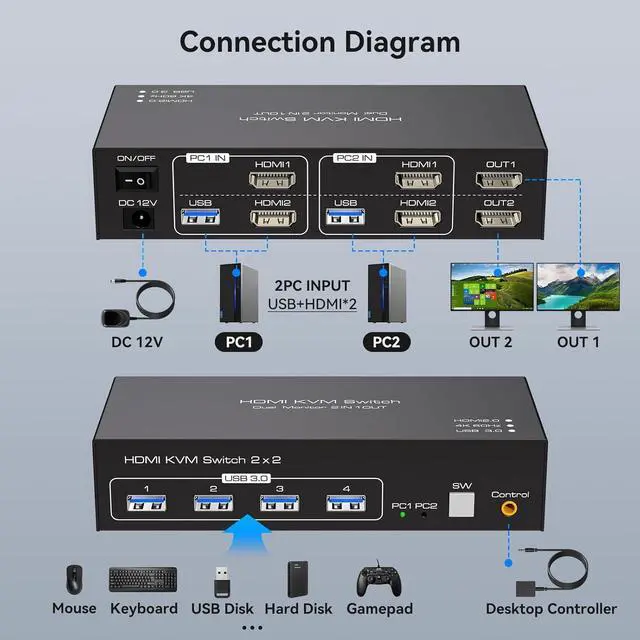
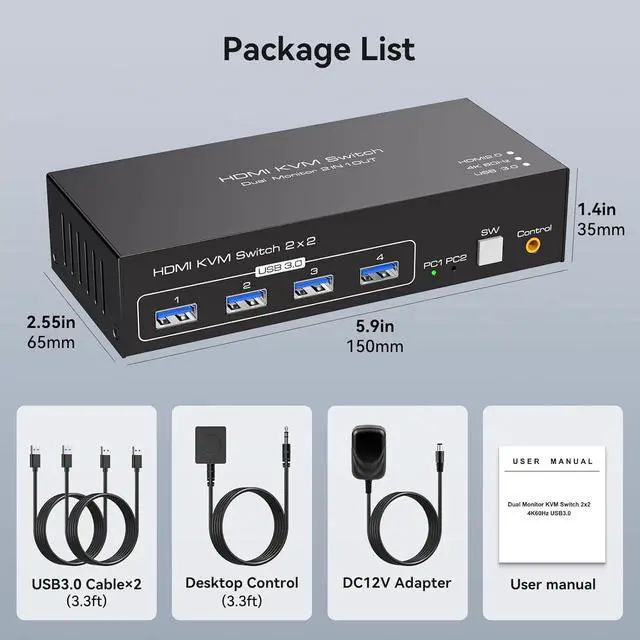
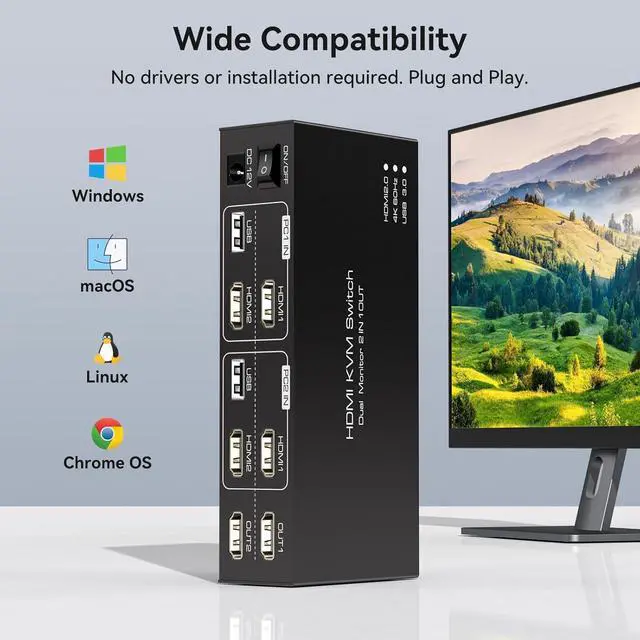
    • [HDMI KVM Switch 2 Monitors 2 PC] KVM switch dual monitor allows 2 computers to share 2 monitors and 4 USB devices such as mouse, keyboard, etc. By distributing the HDMI1 and HDMI2 input ports on the upper and lower levels.
    • [Display Mode] Supports resolut
    +
    +
    Overview
    Specs
    Reviews
    avatar

    Any questions? Our AI beta will help you find out quickly.

    HDMI KVM Switch 2 Monitors 2 Computers 4K@60Hz Dual Monitor HDMI USB 3.0 KVM Switch for 2 Computers


    Caveat

    • To use two monitors, each computer must be connected to the KVM with 2 HDMI and the computer itself should support the display of two monitors.
    • If the USB device is not recognised or disconnected, try swapping the ends of the USB cable between the computer and the KVM.
    • The KVM switcher is only used to switch the signal source and the two monitors will only display the screen of the same computer.
    • The KVM switch can only be used for signal transmission and cannot change any information.
    • The switch does not support the use of hotkeys to switch signal sources.
    • If the monitor flickers or has other display problems after connecting to the KVM, please try to exchange a shorter HDMI cable for the connection, it is not recommended to use an adapter cable.
    Caveat To use two monitors, each computer must be connected to the KVM with 2 HDMI and the computer

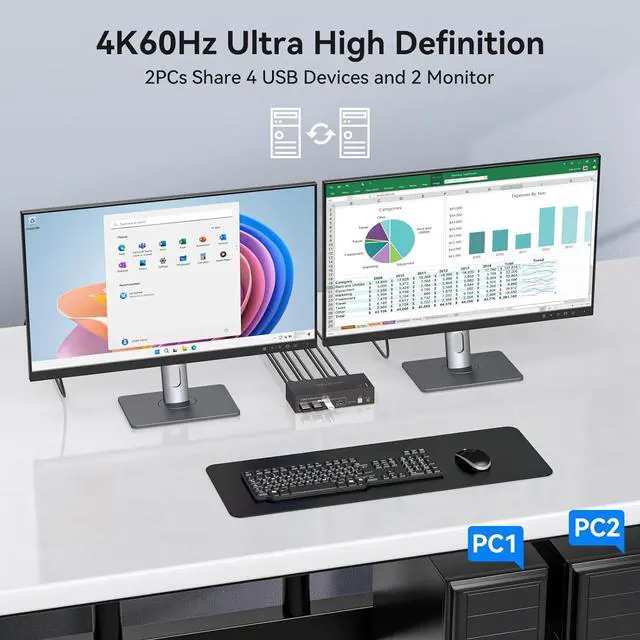
    Click on 'Windows+P' to select the 'Mirror' or 'Extend' mode.

    Caveat To use two monitors, each computer must be connected to the KVM with 2 HDMI and the computer

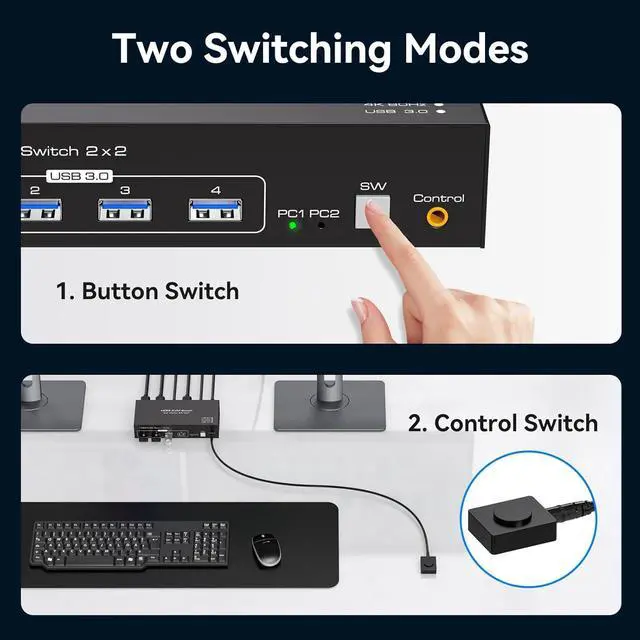
    In addition to the switch buttons on the device, there is also a desktop controller that allows you to hide the KVM for a tidy desk.

    Click on
    In addition to the switch buttons on the device, there is also a desktop controller that allows you
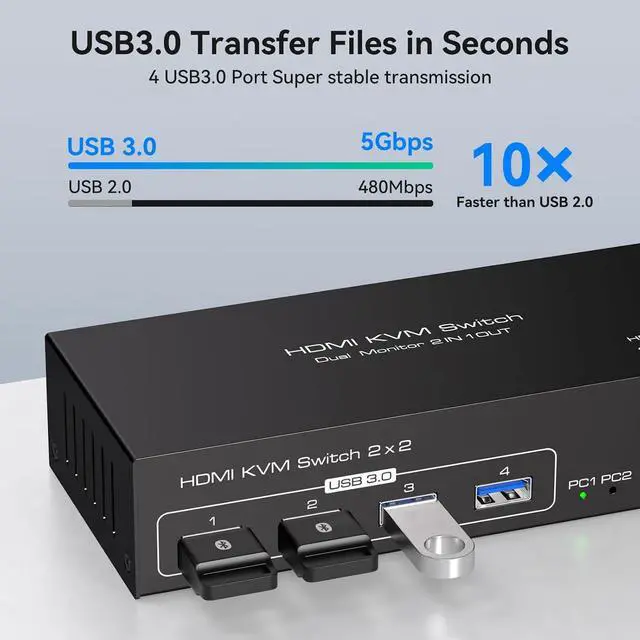
    KVM is equipped with 4 USB 3.0 ports


    The transfer speed of USB 3.0 is 10 times faster than that of USB 2.0, and the USB 3.0 interface is compatible with USB 2.0, so you don't have to worry about compatibility issues.


    4K@60hz Resolution

    The transfer speed of USB 3.0 is 10 times faster than that of USB 2.0, and the USB 3.0 interface is


    Our KVM switch supports up to 4K@60Hz, provided that the cables, computers and monitors you use all support 4K@60Hz.

    Our KVM switch supports up to 4K@60Hz, provided that the cables, computers and monitors you use all
    Caveat
    To use two monitors, each computer must be connected to the KVM with 2 HDMI and the computer itself should support the display of two monitors.
    If the USB device is not recognised or disconnected, try swapping the ends of the USB cable between the computer and the KVM.
    The KVM switcher is only used to switch the signal source and the two monitors will only display the screen of the same computer.
    The KVM switch can only be used for signal transmission and cannot change any information.
    The switch does not support the use of hotkeys to switch signal sources.
    If the monitor flickers or has other display problems after connecting to the KVM, please try to exchange a shorter HDMI cable for the connection, it is not recommended to use an adapter cable.

    Warranty & Returns

    Warranty, Returns, And Additional Information

    Warranty

    • Please contact the Seller directly for warranty information. Warranty information may also be found on the Manufacturer's website.
    • CONTACT

    Return Policies

    Manufacturer Contact Info

    LOADING...